Today board
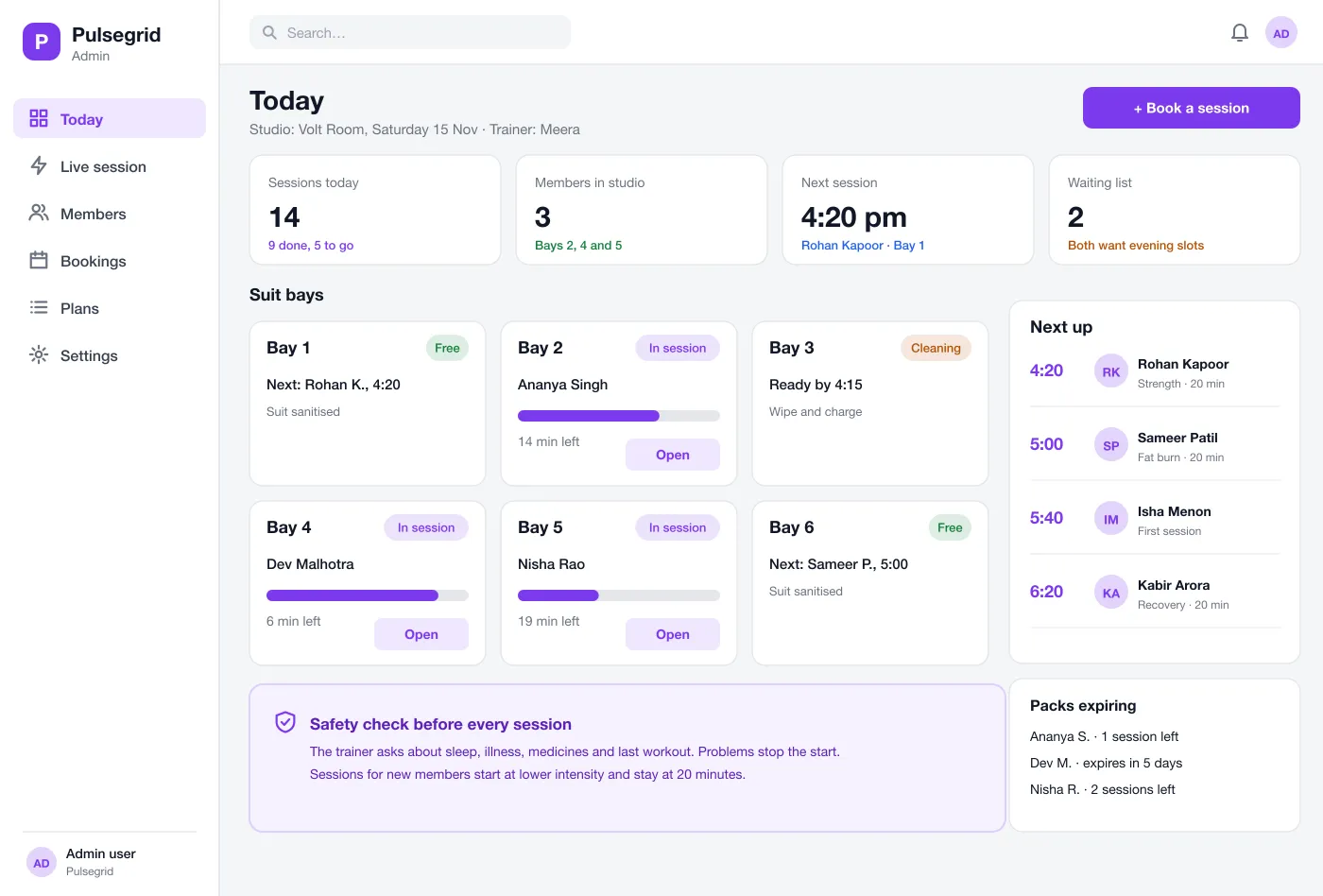
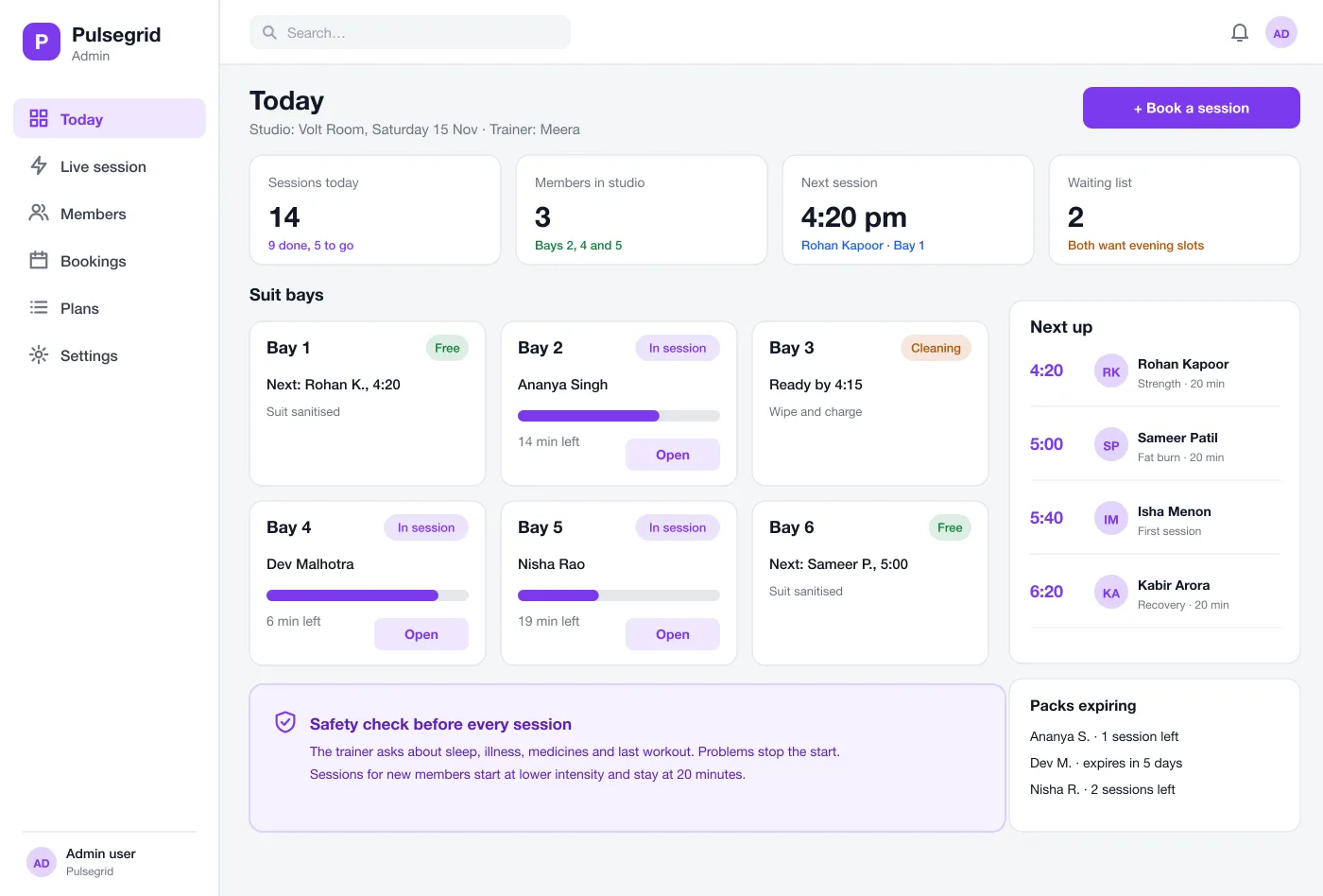
One screen shows each suit bay as Free, In session or Cleaning, with a timer, who is next and any packs that end soon.
Pulsegrid is an app for EMS (electro muscle stimulation) fitness studios, designed and built by our team. The trainer runs sessions from a tablet, keeps member profiles and session plans, and manages bay bookings in one app.
Pulsegrid was designed and built by the PRS CloudTech team.
The brief
An EMS studio runs on short, tightly timed sessions. A trainer is with one or two members at a time, hands full, and still has to track the timer, the strength of each body area and what the member did last time.
Most studios keep this on paper or in a basic booking tool. Plans get lost, limits are forgotten and the front desk does not know which suit bay is free.
Control in the trainer's hands
Strength, timer and phase should be on one tablet screen, easy to reach with one hand.
A record for each member
Goals, limits, measurements and past sessions should be there the moment the member arrives.
Safety built in
Intensity limits and a pre-session check should be part of the flow, not left to memory.
A clear view of the day
The studio should see which bays are free, who is next and which packs are about to end.
What we designed
We designed Pulsegrid as one tablet app for the trainer, with a web admin for the studio owner. The tablet is large, with big buttons that are easy to tap during a session.
One screen shows each suit bay as Free, In session or Cleaning, with a timer, who is next and any packs that end soon.
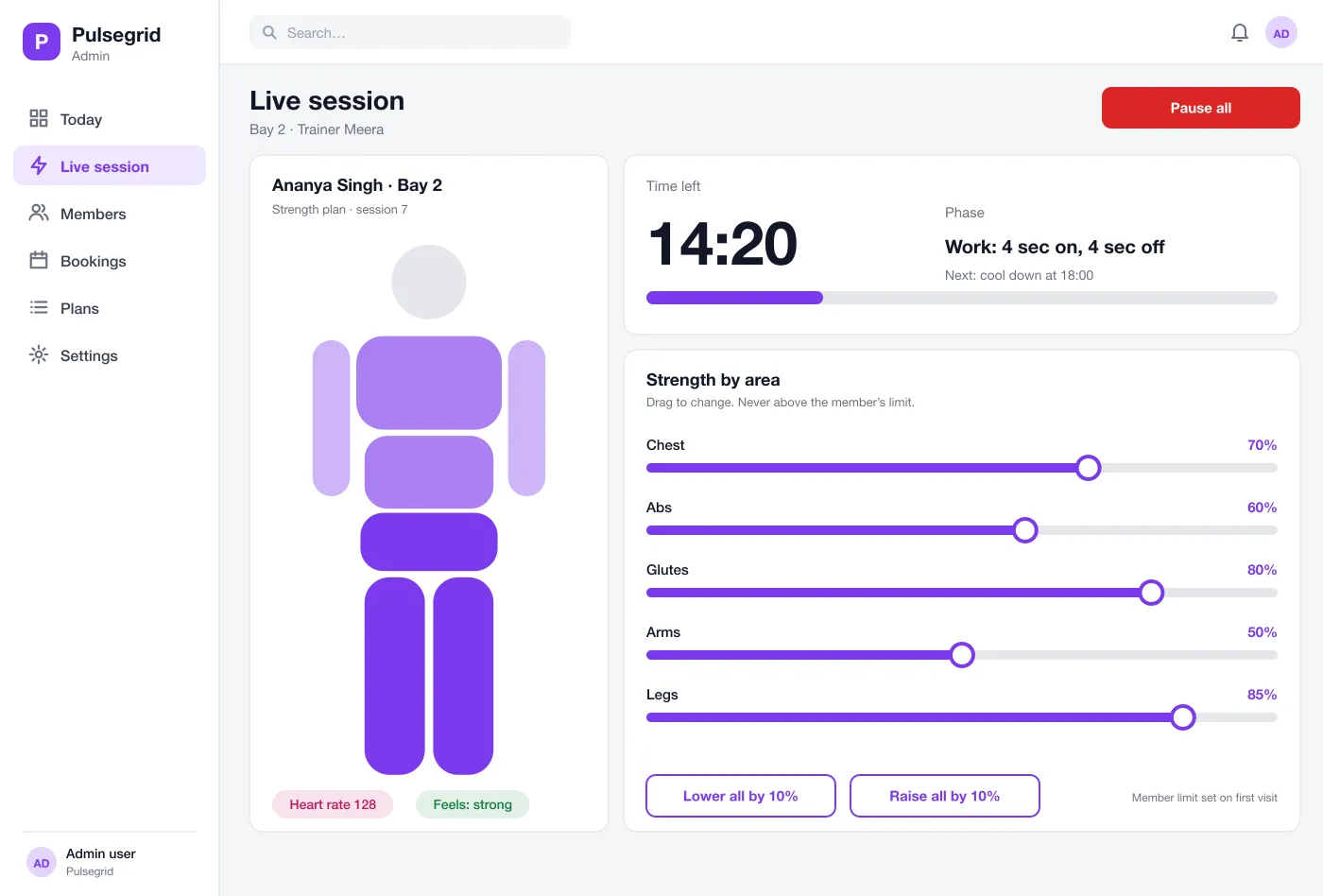
The trainer sees the time left, the current phase and a body figure. Each area has a slider for strength, and a Pause all button stops everything at once.
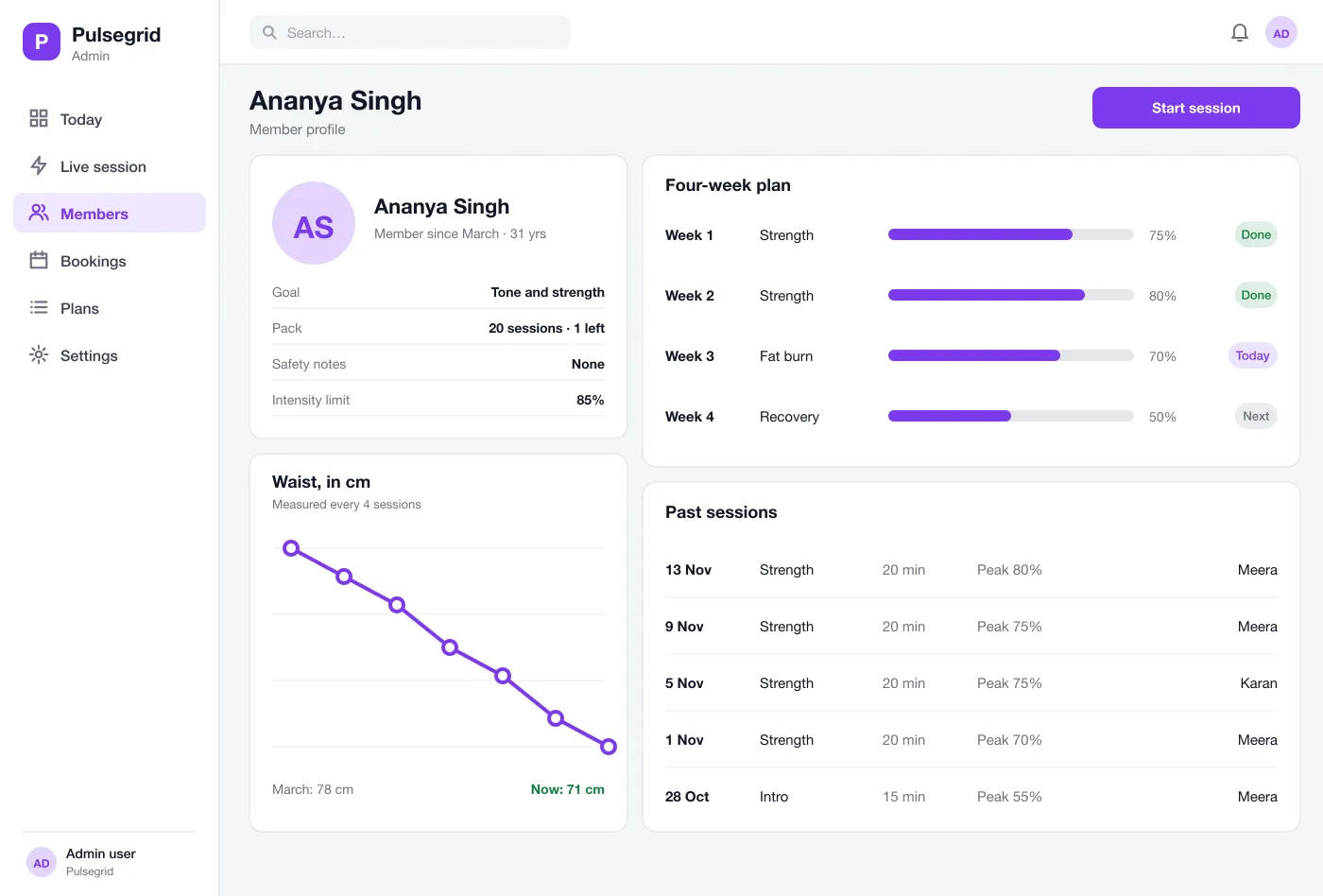
Goal, pack, safety notes and intensity limit sit at the top. Below are body measurements over time, past sessions and the plan.
A plan sets the type of session, such as strength, fat burn or recovery, and the peak strength for each week. New members start low and short.
Before a session the trainer asks a few questions about sleep, illness and medicines. If a member flags a problem, the session cannot start until the trainer clears it.
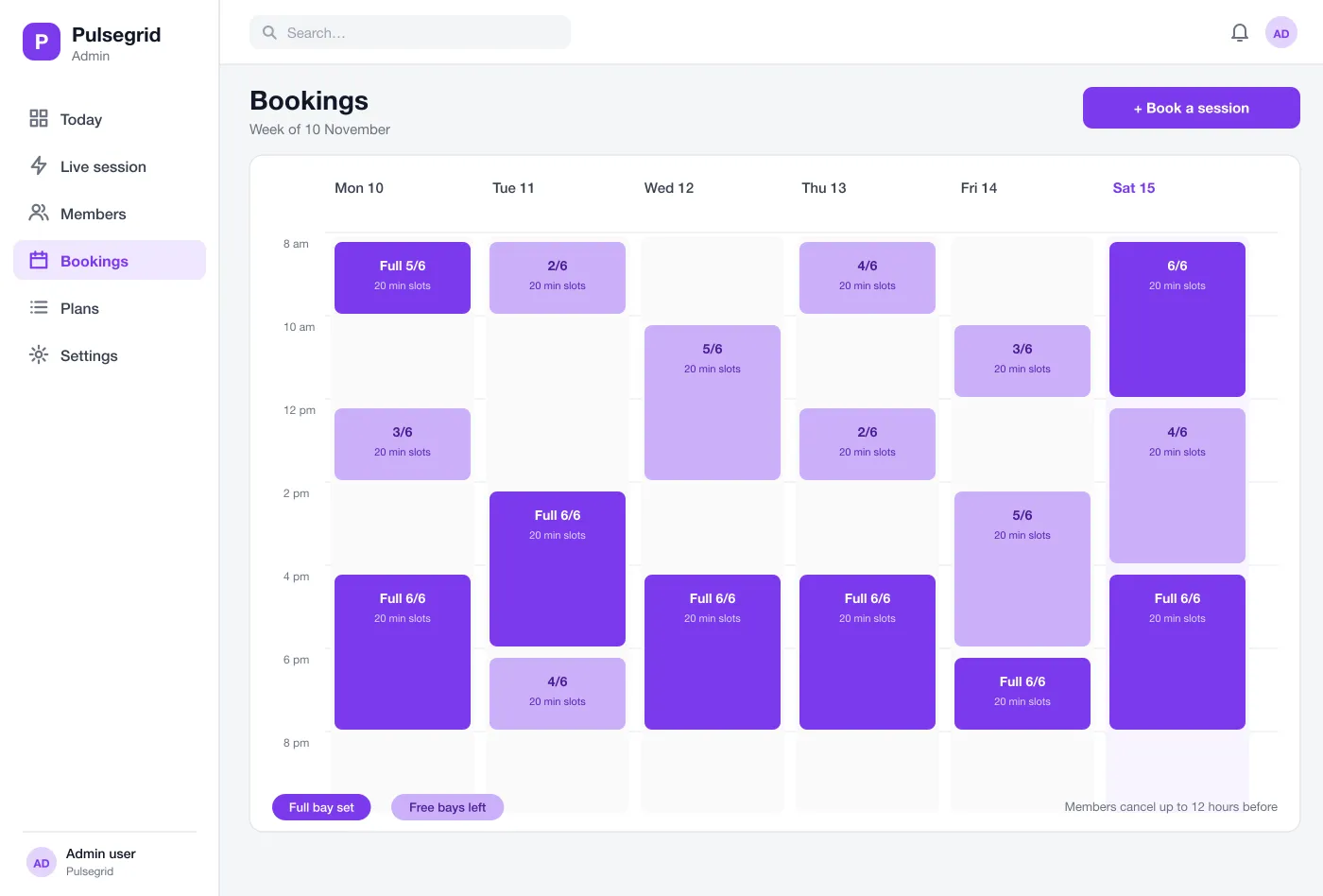
A week view shows every slot across all bays. Members book from their phone, and the studio sees full and free slots at a glance.
Screens
How it works
Here is how the main tasks work in Pulsegrid, from a member arriving to the notes after the session.
Arrive and check in
The member books a slot, arrives, and the trainer opens the profile and does the safety check.
Run the session
The trainer starts the plan, adjusts each area within the member's limit and watches the timer.
Record the result
After the session the app saves the peak strength, time and the trainer's notes.
Plan the next one
Every fourth session the trainer adds measurements, and the app shows the change since the start.
Suggested technology
What we would deliver
FAQ
EMS is short for electro muscle stimulation. The member wears a suit and the studio sends gentle electric signals to the muscles during a short workout. A trainer sets how strong each area is.
The trainer app is built for an Android tablet or an iPad, with a web screen for the studio owner. It can connect to EMS suits over Bluetooth when the suit maker offers an interface, and member booking can be added as a phone app.
Yes. We can build the trainer's tablet app, a web admin for the owner and a member booking app, and link it to the suit devices your studio uses.
Each member has an intensity limit saved on the first visit, and the trainer cannot raise any area above it. A short safety check comes before every session, and a flagged problem stops the start.
Yes. Members book a time slot from their phone and the trainer sees it on the bookings calendar. Members can cancel up to a set number of hours before.
Tell us who will use it and what it must do. We will reply with a plan, a timeline and a price.