Membership and check-in
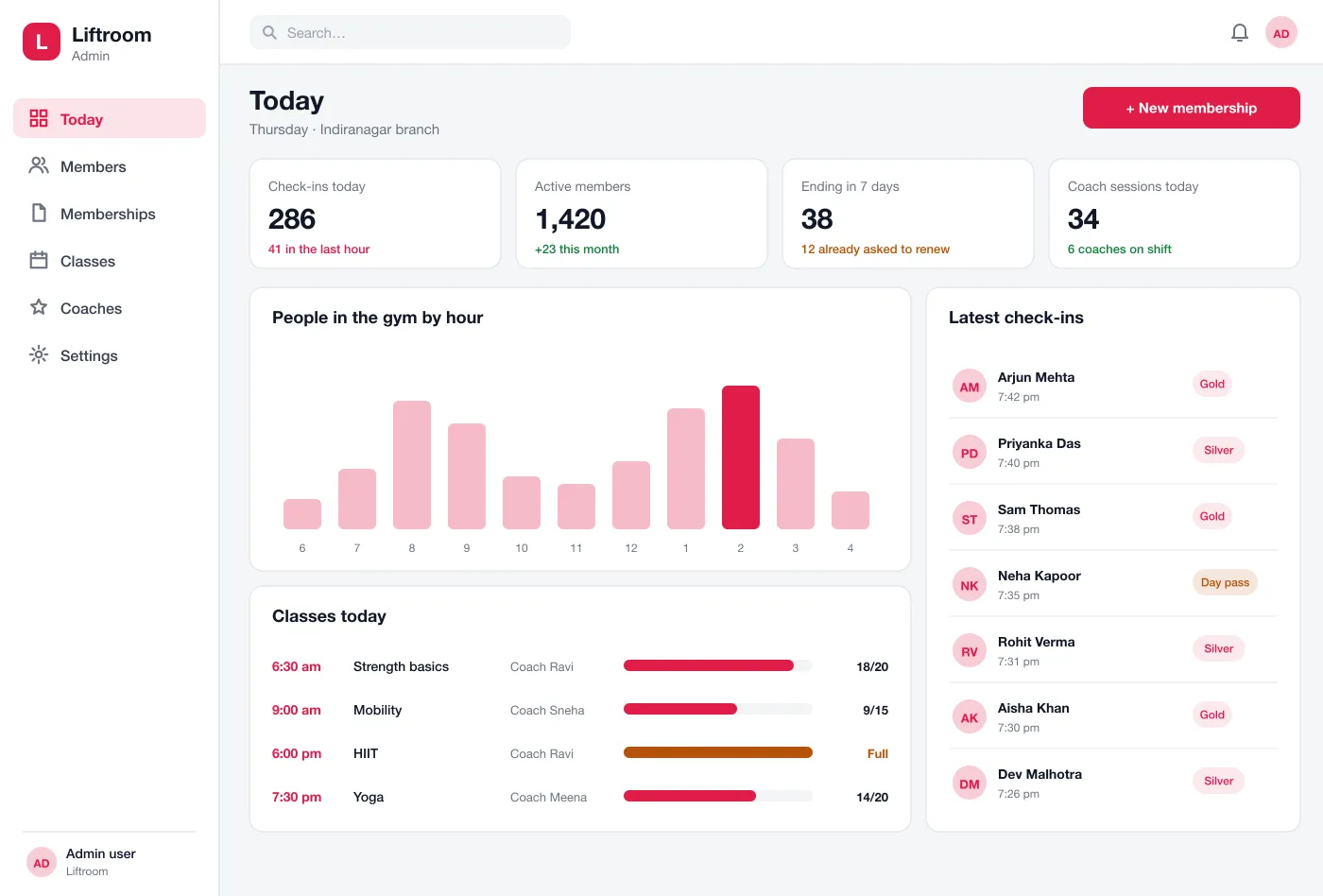
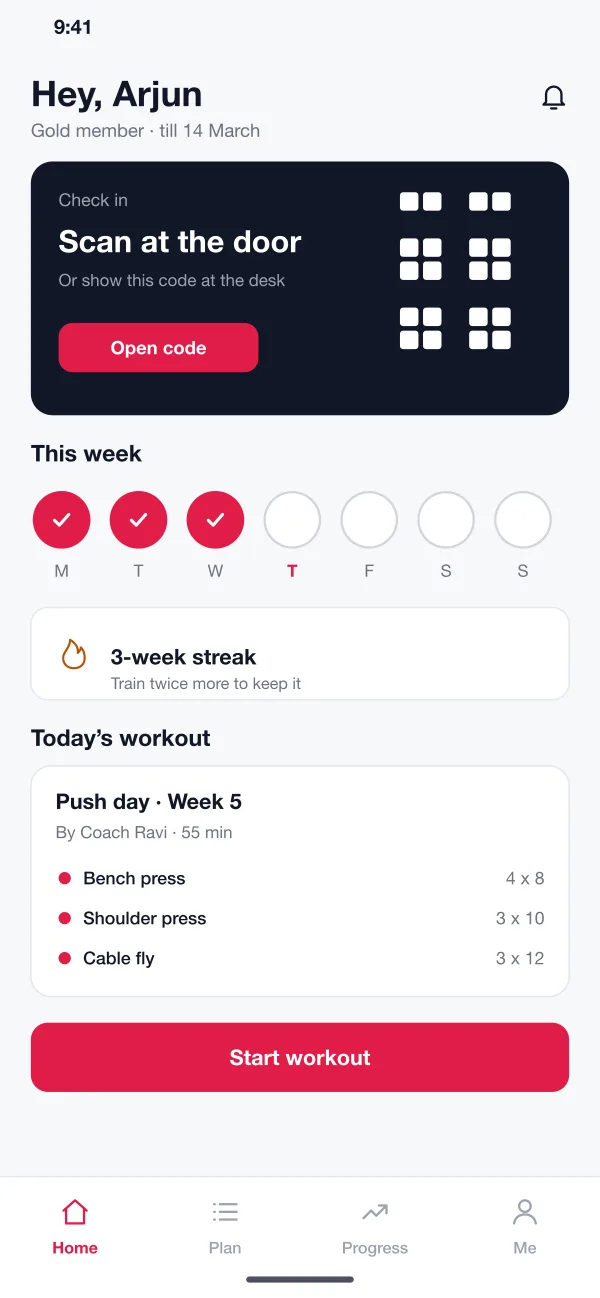
A member buys or renews a plan in the app and gets a QR code. They scan at the door. The desk board shows each check-in as it happens.
Liftroom is a gym and coaching platform designed and built by our team. Members check in with a code, follow a plan made by their coach and see their progress. The gym team handles memberships, classes and renewals on one board.
Liftroom was designed and built by the PRS CloudTech team.
The brief
Most people join a gym with a strong plan and stop going within a few weeks. A paper card, a plan in a chat message and a payment due on the 5th do not keep anyone motivated.
For the gym, the problems are just as plain. The front desk checks names in a register. Renewals are chased by phone. Coaches cannot tell who is doing the workout and who has disappeared.
Fast check-in
A member should walk in with a phone, not a card. The desk should see who came and who did not.
A plan that lives on the phone
Each lift, set and weight should be written down, so members do not guess and coaches do not repeat themselves.
Progress people can see
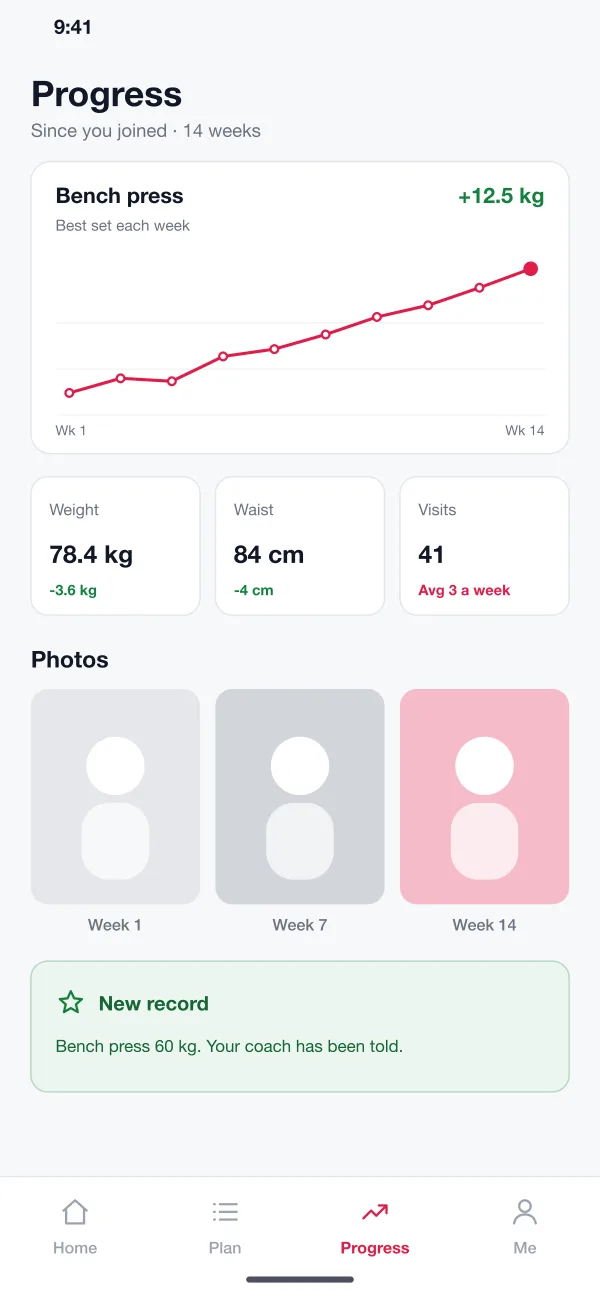
Weight, strength and photos over weeks help members stay with it.
Early warnings
Coaches and the desk want to know about missed sessions and ending memberships while there is still time to help.
What we designed
We designed Liftroom as three parts that share one member record: a member app, a coach app and a web board for the front desk.
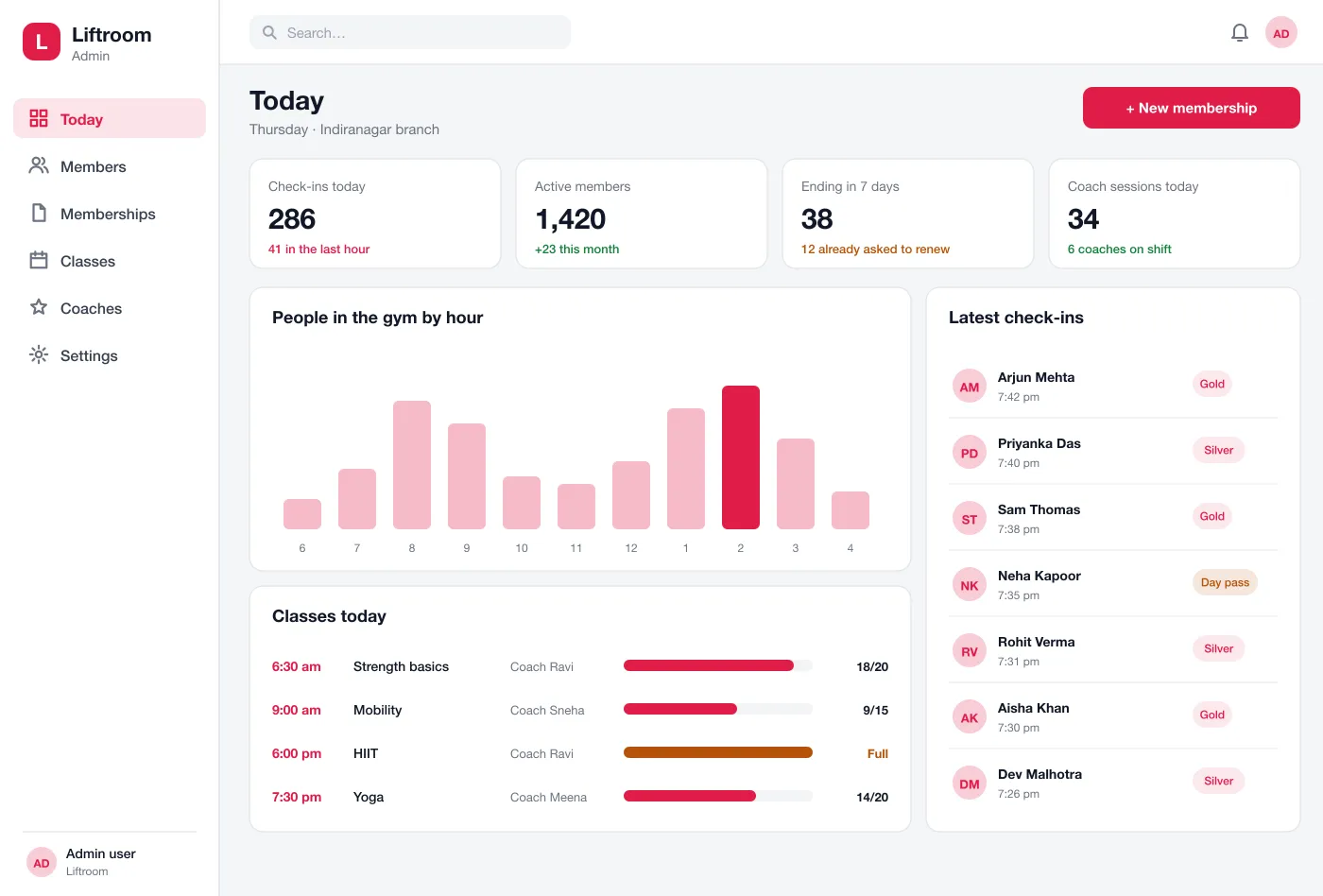
A member buys or renews a plan in the app and gets a QR code. They scan at the door. The desk board shows each check-in as it happens.
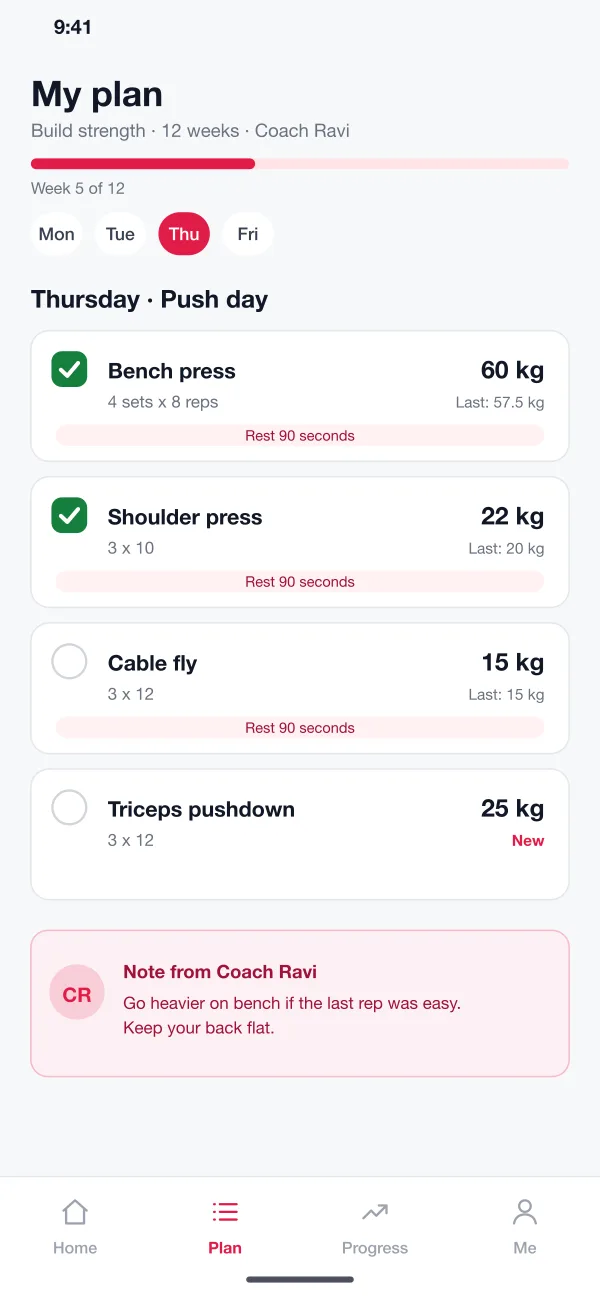
A coach builds a plan with days, lifts, sets, reps and weights. The member sees today's workout, ticks off each lift and sees the weight used last time.
The app draws a line for each lift, keeps weight and waist notes, and holds progress photos in private. A new record shows as a small banner and tells the coach.
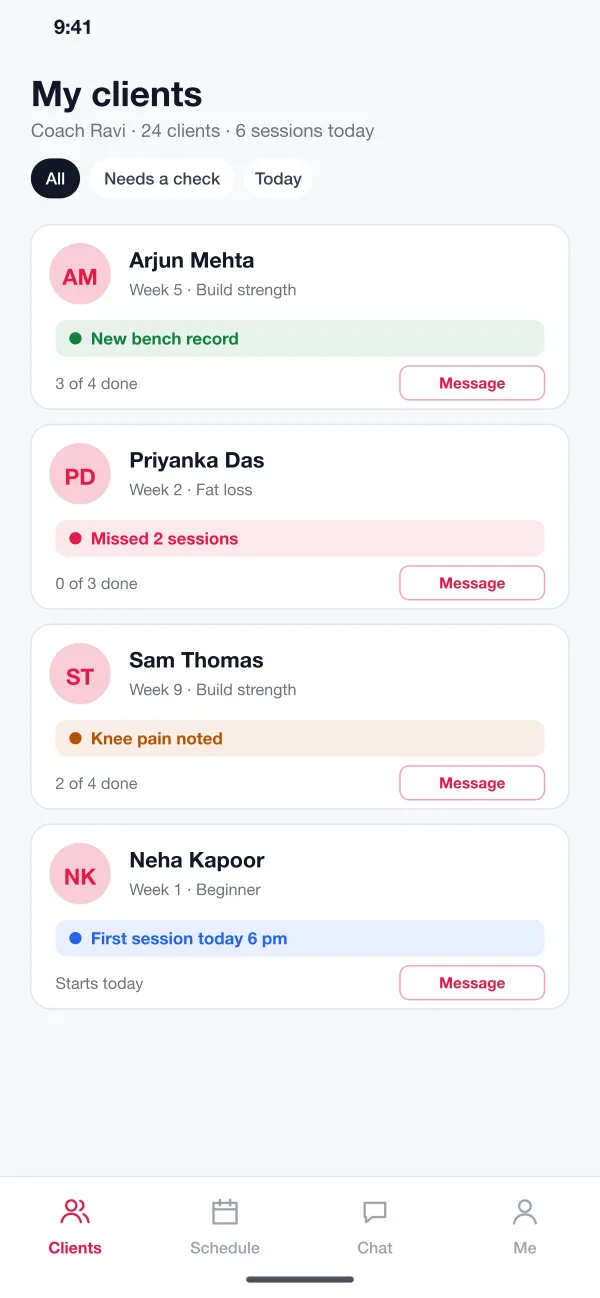
The coach sees every customer with a short status: new record, missed sessions, pain noted or first session today. Each card has a message button.
The board shows each class with the coach and how full it is. Members can book a place and a full class takes names for a wait list.
The desk sees memberships ending in the next seven days and who has already asked to renew. A reminder goes to the rest on the same day.
Screens
The mobile app
How it works
Here are the main tasks in Liftroom, for a member, a coach and the front desk.
Walk in
A member opens the code, scans at the door and the desk board shows the name with the plan type.
Do the workout
He opens today's push day, sees 60 kg on the bench, ticks each set and gets a banner for a new record.
Catch a drop-off
The coach sees "missed 2 sessions" on a customer's card, sends a message and moves her plan to three days a week.
Renew in time
A week before the end date the member gets a reminder, pays in the app and the desk sees the renewal on the board.
Suggested technology
What we would deliver
FAQ
It lets members check in, book classes, pay and renew from the phone. It also gives the gym team one place to see who is in, who is about to leave and which classes are full.
Yes. Members can pay online through a payment gateway, and the front desk can record cash or card at the counter. The app reminds members before a plan ends and shows the desk who is due to renew this week.
Yes. We can build the member app, the coach app and the front desk board, and connect your payment gateway, door scanner and WhatsApp messages.
The coach app lists customers who missed sessions, noted pain or set a record. The coach can message them in one tap before the habit breaks.
Yes. The board can show one branch or all of them. A member can be allowed at one branch or at every branch, depending on the plan.
Tell us who will use it and what it must do. We will reply with a plan, a timeline and a price.