Clear part requests
Add the part details and a drawing, then pick which suppliers get the request.
Describe the part, send the request to chosen suppliers, then compare their prices and delivery times in one table before you order.
Add the part details and a drawing, then pick which suppliers get the request.
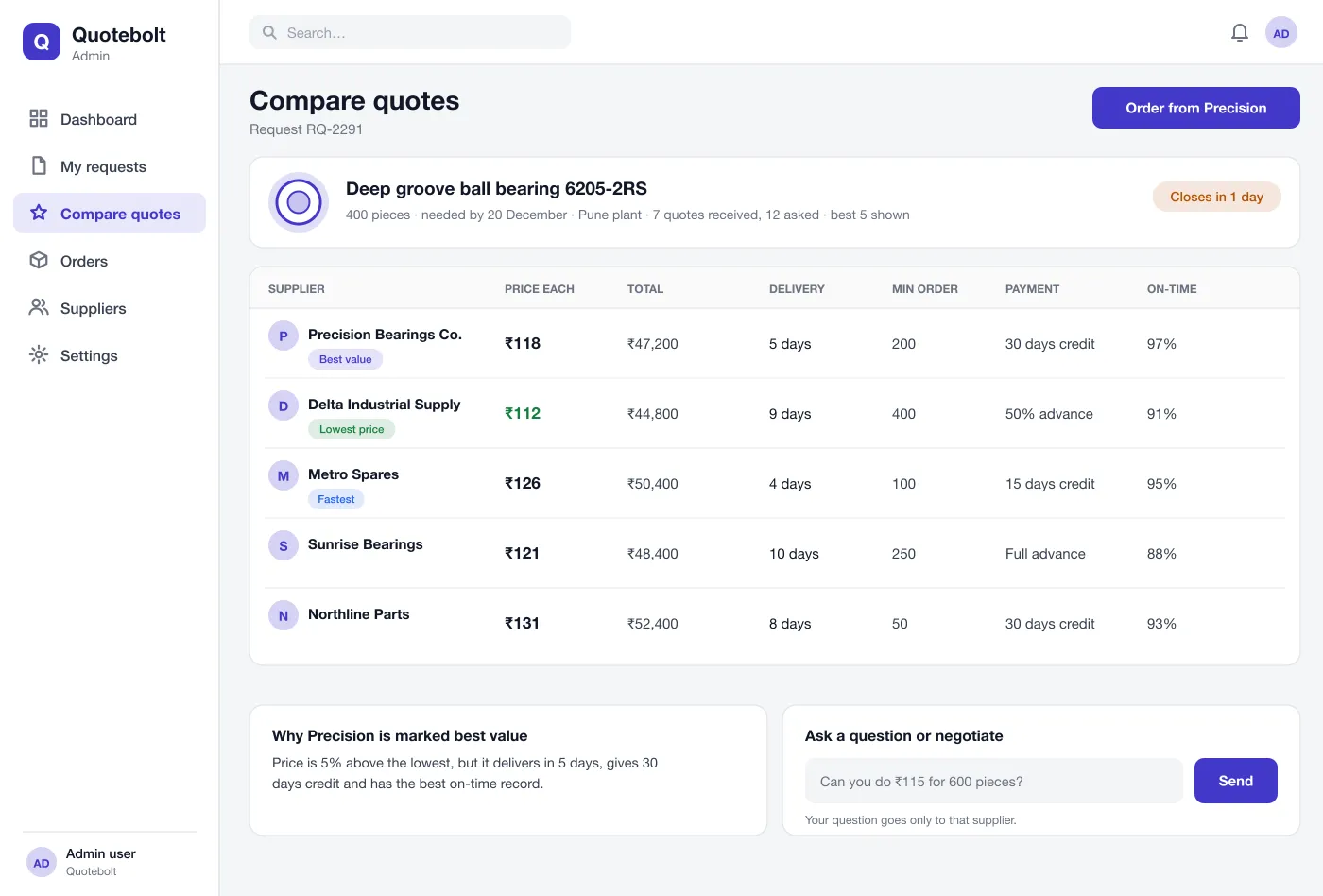
Price, delivery and terms sit side by side, so the best offer is easy to spot.
Suppliers never see each other's quotes, and the buyer can hide its company name.
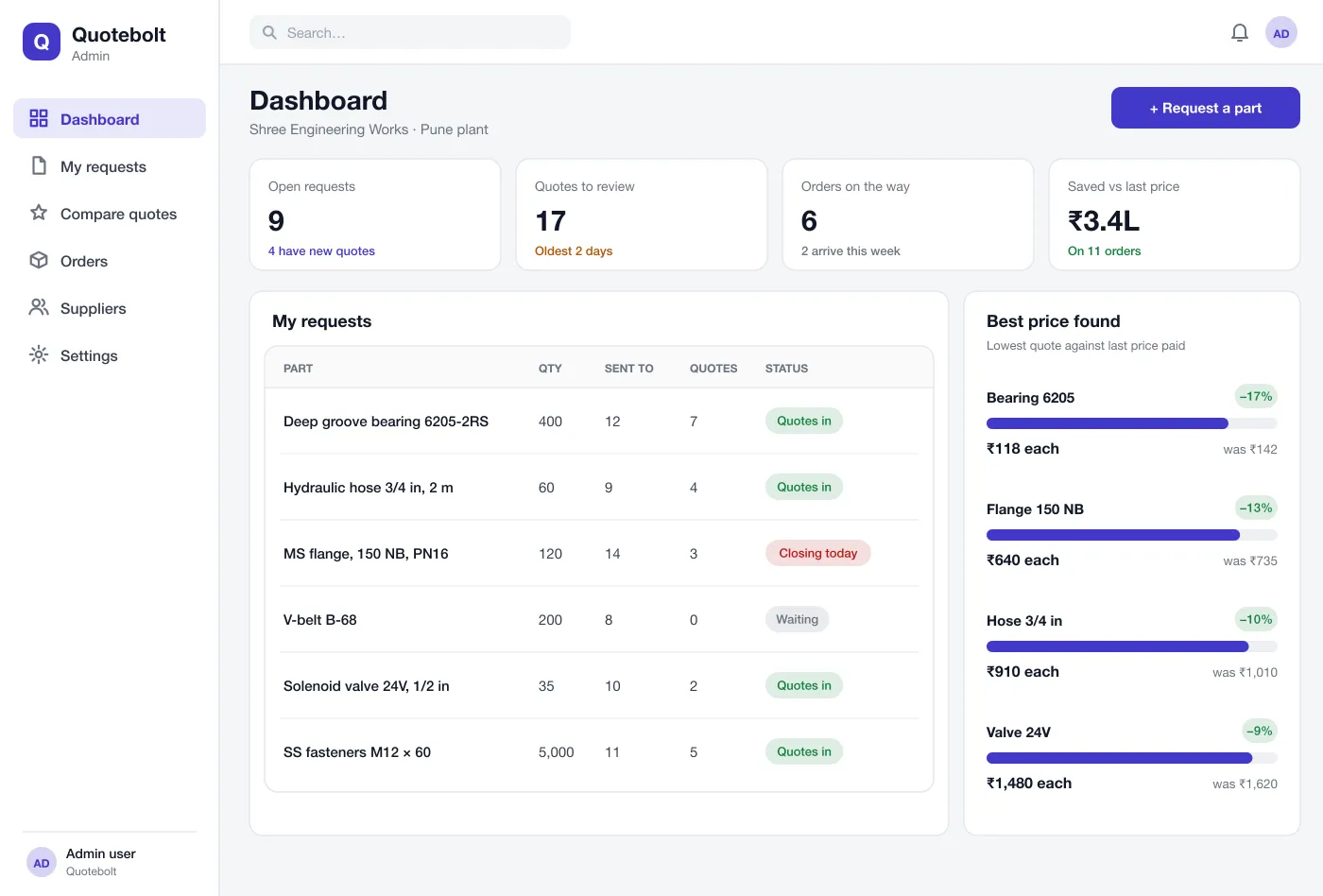
Open part requests, quotes waiting and orders on the way
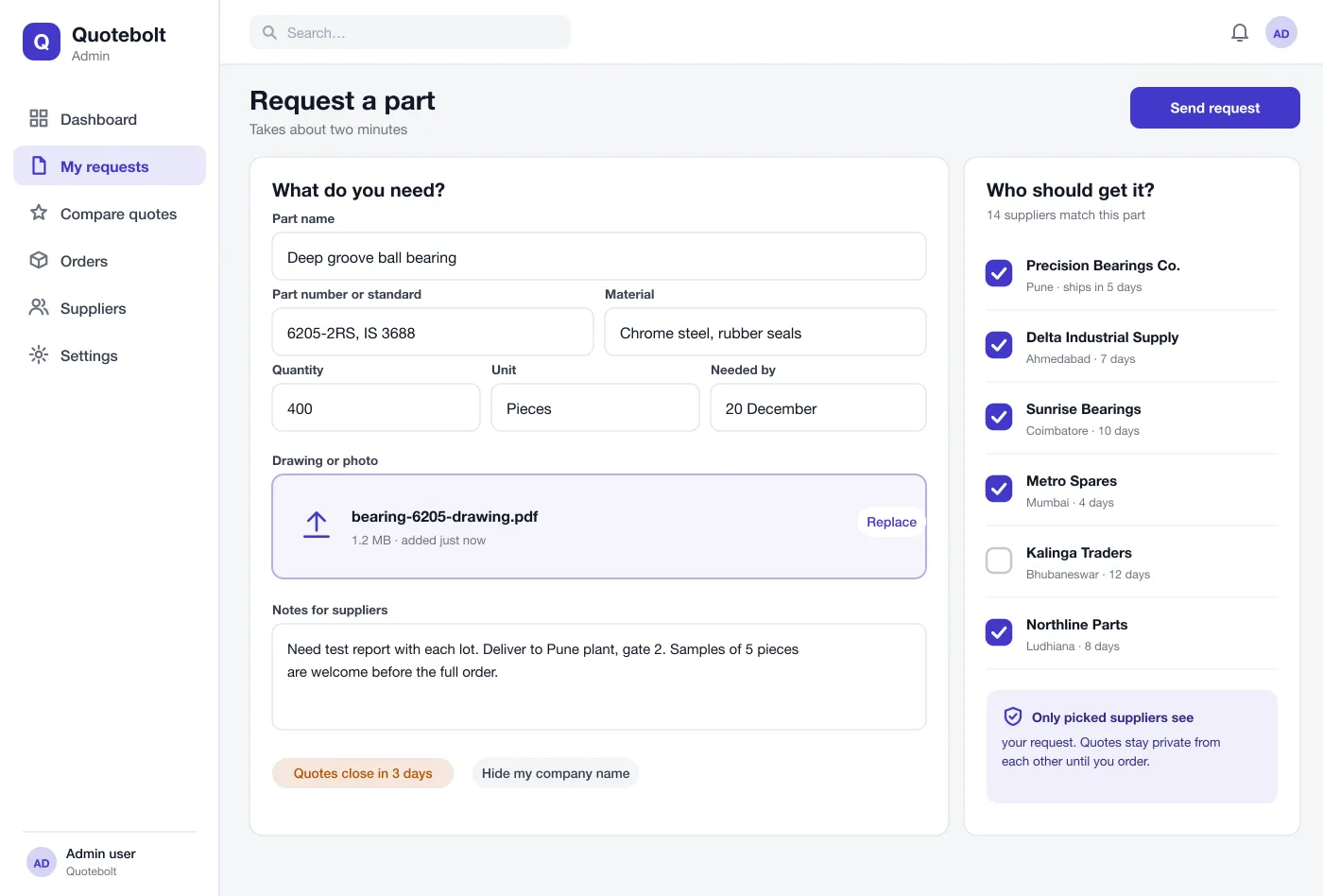
Describe the part, add a drawing and pick which suppliers to ask
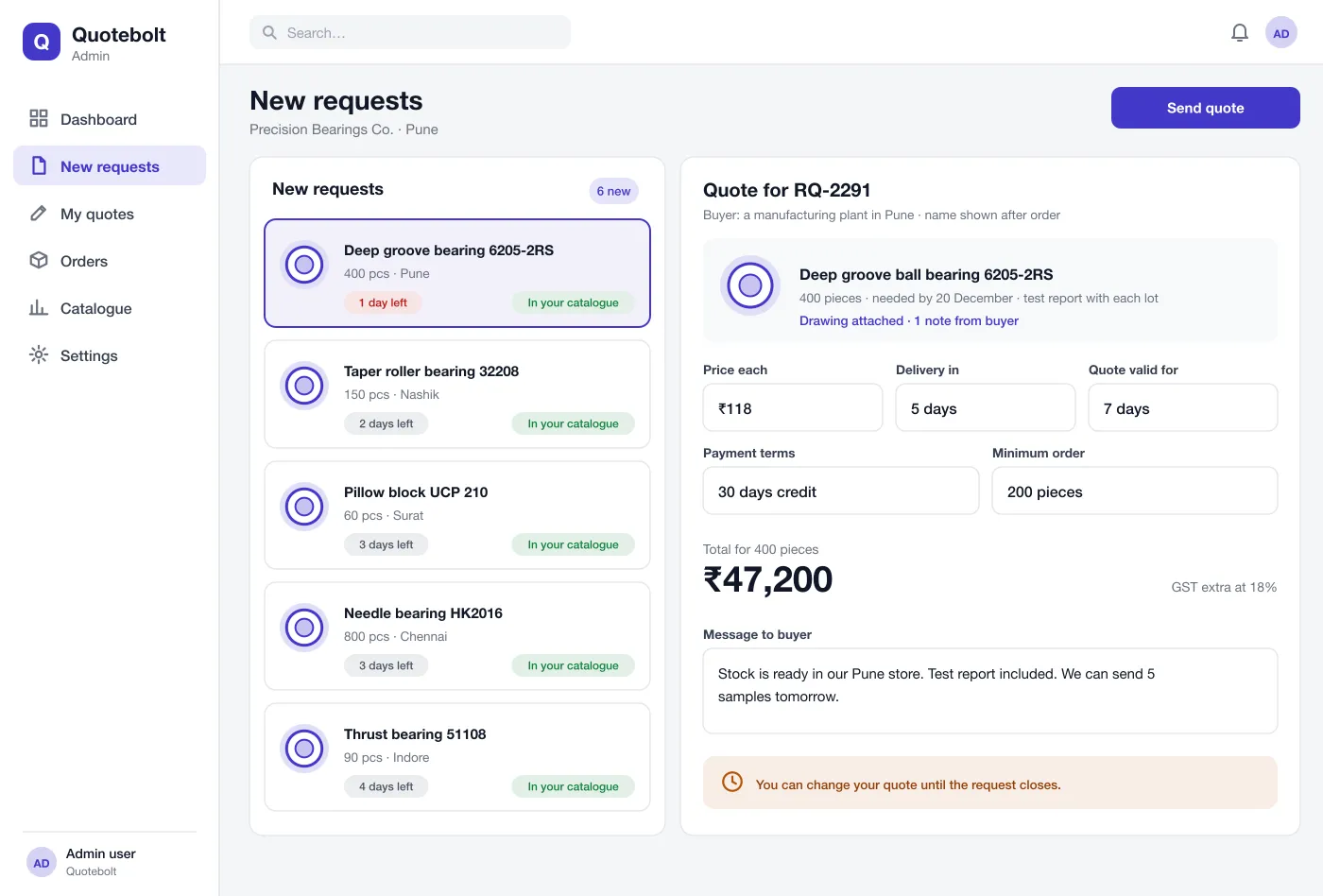
New requests that match the catalogue, and a short quote form
The buyer writes the part name, number, material, quantity and date, and adds a drawing. A note box covers test reports and delivery details.
The site suggests suppliers that stock or make the part. The buyer ticks the ones to ask and can hide the company name.
Suppliers see requests that match their catalogue, with the time left. A short form takes price, delivery, validity, payment terms and minimum order.
The buyer sees all quotes in one table with the total, delivery days and on-time record. Tags mark the lowest price, the fastest and the best value.
The buyer can ask one supplier a question or ask for a better price on a bigger order, without other suppliers seeing it.
An accepted quote becomes an order. The dashboard shows each part’s best price against the last price paid.
A buyer fills the form in about two minutes, adds the drawing and sends the request to the suppliers they pick.
A supplier opens the request, fills in the price and delivery and sends. They can change it until the request closes.
The buyer reads one table, asks a question to one supplier and picks the quote that suits.
The order goes to the supplier with the agreed terms, and both sides can follow it until delivery.
Ask several suppliers at once and pick the best offer.
Reply to requests that match your catalogue with a short quote form.
Keep the parts catalogue and the supplier list tidy.
RFQ means request for quote. A buyer describes what they need and how many, and several suppliers reply with a price and delivery time. The buyer picks the best offer.
It depends on the number of roles, how quotes are compared, approval steps on the buyer side and links to ERP or accounting tools. We plan it in phases, so requests, quotes and comparison come first and the rest follows.
Yes. We can build the buyer side, the supplier side and the admin panel, and connect them to your catalogue, your payment gateway and your accounts software.
In this design they cannot. Each supplier sees only their own quote. The buyer sees all of them in one table.
The table shows price, total, delivery time, minimum order, payment terms and on-time record. The page marks the lowest price, the fastest and the best value so the choice is easy.
Follow one part from the request to the order in the buyer and supplier screens.
Try the app