Till and bills
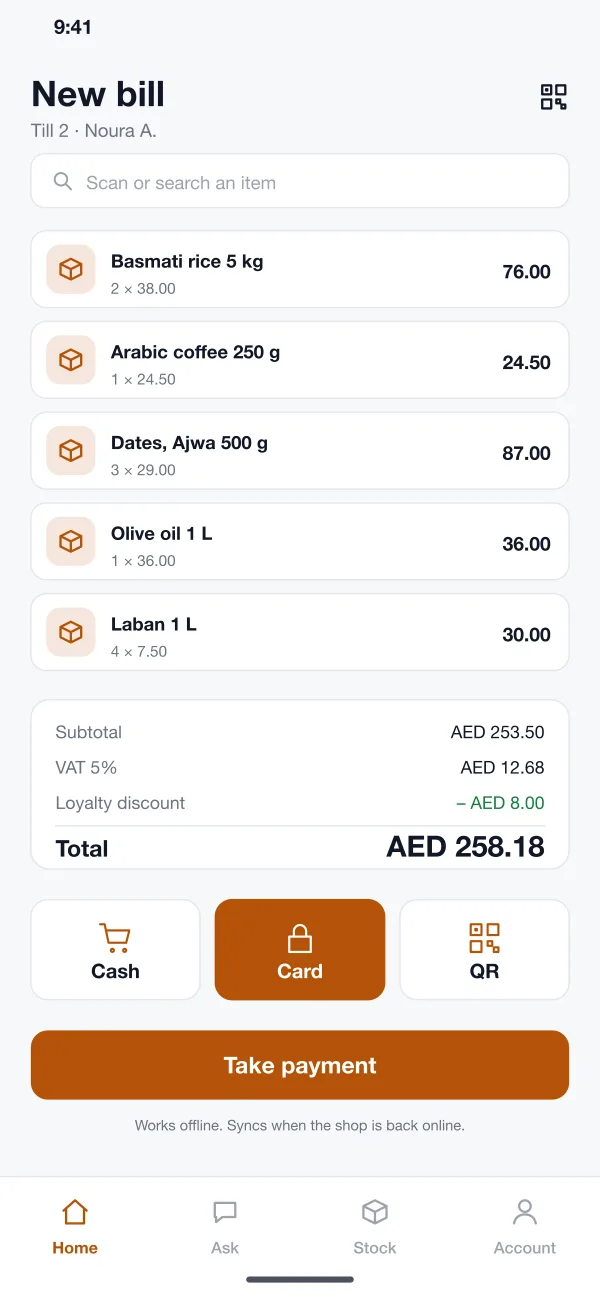
Staff scan items, see the VAT and any discount, and take cash, card or QR payment. Bills can be printed or sent to the customer's phone.
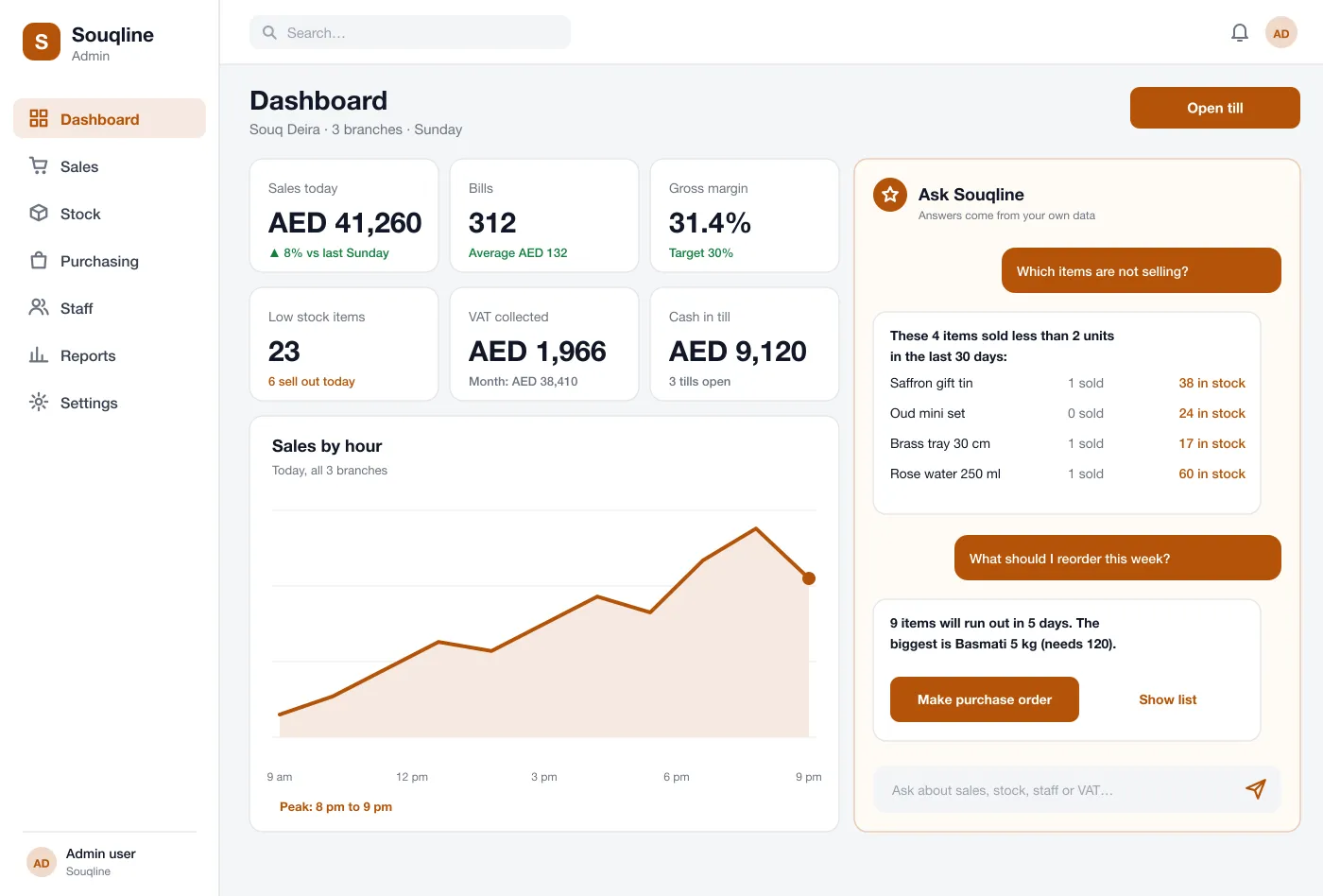
Bills, branch stock, reorder ideas and VAT reports in one place. An assistant answers the owner's questions about sales and stock.
Owner assistant
Which items did not sell this week?
How are sales at the mall branch today?
What should I reorder before the weekend?
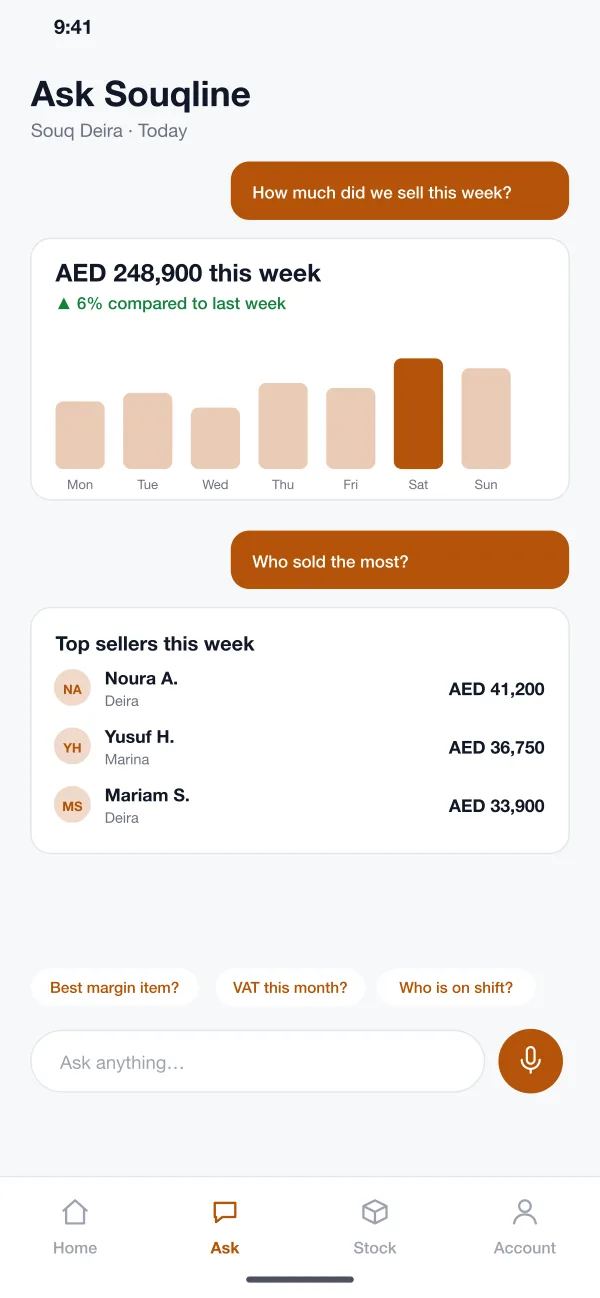
The assistant reads only your own sales, stock and staff records. Every answer can be opened to see the rows behind it.
6 modules
Staff scan items, see the VAT and any discount, and take cash, card or QR payment. Bills can be printed or sent to the customer's phone.
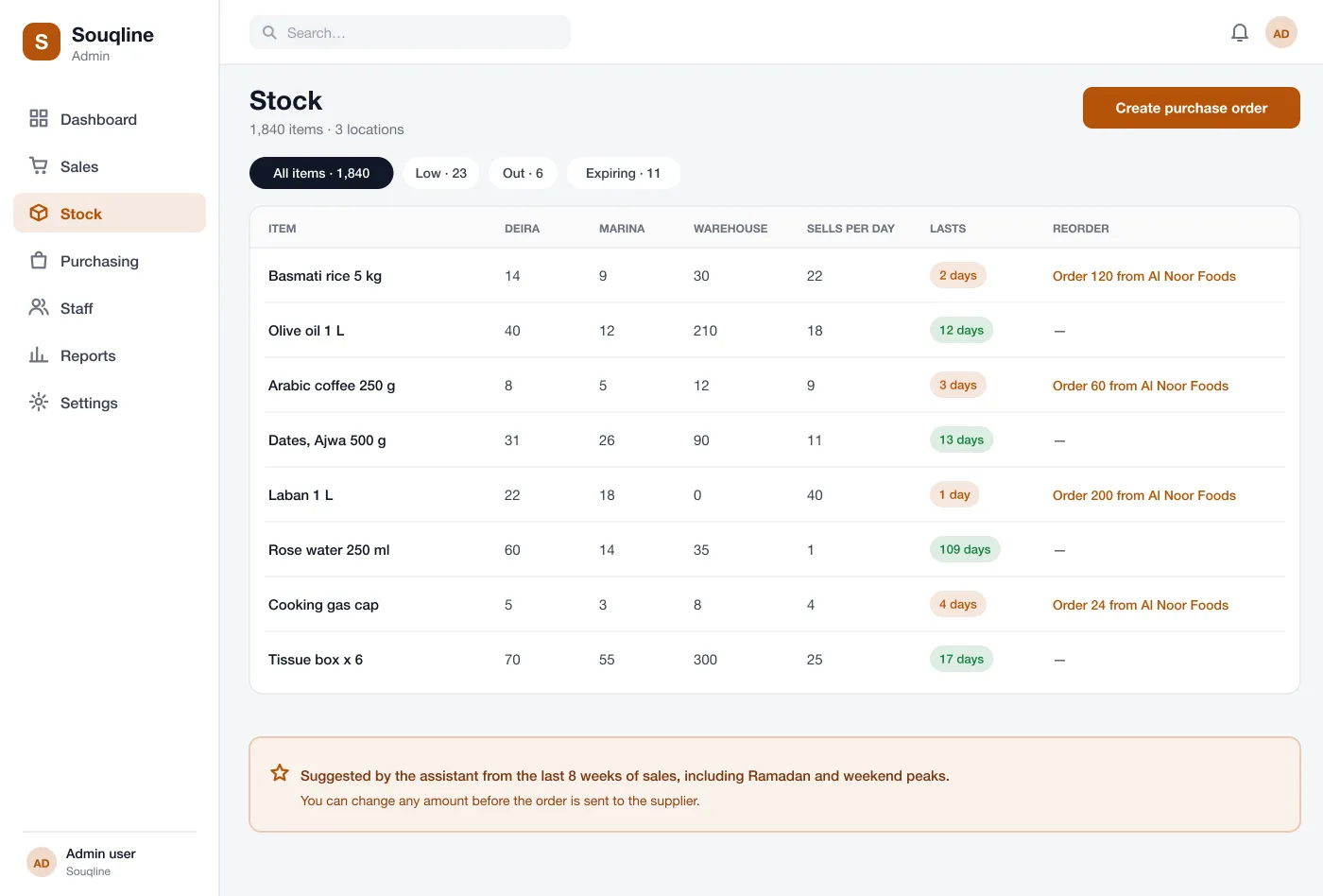
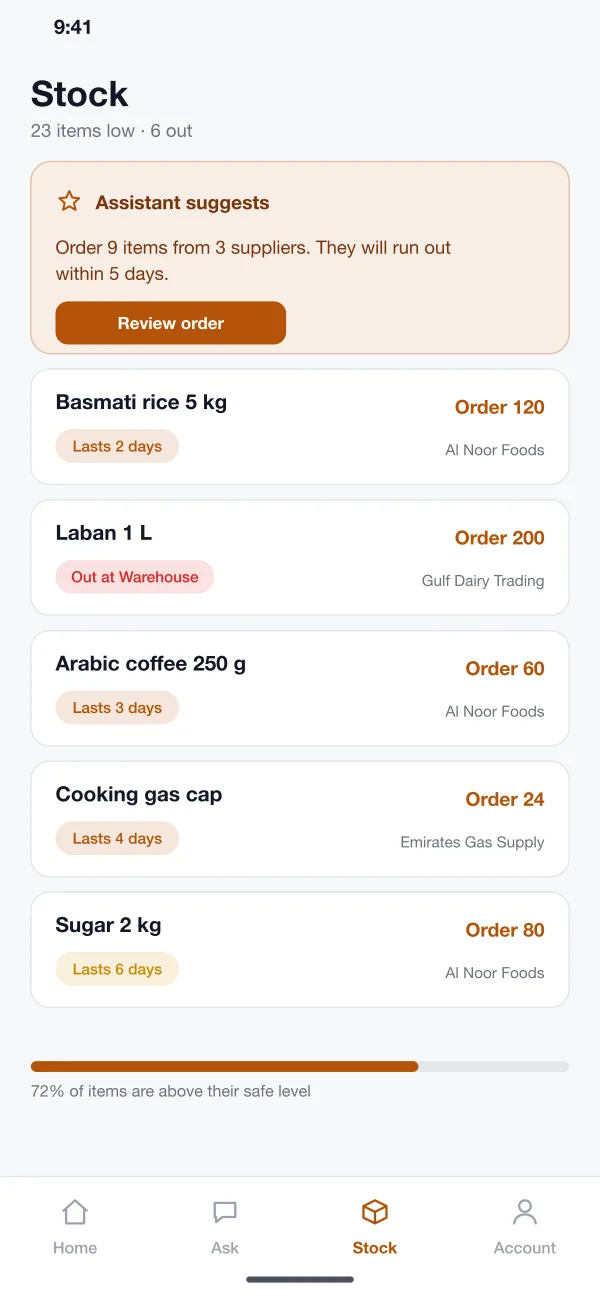
Every branch and the warehouse have their own count. The list shows how many days each item will last at the current speed of selling.
The system looks at the past weeks of sales and suggests how much to order and from which supplier. The buyer can change any number before the order goes out.
The owner types or speaks a question, such as which items are not selling. The assistant reads the shop's own data and writes a short answer with a small chart or list.
VAT collected and paid is added up for each month. Sales, margin and staff reports can be opened by branch or by day and saved as files.
If the internet drops, the till keeps making bills and storing them on the device. They are sent to the system as soon as the shop is back online.
Stock and till
Every branch and the warehouse have their own count. The list shows how many days each item will last at the current speed of selling.
Workflow
The cashier scans five items, applies a loyalty discount, takes a card payment and prints the bill in under a minute.
The owner opens the app on the way home and asks how the week is going. The answer comes back with a chart.
The buyer sees nine items running out, opens the suggested order, changes two amounts and sends it to the suppliers.
The accountant opens the VAT report, checks it against the bills and saves it for filing.
Roles
| Role | What they do in Souqline |
|---|---|
| Shop owners | Ask how sales are going and see the answer with a simple chart. |
| Buyers | See which items are running low and change suggested order amounts before sending. |
| Accountants | Check VAT for each month and save the reports for filing. |
FAQ
It is one system for a shop. The till makes bills, the stock list updates on every sale, buying orders go to suppliers, and reports show sales, margin and VAT in one place.
Common links are card machines, barcode scanners, receipt printers, accounting software, supplier ordering and e-invoicing for VAT. The list depends on your country and the hardware your shops already use.
Yes. We can build the web system, the till app and the owner app for your shops, and connect your card machines, printers and suppliers.
It reads your own sales, stock and staff records and writes a short answer. It does not guess. Every answer can be opened to see the rows behind it.
In this design, yes. The till keeps making bills offline and sends them to the system when the shop is back online.
Try the till, the stock screens and the owner app.