Weekly fitness plans that change as you train
Members get one workout a day and a plan that adjusts each Sunday. Coaches see who needs help and can edit any plan on the same screen.
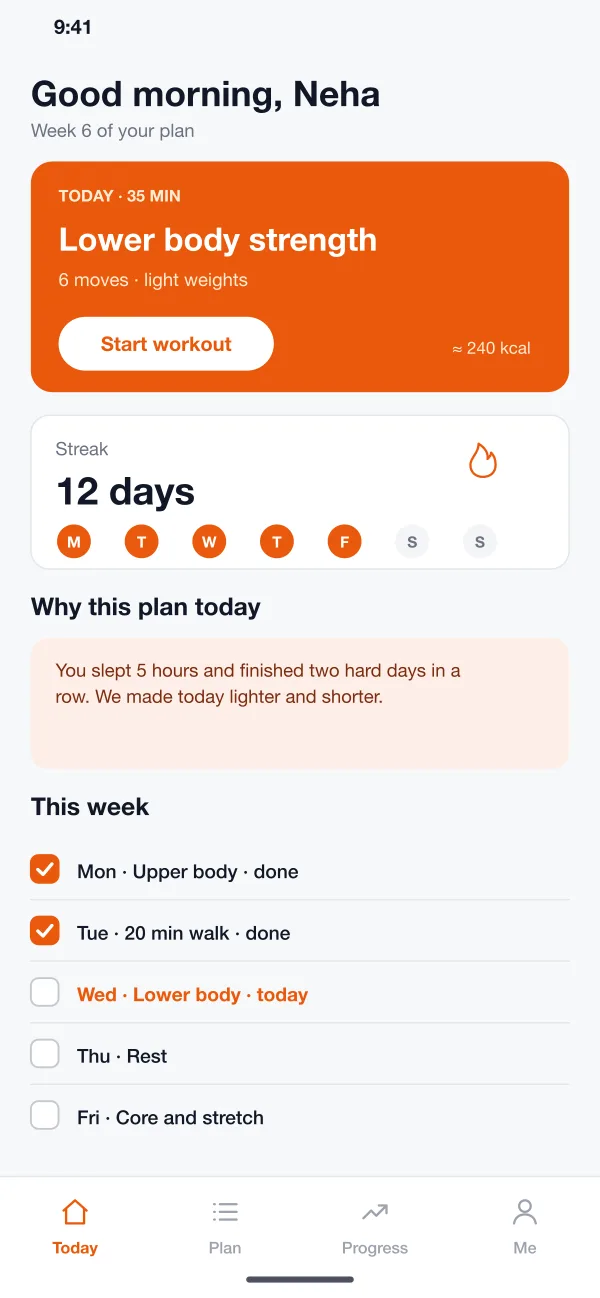
One workout a day
The Today screen shows one workout, how long it takes and a start button.
Plan that adjusts
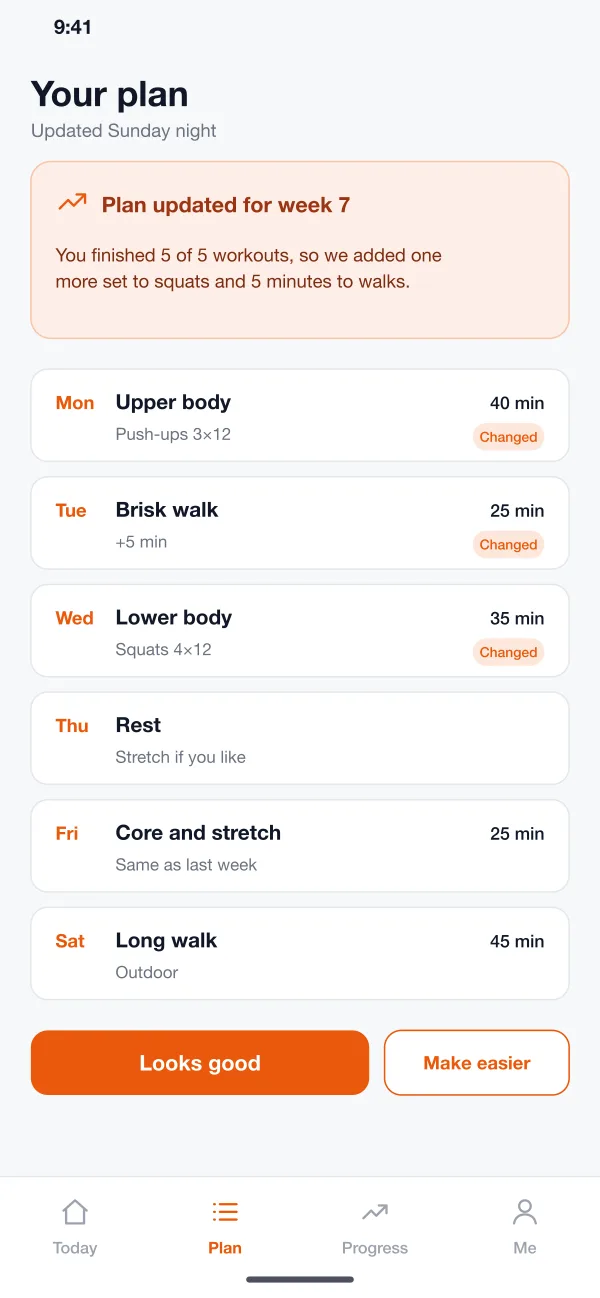
Each Sunday the plan gets lighter or heavier, with a note on why.
Form tips, one at a time
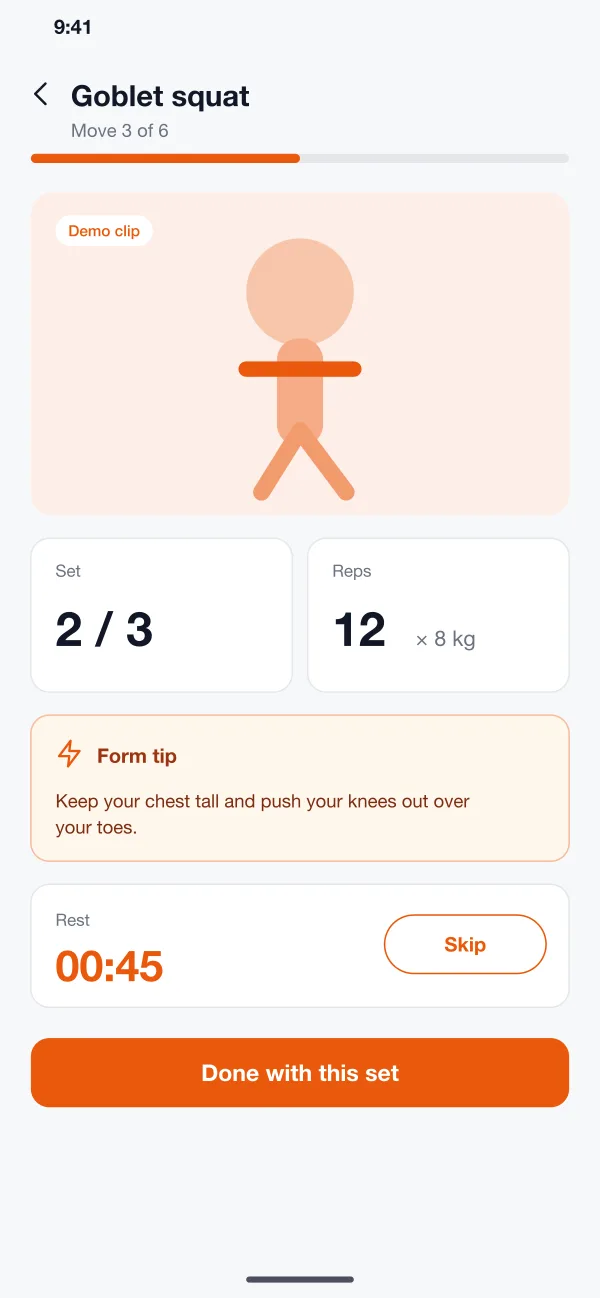
Short tips and a rest timer guide each set during a workout.
A week that bends to fit you
Each Sunday Stridewell looks back at the week and sets the next one. Finished everything? A little more. Slept badly or missed days? A little less.
Features
A daily screen
The Today screen shows one workout, how long it takes and a start button. Under it are the streak and the rest of the week, so the member always knows what comes next.
A plan that adapts
Each Sunday the app looks at the week that just ended. If the member finished everything, a set or a few minutes are added. If they missed days or slept badly, the plan gets lighter. A note says what changed and why.
Guided workouts
During a workout the app shows a short demo, the set and rep count, a rest timer and one form tip at a time. Tips are short, such as keeping the chest tall during a squat.
Progress that makes sense
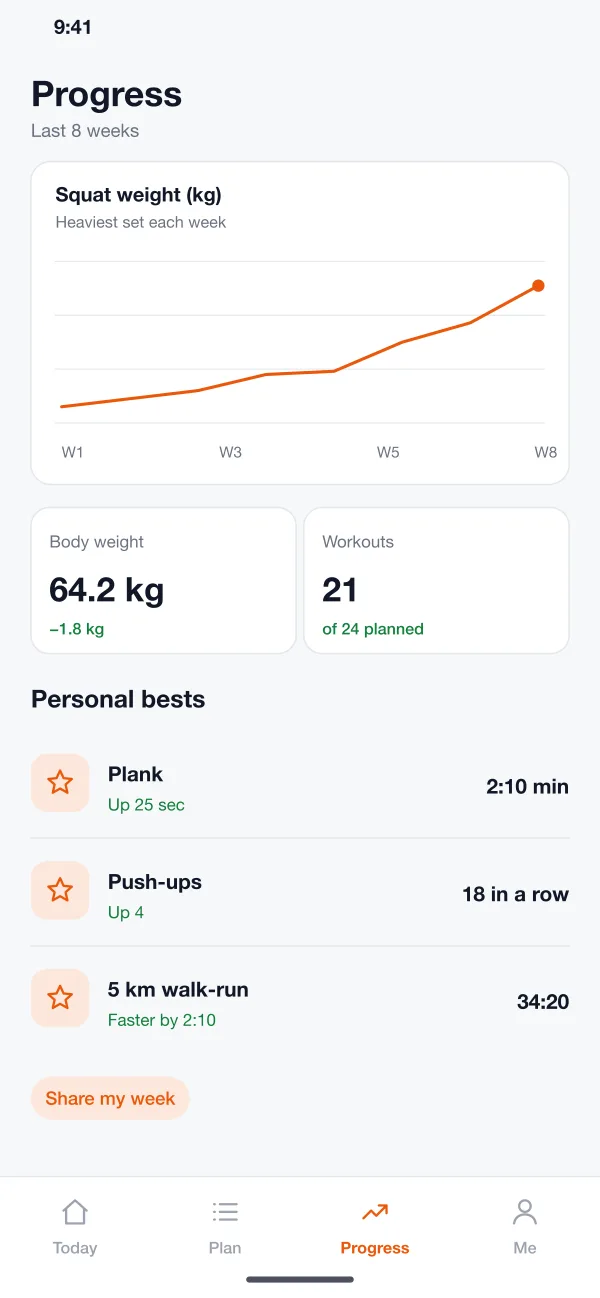
Charts show strength, body weight and workouts finished in plain words. Personal bests get their own list so small wins are not lost.
Member control
A member can accept the new plan or ask for an easier one with one tap. The app also asks about pain and stops moves that could make it worse.
Coach dashboard
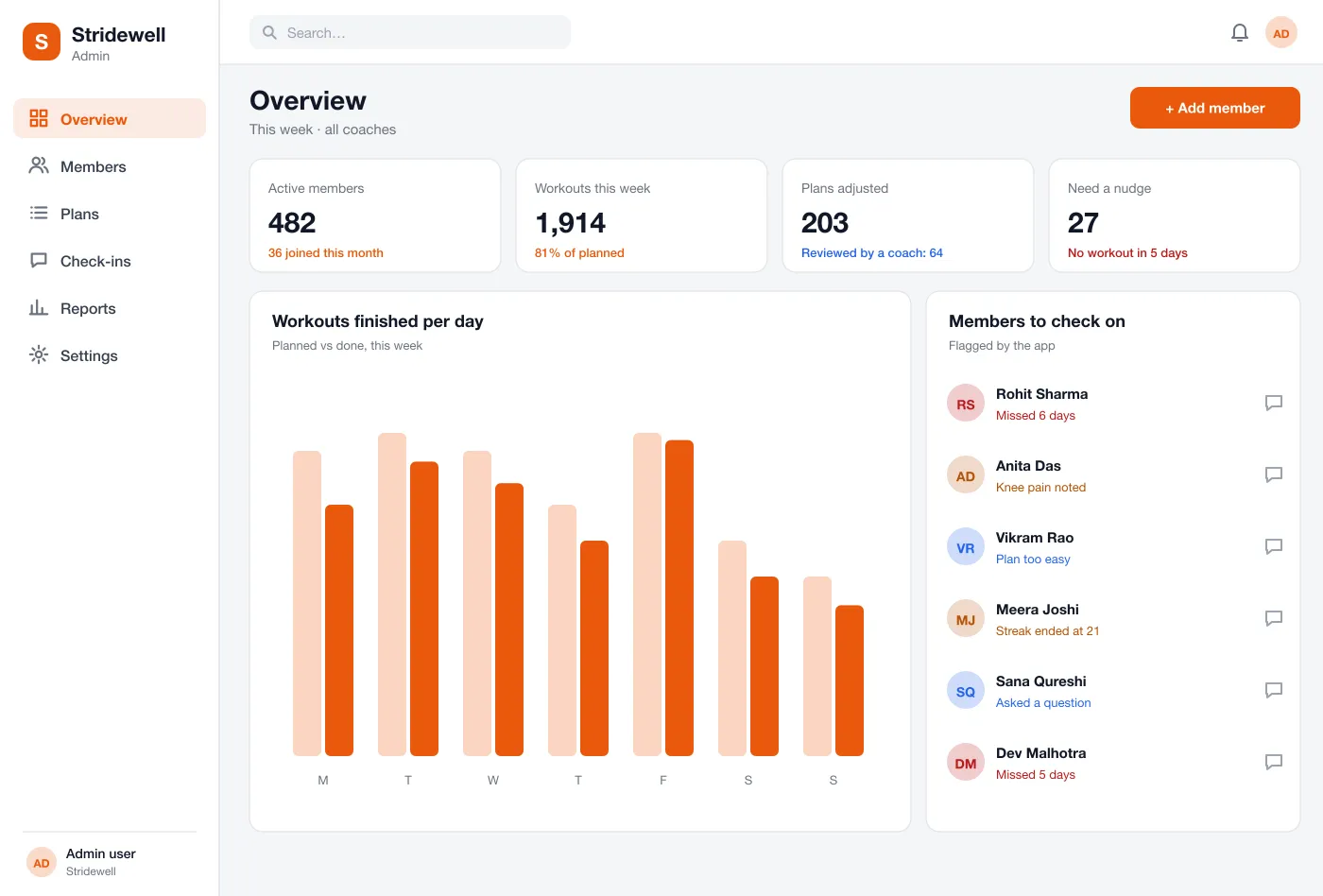
Coaches see members who missed days, asked a question or found the plan too easy. They can read why a plan changed, edit it and send a message from the same screen.
In the app
How it works
Start a plan
A new member answers a few questions about goals, time and equipment and gets a first week of workouts.
Do a workout
The member opens Today, starts the session, follows the demo and tips, and taps done after each set.
Get next week's plan
On Sunday the app sends a new plan with the changes marked. The member accepts it or asks for an easier one.
Coach steps in
The dashboard flags someone who missed five days. The coach reads the history, adjusts the plan and sends a message.
Built for
Members
Get a clear plan, follow the demo and tap done after each set.
Coaches
See who missed days or found the plan too easy, and send a message.
Busy people
Answer a few questions and get a first week that fits the time you have.
Questions
What is an AI fitness coaching app?
It is an app that plans workouts for you and changes the plan as you improve or miss days. It works like a coach who looks at your week and adjusts the next one.
Which features should a fitness coaching app start with?
Start with sign-up, a first plan from a short quiz, the daily workout screen and the coach dashboard. Progress charts, streaks and health data from the phone can follow once members use the basics every day.
Can you build a fitness app like this for my business?
Yes. We can build an app for Android and iOS with a web dashboard for your coaches, using your own workouts, your brand and your sign-up and payment flow.
How does the plan change on its own?
The app looks at finished workouts, skipped days, sleep and how hard each session felt. If someone does well, the next week gets a little harder. If they are tired, it gets lighter.
Can a human coach stay in the loop?
Yes. Coaches see a list of members who need attention, can read why a plan changed and can edit any plan before the member sees it.
See Stridewell's daily plan
Walk through the member app and the coach dashboard.