Post a local job and get quotes from pros
Customers post a task and compare quotes from nearby pros. Payment is held until the job is done, then both sides leave a review.
Ask around for a painter
Prices over the phone
Pay cash and hope
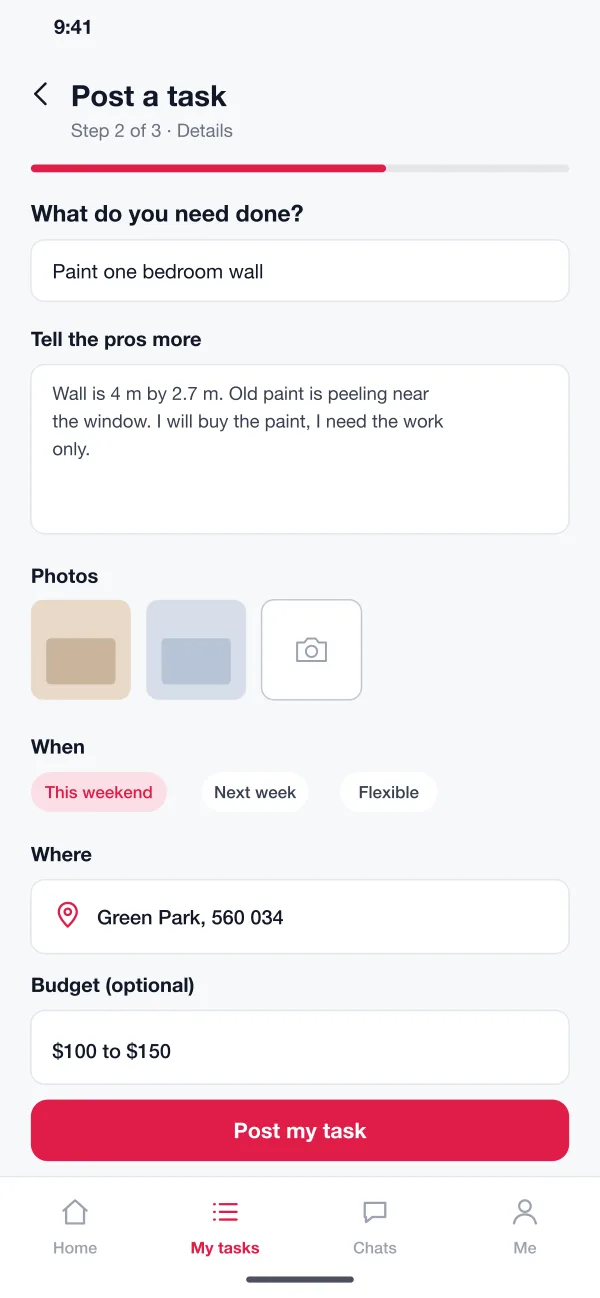
Quotes in one list
Nearby pros send a price and a start day. Sort them by price or soonest start.
Money held until done
The platform holds the payment and releases it when the customer marks the job done.
Phone numbers stay private
Chat on the platform. Numbers are shared only after a job is booked.
Small jobs, minus the hassle
The old way: Ask friends and search noticeboards for days.
With Taskbay: Post the task once. Nearby pros reply with a price.
The old way: Every price is a guess given over the phone.
With Taskbay: Quotes sit side by side with price, reviews and start day.
The old way: Pay cash and hope the job gets finished.
With Taskbay: The money is held until you mark the job done.
The old way: Your phone number goes to every caller.
With Taskbay: Chat in the app. Numbers are shared only after booking.
The old way: Pros chase leads that go nowhere.
With Taskbay: Pros get only nearby jobs that match their trade.
From task to review
-
Post and compare
A customer posts a wall-painting task and has four quotes within the hour, sorted by price.
-
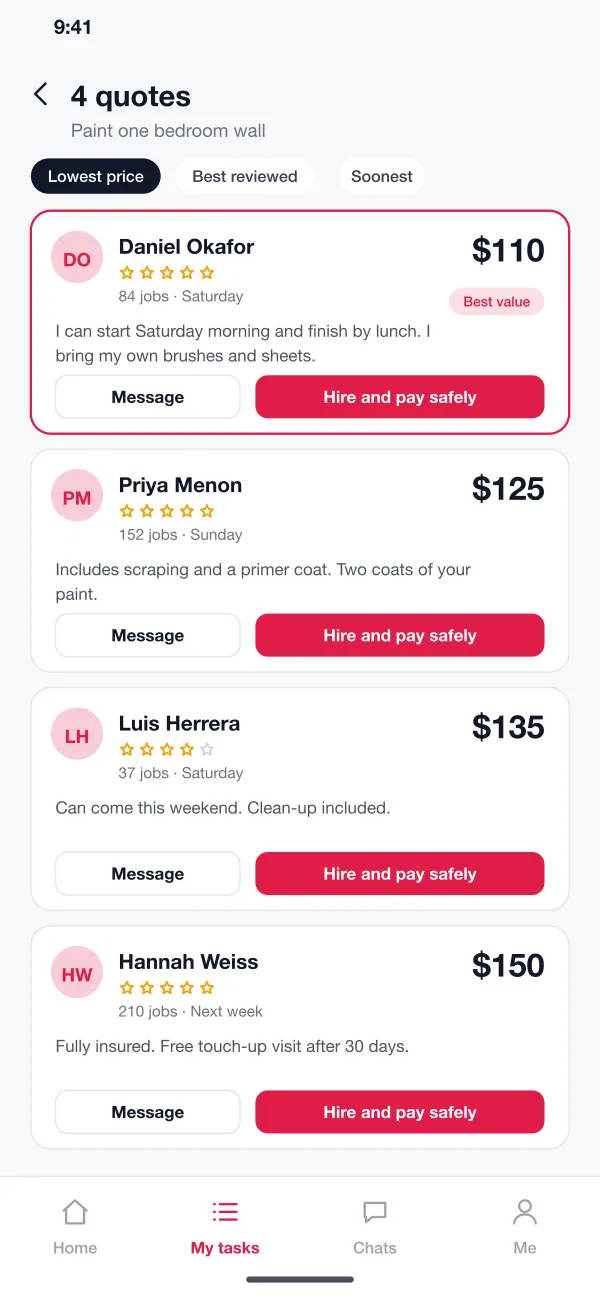
Hire
They read two profiles, chat with one pro, then book and pay. The money is held.
-
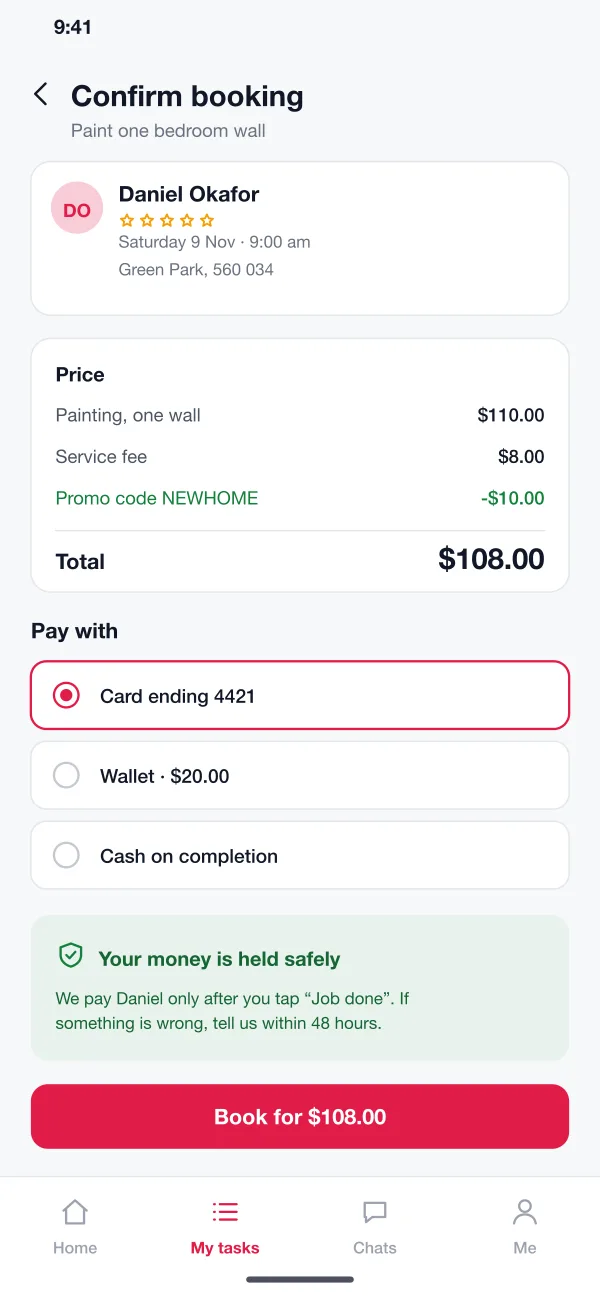
Do the job
The pro arrives at the set time, finishes the job and marks it complete in the app.
-
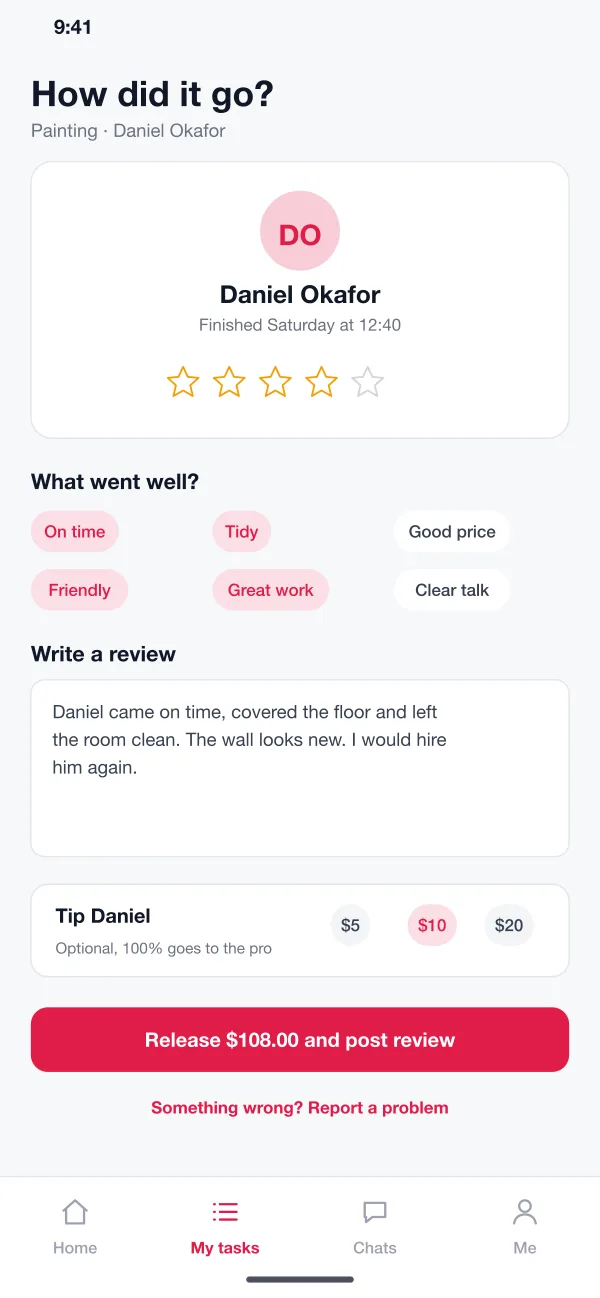
Release and review
The customer taps Job done, the payment is released and both sides leave a review. If something is wrong, the customer opens a dispute instead.
What is in the box
Post a task
The customer picks a category, describes the job, adds photos, picks a time and place and, if they want, a budget. It takes about a minute.
Quotes from pros
Nearby pros who match the job get a message. They send a price, a start day and a short note. The customer sees the quotes in one list and can sort by price, reviews or soonest start.
Chat before hiring
The customer can ask a question in a chat. Phone numbers stay hidden until a job is booked, so the chat stays on the platform.
Hire and pay safely
The customer picks a pro and pays. The platform holds the money. The pro sees it is secured and starts work on the day.
Reviews and tips
When the job is done the customer releases the payment, rates the work, picks a few tags and can add a tip. The pro can reply to the review.
Admin panel
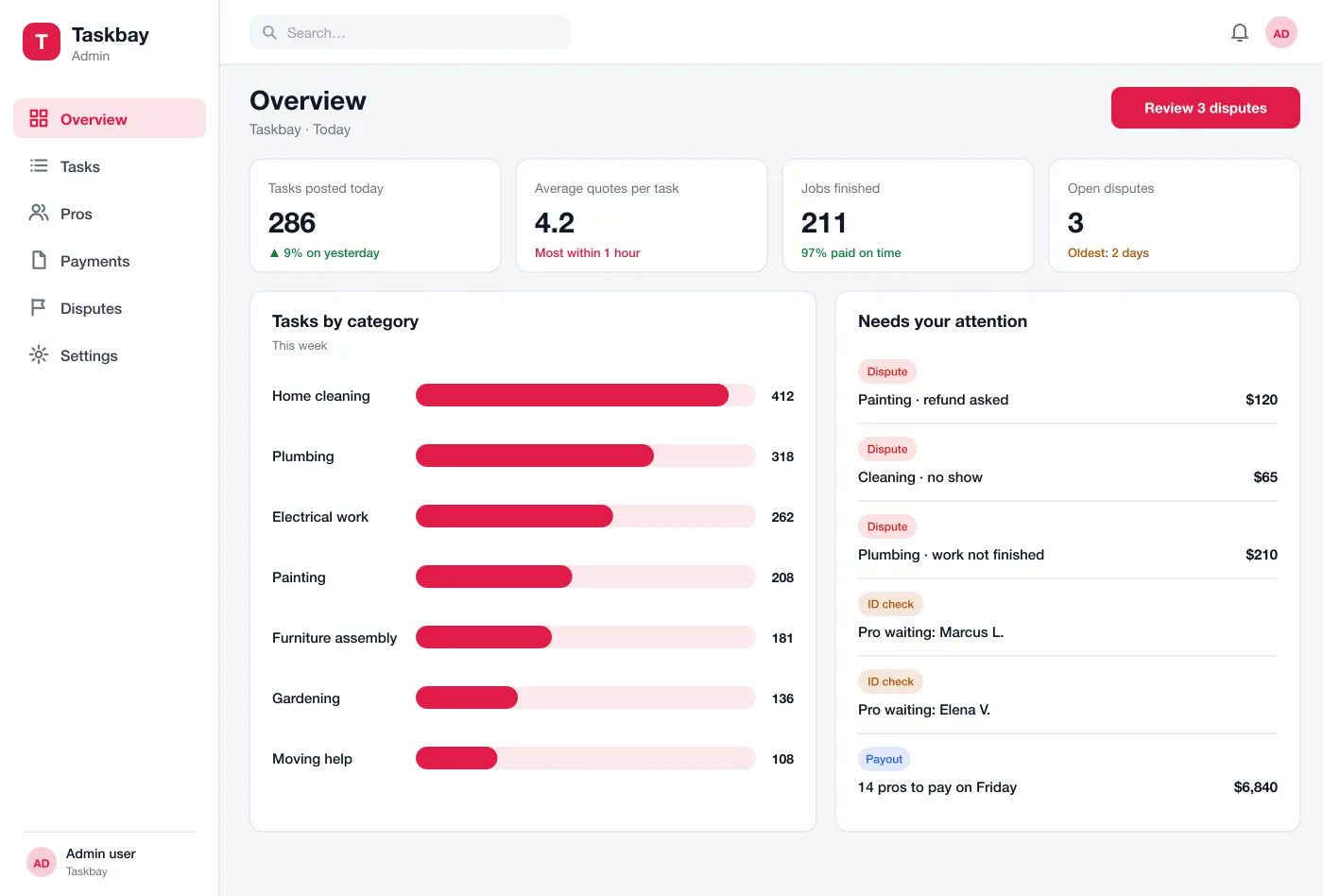
The team checks new pros, watches tasks by category, reviews disputes and runs the weekly payout to pros.
A panel for the team that runs it
Check new pros, watch tasks by category, settle disputes and run the weekly payout.
Customers
Post a task, compare quotes, chat before hiring and pay safely.
Pros
Send quotes to nearby jobs, do the work and get paid through the app.
Marketplace team
Check new pros, handle disputes and run the weekly payout to pros.
Good to know
What is a local services marketplace?
It is an app that connects people who need a job done, like painting or plumbing, with local pros who can do it. The customer describes the job and the pros send their price.
Which features should a services marketplace launch with?
Start with task posting, quotes, held payment, reviews and pro checks in the admin panel. Chat, tips, pro plans and more categories can follow once both sides are using it.
Can you build a services marketplace like this for my business?
Yes. We can build the customer app, the pro app and the admin panel for Android, iOS and web, and connect your payment gateway, maps and message service.
How does the app keep payments safe?
The customer pays when booking, but the money is held by the platform. It is released to the pro only after the customer confirms the job is done. If there is a problem, the customer can open a dispute.
How are pros checked?
Pros upload an ID and, for some trades, a licence. The admin team reviews them before the pro can send quotes. Reviews after each job build the pro's profile.
Ask around for a painter
Prices over the phone
Pay cash and hope