Post a task
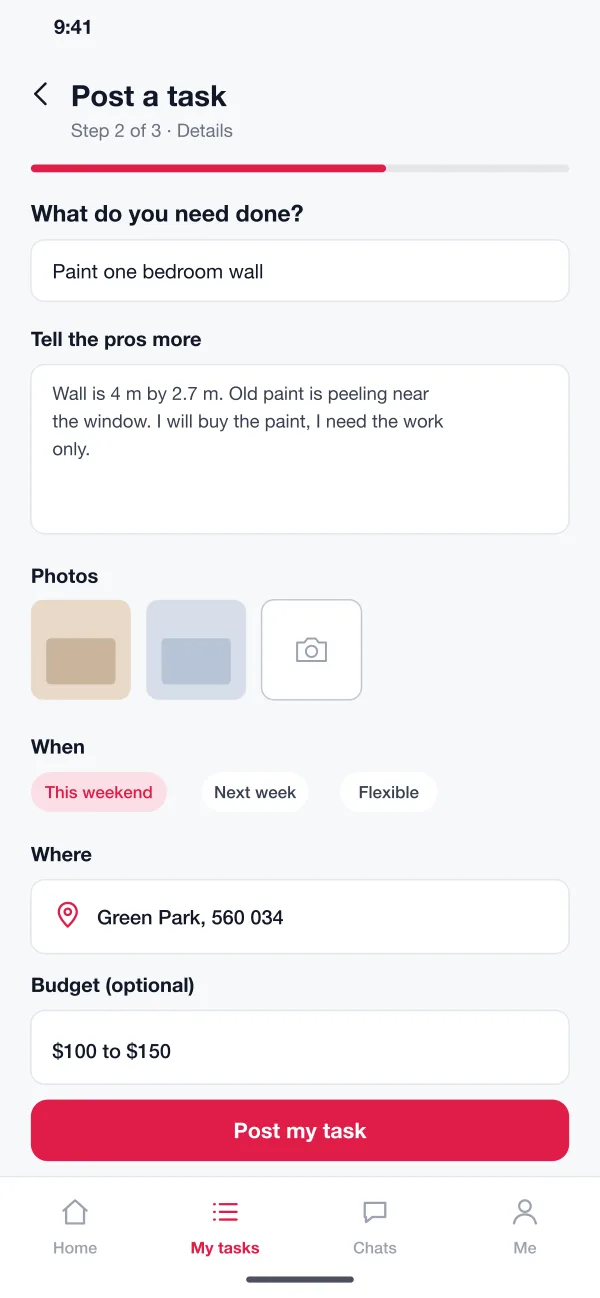
The customer picks a category, describes the job, adds photos, picks a time and place and, if they want, a budget. It takes about a minute.
Taskbay is a local services marketplace app designed and built by our team. A customer posts a task, nearby pros send quotes, the customer picks one and pays safely, and both sides leave reviews after the job.
Taskbay was designed and built by the PRS CloudTech team.
The brief
People who need a small job done, like painting a wall or fixing a tap, usually ask friends or search noticeboards. It takes days, prices are all over the place and it is hard to know who to trust.
Local pros have the opposite problem. They lose time chasing leads that go nowhere, and sometimes work for people who then do not pay.
A clear task
The customer must be able to say what they need, with photos, time and place, so pros can price it without many calls.
Easy comparison
Several quotes should sit side by side, with price, reviews and start date.
Safe payment
The customer wants to know the money is safe. The pro wants to know the customer will pay.
Trust on both sides
Pros need to be checked, and both sides should be able to leave honest reviews.
What we designed
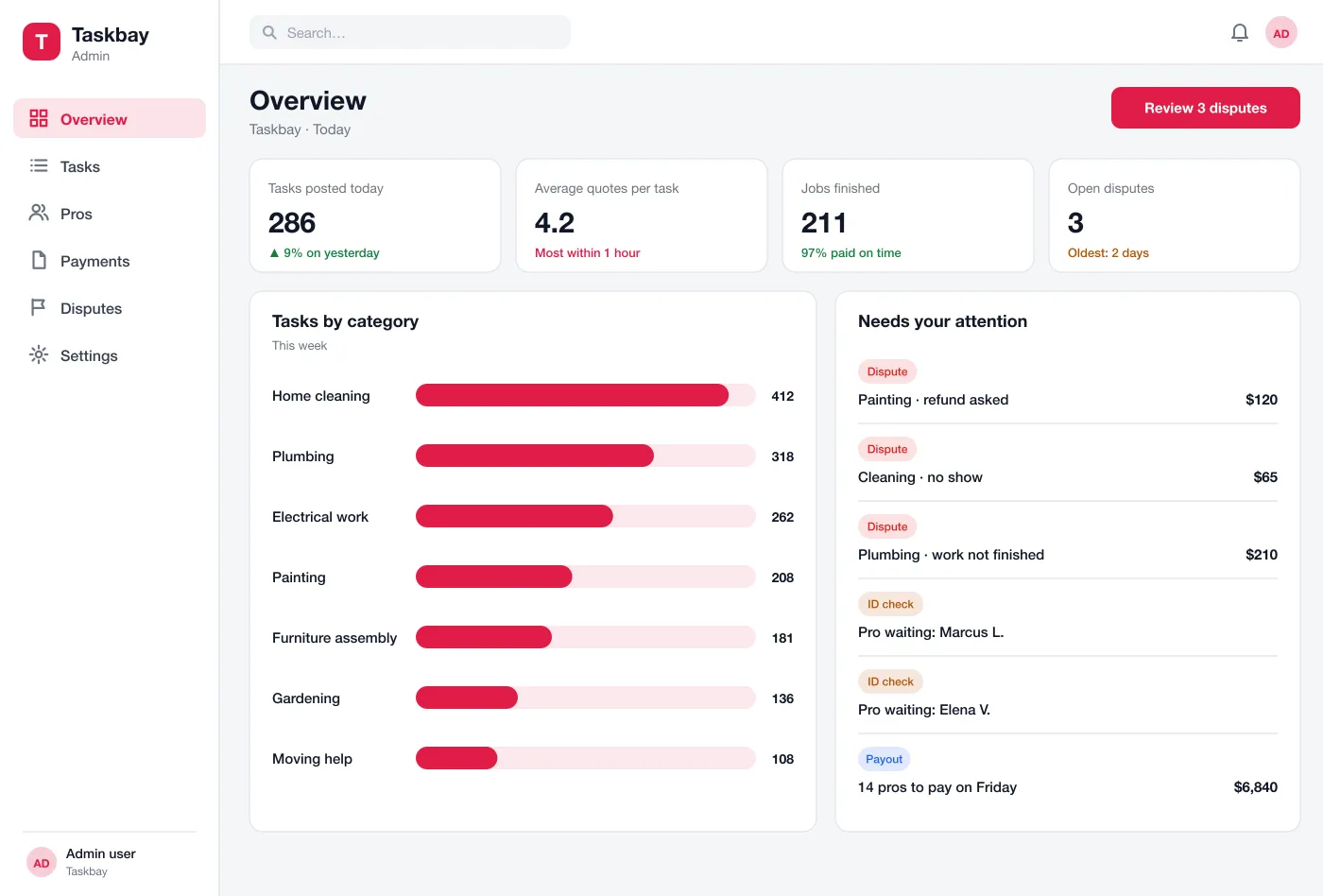
We designed Taskbay as a customer app, a pro app and a web panel for the team that runs the marketplace. They share the same tasks, quotes and payments.
The customer picks a category, describes the job, adds photos, picks a time and place and, if they want, a budget. It takes about a minute.
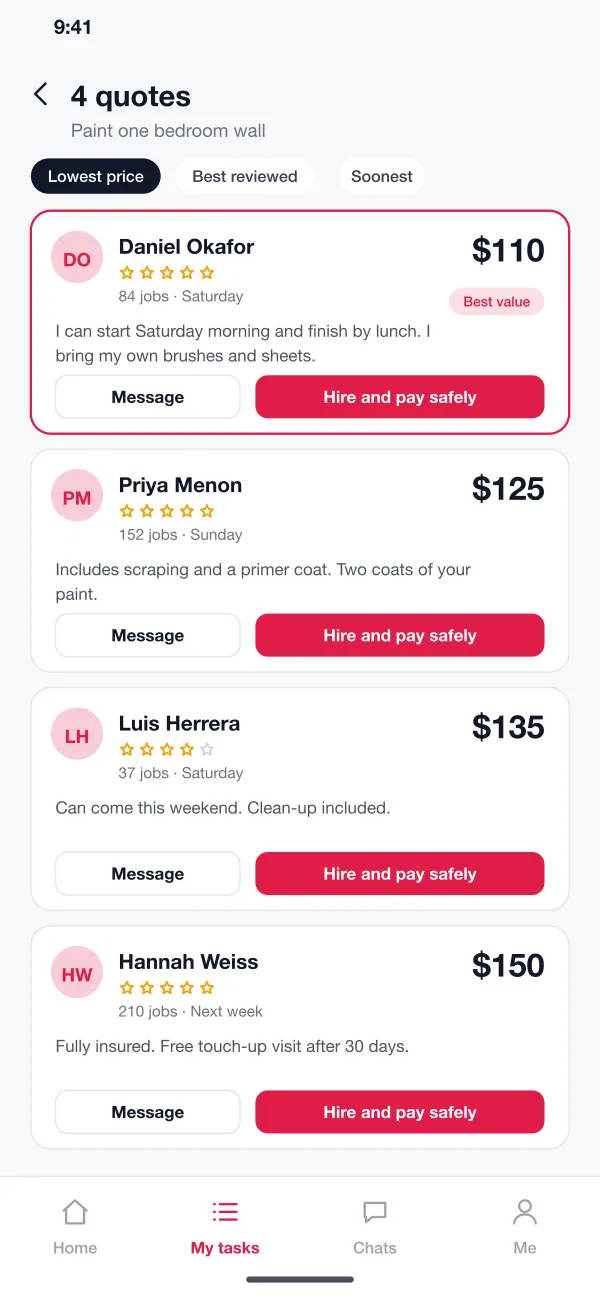
Nearby pros who match the job get a message. They send a price, a start day and a short note. The customer sees the quotes in one list and can sort by price, reviews or soonest start.
The customer can ask a question in a chat. Phone numbers stay hidden until a job is booked, so the chat stays on the platform.
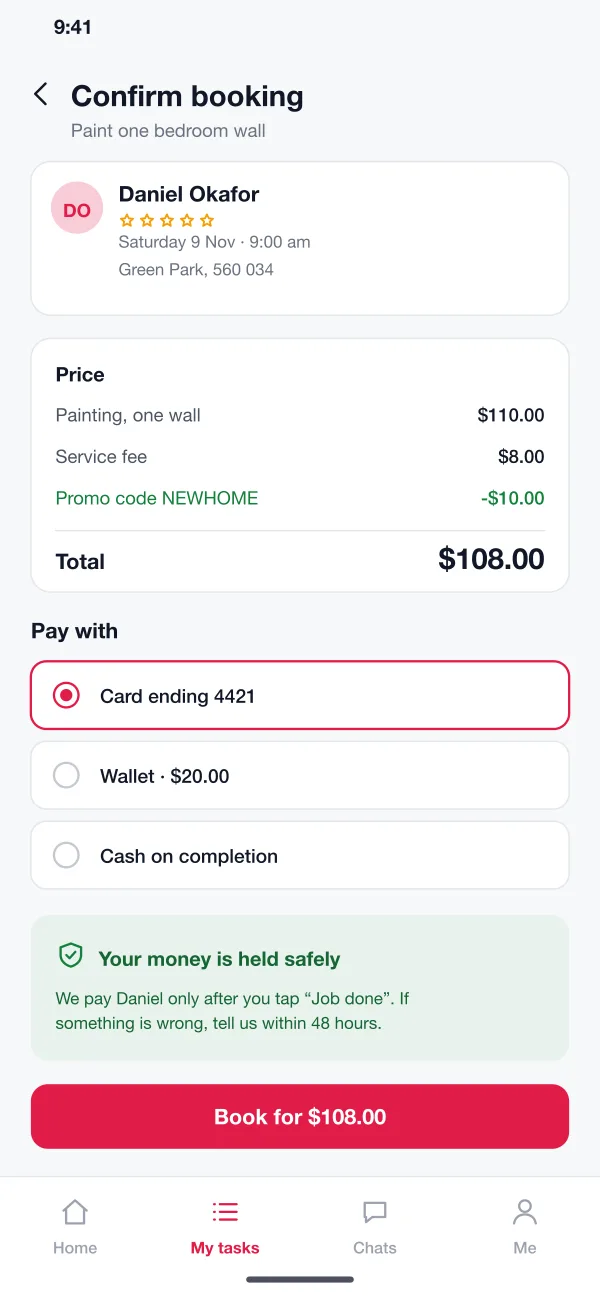
The customer picks a pro and pays. The platform holds the money. The pro sees it is secured and starts work on the day.
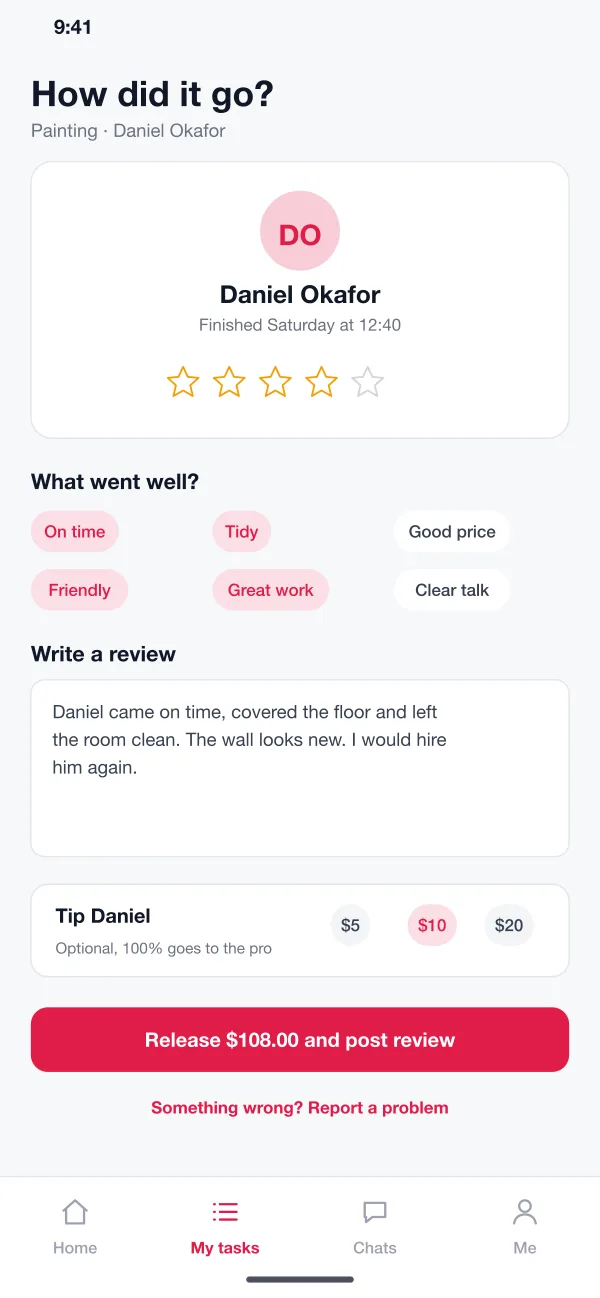
When the job is done the customer releases the payment, rates the work, picks a few tags and can add a tip. The pro can reply to the review.
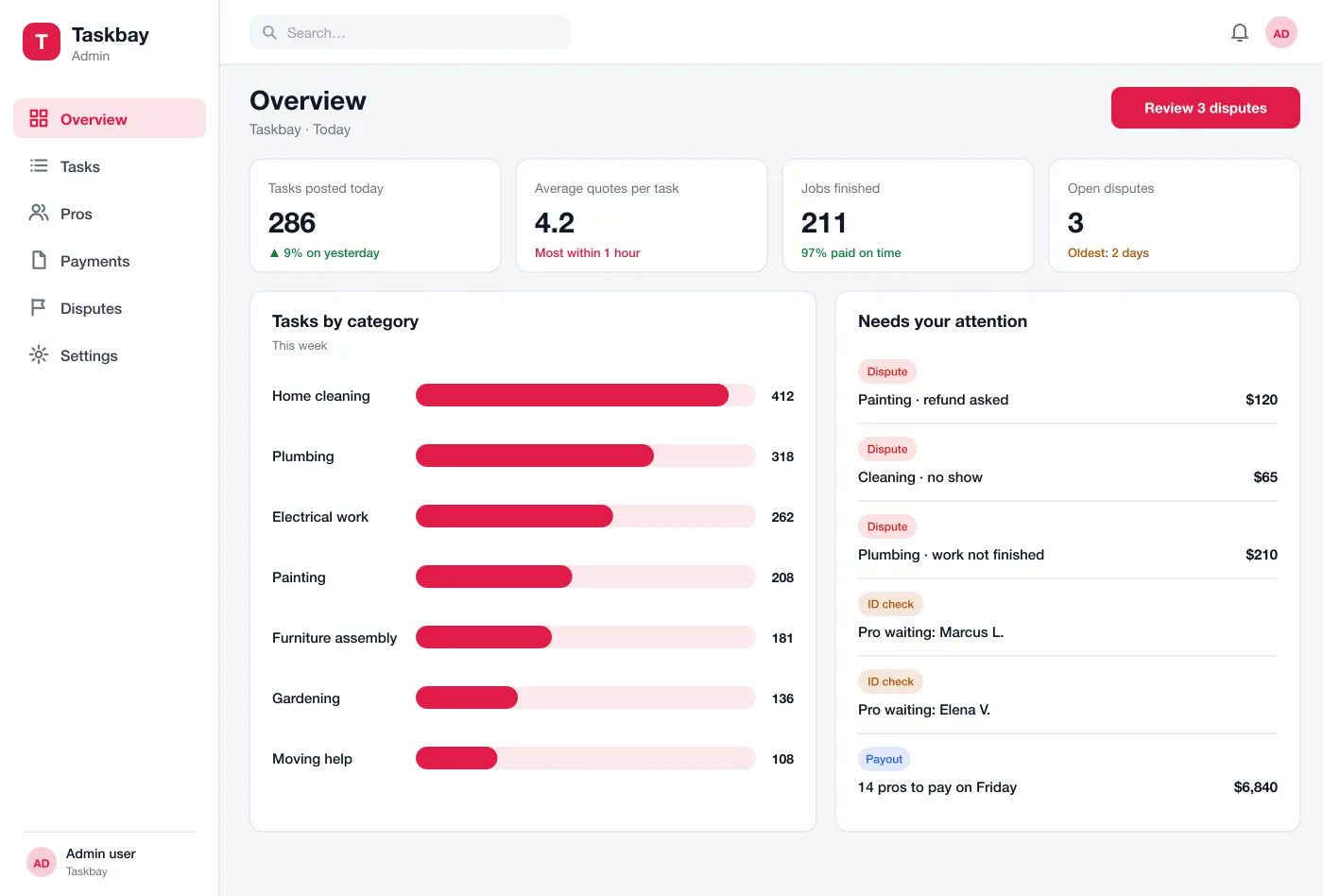
The team checks new pros, watches tasks by category, reviews disputes and runs the weekly payout to pros.
Screens
The mobile app
How it works
Here is how the main tasks work in Taskbay, from describing a job to paying the pro.
Post and compare
A customer posts a wall-painting task and has four quotes within the hour, sorted by price.
Hire
They read two profiles, chat with one pro, then book and pay. The money is held.
Do the job
The pro arrives at the set time, finishes the job and marks it complete in the app.
Release and review
The customer taps Job done, the payment is released and both sides leave a review. If something is wrong, the customer opens a dispute instead.
Suggested technology
FAQ
It is an app that connects people who need a job done, like painting or plumbing, with local pros who can do it. The customer describes the job and the pros send their price.
Start with task posting, quotes, held payment, reviews and pro checks in the admin panel. Chat, tips, pro plans and more categories can follow once both sides are using it.
Yes. We can build the customer app, the pro app and the admin panel for Android, iOS and web, and connect your payment gateway, maps and message service.
The customer pays when booking, but the money is held by the platform. It is released to the pro only after the customer confirms the job is done. If there is a problem, the customer can open a dispute.
Pros upload an ID and, for some trades, a licence. The admin team reviews them before the pro can send quotes. Reviews after each job build the pro's profile.
Tell us who will use it and what it must do. We will reply with a plan, a timeline and a price.