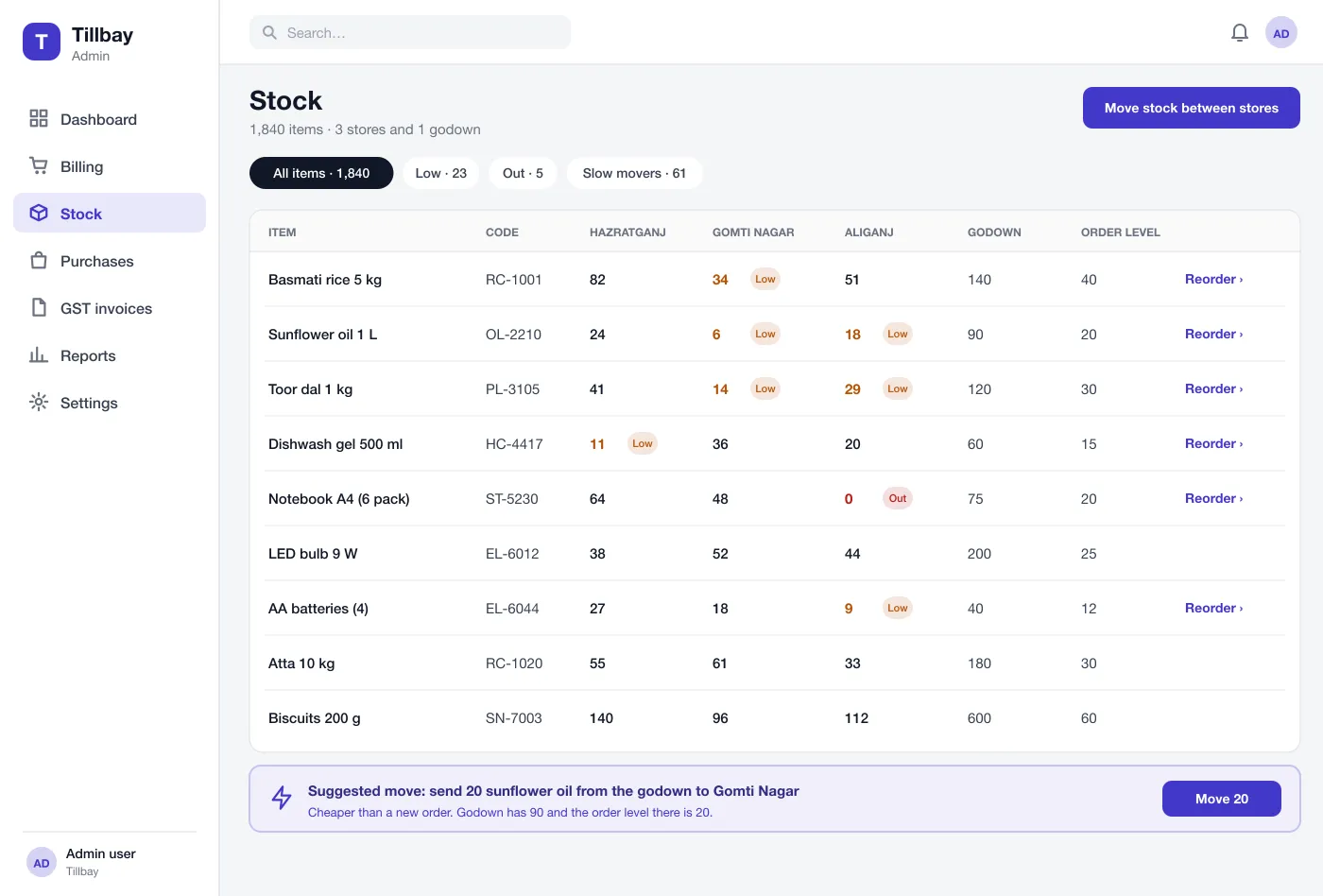
Stock in every store
One table shows each item in each store and the godown. Low and empty items are marked, with an order level you can set for each item.
Bill at the counter, see stock in every store and the godown, order from suppliers and print GST invoices, all from one web system.
Owner, manager, cashier and accountant work in one system.
Plus the godown, all in one stock table.
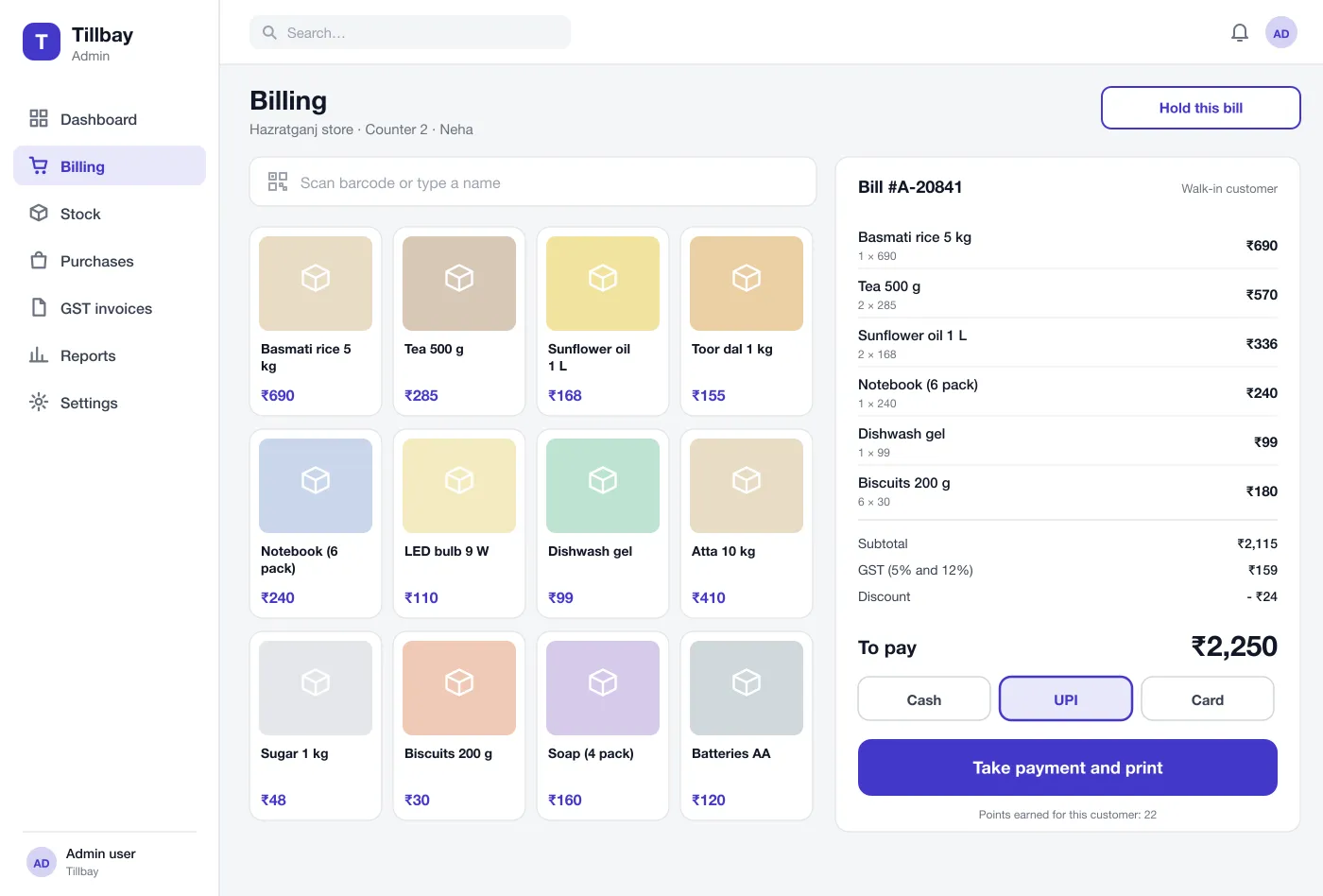
Scan or tap items, take cash, card or a QR payment, and print the bill.
One table shows each item in each store and the godown, with low items marked.
One system for a shop day, from the first bill to the last report.
One table shows each item in each store and the godown. Low and empty items are marked, with an order level you can set for each item.
The cashier scans items or taps them on a grid. The bill shows each line and the tax. The customer pays by cash, card or UPI and the bill prints.
If one store is low and the godown has plenty, the system suggests a transfer. This costs less than a new order and is quicker.
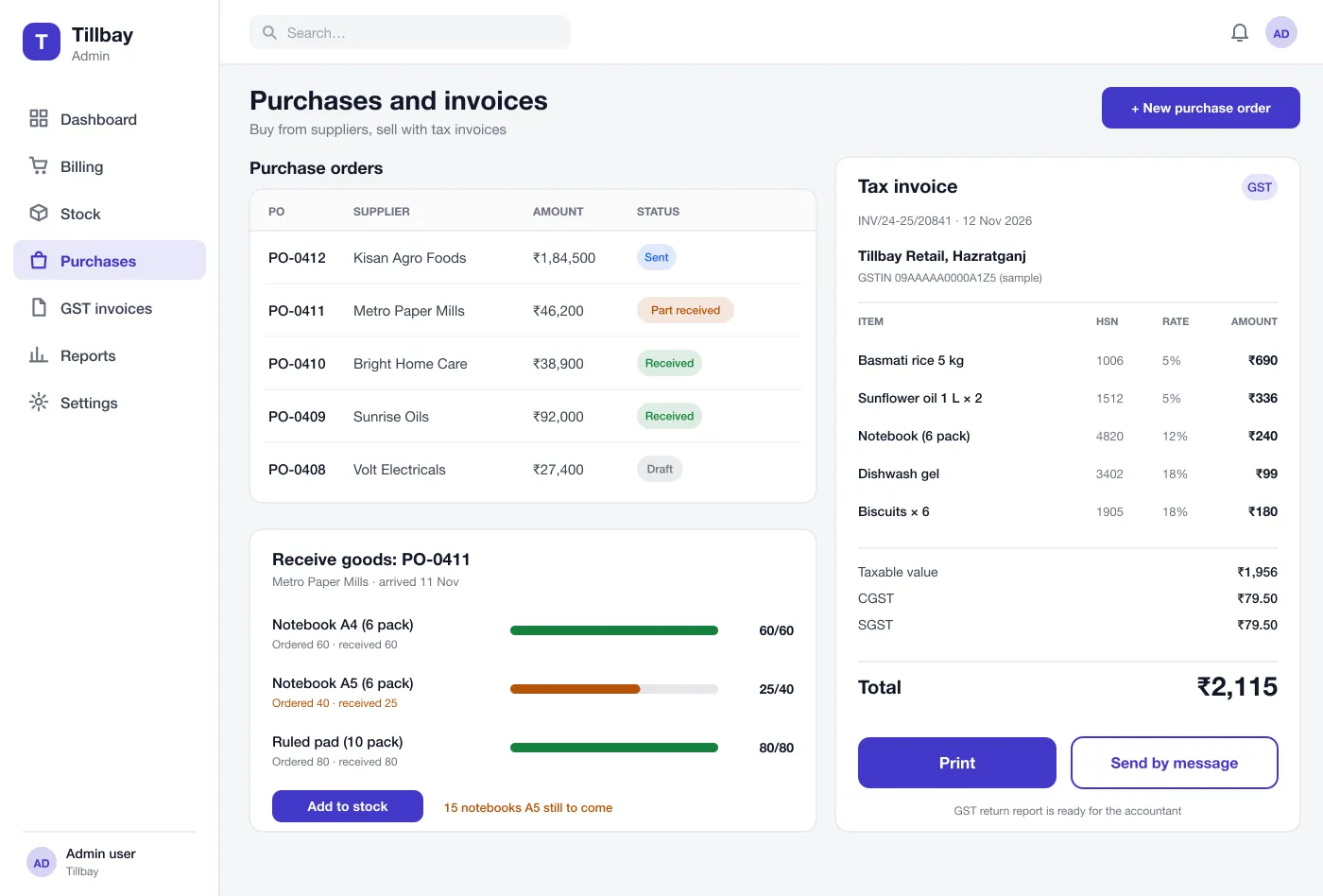
Each item has its tax rate and code. Invoices show the tax split and can be printed or sent by message. A report gives the accountant what is needed for the return.
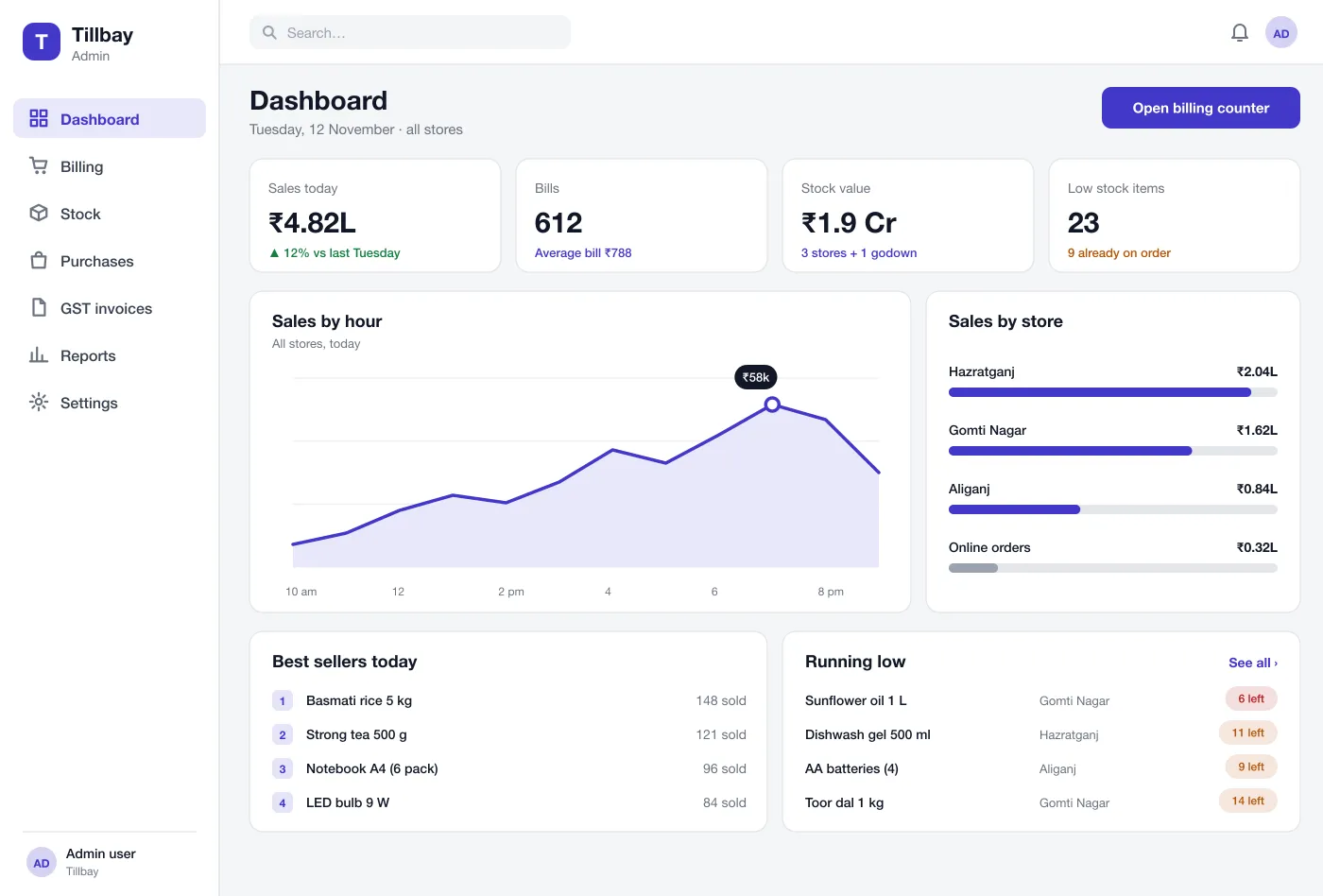
The owner sees sales by hour and by store, best sellers and items running low. It works on a phone browser too, so the owner can check from home.
The team sends an order to a supplier and tracks it. When goods arrive, they tick what came. Part deliveries are shown, and the stock goes up only by what was received.
GST invoices ready. Each item has its tax code. Invoices show the tax split and a report for the accountant.
See sales by hour and store, best sellers and items running low.
Move stock from the godown when a shelf runs low, instead of ordering.
Get the tax report for the GST return straight from the system.
The cashier scans the items, takes payment and prints the bill. Stock in that store goes down at once.
The manager sees an item is low. The system suggests moving stock from the godown, or orders it from the supplier.
The goods arrive. The team ticks what came, adds it to stock and the supplier's bill is matched to the order.
The owner opens the reports, checks sales and stock, and sends the tax report to the accountant.
It is one system that handles the daily work of a shop: billing at the counter, stock, buying from suppliers, tax invoices and reports. The numbers all come from the same records.
The main drivers are the number of stores, how many billing counters run at once, the hardware to connect (barcode scanners, receipt printers, weighing scales), GST and e-invoice needs, and whether owners want a mobile app.
Yes. We can build the billing counter, stock, purchase and reports to match how your shops work. We can also connect barcode scanners, receipt printers and your payment gateway.
Yes, in this design. Each item carries its tax rate and code. Invoices show the tax split, and a report gives your accountant what is needed for the return.
Yes. One screen shows every store and the godown. The owner can move stock from one place to another instead of ordering new goods.
Walk through the counter, stock, purchases and owner dashboard.