Scan to reorder
Point the camera at a box to add that item to the cart.
B2B ordering for electrical retailers and distributorsWeb / Android / iOS
Shops reorder by scanning a box and see their credit before they order. The distributor sets limits, approves big orders and chases late payments.
Try the app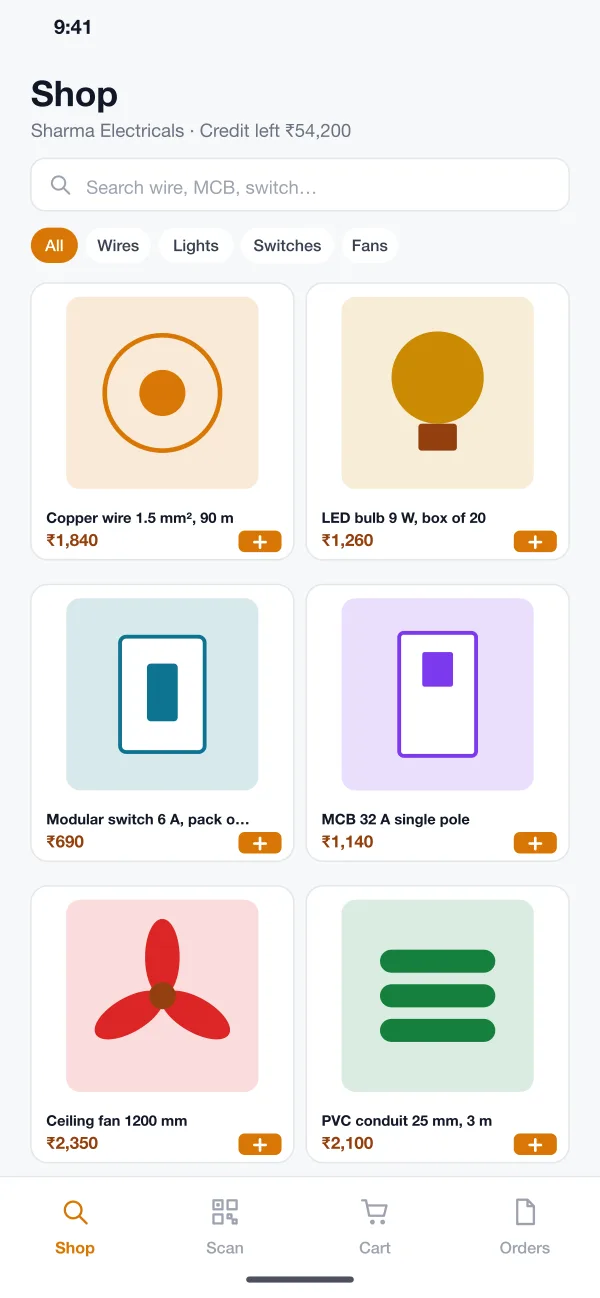
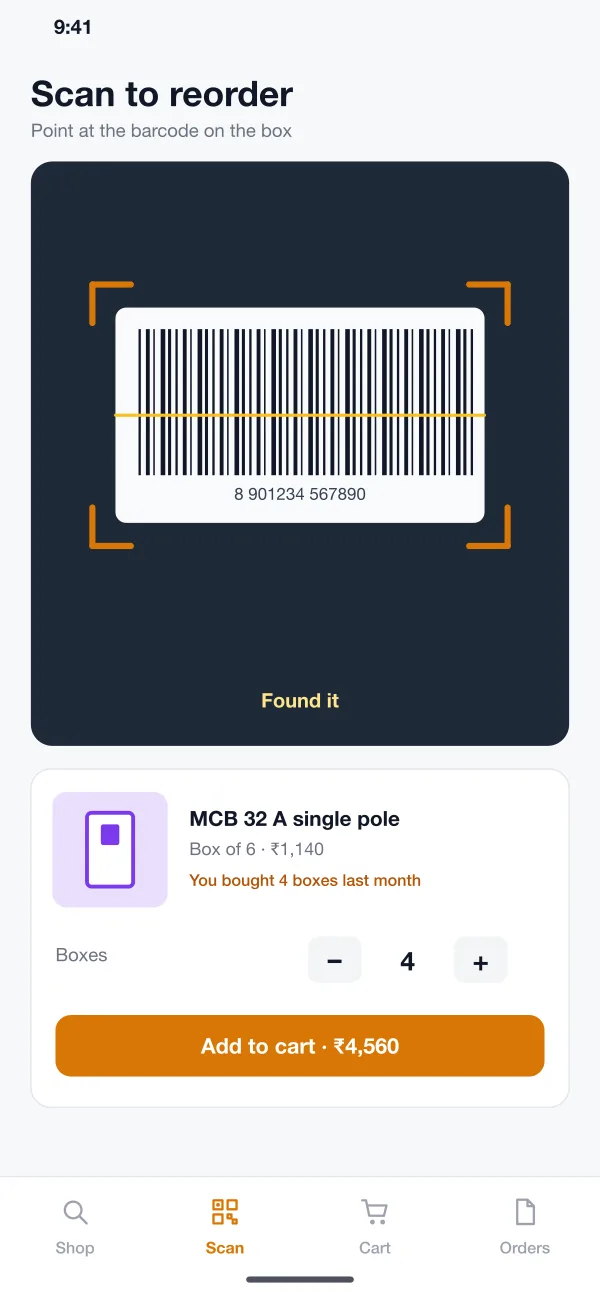
Point the camera at a box to add that item to the cart.
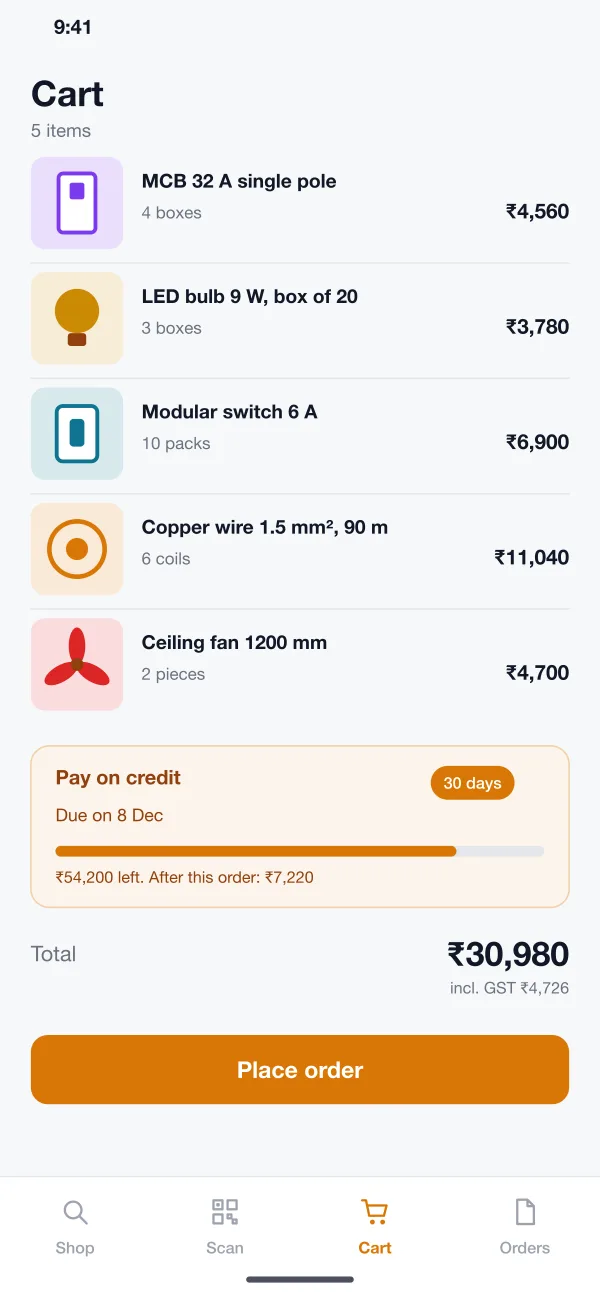
See credit left, the due date and what is left after the order.
Set terms per shop, approve big orders and send payment reminders.
One web admin shows the orders coming in, the stock running low and how much each shop owes.
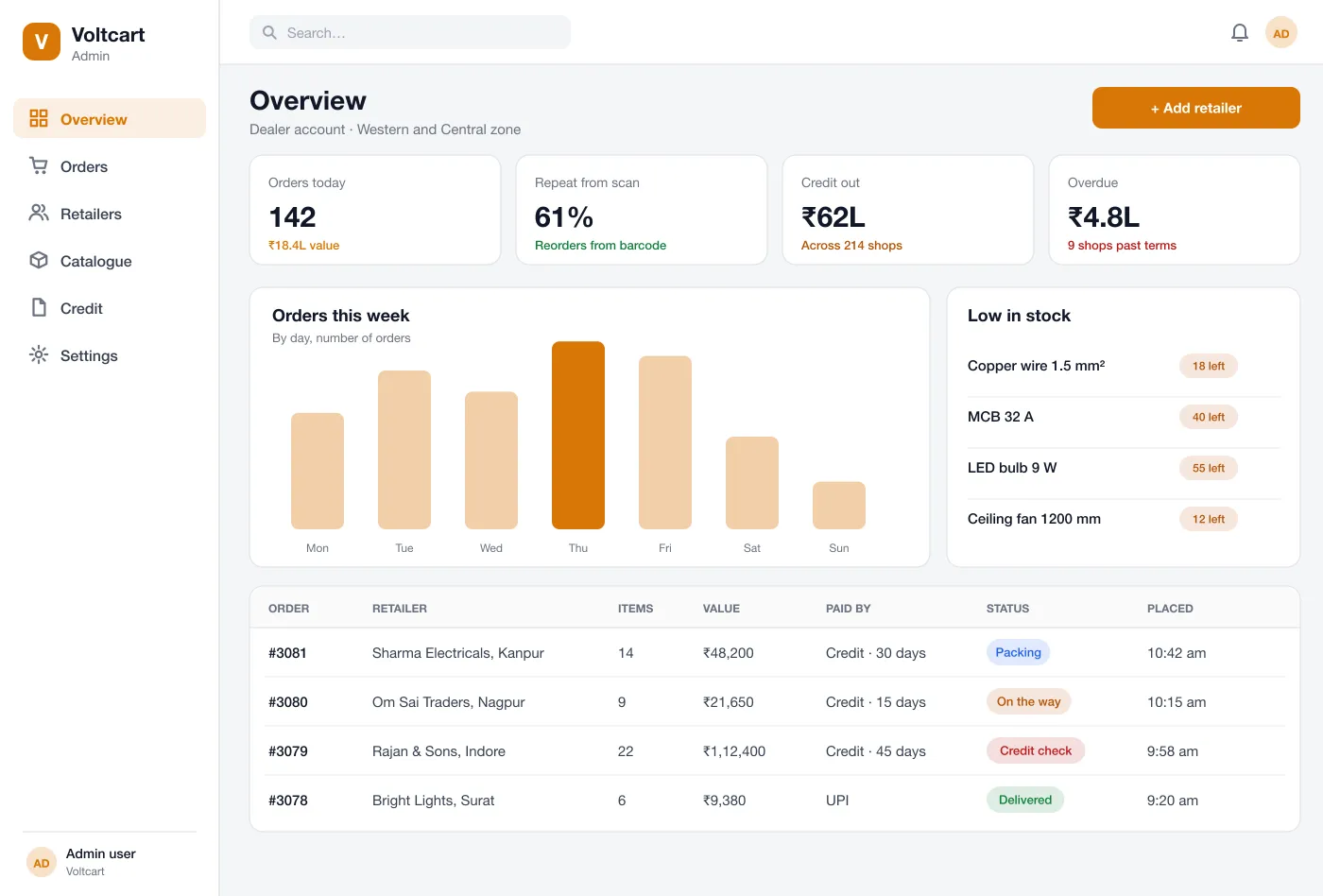
Distributor view: today’s retailer orders, credit used and stock running low
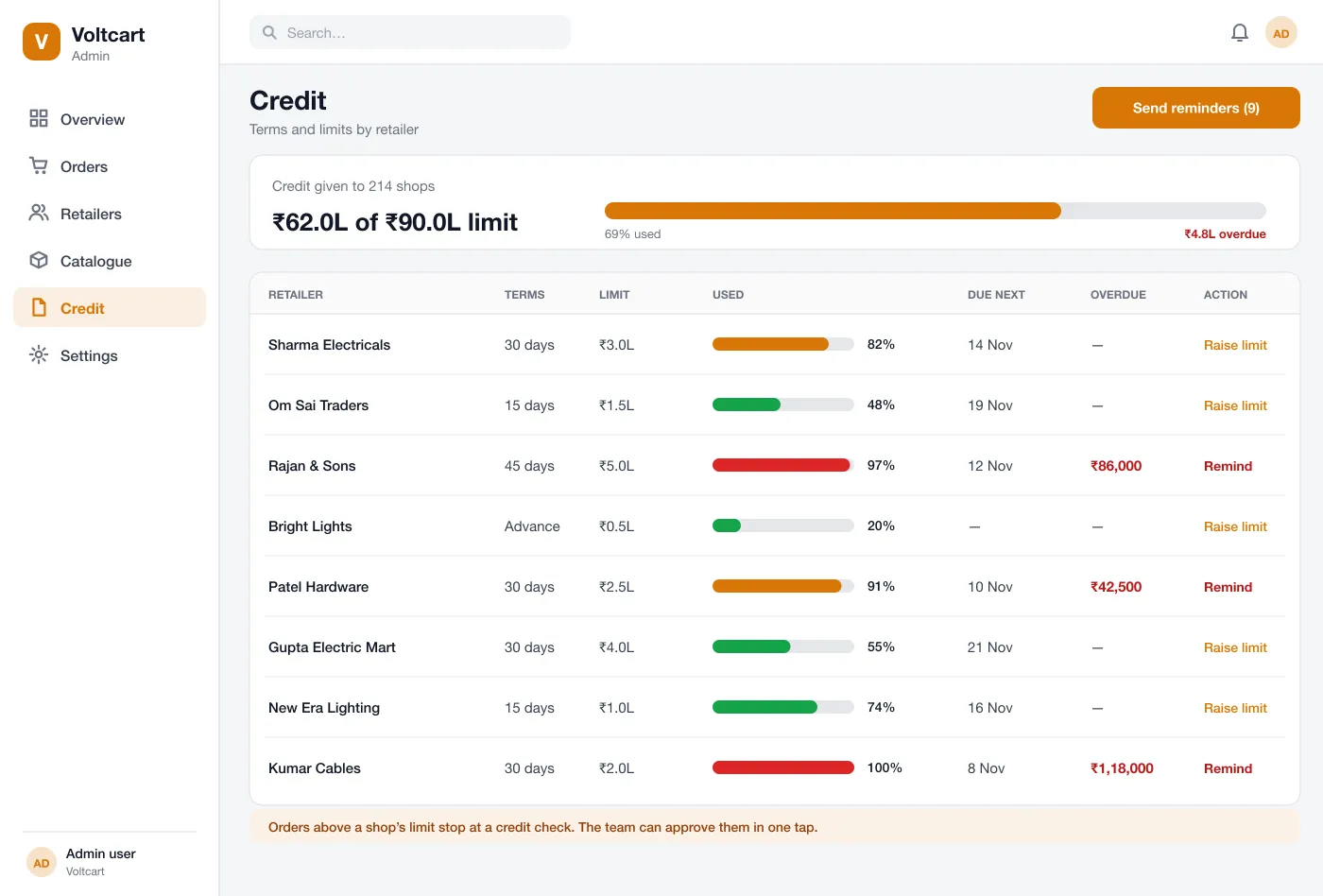
Credit limits: how much each shop owes, what is due and who is over the line
The shop sees a grid of products with pack size, trade price and an add button. Filters by wires, lights, switches and fans keep long lists easy to scan.
The camera reads the barcode on a box. The app shows the item, what was bought last month and a box counter, then adds it to the cart.
The cart shows the total with GST and the credit option. It shows credit left, the due date and what will be left after this order.
The distributor sets terms and a limit for each shop. A credit screen shows who has used what, who is overdue and lets the team send reminders.
Orders move from placed to packing, on the way and delivered. Orders over a shop’s limit wait for a credit check that staff approve in one tap.
The admin overview shows orders for the week, items running low and how many orders came from barcode reorders.
The shopkeeper opens Scan, points at an empty box, taps Add to cart and places the order.
At checkout the shop picks its credit terms, sees the due date and places the order without paying now.
An order above the limit shows as Credit check. A manager looks at the shop’s history and approves it or asks for payment.
The credit screen lists shops past their terms. The team sends reminders to all of them with one button.
Browse the trade catalogue, scan to reorder and pay on credit.
Set credit terms, approve orders over the limit and chase late payments.
Follow each order from packing to delivered.
It is an app a shop uses to order stock from its distributor. The shopkeeper sees trade prices, adds items to a cart and places the order without calling a salesman.
Yes. Orders, invoices and payments can be sent to Tally, Zoho Books or another system you use, so your team does not type the same order twice.
Yes. We can build a retailer app for Android and iOS and a web admin for the distributor, and connect it to your stock, billing and delivery tools.
The shopkeeper points the phone at the barcode on a box. The app finds the item, shows how many were bought last time and adds it to the cart.
The distributor sets terms and a limit for each shop. The cart shows credit left and the due date. An order above the limit stops for a credit check.
Yes. The app supports trade price lists by shop group, so a large dealer and a small shop can see different prices.