Plan builder
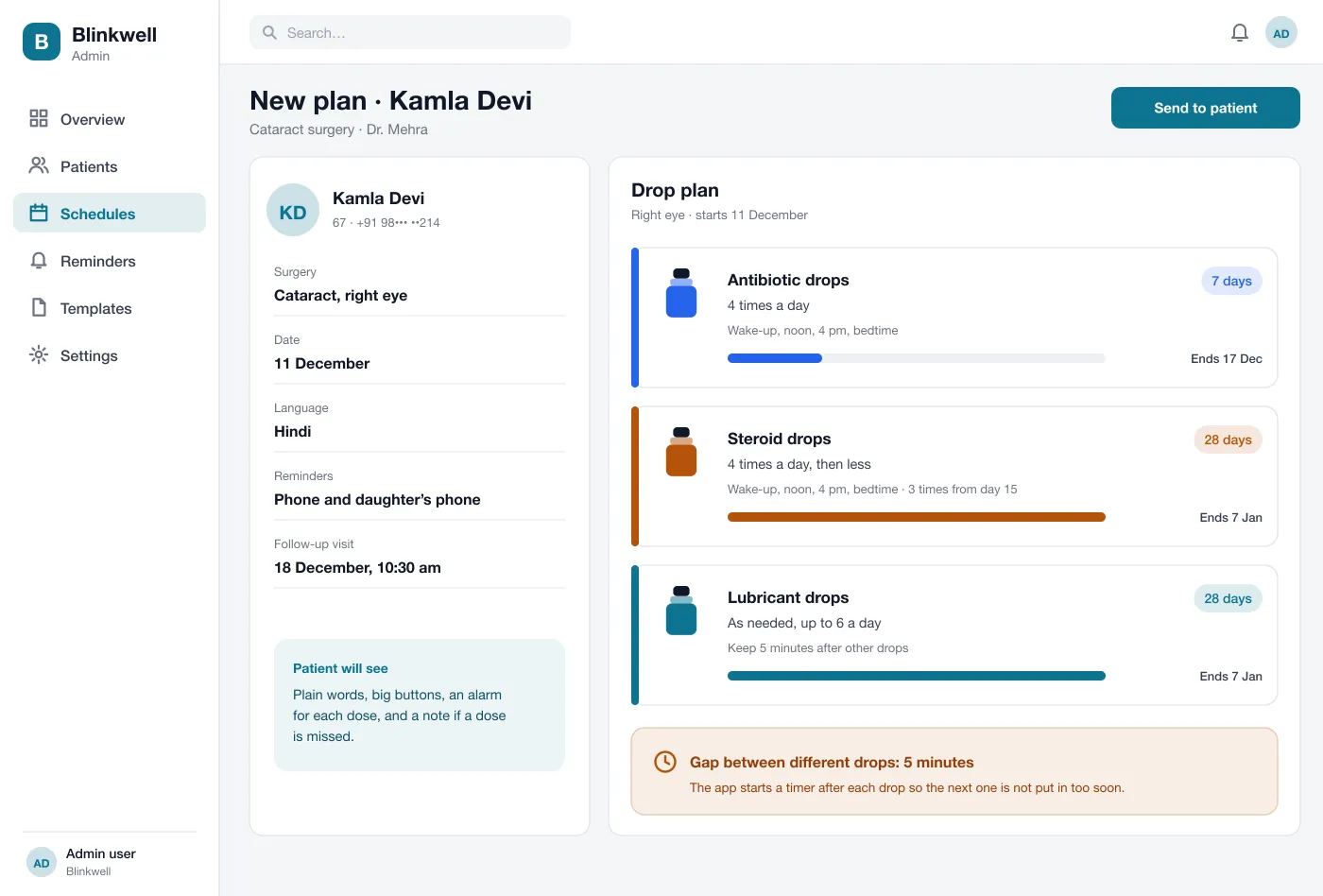
The doctor picks the drops, how often, for how many days and when the dose drops later. The plan can be sent in the patient’s own language.
Blinkwell is an eye drop reminder app designed and built by our team for the weeks after eye surgery. The clinic sets the drop plan, the patient gets a reminder for every drop and ticks it off, and the clinic can see who is missing doses.
Blinkwell was designed and built by the PRS CloudTech team.
The brief
After eye surgery the patient goes home with two or three bottles and a printed sheet. One drop four times a day, another three times a day for a month, a third only when the eye feels dry. The times change after the first week.
Many patients are older. Some live alone. A missed dose is easy to make and the clinic only finds out at the next visit.
A plan the patient can follow
Each drop, each eye and each time should be clear, with big buttons and plain words.
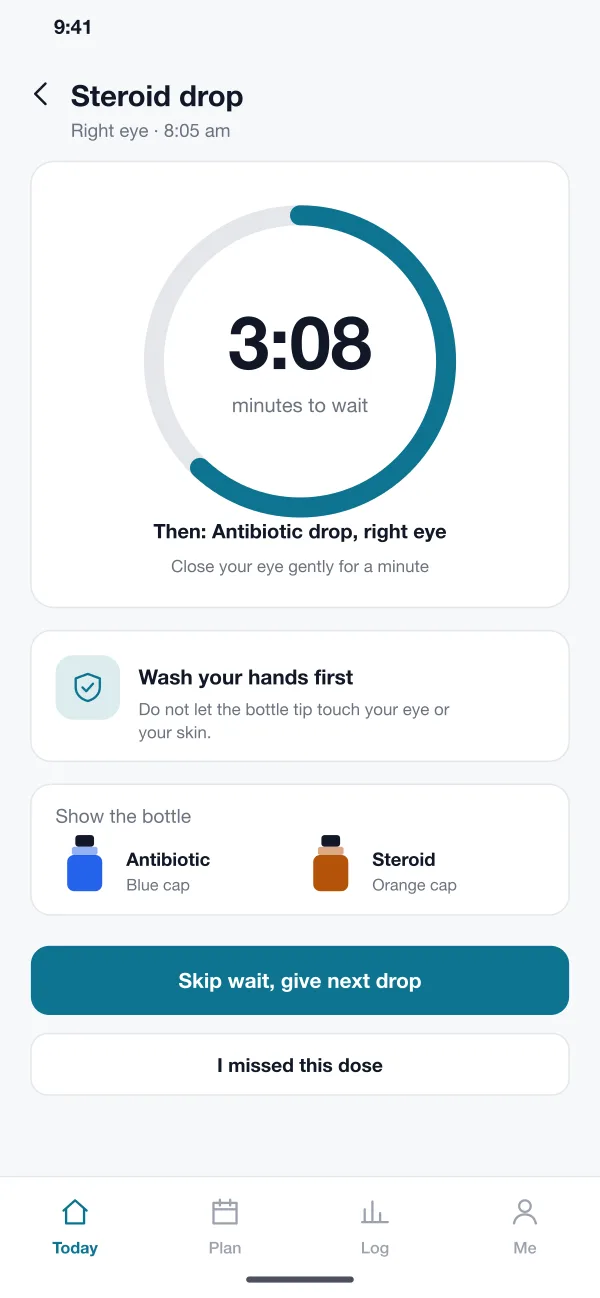
The right wait between drops
Different drops need a short gap, so the app should time it.
A record
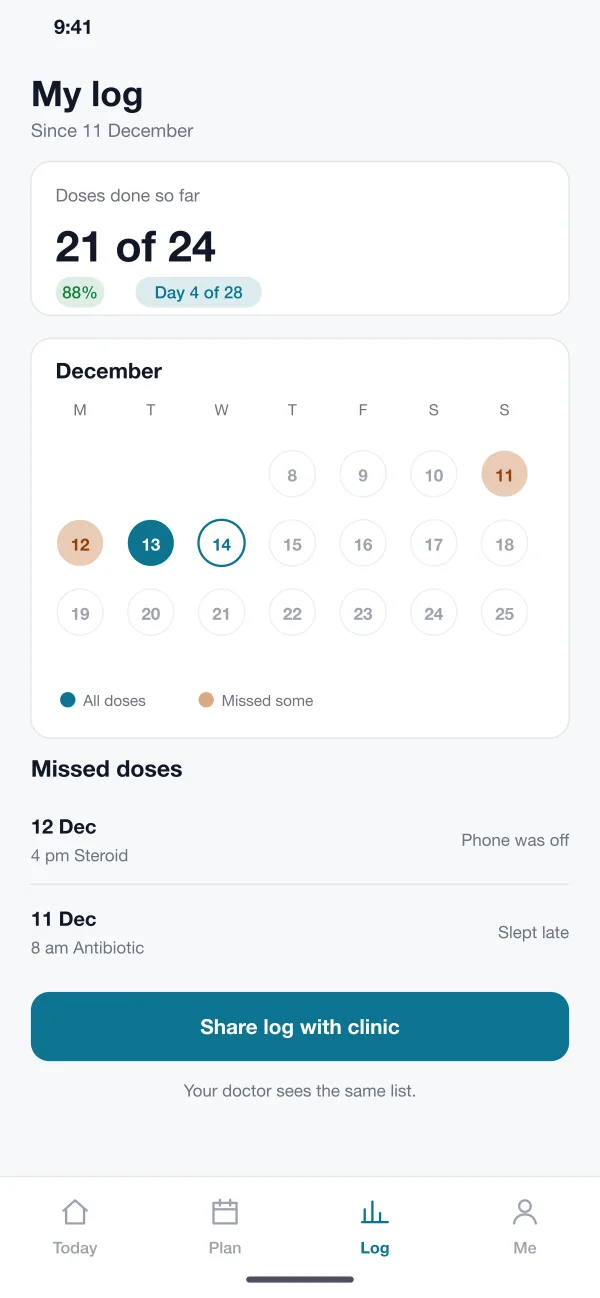
The patient and the doctor should both see which doses were done and which were missed.
Early warning for the clinic
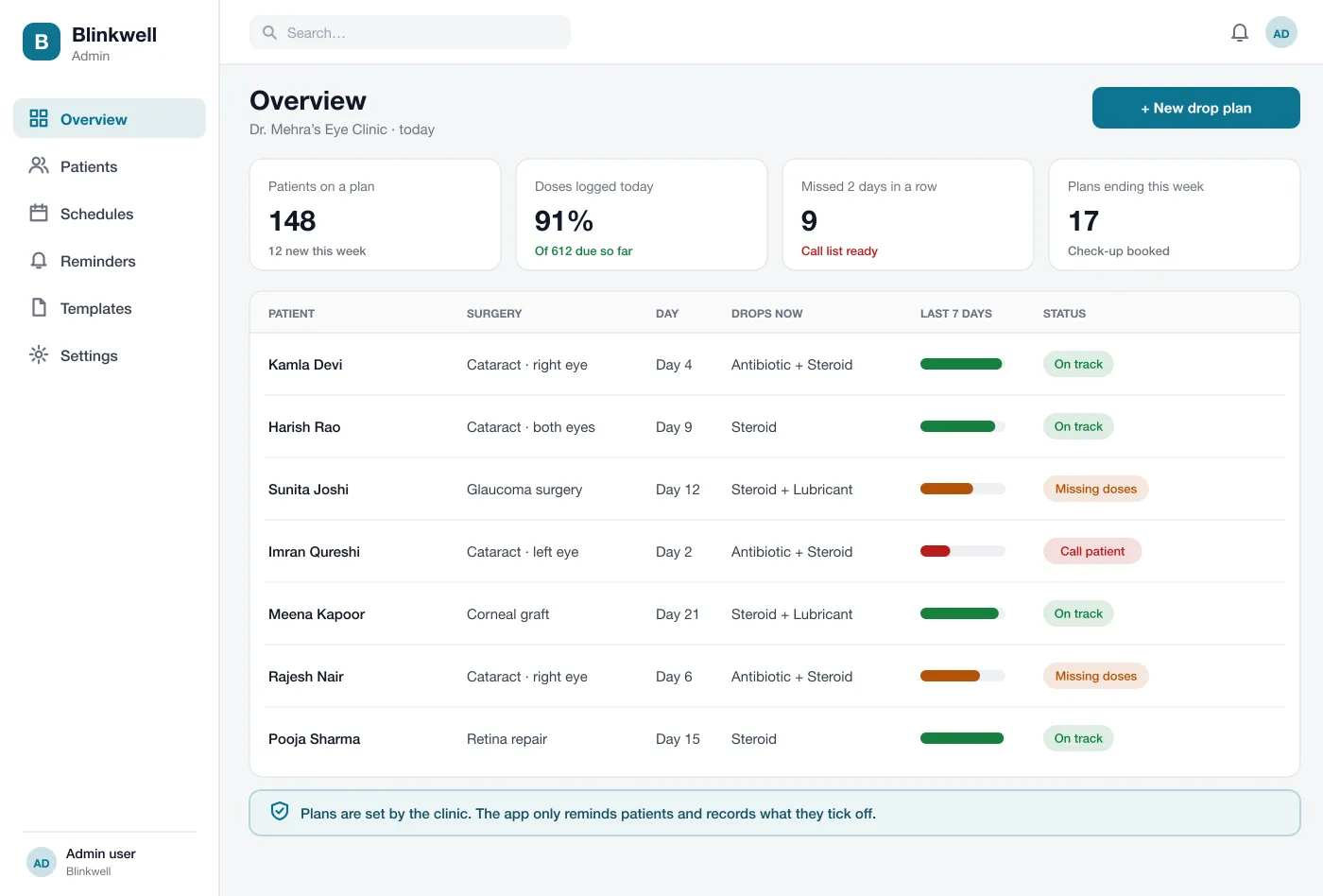
The clinic should know on day three that a patient has stopped, not at the check-up.
What we designed
We designed Blinkwell in two parts: a clinic web panel where the plan is made, and a patient app that follows the plan.
The doctor picks the drops, how often, for how many days and when the dose drops later. The plan can be sent in the patient’s own language.
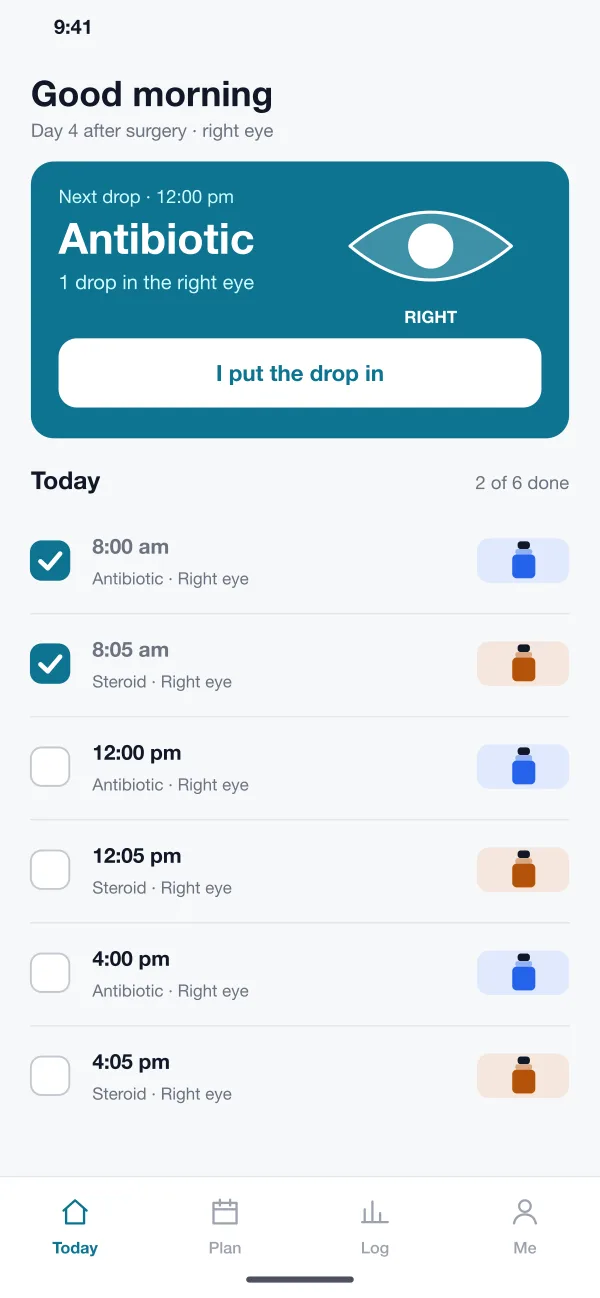
The patient sees the next drop in large type, with the eye marked and the bottle shown by colour. One tap says it is done.
After each drop the app starts a short timer before the next one. A short note reminds the patient to wash hands and keep the bottle tip clean.
A reminder goes out for each dose by push message, SMS or WhatsApp. A family member can get the same reminders.
Every tick goes into a calendar. Missed doses are shown with a short reason, and the log can be shared with the clinic.
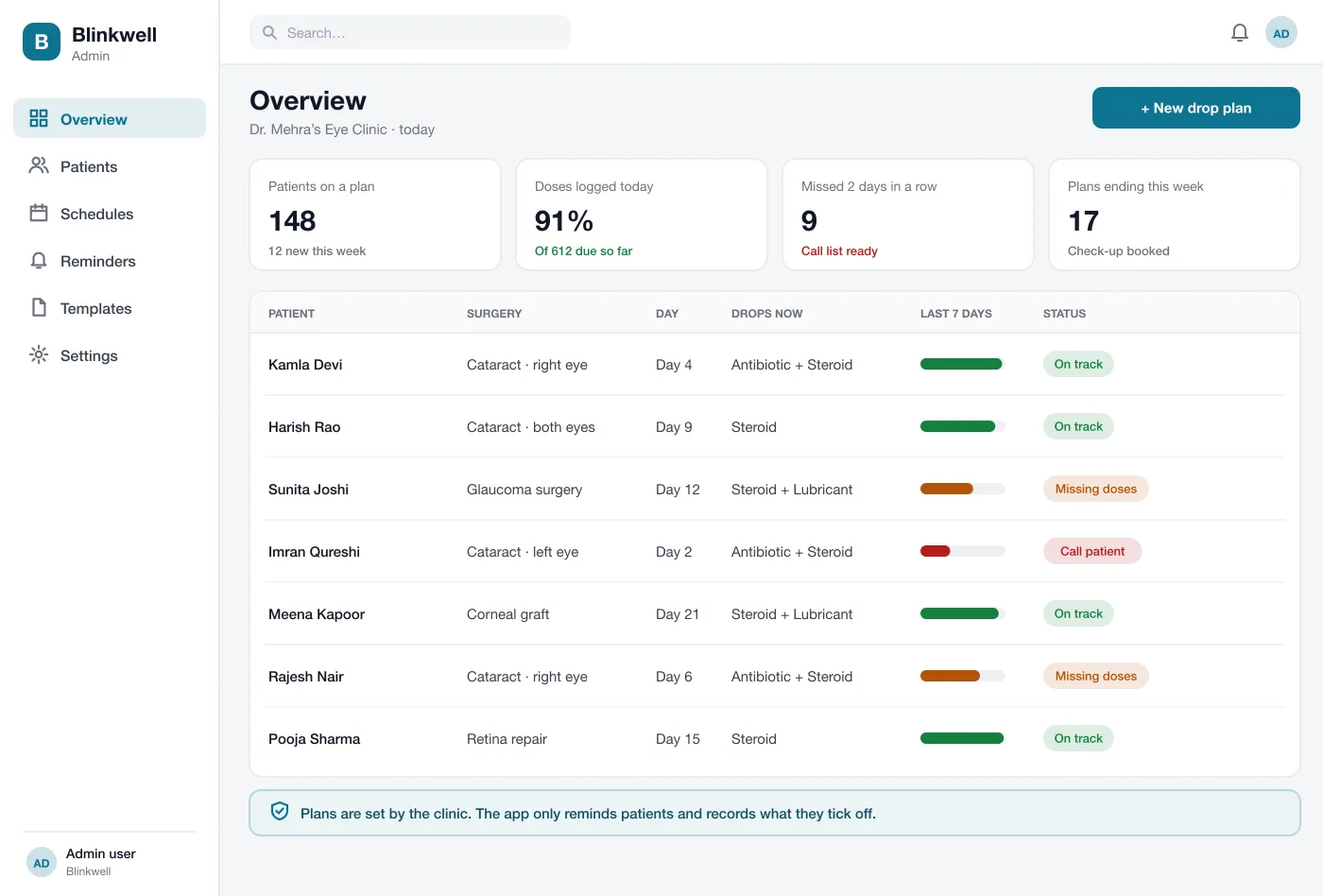
The clinic sees every patient on a plan, how many doses they have logged and who needs a call.
Screens
The mobile app
How it works
Here is how the main tasks work in Blinkwell, from the day of surgery to the check-up.
Set the plan
The doctor fills in the plan in a few minutes and sends it. The patient app is ready before the patient leaves the clinic.
Take a drop
The reminder rings, the patient puts in the drop, taps once and waits for the timer before the next one.
Miss a dose
The patient marks it missed and picks a reason. If doses are missed two days in a row, the clinic gets a call list.
Come for the check-up
The doctor opens the log, sees how the weeks went and adjusts the plan if needed.
Suggested technology
What we would deliver
FAQ
After eye surgery a patient may have two or three kinds of drops, each at its own times, for several weeks. The plan also changes during that time. It is easy to lose track, so a reminder for each drop helps.
No. The app only reminds patients of the plan their clinic sets. It is not medical advice, and patients should call their clinic about eye pain or any question about their drops.
Yes. We can build the clinic web panel where doctors set plans and the patient app for Android and iOS, with reminders by push message, SMS or WhatsApp.
Start with the clinic plan builder, a today screen with one reminder per dose, the wait timer between drops and a simple dose log. Family reminders, WhatsApp and SMS, and the clinic call list can come next.
Yes. A patient can add a second phone, such as a son or daughter, to get the same reminders and to see the same log.
Tell us who will use it and what it must do. We will reply with a plan, a timeline and a price.