Quote builder
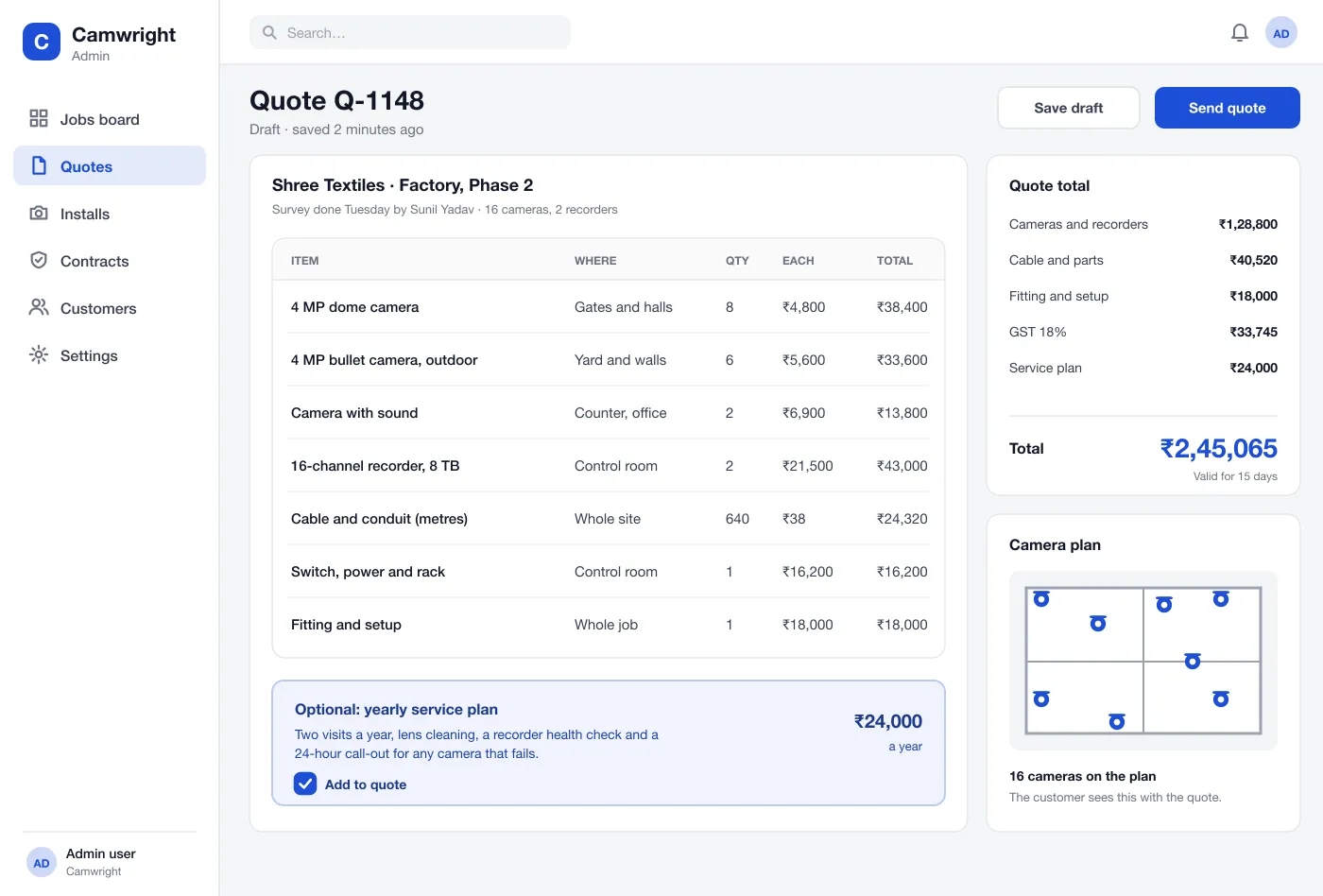
The sales team adds cameras, recorders, cable and fitting from a price list. The total and tax update as they go, and a simple camera plan is added to the quote.
Camwright is an app for a CCTV company, designed and built by our team. The sales team builds quotes with a camera plan, fitters follow job checklists with photos on site, and customers see their cameras and service contract.
Camwright was designed and built by the PRS CloudTech team.
The brief
A CCTV company does three jobs: it sells a system, fits it and then looks after it. Each job tends to live in a different place. Quotes are in a spreadsheet, fitting jobs are on a whiteboard, and service dates are in someone’s head.
A quote goes out with a wrong cable length. Two fitters turn up at the same site, or nobody does. Months later a customer calls about a dead camera and no one remembers what was fitted where.
Quotes that add up
The sales team should pick items from a list, see the total at once and send a clean quote the customer understands.
A clear plan for fitters
Every fitter should know where to go, what to fit and who to call, and the office should see who is free.
Proof of the work
A photo and a tick for each camera show what was done and where it was fitted.
Service that is not forgotten
Contracts and visits should remind the team before they run out, not after.
What we designed
We designed Camwright as an office console on the web and a phone app for sales staff and fitters. The customer gets a simple view of their own cameras.
The sales team adds cameras, recorders, cable and fitting from a price list. The total and tax update as they go, and a simple camera plan is added to the quote.
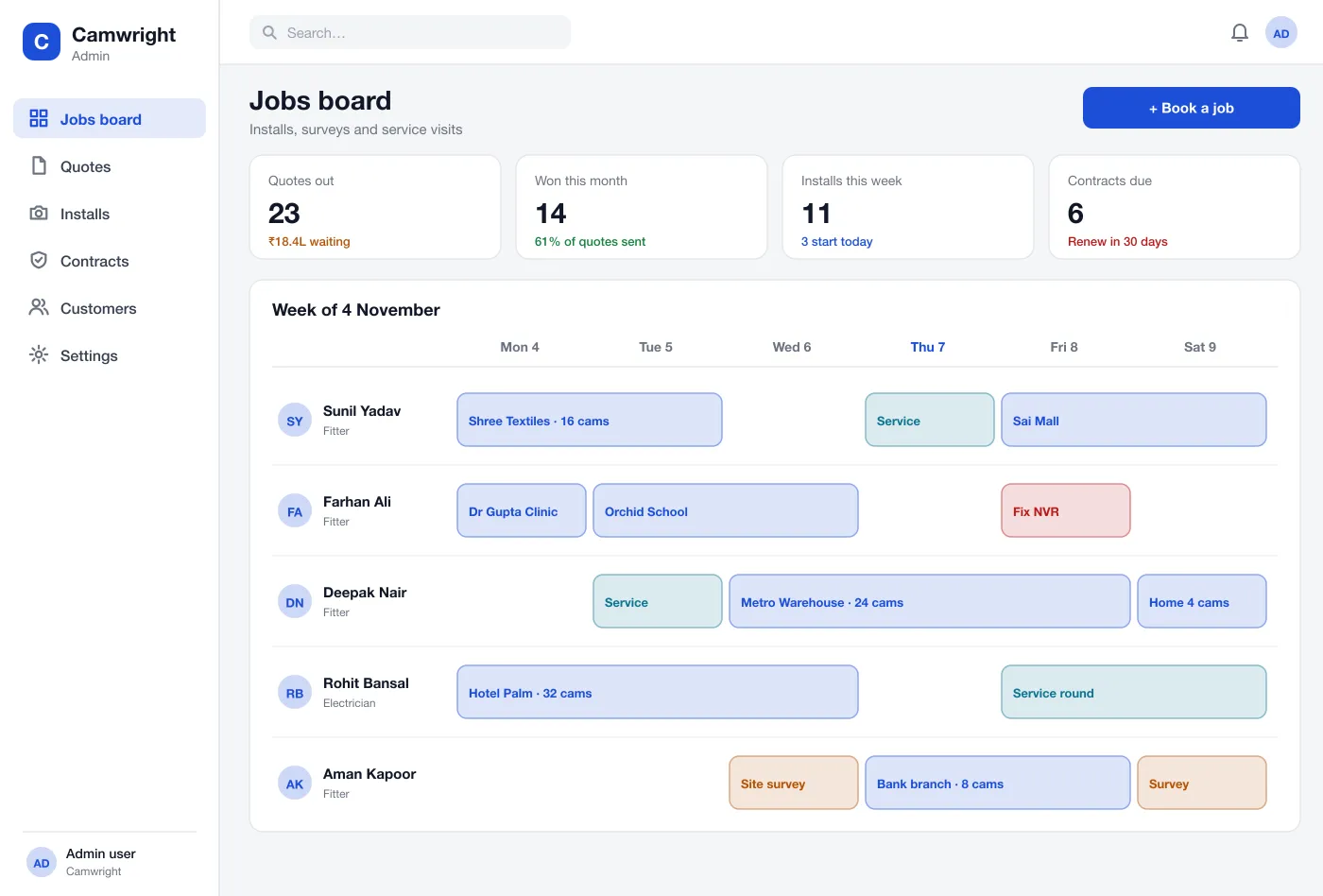
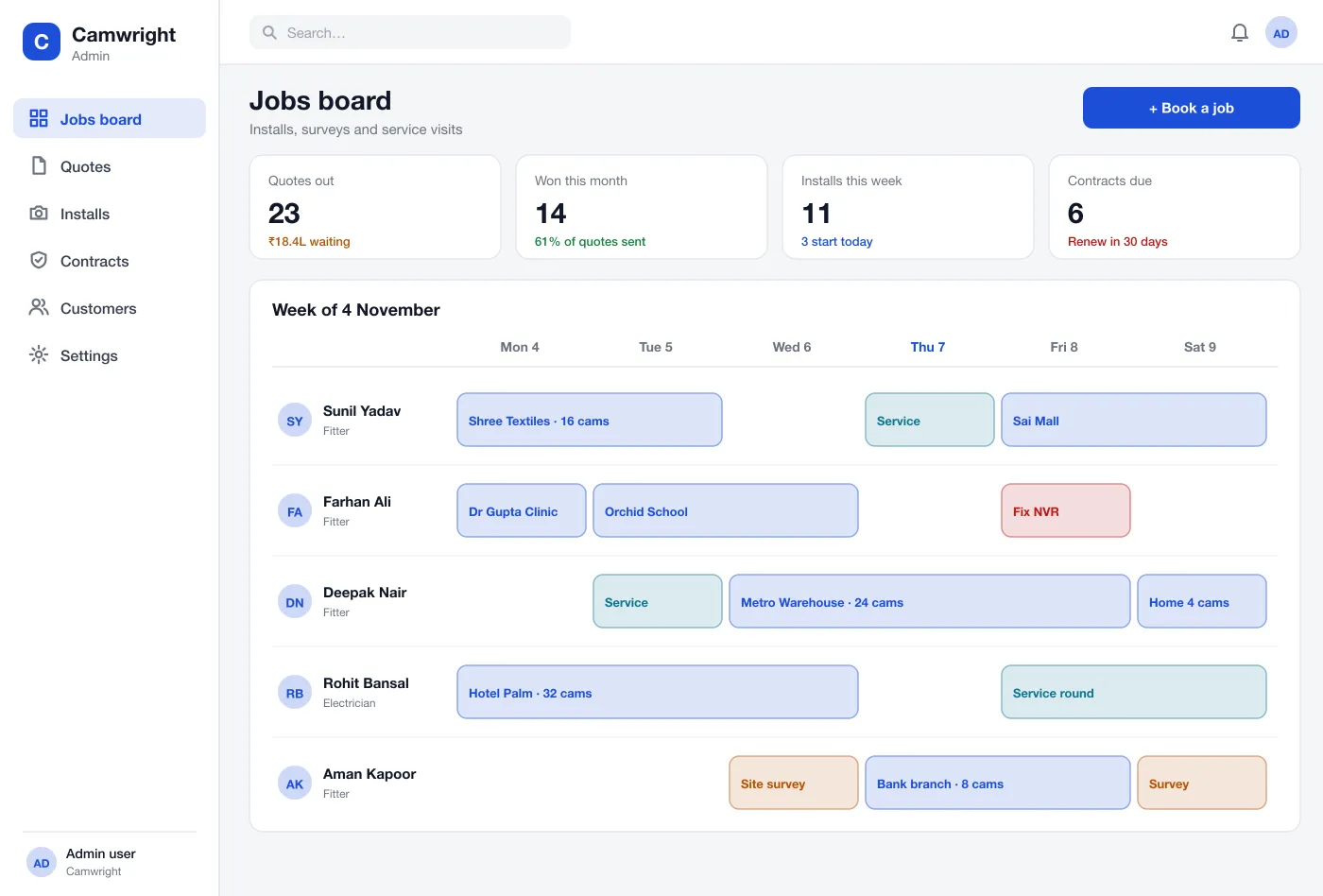
A weekly grid shows each fitter and their jobs: installs, surveys and service visits. The office can see gaps and move a job by dragging it.
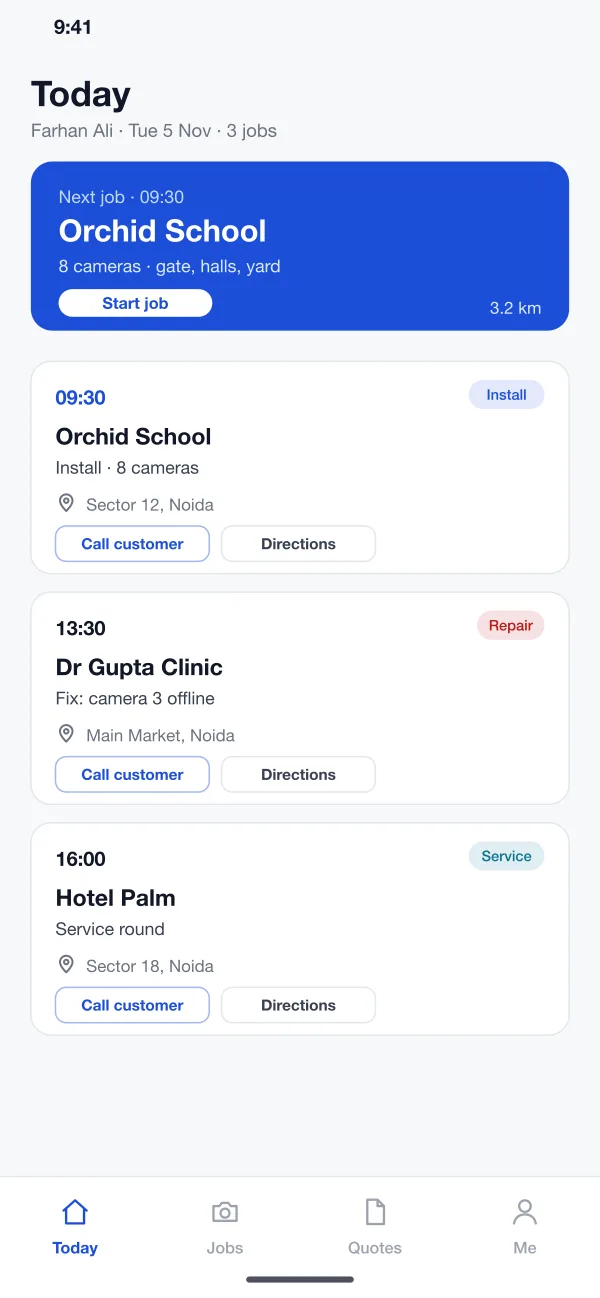
The fitter opens the app and sees the day’s jobs in order, with the address, the customer’s number and a button for directions.
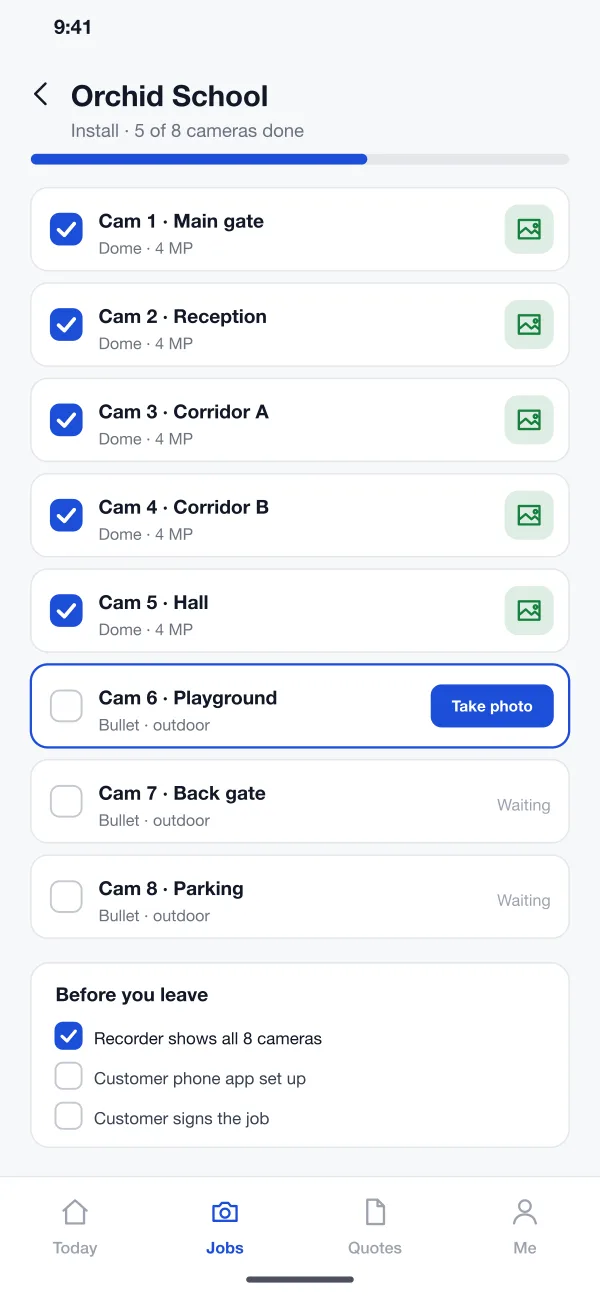
The fitter ticks each camera and takes its photo. At the end, a short list covers the recorder, the customer’s phone app and the customer’s sign-off.
A contract sets the visits, the call-out time and the end date. The app puts visits on the fitters’ plans and warns the office before a contract ends.
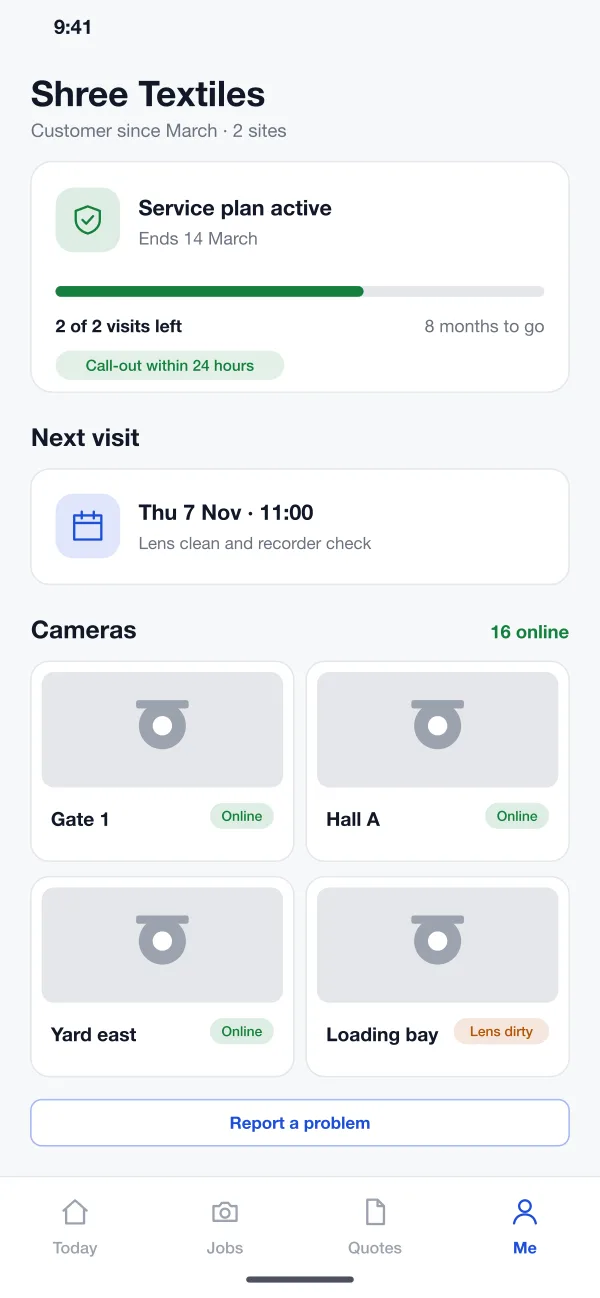
The customer sees their cameras, whether each is online, the next visit and a button to report a problem.
Screens
The mobile app
How it works
Here is how the main tasks work in Camwright, from the first survey to a repeat visit a year later.
Survey and quote
A salesperson visits the site, marks the camera spots, builds the quote and sends it as a PDF the same day.
Install the system
A fitter follows the checklist, takes a photo of each camera and gets the customer’s sign-off.
Keep it running
The app plans the yearly visits, and the fitter checks lenses and the recorder on each one.
Fix a fault
The customer reports a camera that is down. The office books a repair on the board, and the fitter sees it on their plan.
Suggested technology
What we would deliver
FAQ
It is software for a company that sells and fits security cameras. It helps with quotes, booking fitters, recording the work done and tracking yearly service contracts.
Yes. Fitters can open the job, tick the checklist and take photos without a signal. Everything is saved on the phone and sent to the office as soon as the phone is back online, with the time each photo was taken.
Yes. We can build the office console on the web and an app for your sales team and fitters on Android and iOS, with quotes as PDF files you can send to the customer.
The fitter ticks each camera and takes a photo of it in place. The office and the customer can see the photos later if there is any question.
Yes. Each contract has its visits, its end date and a renewal reminder. The office sees which contracts end soon, and visits show up on the fitter’s day plan.
Tell us who will use it and what it must do. We will reply with a plan, a timeline and a price.