Room-by-room inventory
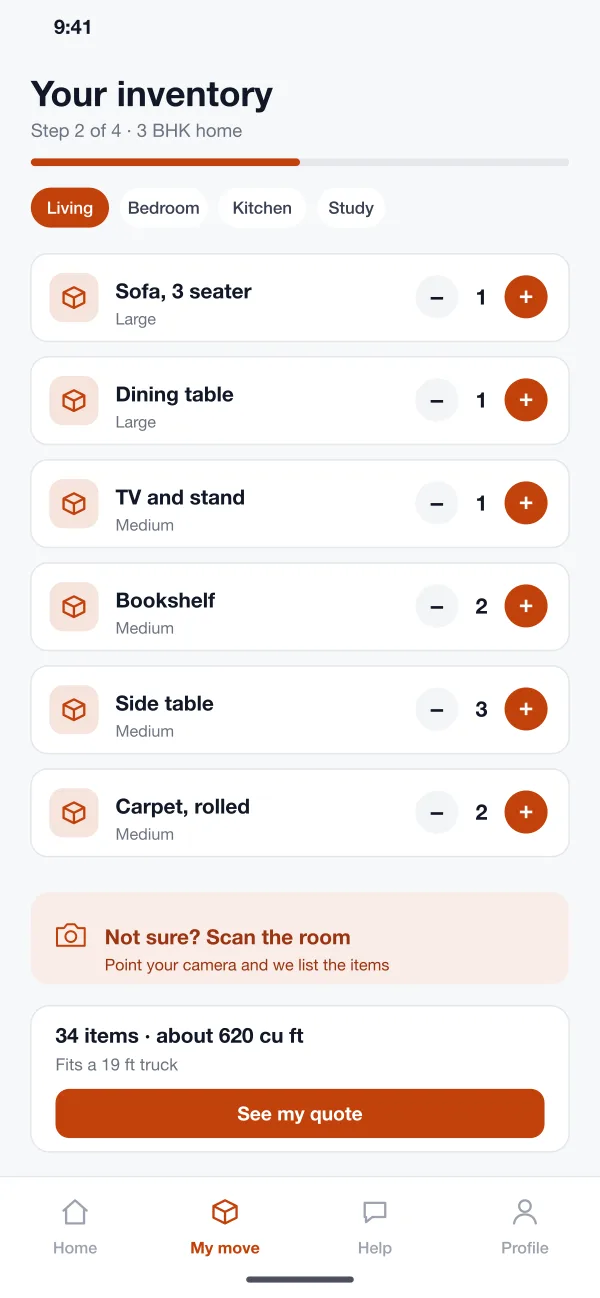
The customer picks a room and taps plus and minus next to each item. They can also scan the room with the camera. The app adds up the load as they go.
Crateway is an online moving booking app designed and built by our team. A customer counts the items in each room, gets a quote, books a crew and truck, and follows the move on the day. The office sees every job on one board.
Crateway was designed and built by the PRS CloudTech team.
The brief
A moving company usually quotes by phone. A person asks how many rooms there are and guesses. The guess is often wrong, and the price changes on the day.
Customers do not know what to expect. They do not know when the crew will arrive or where the truck is. The office juggles calls, a paper diary and a few WhatsApp groups.
Quote from facts
The price should come from the items the customer really owns, not a guess on the phone.
One place for jobs
The office needs to see every move, truck and crew on a single board.
Clear move day
The customer wants to know which step the crew is on and when the truck will arrive.
Fewer surprises
Stairs, a piano or a glass table should be spotted before the day, not at the door.
What we designed
We designed Crateway as a customer app and a web console for the moving office. Both use the same job record, so the quote, the plan and the move-day steps always match.
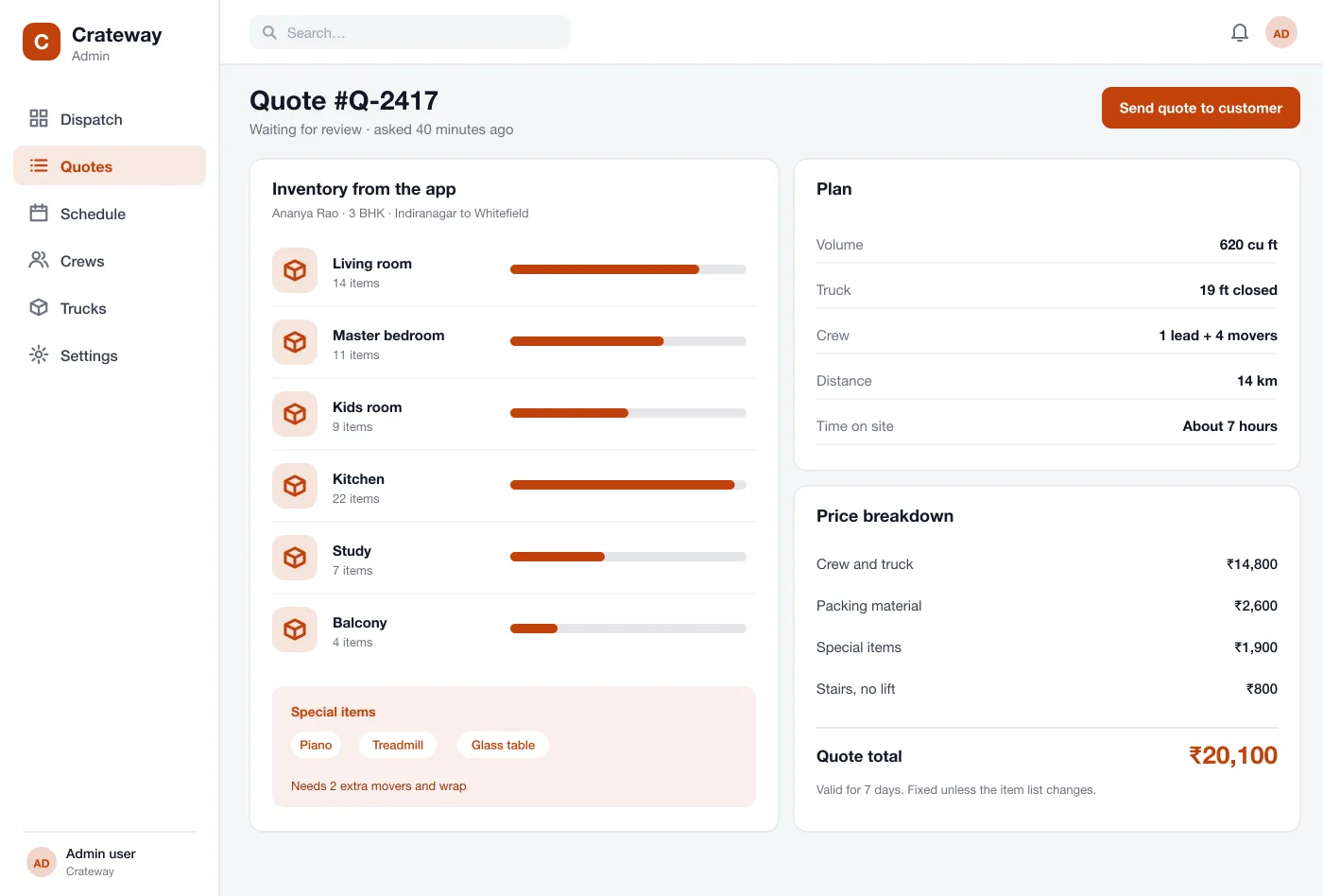
The customer picks a room and taps plus and minus next to each item. They can also scan the room with the camera. The app adds up the load as they go.
From the load size the app picks a truck, a crew size and the hours needed. The customer sees a price before they speak to anyone.
The office opens each quote, sees the items and the plan, adds special items like a piano, and sends the final quote. Quotes that wait too long are flagged.
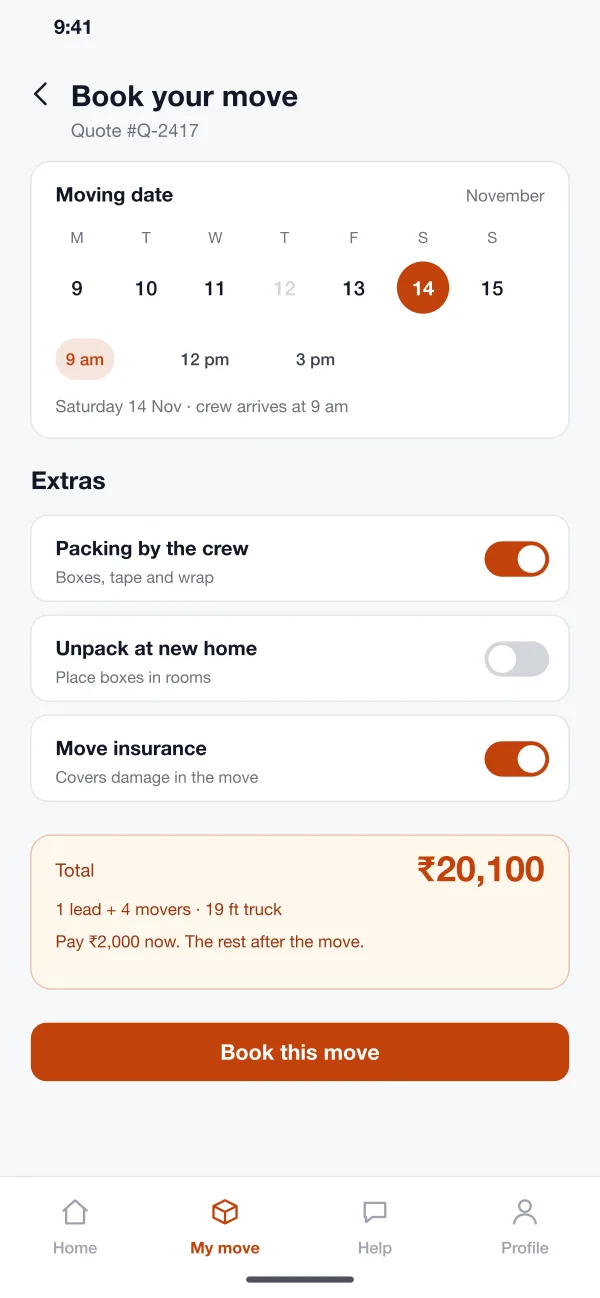
The customer chooses a date and a time, adds extras like packing, and pays a small amount to hold the slot. The rest is paid after the move.
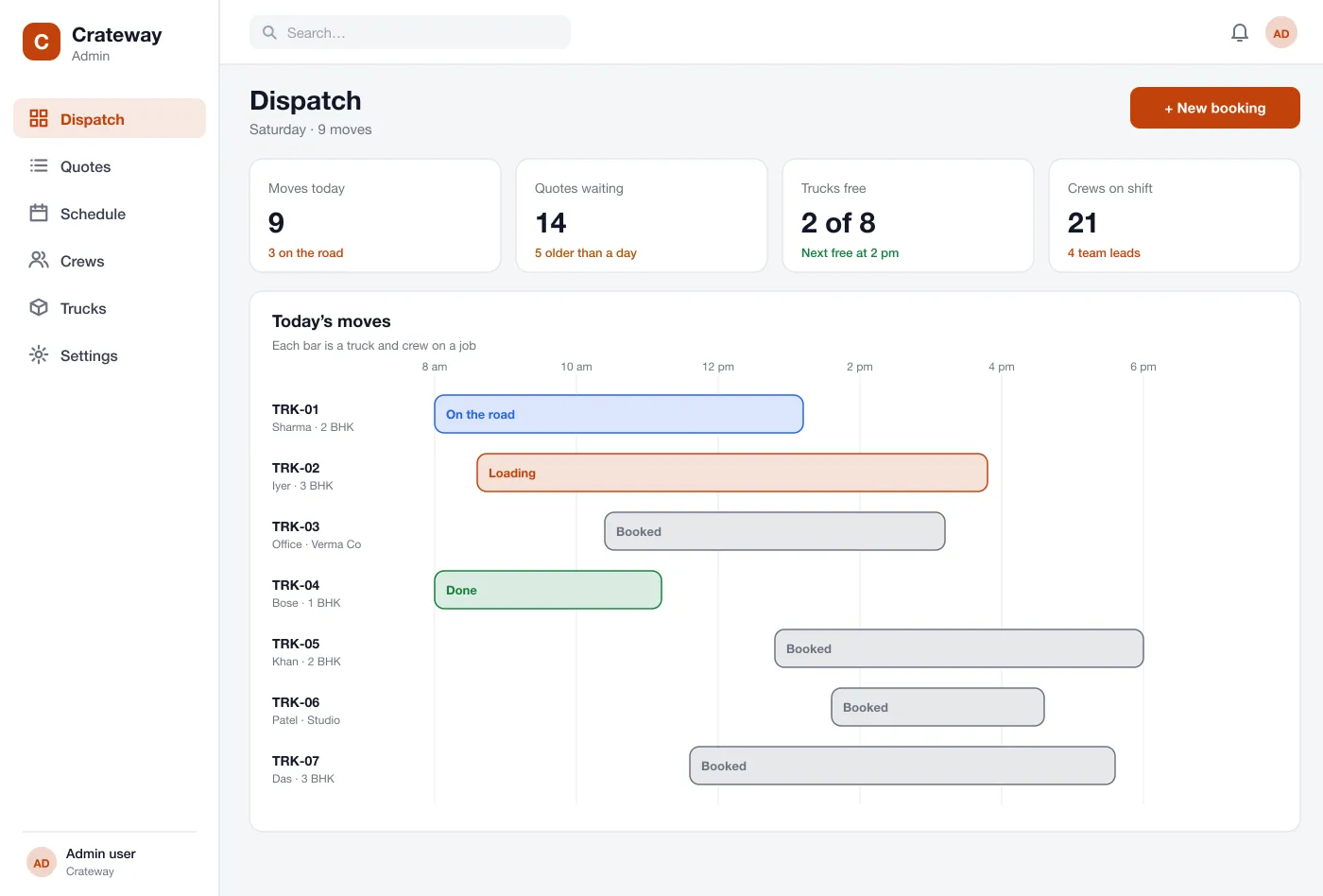
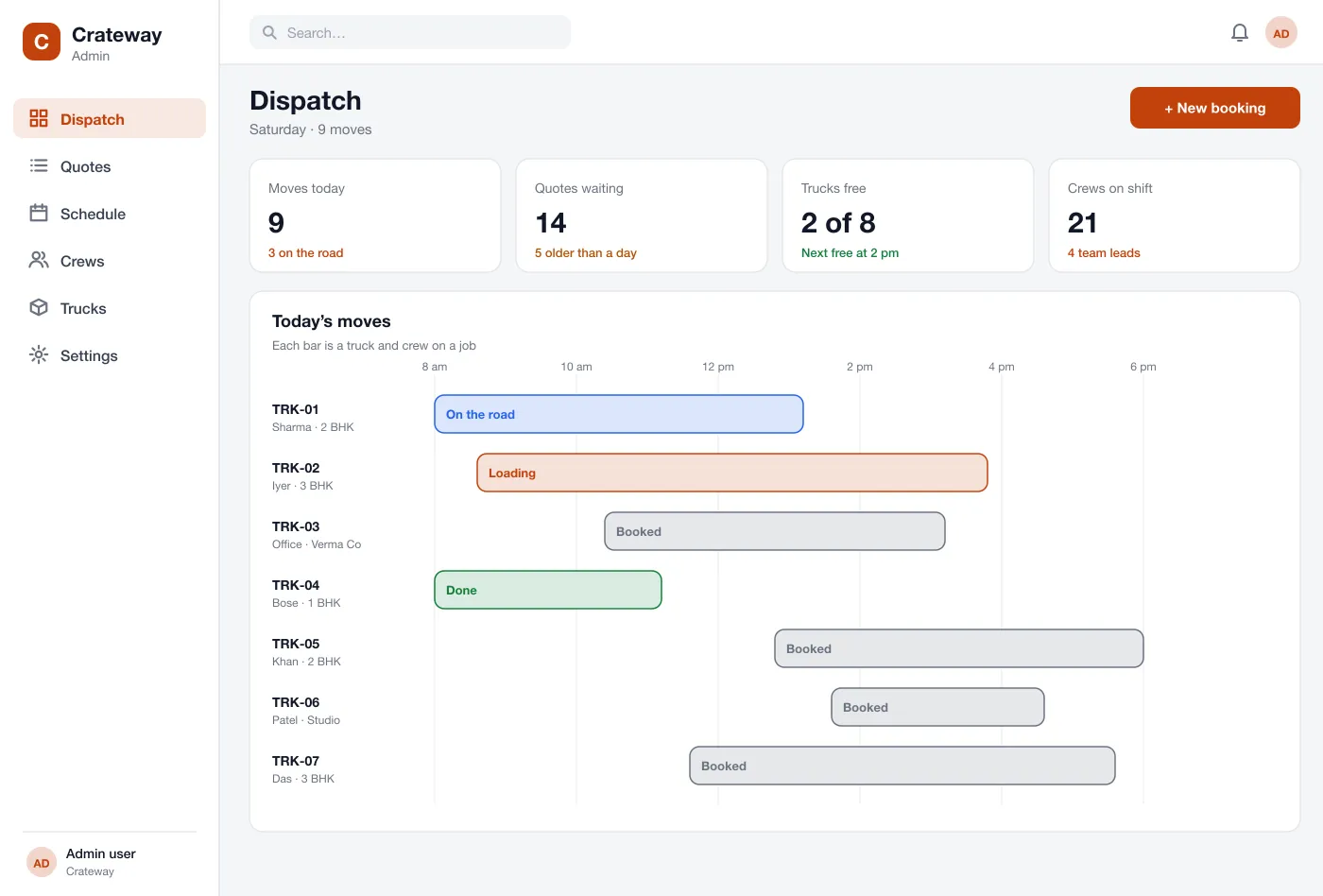
Every truck is a row and every job is a bar on a timeline. The office can spot a free truck, move a job or add a crew at a glance.
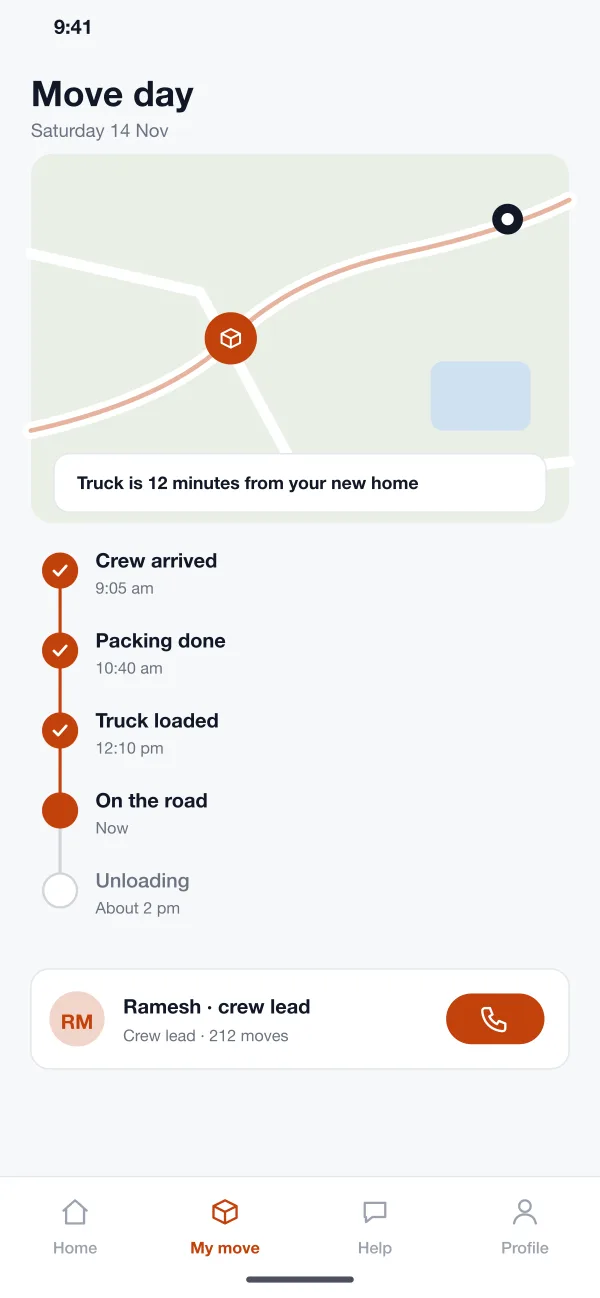
The crew lead taps each step as it is done. The customer sees the truck on a map, the current step and a button to call the lead.
Screens
The mobile app
How it works
Here is how the main tasks work in Crateway, from the first item list to the last box carried in.
Get a quote
The customer lists the items, sees the load and price, and asks for a quote in a few minutes without a phone call.
Check and send
The office reviews the list, adds a special item if needed and sends the final quote to the customer.
Book the move
The customer picks a Saturday, turns on packing, pays the small hold amount and gets a booking note.
Follow the day
The crew arrives, packs and loads. The customer watches each step and the truck on the map until the last box is in.
Suggested technology
What we would deliver
FAQ
The customer lists the items in each room in the app. The app adds up the size of the load, picks a truck and crew, and shows a price. The office can check it before it goes out.
The main drivers are how the quote is worked out, how many apps you need (customer, office and crew), live truck tracking, and links to payment and accounts. A first version often covers the item list, the quote and booking, and adds the crew app and tracking next.
Yes. We can build a customer app for Android and iOS, a web console for your office, and connect it to your payment gateway and your own price rules.
Yes. The crew taps a step as they finish it, such as packing done or truck loaded. The truck shows on a map and the customer sees the same steps.
Yes. The office sees the item list and the plan. They can add a special item, change the crew size, then send the quote.
Tell us who will use it and what it must do. We will reply with a plan, a timeline and a price.