Browse by need
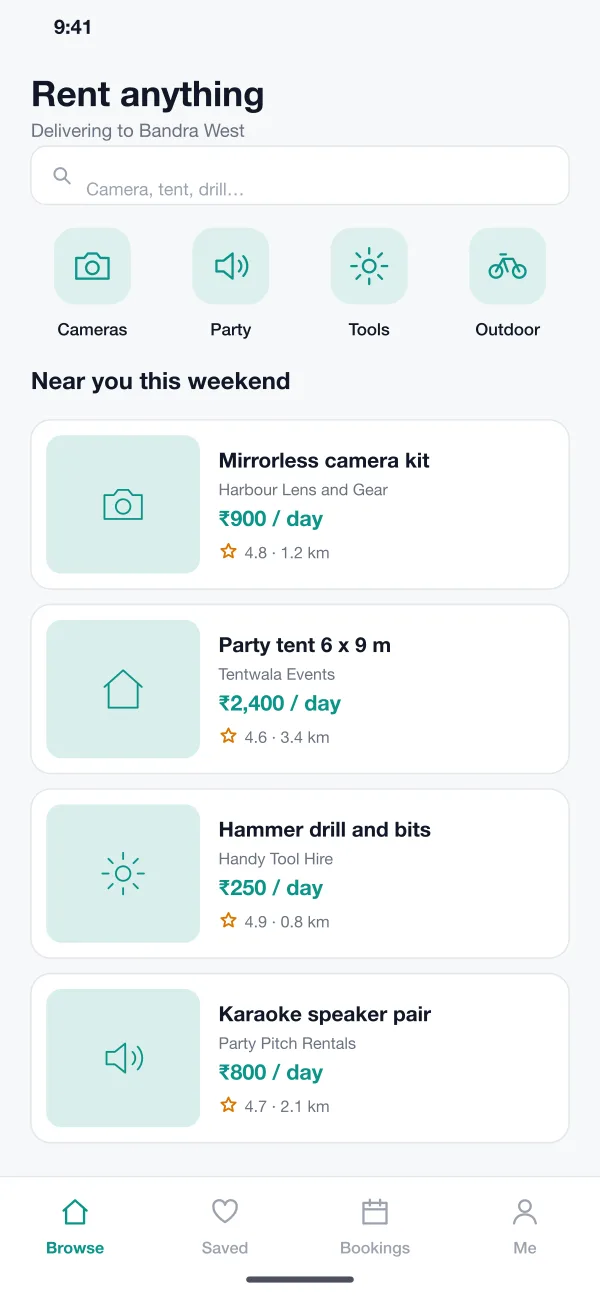
Customers search or tap a group such as cameras, party or tools. Each result shows the shop, the price per day, the distance and the rating.
Hirebox is a marketplace app, designed and built by our team, where local rental shops list cameras, party gear and tools. Customers browse, pick dates on a calendar, choose delivery or pickup and pay. Shops manage items on one booking calendar.
Hirebox was designed and built by the PRS CloudTech team.
The brief
Small rental shops hire out cameras, tents, speakers, drills and other gear. Most take bookings by phone and WhatsApp. They keep dates in a notebook or a sheet, and a double booking is only found when two customers arrive on the same day.
Customers have the opposite problem. They do not know which shop nearby has the item, whether it is free on their dates, or what the real price is with delivery and deposit.
A calendar for each item
A booked item must be blocked for those dates straight away.
Prices that add up
The customer should see rent, delivery, cover and deposit before paying.
Delivery or pickup
Some customers want the item brought to the door and some want to collect it.
Clear returns
Both sides need to know when an item is due back and what happens if it is late.
What we designed
These are the six main parts of Hirebox.
Customers search or tap a group such as cameras, party or tools. Each result shows the shop, the price per day, the distance and the rating.
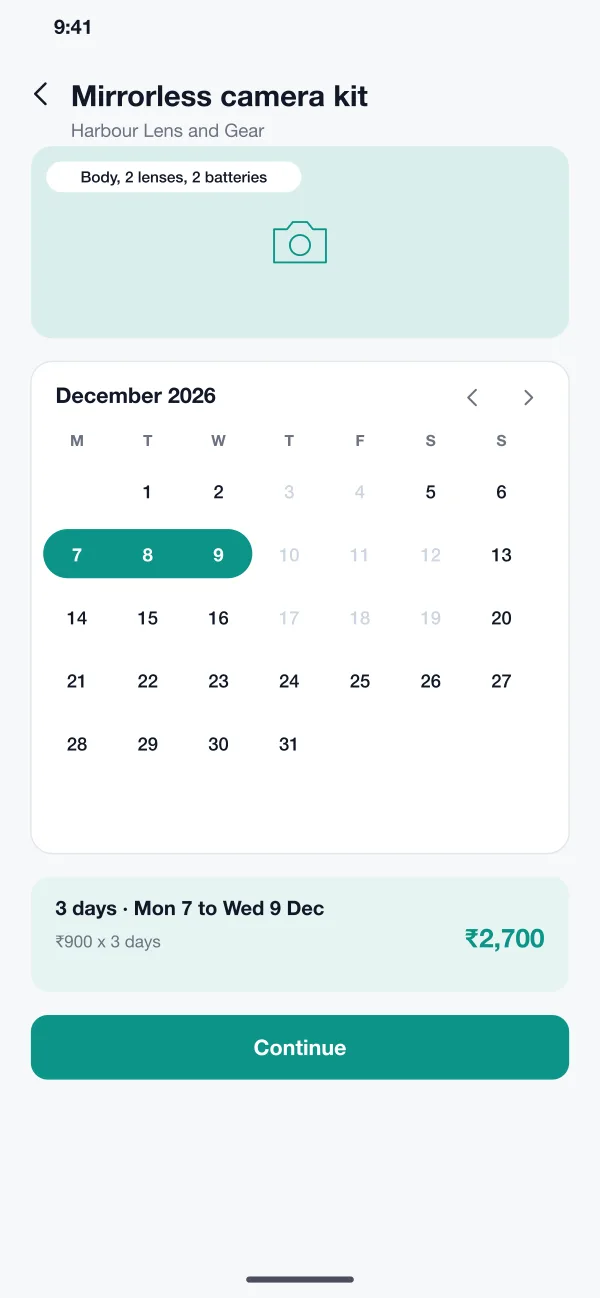
The item page has a calendar. Booked days are greyed out, and the customer drags across the days they want. The total updates as they choose.
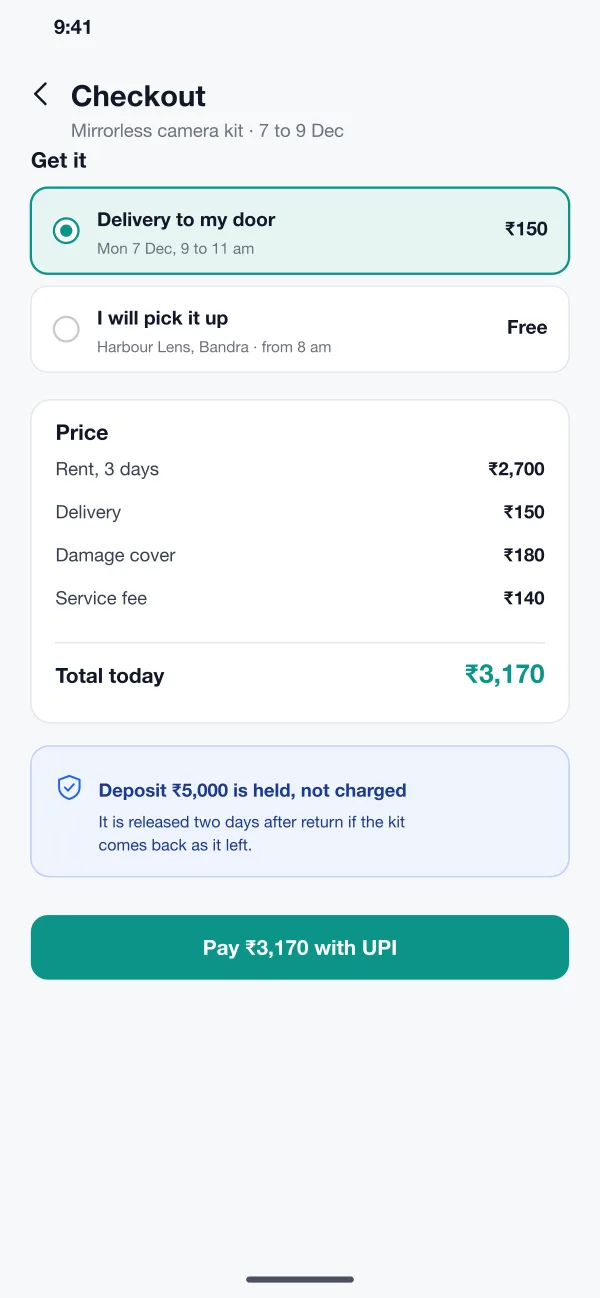
At checkout the customer picks delivery to the door with a time window, or pickup from the shop. The delivery fee is shown before payment.
The price list shows rent, delivery, damage cover and the service fee. The deposit is held and not charged, and the app says when it will be released.
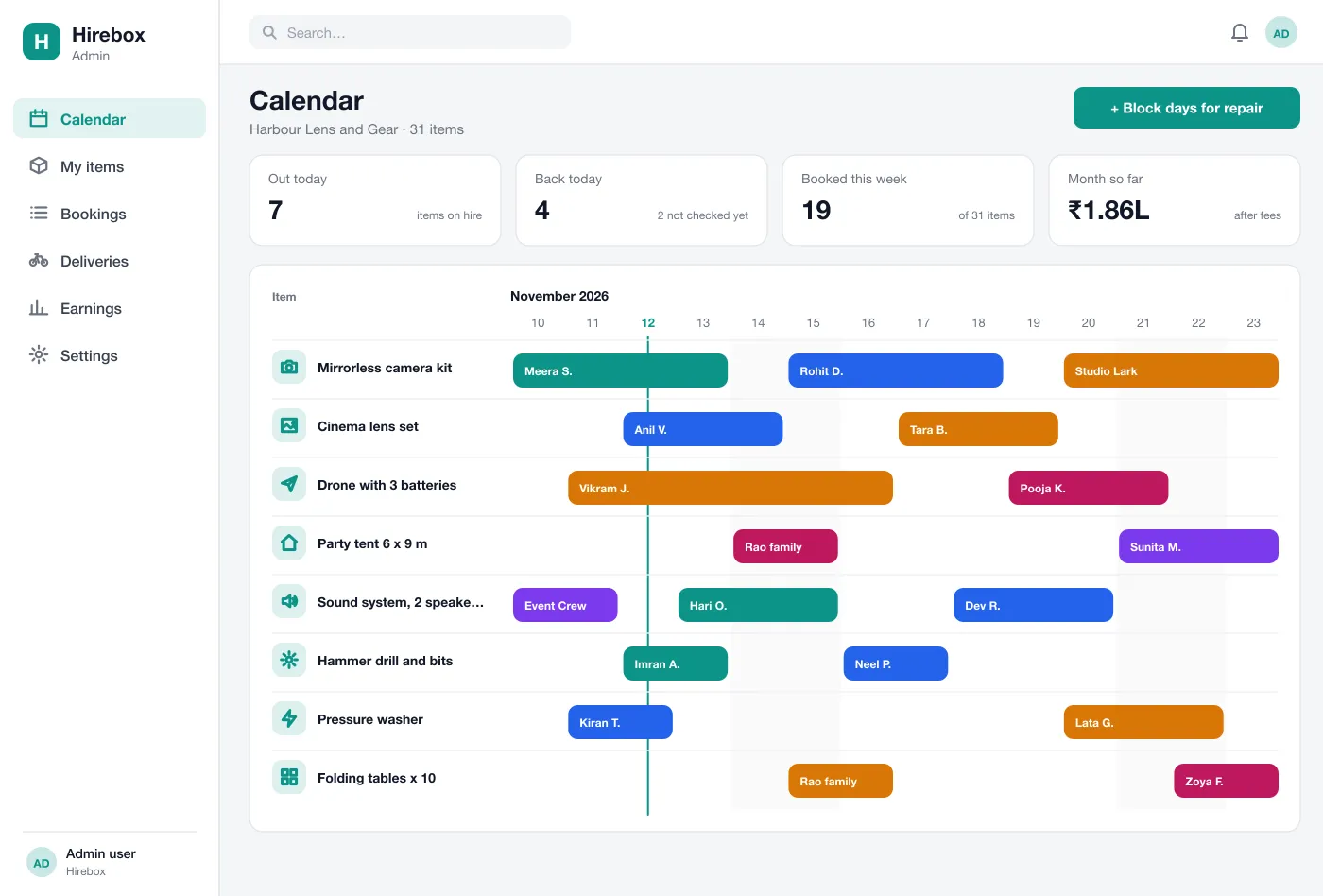
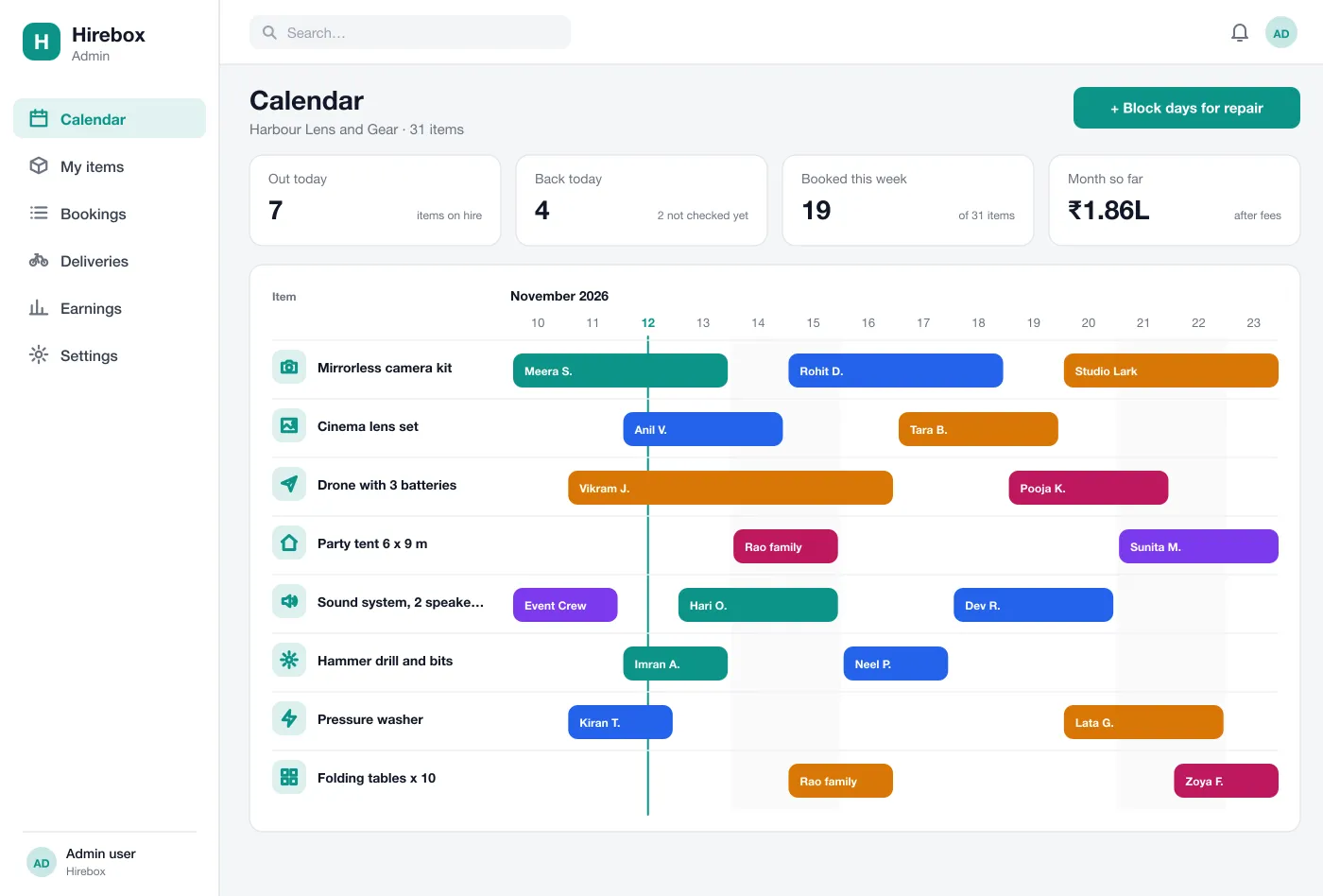
Each shop sees all items and bookings on one calendar. The owner can see what is out today, what is due back and which days are free, and can block days for repair.
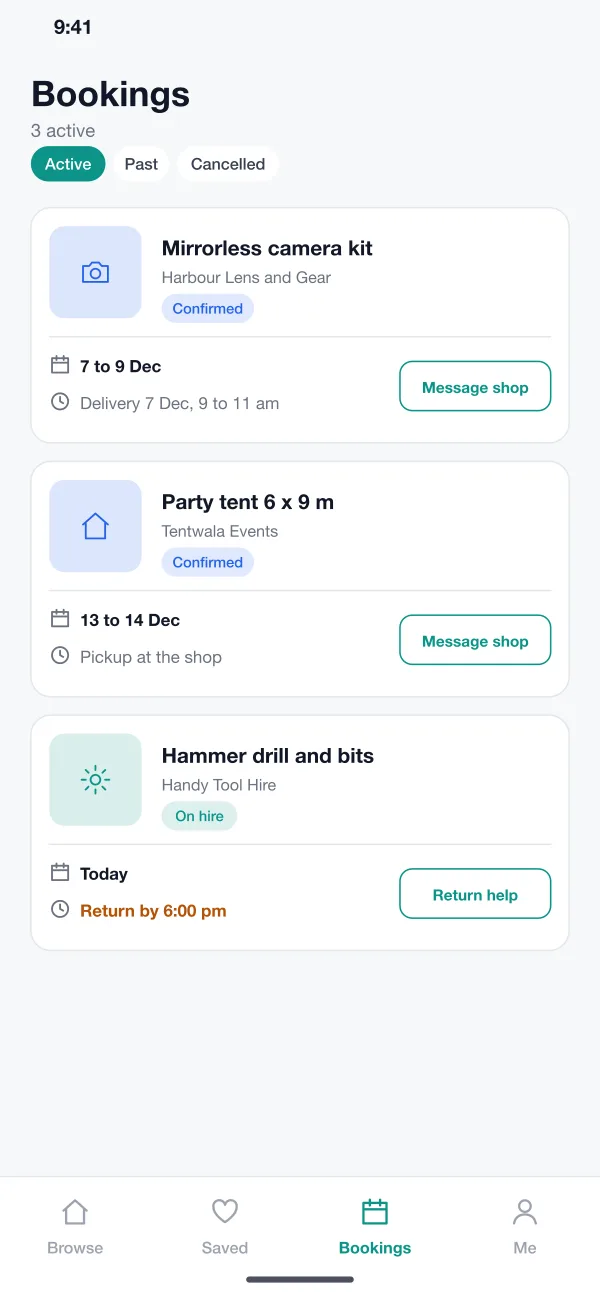
Customers see active and past bookings, the delivery time, the return time and a button to message the shop or ask for help with the return.
Screens
The mobile app
How it works
Here is how the main tasks work in Hirebox, from finding an item to getting the deposit back.
Find and book
The customer finds a camera kit nearby, picks three days on the calendar and sees the full price.
Get the item
The customer chooses delivery or pickup, pays by UPI and gets a confirmation with the time.
Return it
The app reminds the customer before the due time. The shop checks the item and marks it returned.
Run the shop
The owner opens the calendar, sees what goes out and comes back each day and blocks an item that needs repair.
Suggested technology
What we would deliver
FAQ
It is an app where many rental shops list what they have, and customers search, pick dates and book. The platform handles the calendar, the payment, the deposit and the delivery, so each shop does not need its own website.
Start with item listings, a date calendar that blocks booked days, online payment with a deposit, and a simple shop calendar. Delivery slots, reviews and damage reports can be added once shops are using it.
Yes. We can build the customer app for Android and iOS, a web dashboard for the shops and an admin panel for you, and connect your payment gateway.
Each item has a calendar. When a booking is paid, those dates are blocked for everyone else. The shop can also block days for repairs.
The customer sees the deposit before paying. The app holds it on their payment method and releases it after the item comes back as it left.
Tell us who will use it and what it must do. We will reply with a plan, a timeline and a price.