Home page
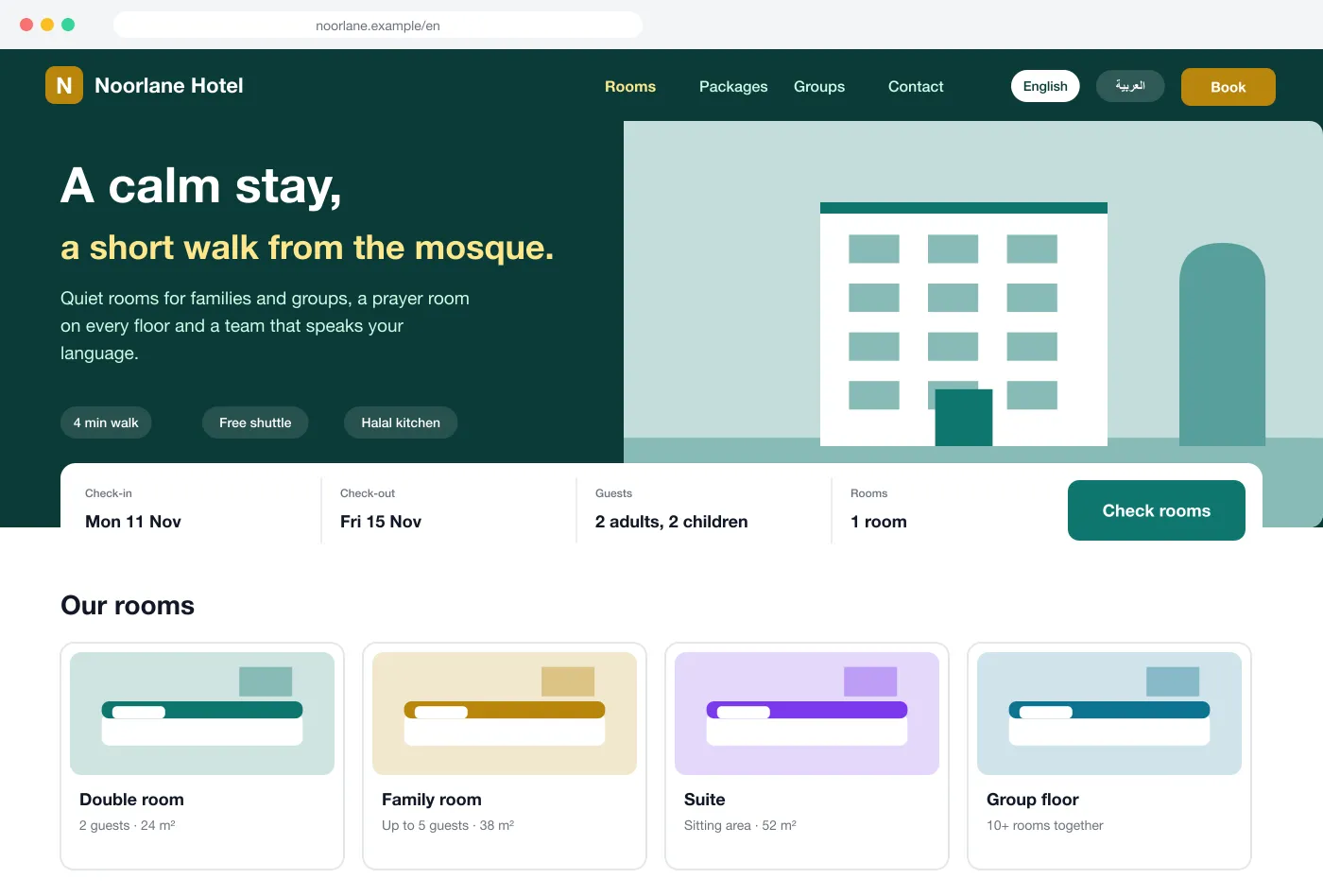
The first screen says where the hotel is, how far it is from the main mosque and what is included, with a booking bar for dates, guests and rooms right under it.
Noorlane is a hotel booking website designed and built by our team for a hotel near a holy city. Guests book rooms, packages and group stays in Arabic or English, and the front desk sees rooms filled, arrivals and group requests in one place.
Noorlane was designed and built by the PRS CloudTech team.
The brief
Hotels in a pilgrimage city serve two kinds of guest. Families book a few rooms. Tour operators book whole floors for weeks. Both come from many countries and speak many languages.
Many hotel sites in these cities treat Arabic as an afterthought, and group bookings arrive by email and phone. Rooms get double booked. A tour leader waits days for a reply. The front desk keeps the real picture in a notebook.
Two real languages
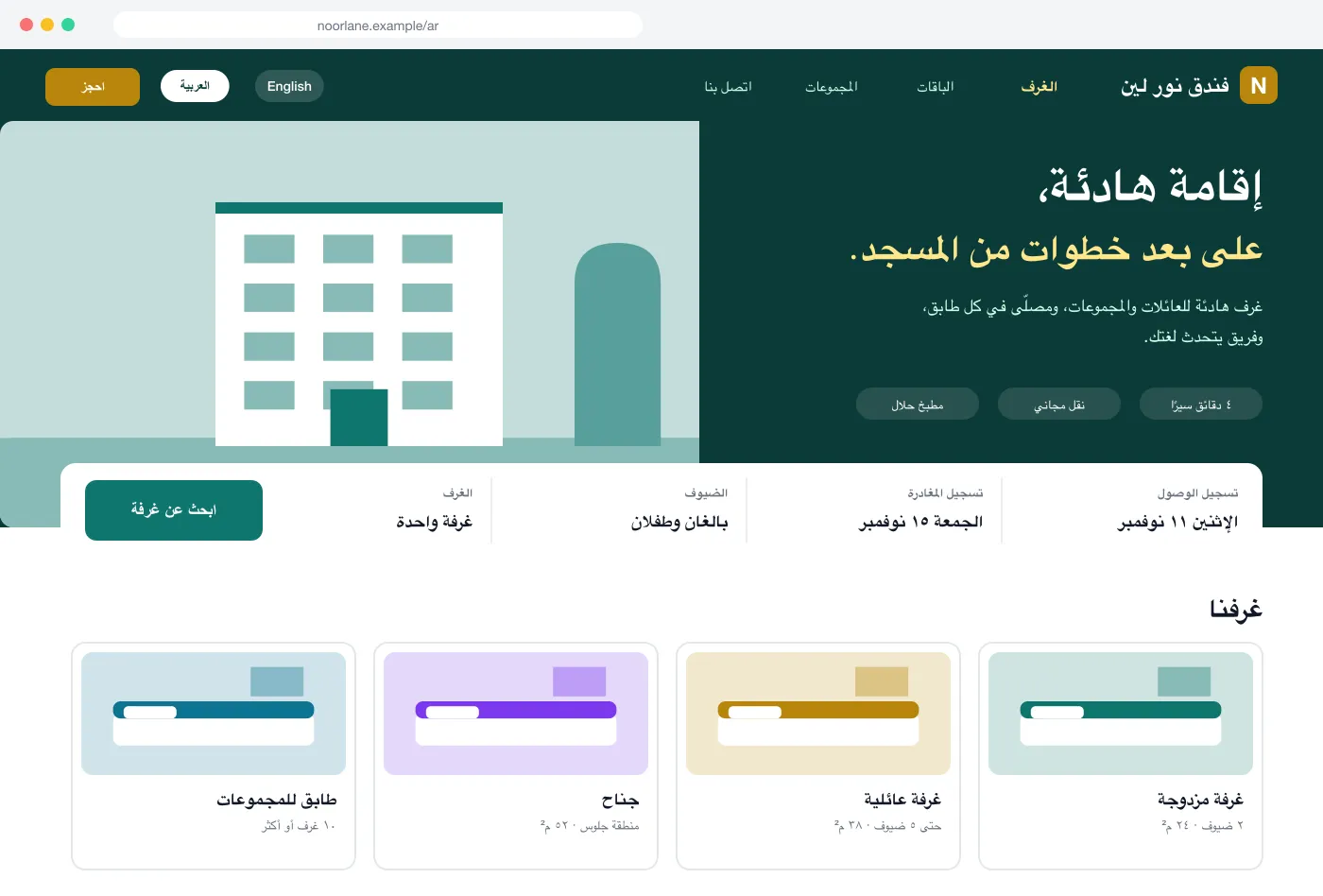
Arabic and English pages should each read well. Arabic must run right to left with the right dates and numbers.
Rooms that are easy to pick
Guests need clear room types, how many people fit, what is near and when they can arrive.
A proper group route
A tour leader with 40 rooms needs a form made for them and a quick answer, not a normal booking box.
One view for the front desk
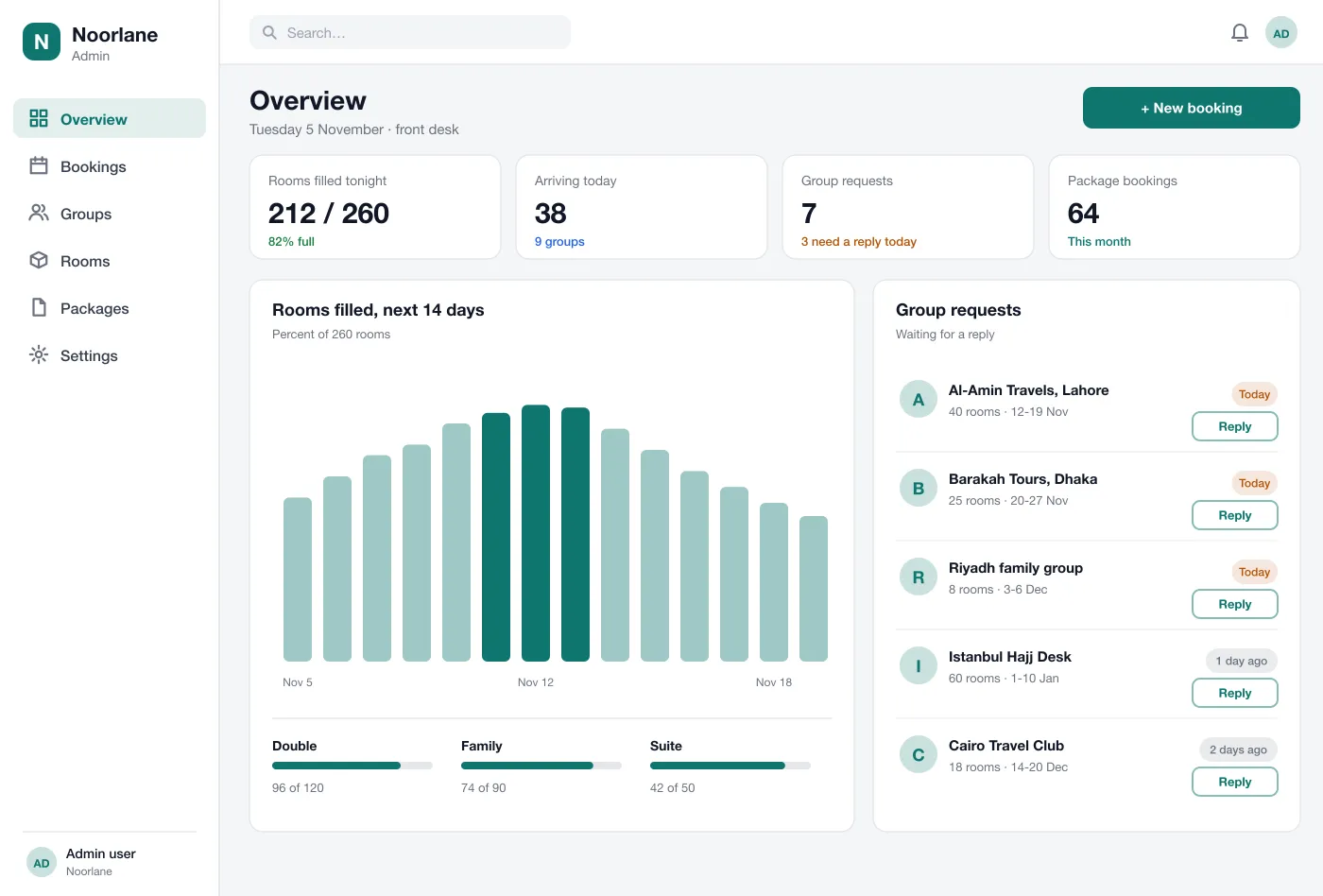
Staff need to see rooms filled, who arrives today and which group requests still wait for a reply.
What we designed
We designed Noorlane as a public website in Arabic and English with a front desk console behind it. Both languages share one set of rooms and bookings.
The first screen says where the hotel is, how far it is from the main mosque and what is included, with a booking bar for dates, guests and rooms right under it.
Every page has both versions. The Arabic pages are built right to left, and the switch at the top keeps the guest on the same page.
Each room type has its size, how many people it fits and photos. Packages bundle nights, meals and the shuttle, so a family can book in one go.
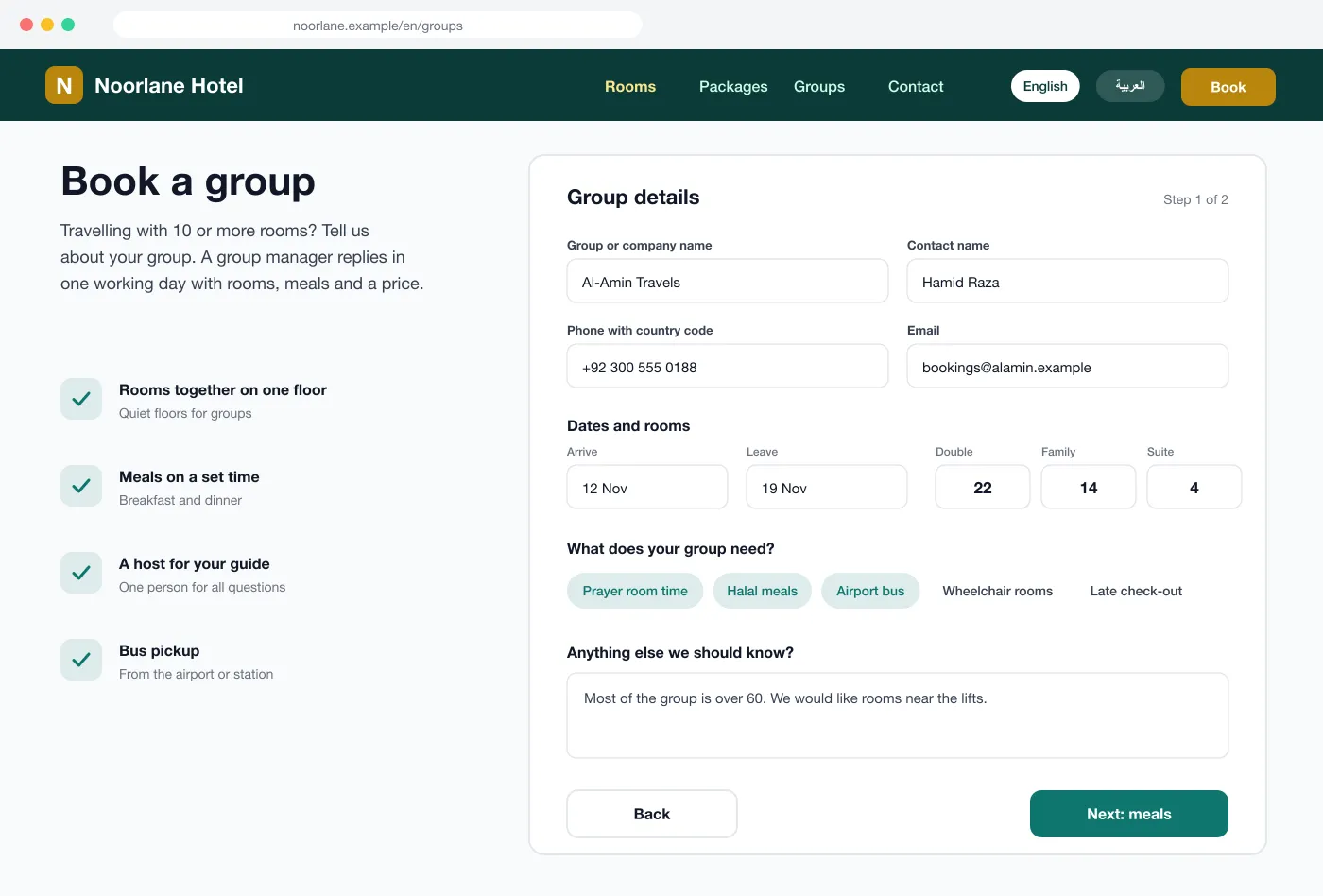
A group manager enters the rooms they need by type, the dates and special needs such as lift access or set meal times. The request goes to the group desk.
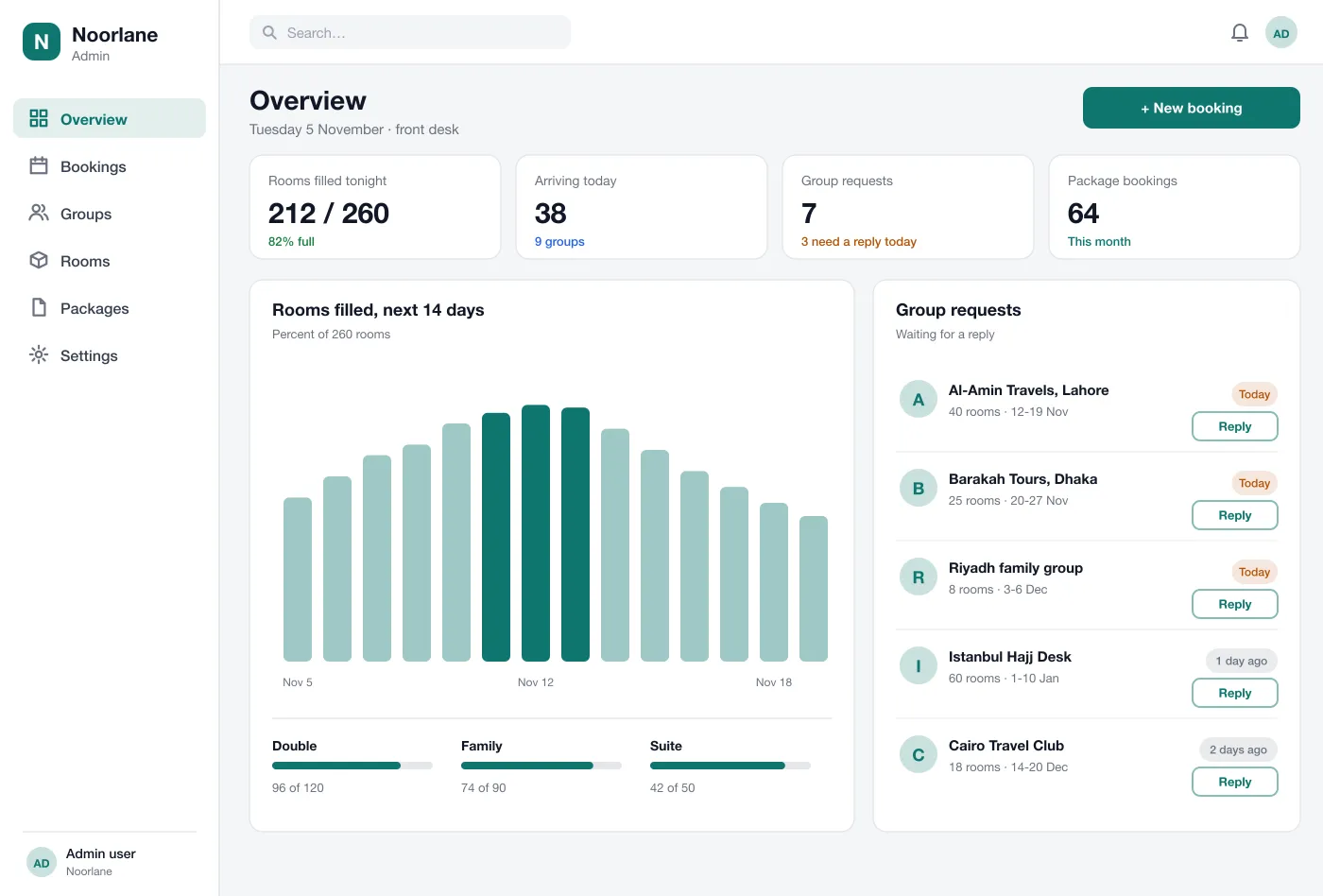
Staff see rooms filled for the next two weeks, today’s arrivals and the groups that wait for a reply, with a Reply button on each.
Guests get a confirmation by email and message, and a reminder before arrival with the check-in time and the way from the airport or station.
Screens
How it works
Here is how the main tasks work in Noorlane, from a first search to a group arriving at the front desk.
Book a family stay
A guest chooses dates, picks a room, pays and gets a confirmation in Arabic or English.
Request a group
A tour leader fills in the group form and gets a reply from the group desk within a working day.
Work the front desk
The desk opens the overview, sees who arrives today and assigns rooms by floor.
Answer a request
Staff open a group request, offer rooms and meals and confirm it with the tour leader.
Suggested technology
What we would deliver
FAQ
It needs clear rooms and dates, packages for pilgrims, an easy way to book for a whole group and pages in the languages guests speak. Distance to the main site and prayer rooms matter too.
Yes. Room rates and availability can sync with a channel manager or PMS, so a room booked on the website or on a travel site is not sold twice.
Yes. We can build the public site in Arabic and English, a booking engine, a group request form and an admin for your front desk, and connect it to your payment gateway.
Each page has a full Arabic version laid out from right to left, with its own text and dates. A guest can switch language at any time and keep the same booking.
A group manager fills in a short form with rooms, dates and needs. The hotel sees it in a list, replies with a plan and keeps the whole group together in one record.
Tell us who will use it and what it must do. We will reply with a plan, a timeline and a price.