Menu by outlet
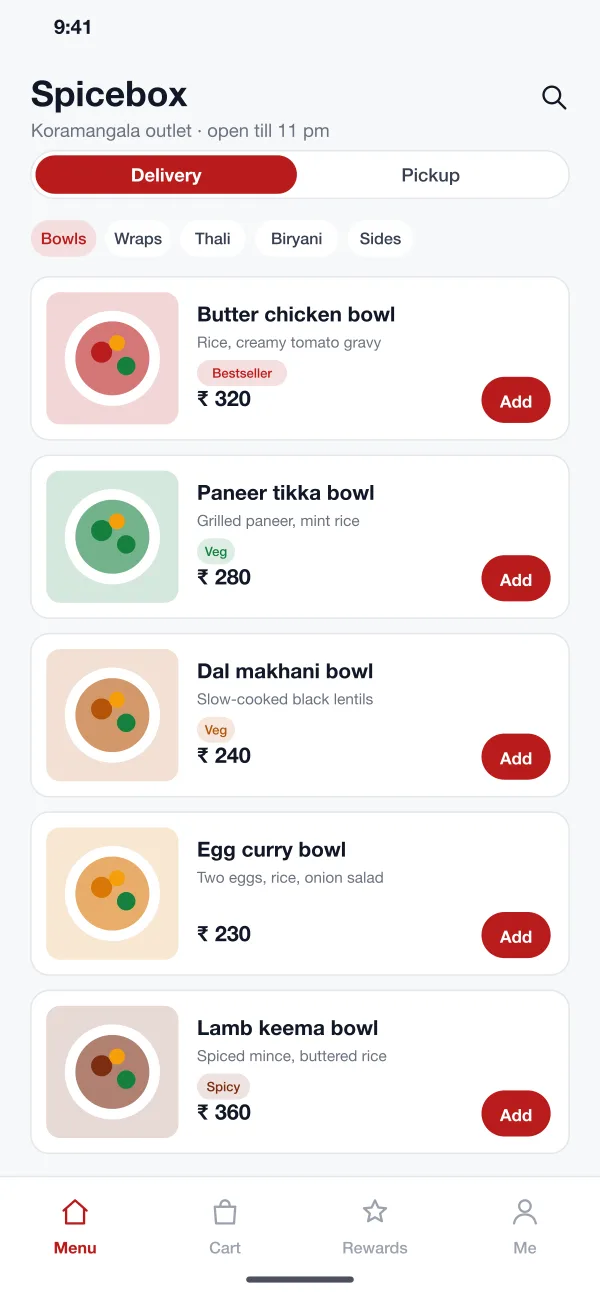
The app finds the nearest outlet and shows its menu. Groups such as bowls, wraps and thali are one tap away. Tags show veg, spicy and best-selling items.
Spicebox is an ordering app for a restaurant chain, designed and built by our team. Customers pick an outlet, order for pickup or delivery and earn loyalty points. Each outlet runs its own live order board and menu.
Spicebox was designed and built by the PRS CloudTech team.
The brief
Many restaurant chains take orders through other companies' apps. The chain pays a fee on each order and does not know who its customers are. It cannot reward the people who order every week.
Inside each outlet, orders come in on phones, a tablet and a printer. The kitchen misses some, and nobody is sure when a pickup order will be ready.
Its own ordering
Customers should order from the chain's own app, pick an outlet and choose pickup or delivery.
Rewards that bring people back
Points and rewards should work in every outlet and show in the app.
A calm kitchen
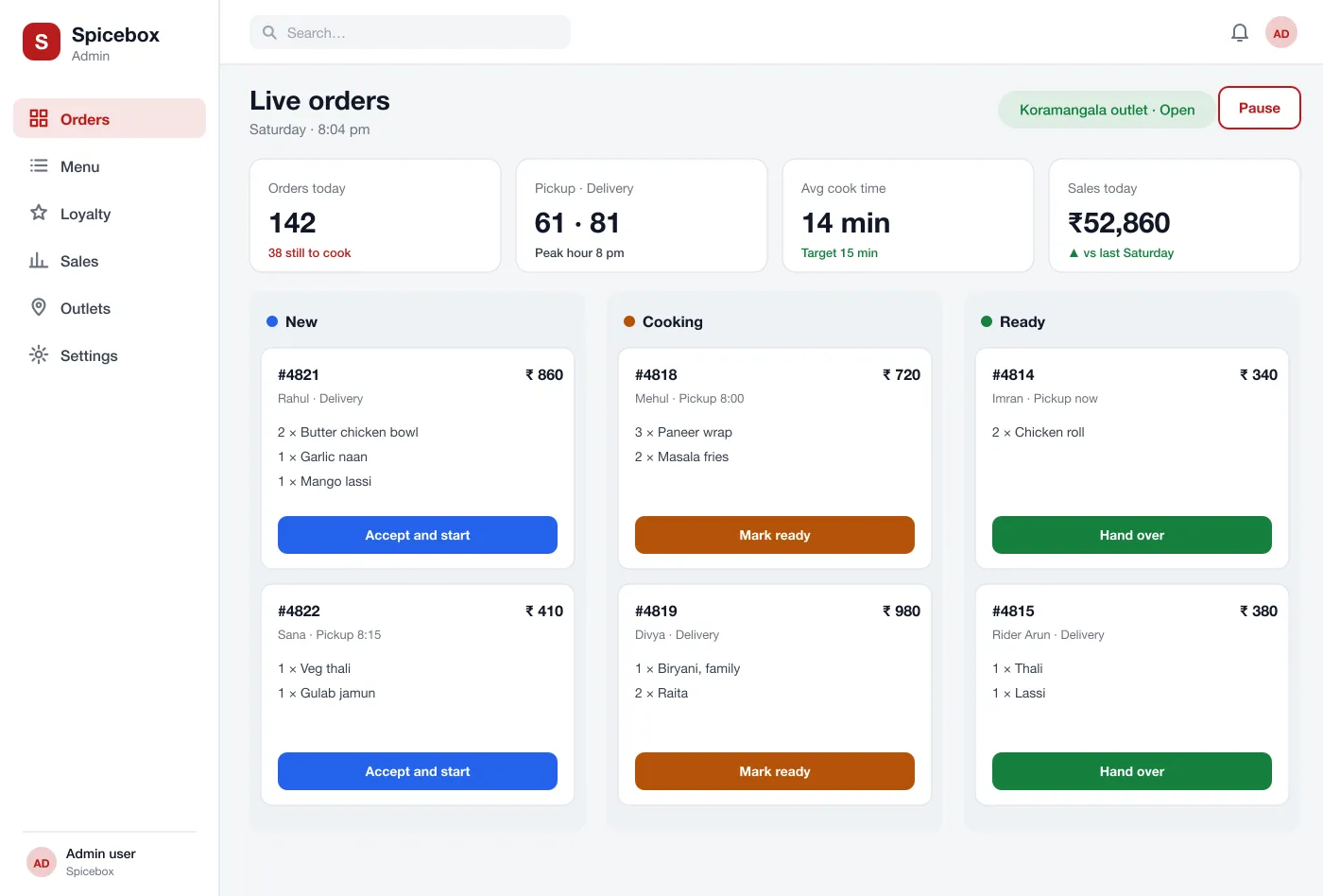
Each outlet needs one board that shows new, cooking and ready orders.
Control from the centre
Head office should set the menu and the loyalty rules once, while outlets switch items on and off.
What we designed
We designed Spicebox as a customer app and a web screen for the outlet and the head office. Orders, menu and points all come from one record, so every outlet and every phone shows the same thing.
The app finds the nearest outlet and shows its menu. Groups such as bowls, wraps and thali are one tap away. Tags show veg, spicy and best-selling items.
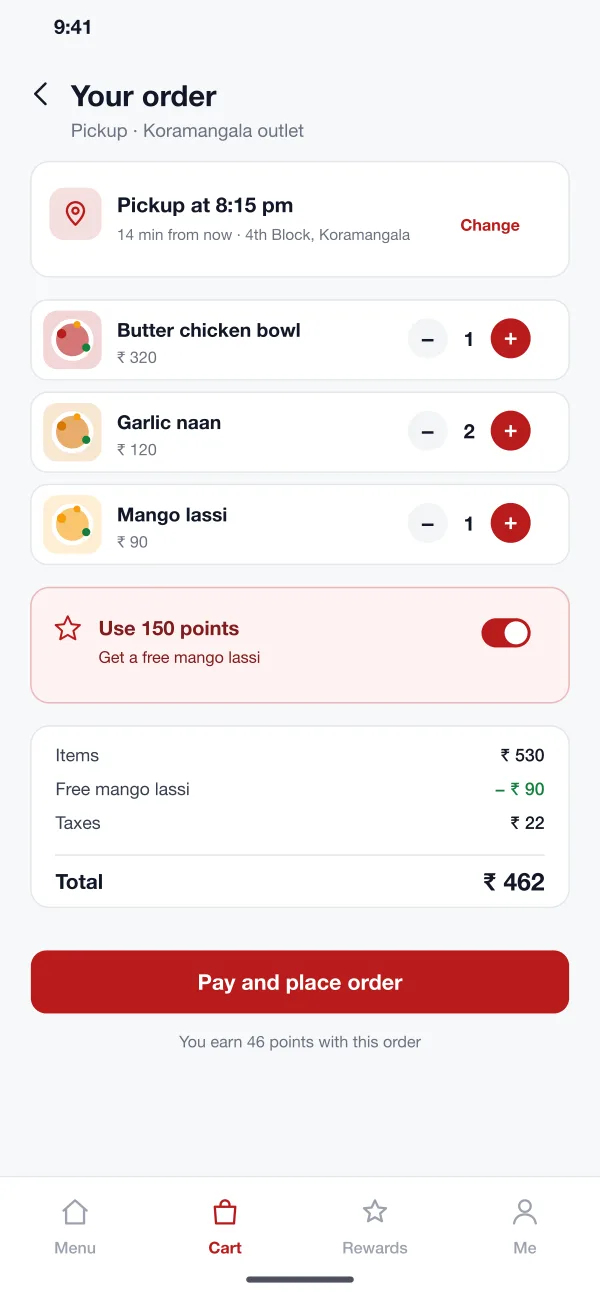
A switch at the top picks the mode. For pickup the customer chooses a time. For delivery the customer picks an address inside the outlet's delivery area.
The cart shows each item, the taxes and the total. The customer can use points for a free item. The app shows how many points the order will earn.
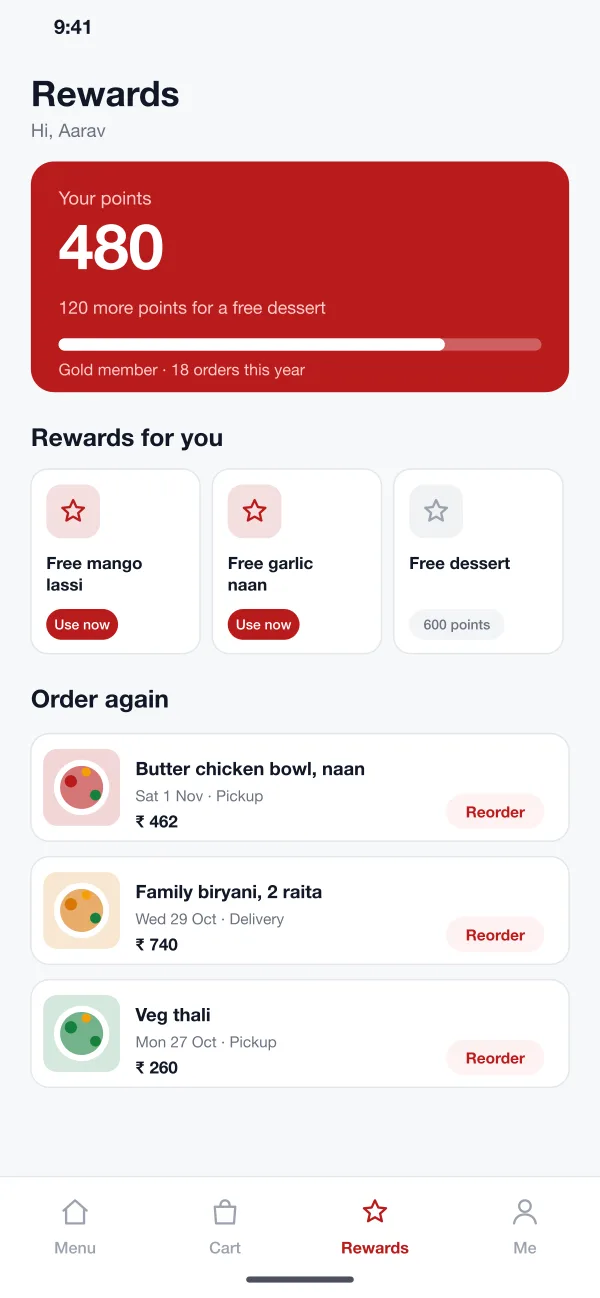
A rewards page shows the customer's points, how far they are from the next reward, the rewards they can use and past orders to repeat in one tap.
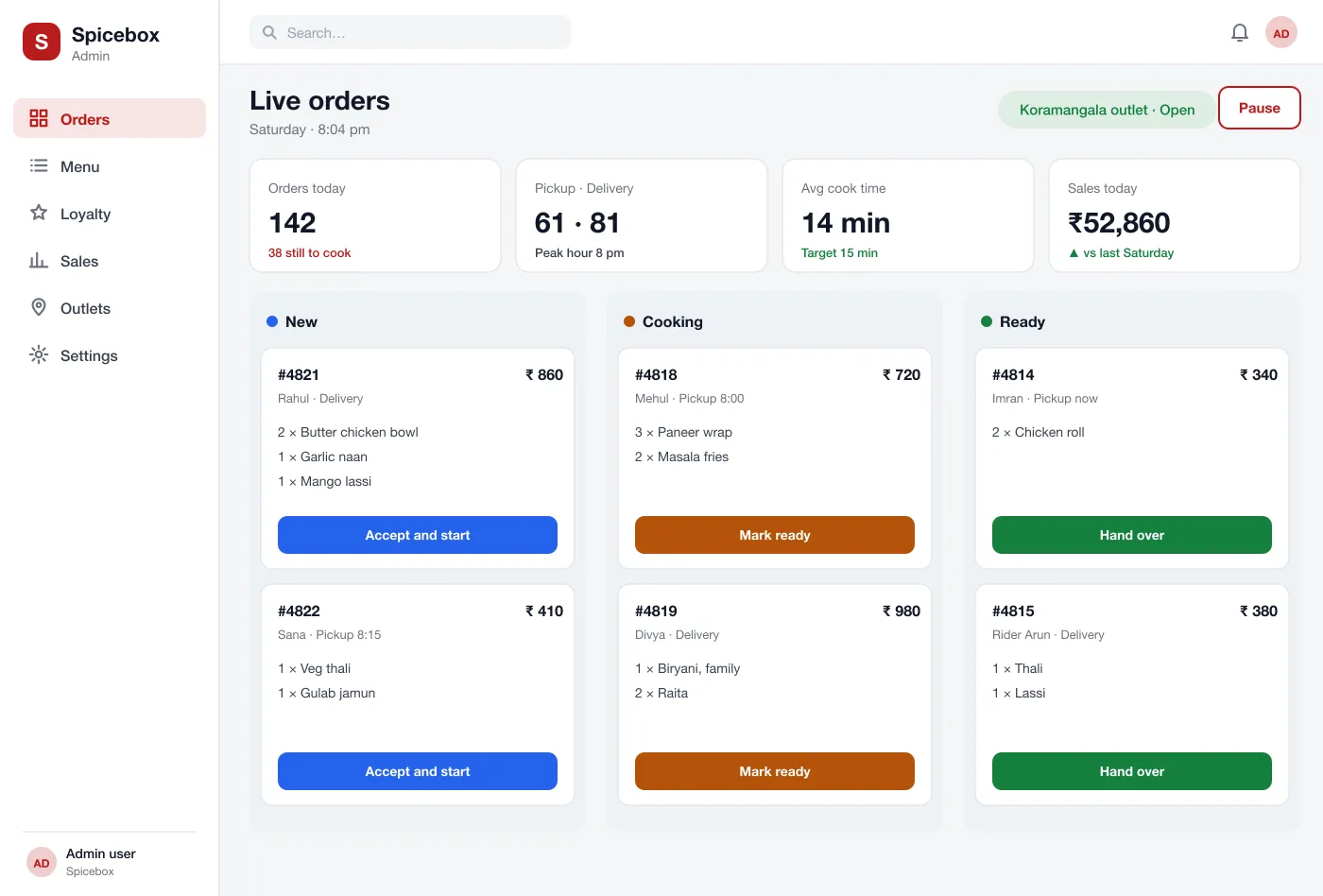
New orders land in a column. The kitchen taps accept, ready and hand over. The board shows cook times and pickup times.
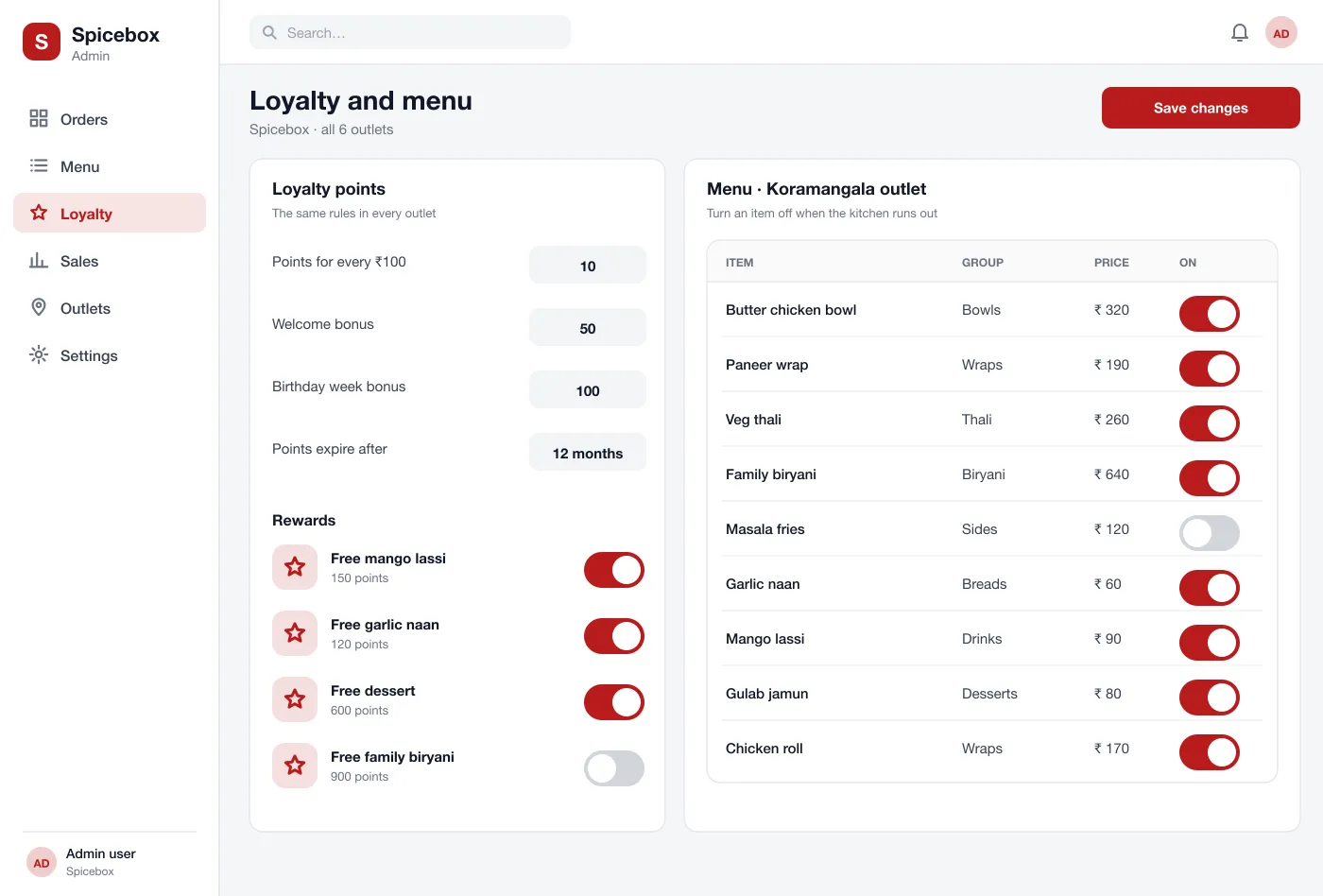
Head office sets the loyalty points, the rewards and the master menu. Outlets can switch items off when they run out, without changing other outlets.
Screens
The mobile app
How it works
Here is how the main tasks work, from the first order to the next reward.
Order for pickup
The customer picks an outlet, adds a bowl and a naan, chooses 8:15 pm and pays in the app.
Cook and hand over
The outlet sees the order, accepts it, marks it ready and hands it over at the counter.
Earn and use points
The order adds points. On the next order the customer uses points to get a free drink.
Run the menu
When the kitchen runs out of an item, the outlet turns it off and customers stop seeing it at once.
Suggested technology
What we would deliver
FAQ
Customers order straight from the chain, and the chain keeps its own customer list and loyalty points. It also decides its own menu, offers and delivery area.
Yes, if the POS or kitchen screen offers an API. Orders then go straight to the till and the kitchen, so staff do not type them twice, and item prices and stock can flow back to the app.
Yes. We can build the customer app for Android and iOS and a web screen for each outlet. We can connect it to your payment gateway, your printer and your delivery riders.
Yes. The head office keeps one master menu. Each outlet can turn items on or off and mark an item out of stock without changing other outlets.
The head office sets the rules, such as points for each hundred rupees spent and the rewards. Points work at every outlet and show in the customer's app.
Tell us who will use it and what it must do. We will reply with a plan, a timeline and a price.