Task list for the owner
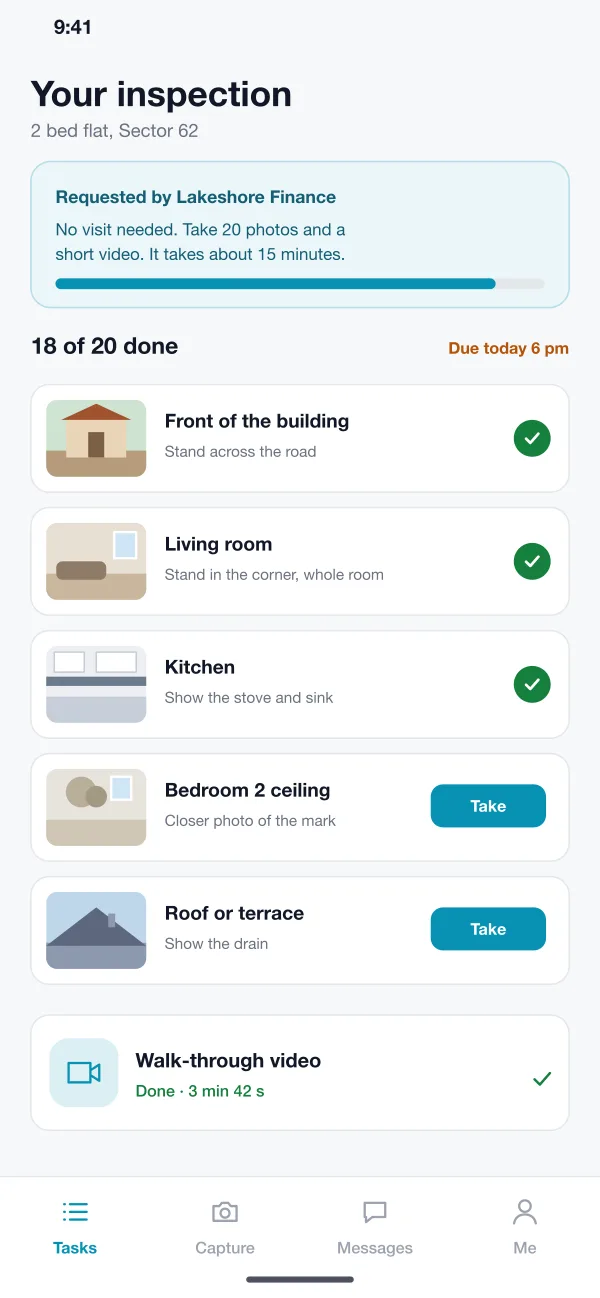
The owner sees a short list of photos to take, each with a hint, such as stand in the corner and show the whole room. Done items get a tick and the progress bar fills up.
Viewproof is an app for checking a property without a site visit, designed and built by our team. The owner takes guided photos and a short video in an app. An inspector reviews them on the web, flags anything unclear and sends a report to the lender.
Viewproof was designed and built by the PRS CloudTech team.
The brief
A lender who wants to check a property before approving a loan often sends someone to visit it. That costs time and travel, and the visit has to be booked with the owner. For many small loans the wait is longer than the check itself.
Asking owners to send photos by WhatsApp does not fix it. The photos come in a mess: wrong rooms, dark pictures, old photos from the gallery. Someone has to ask again and sort them by hand.
Clear instructions for the owner
A short list of what to photograph, with a hint for each, so a first-time user gets it right.
Proof of place and time
The lender needs to know a photo was taken at the address, today, and not copied from elsewhere.
A fast review
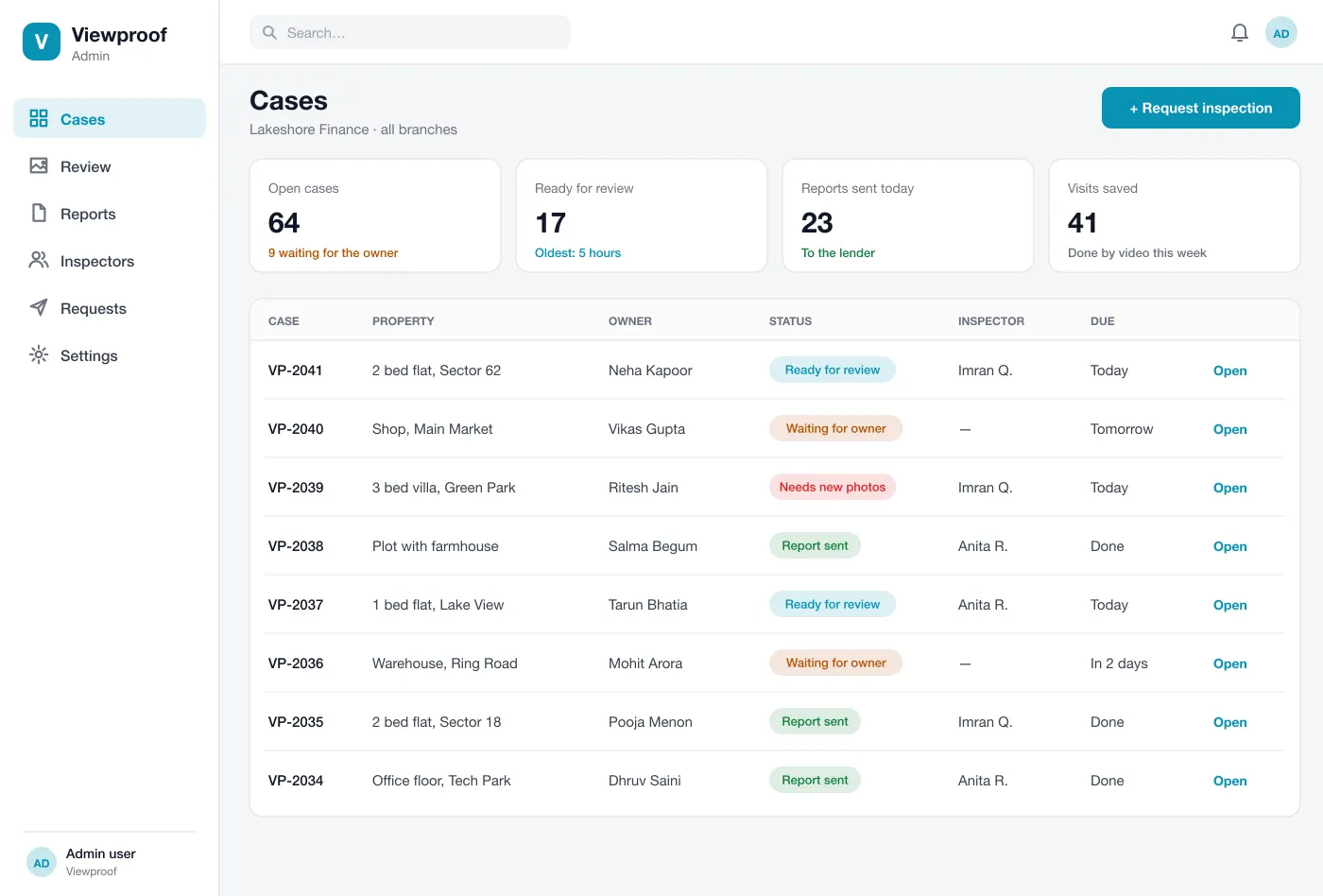
The inspector should see all photos in one place, flag the unclear ones and ask for new ones without leaving the screen.
A simple report
The result must be a clean report the lender can read and file.
What we designed
These are the main parts of Viewproof.
The owner sees a short list of photos to take, each with a hint, such as stand in the corner and show the whole room. Done items get a tick and the progress bar fills up.
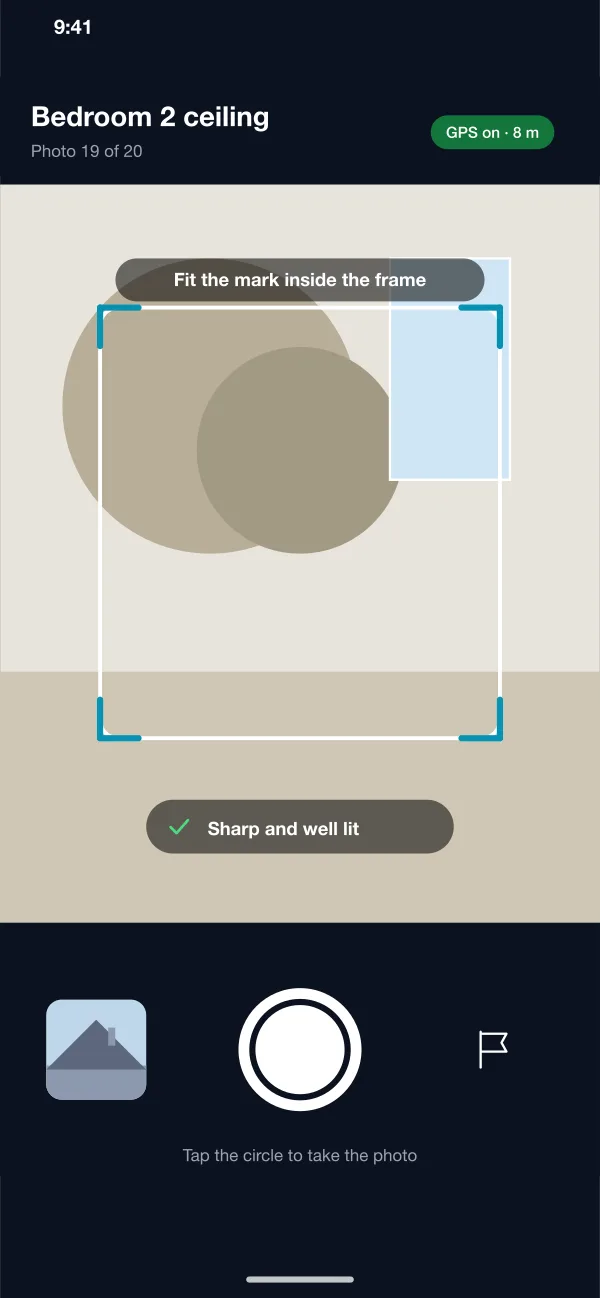
The camera shows a frame on the screen and tells the owner if the picture is sharp and well lit. It records the place and time, and it does not allow photos from the gallery.
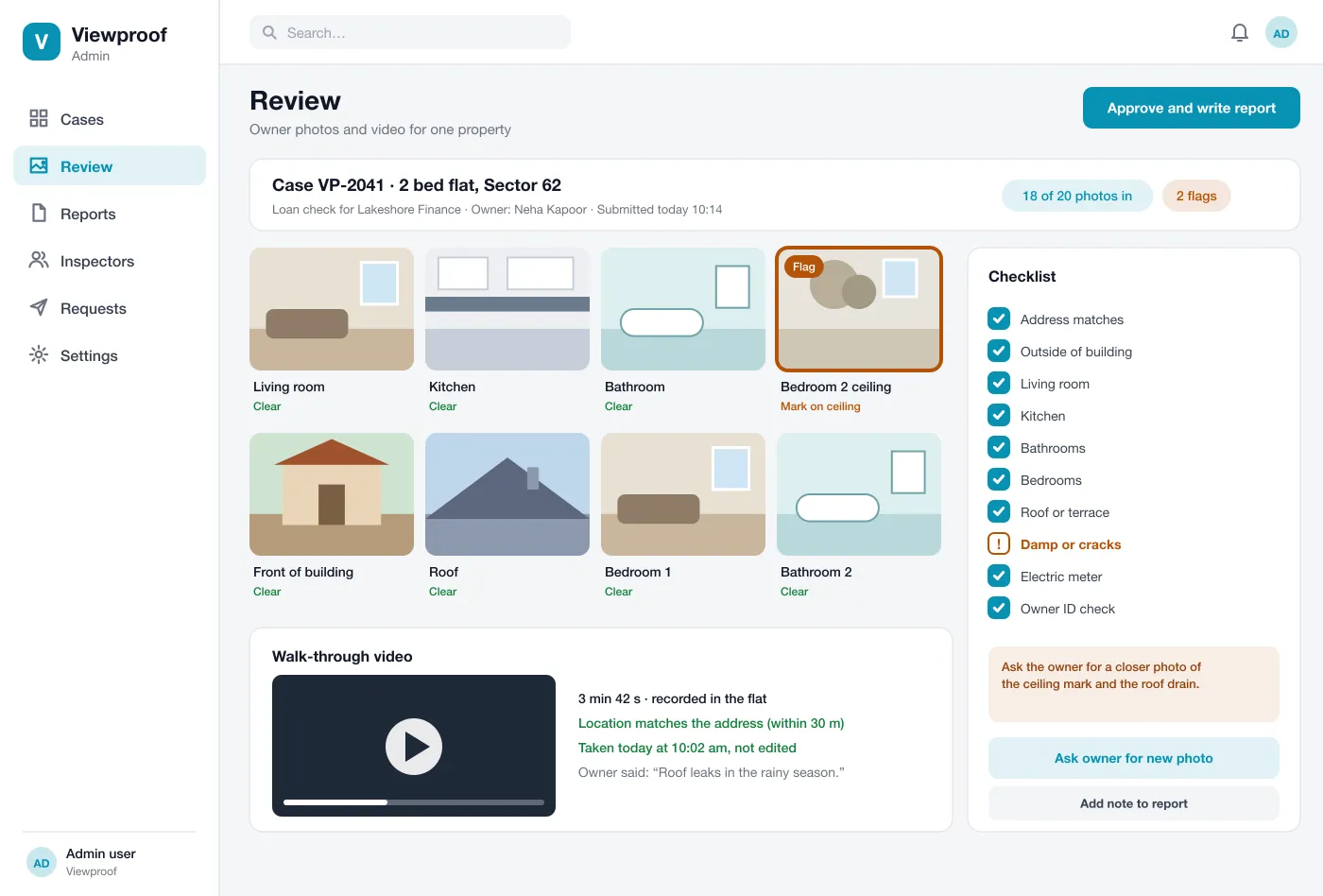
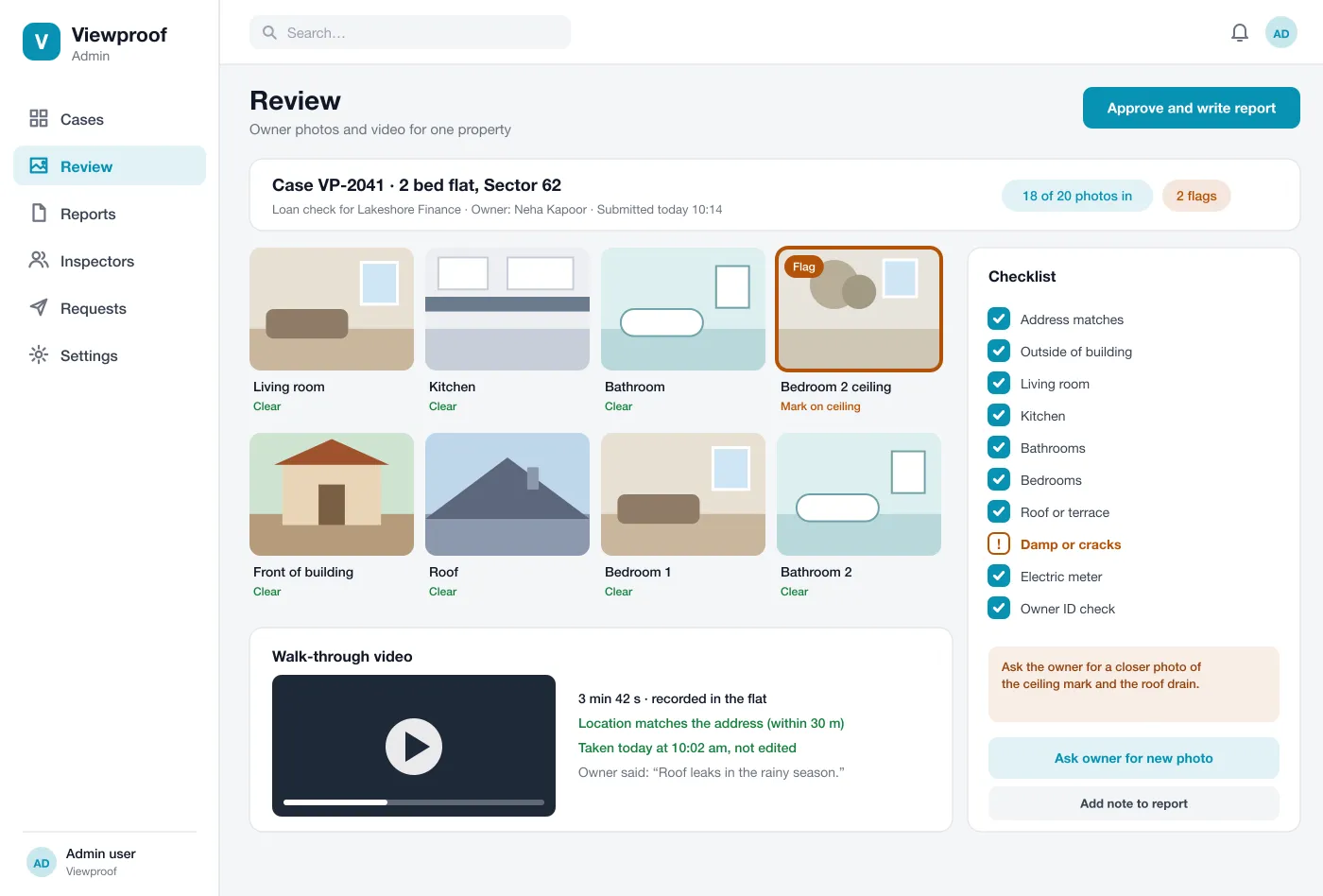
The owner records a short video through the rooms. The console shows if the video was taken at the address and says that it was not edited.
The inspector sees every photo in a grid next to a checklist. A photo can be marked as clear or flagged with a note, such as a mark on the ceiling that needs a closer look.
If something is unclear, the inspector asks the owner for a new photo in one click. The owner gets a new task and the case goes back to the inspector when it is done.
When the review is finished, the console writes a report with the photos, the checklist, the flags and the inspector's notes. The lender can read it online or download it.
Screens
The mobile app
How it works
Here is how the main tasks work, from the lender's request to the finished report.
Request a check
A loan officer enters the owner's phone number and the address. The owner gets a link to the app and a task list.
Take the photos
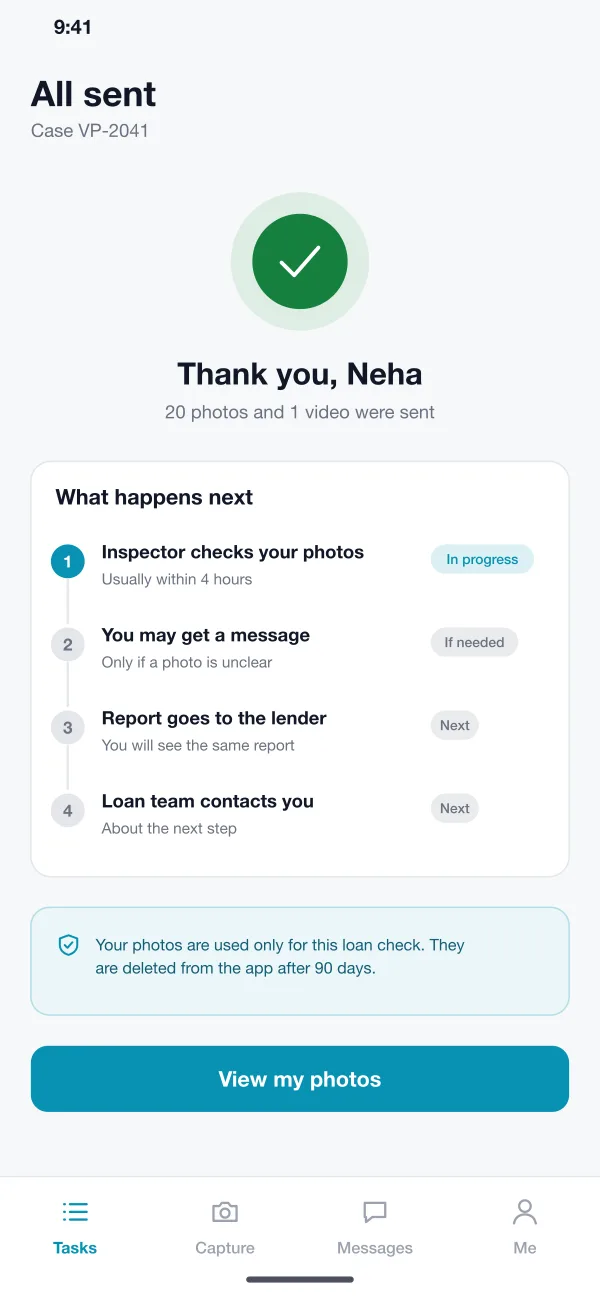
The owner walks through the flat, follows the hints, takes the photos and records a short video. The app says when everything is sent.
Review and ask
The inspector opens the case, flags a mark on a ceiling and asks for a closer photo. The owner sends it the same day.
Close the case
The inspector ticks the checklist, adds a note and approves. The lender receives the report and the case moves to the next step.
Suggested technology
What we would deliver
FAQ
It is a check of a property done without sending anyone there. The owner takes photos and a short video with a phone, and a trained person looks at them and writes a report.
Photos and reports are stored on secure servers and sent over encrypted links. Each lender sees only its own cases, and every view and change is logged.
Yes. We can build the owner app, the inspector console and the report, and set the checklist to match what your lender, insurer or agency needs.
Each photo and video records the time and the place it was taken. The app shows if it is near the address. Photos from the gallery are not accepted.
The inspector flags it and asks the owner for a new one with a short message. The owner gets a task in the app with a hint on what to show.
Tell us who will use it and what it must do. We will reply with a plan, a timeline and a price.