Booking for employees
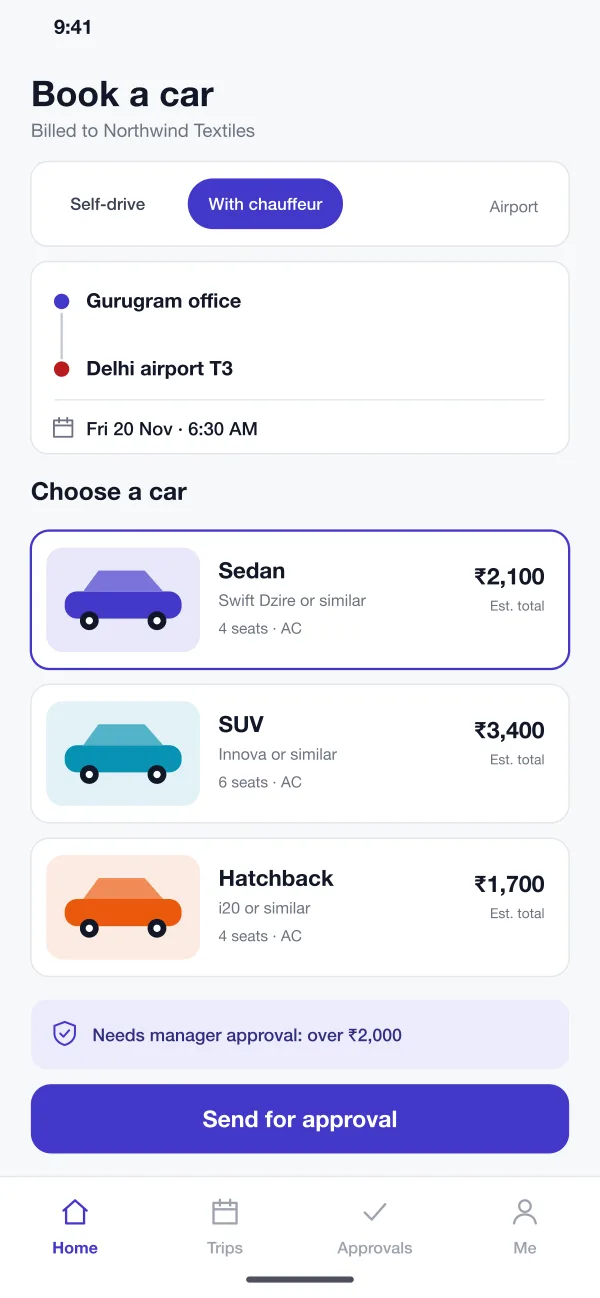
An employee picks self-drive or a chauffeur, sets the pick-up and drop, the time and a car type. The price is shown first, and the trip is billed to the company, not to the employee.
Carpath is a car rental platform for companies, designed and built by our team. Employees book a self-drive car or a chauffeur ride, managers approve it, and the company gets one monthly invoice split by team.
Carpath was designed and built by the PRS CloudTech team.
The brief
Companies send staff to airports, client sites and other cities every day. Today many of them book cars by phone call or message, and the details end up in emails and spreadsheets.
The rental company has the same problem from the other side. A business customer has dozens of employees, each with different rules. Who can book? Who pays? Who approved the trip? At month end, accounts spend days matching trips to bills.
A booking tool for staff
Employees should book a car or a ride in a minute, under the company's rules.
Approval where needed
Managers should approve costly trips quickly, and small trips should not wait.
Clear trip records
Each trip should show who took it, who approved it, and which team pays.
One bill
Finance wants a single monthly invoice, split by team, with every trip listed.
What we designed
Carpath links booking, approval, the trip and the bill in one flow, so no one has to chase details later.
An employee picks self-drive or a chauffeur, sets the pick-up and drop, the time and a car type. The price is shown first, and the trip is billed to the company, not to the employee.
The company sets simple rules, such as trips over a set amount need a manager. Cheaper trips are approved at once. Rules can be different for each team.
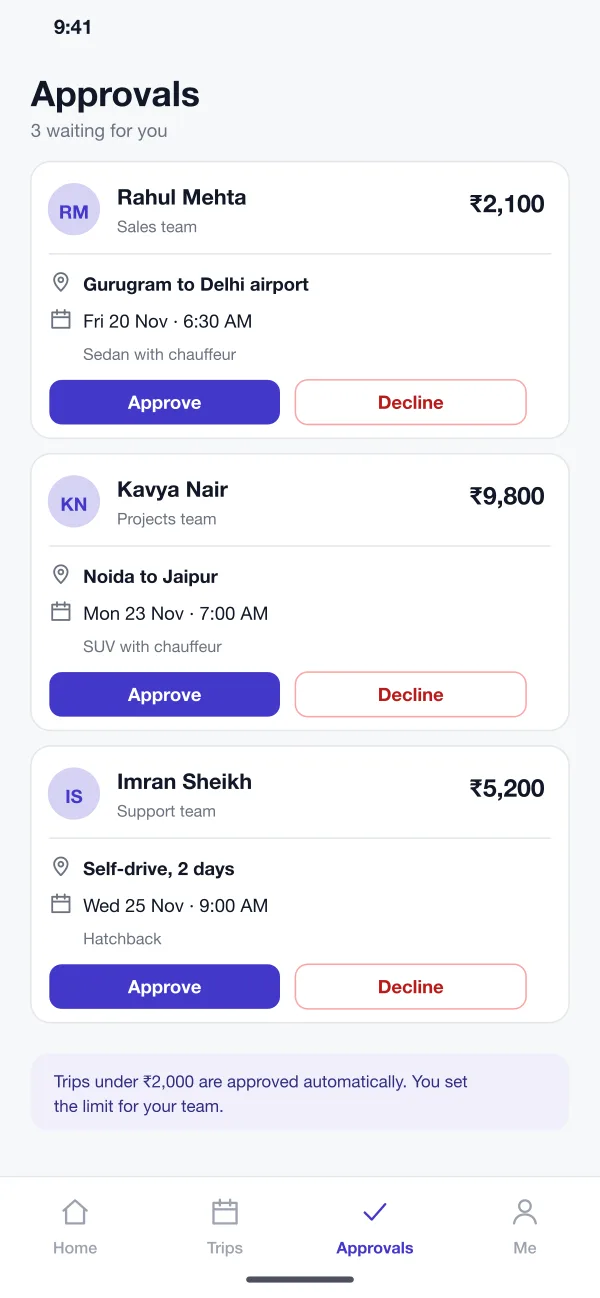
Managers see a short card for each request with the person, route, time, car and cost. One tap approves or declines it. The employee is told right away.
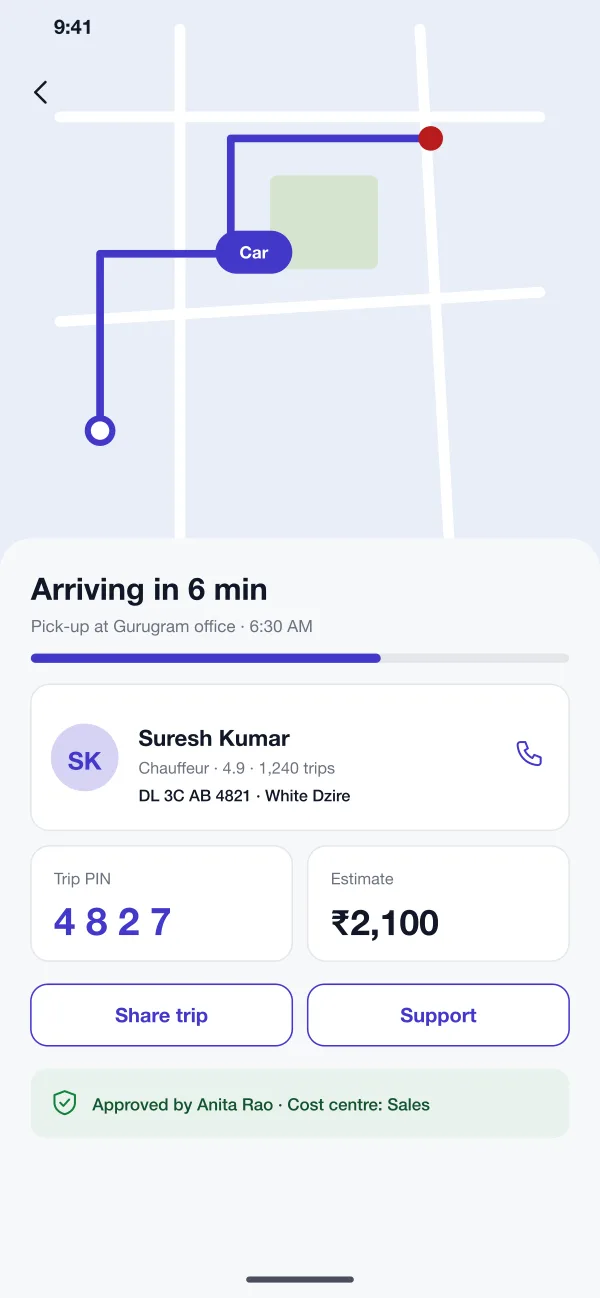
For a chauffeur ride, the app shows the car on a map, the driver and car number, a trip PIN and a share button. The approval and cost centre are written at the bottom.
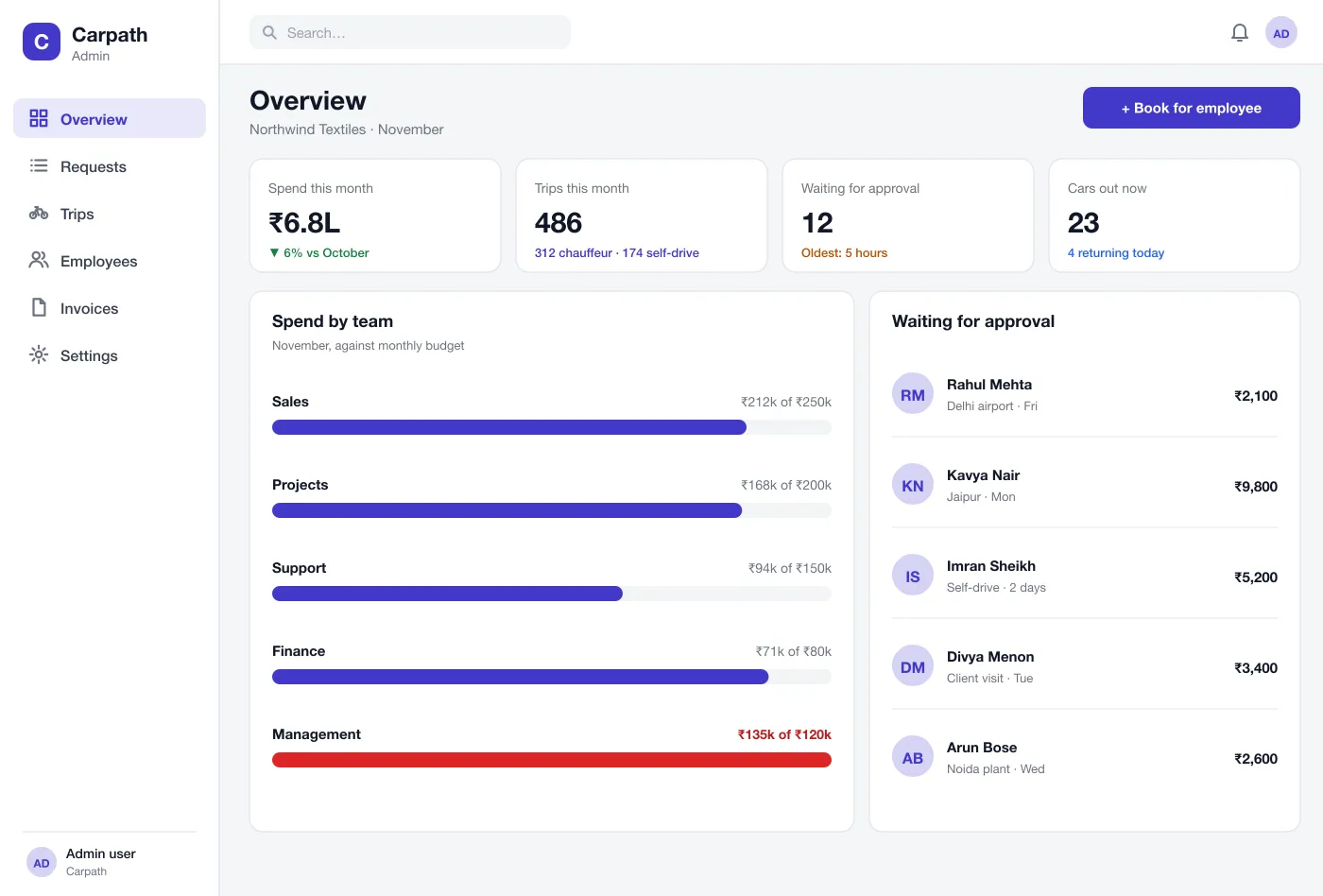
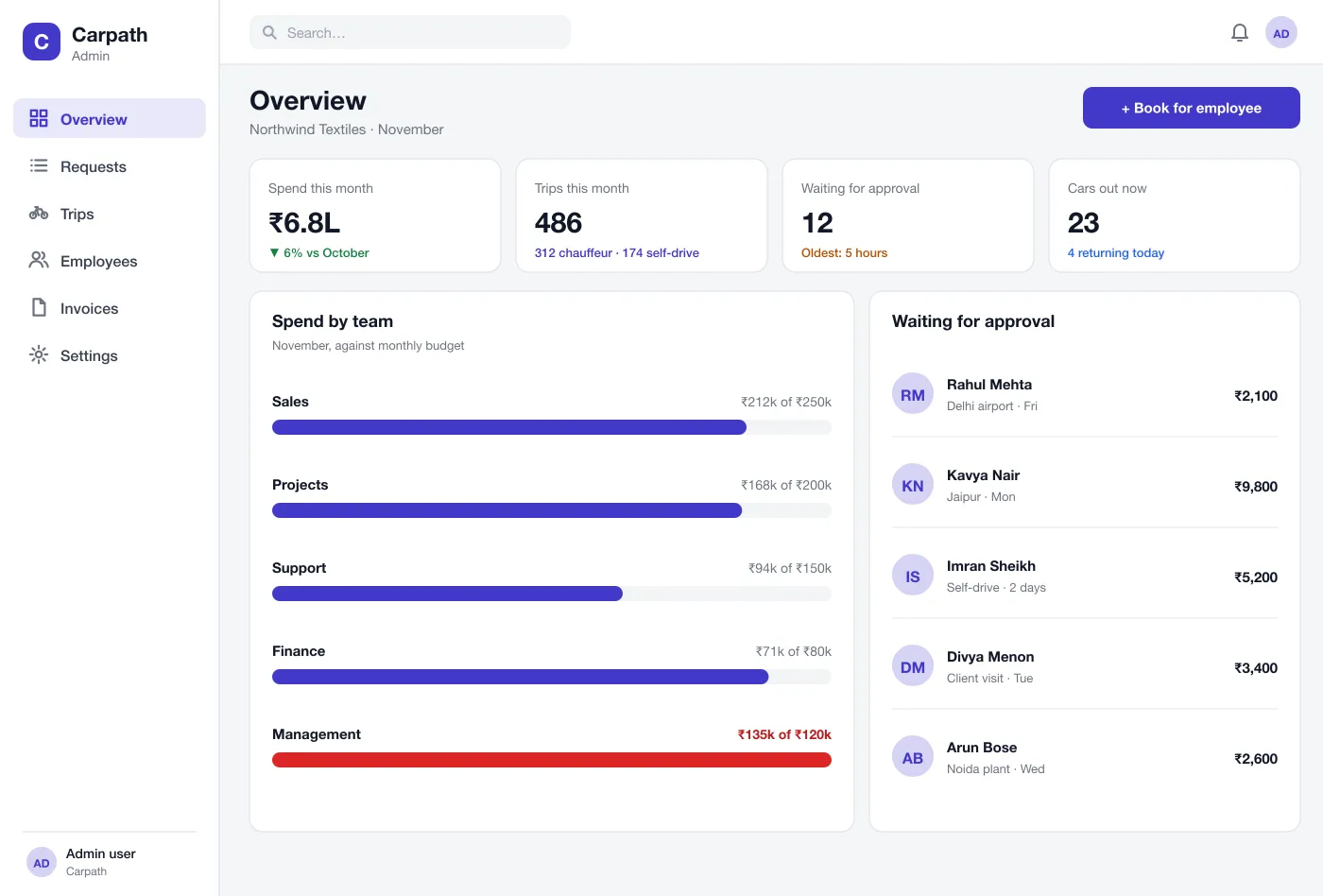
The web admin shows spend this month, trips, cars out now and requests waiting. Bars show each team's spend against its monthly budget, and teams over budget turn red.
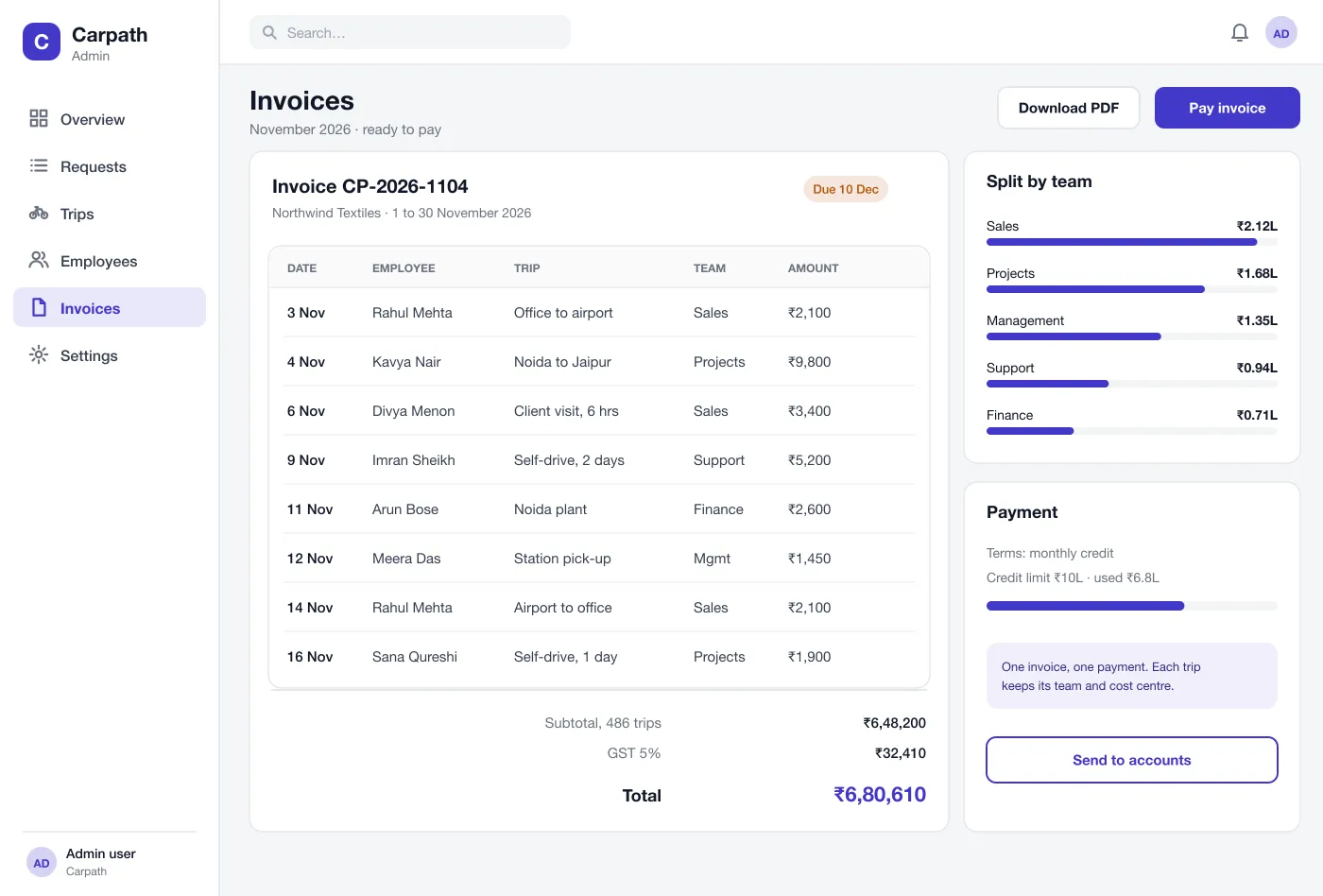
At month end the system lists every trip with date, employee, route and team, adds tax and gives one total. A split by team helps accounts charge each cost centre.
Screens
The mobile app
How it works
Here is how the main tasks work in Carpath, from a booking to the monthly payment.
Book a ride
An employee picks a route, time and car, sees the price and sends the request. If it is over the limit, a manager is asked.
Approve a trip
The manager opens the card, checks the route and cost, and taps Approve. The booking is confirmed for the employee.
Take the trip
The employee sees the car arrive on the map, gives the PIN to the driver and can share the trip with a colleague.
Pay the bill
At month end finance opens the invoice, checks the split by team and pays once, or sends it to accounts.
Suggested technology
What we would deliver
FAQ
It is a system a company uses to arrange cars for its staff. Employees book a self-drive car or a ride with a driver, a manager approves it, and the company pays one bill each month.
Most companies want maps for routes and live trips, a payment gateway or bank transfer for the monthly bill, a staff list import from HR, and an export to their accounting software. We plan these links at the start so trips, teams and cost centres match on both sides.
Yes. We can build it for a rental company that serves businesses, or for a company that manages its own staff travel, with web admin, employee apps and billing.
The company sets a limit, for example trips over a set amount need a manager. Under the limit, trips go through at once. Managers approve or decline from their phone.
Every trip is saved with the employee, team and cost centre. At month end the system makes one invoice with every trip listed and a split by team, so accounts can pay once and charge each team.
Tell us who will use it and what it must do. We will reply with a plan, a timeline and a price.