Browse near you
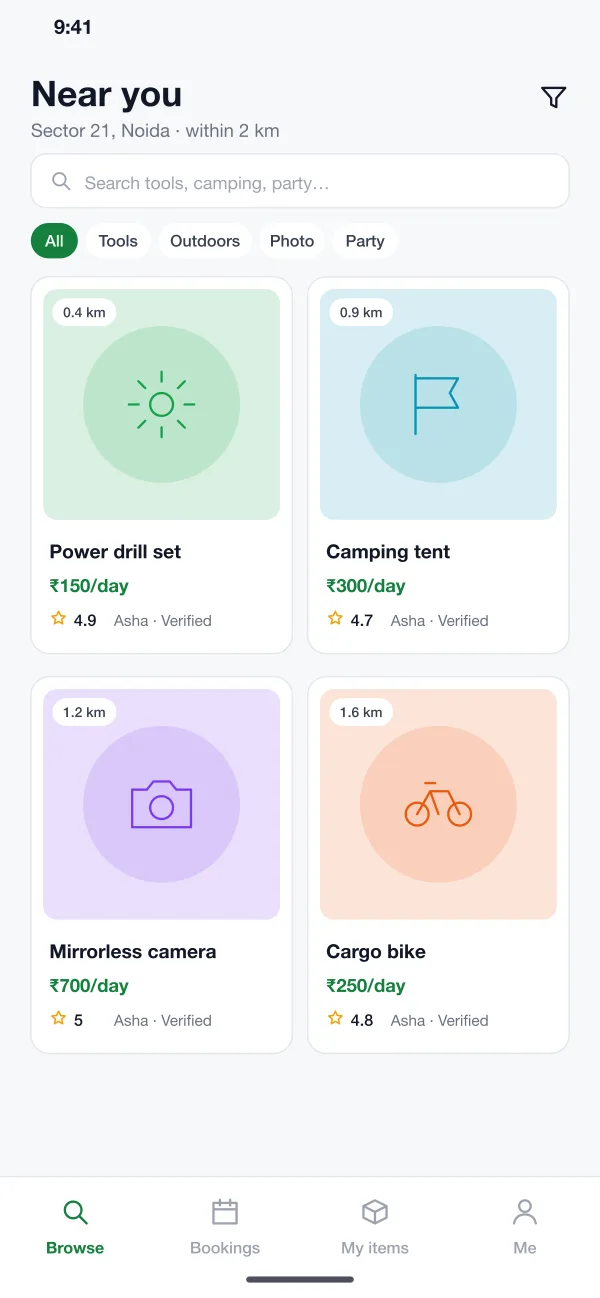
The first screen lists items by distance. Filters such as Tools, Outdoors and Photo narrow the list. Each card shows a photo, a daily price, the distance and the lender's rating.
Lendloft is a peer-to-peer rental app designed and built by our team. Neighbours list tools, cameras or camping gear, others book dates, a deposit is held for safety, and both sides rate each other.
Lendloft was designed and built by the PRS CloudTech team.
The brief
Most homes have things used a few times a year: a drill, a tent, a camera, a speaker. Buying them new for one weekend is a waste, and shops that rent them are few and far apart.
Lending to a neighbour is a good answer, but people hesitate. Will it come back? Will it be damaged? Who pays if something goes wrong? Without clear answers, most things stay in the cupboard.
Easy to find
A renter should see what is available within a short walk, with price and a real photo.
Clear dates
Both sides need to see what is booked, so there are no double bookings.
Safety for the lender
A refundable deposit and photo records give the owner confidence to lend.
Fair rules when things go wrong
Late returns and damage need a simple way to be reported and judged.
What we designed
The app covers the whole rental, from searching to getting the deposit back.
The first screen lists items by distance. Filters such as Tools, Outdoors and Photo narrow the list. Each card shows a photo, a daily price, the distance and the lender's rating.
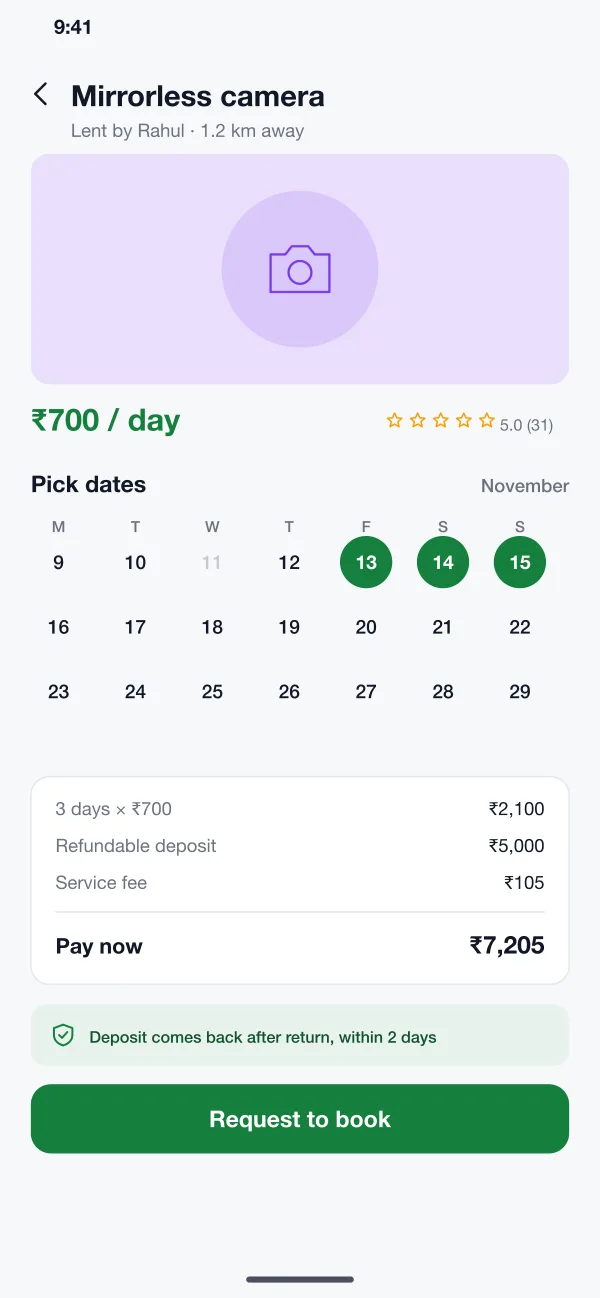
The item page shows a calendar with booked days greyed out. After picking dates, the renter sees the rental cost, the refundable deposit and a small service fee, then asks to book.
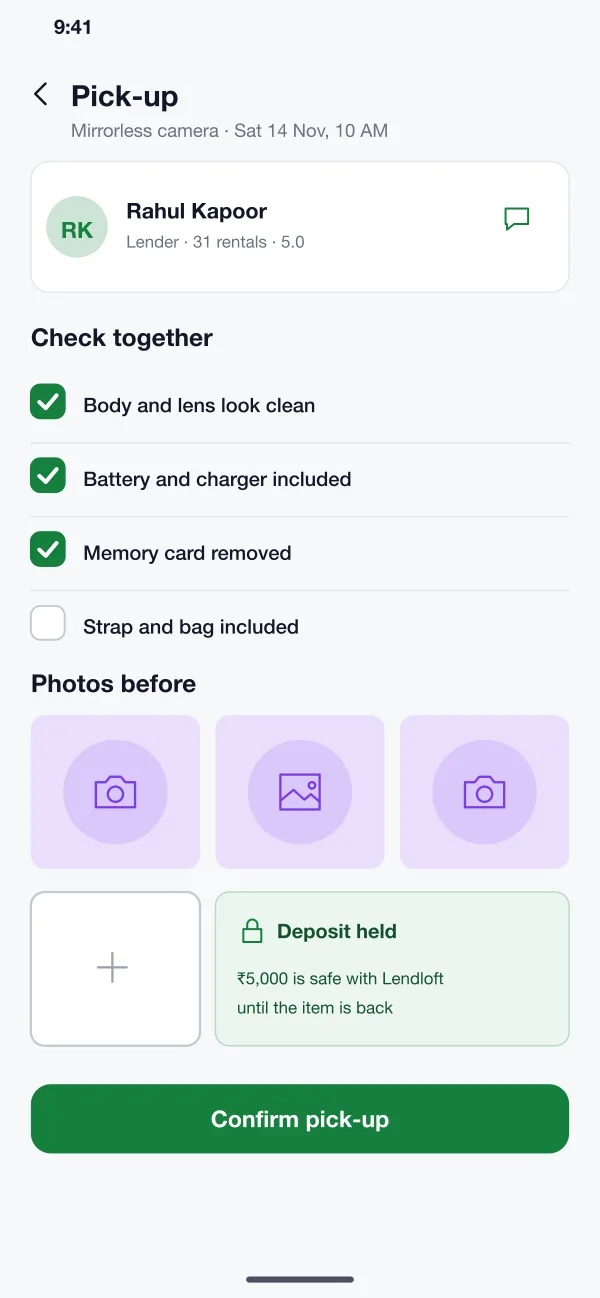
At pick-up both people tick a short checklist and the renter takes photos of the item. The same is done on return. If there is a disagreement, these photos are the proof.
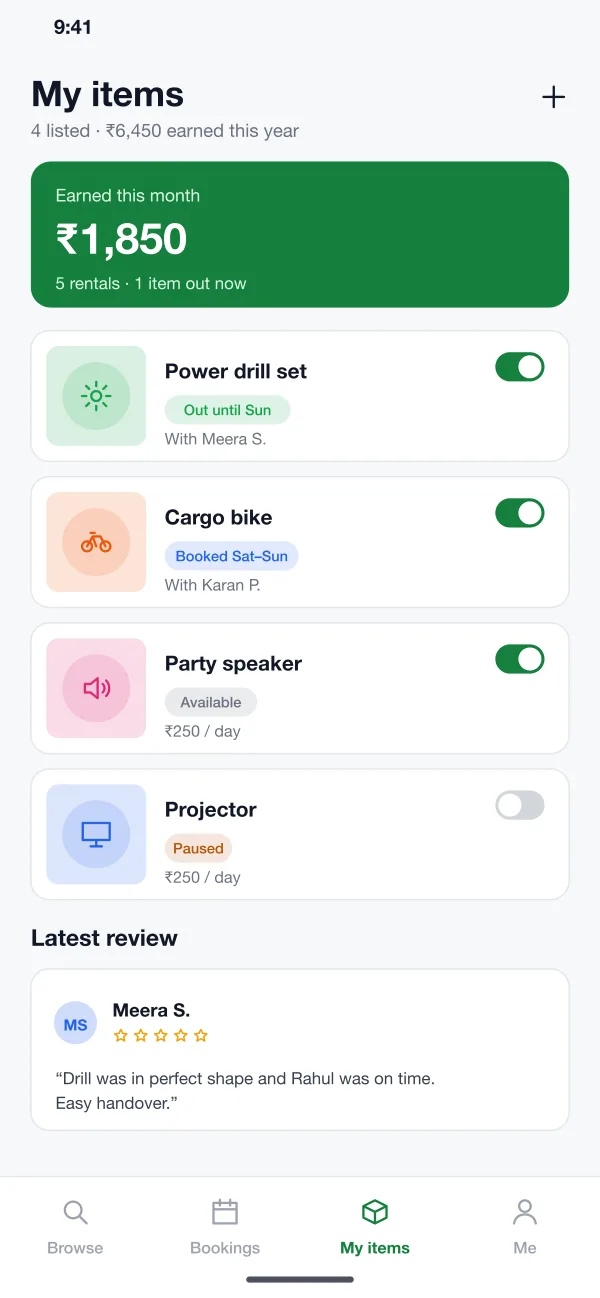
The My items screen shows what is out, what is booked and what has earned this month. A switch pauses any item. New items take a few photos, a price and a deposit amount.
After a rental, the lender and the renter rate each other. Short written reviews appear on the profile, so a good record is easy to see.
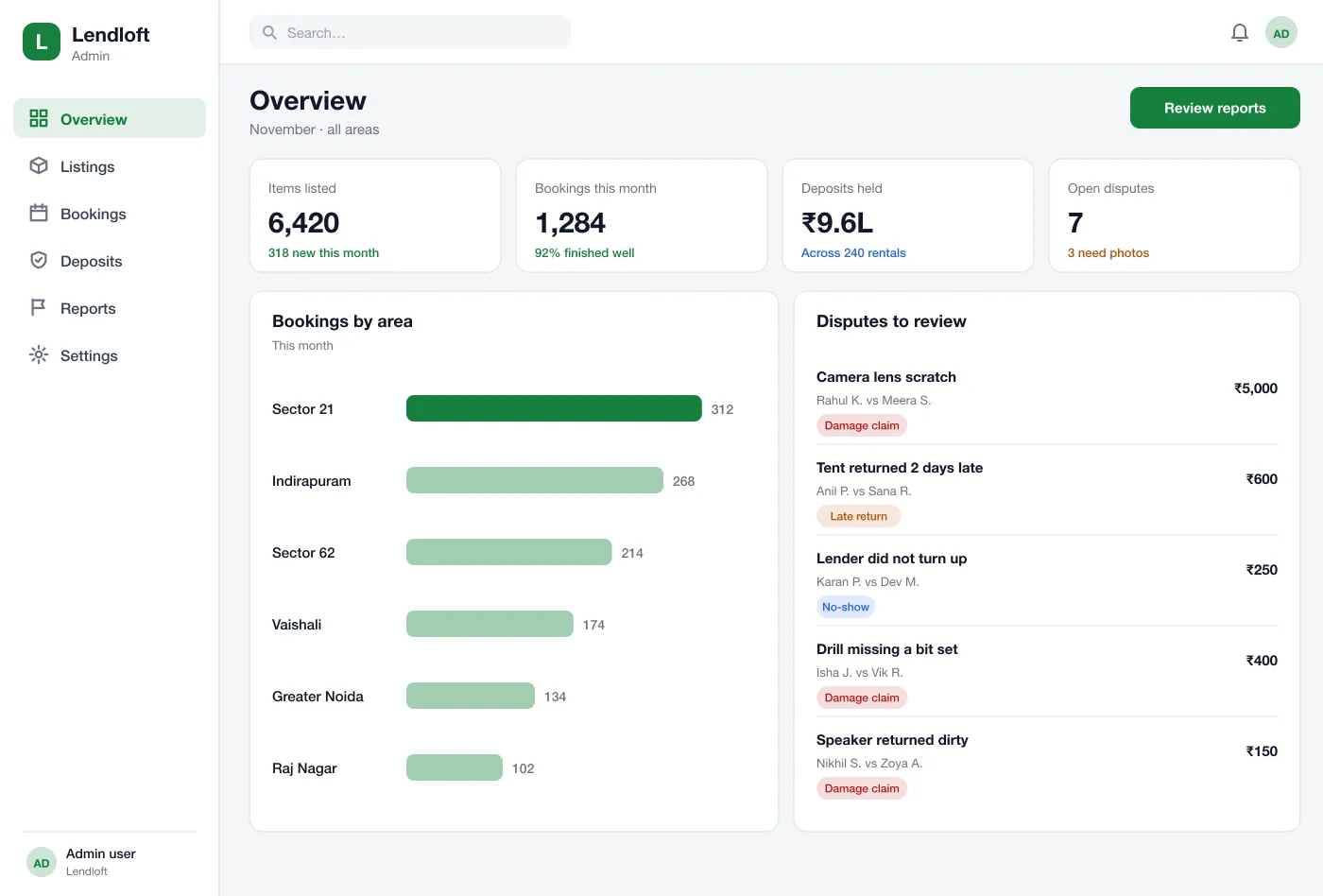
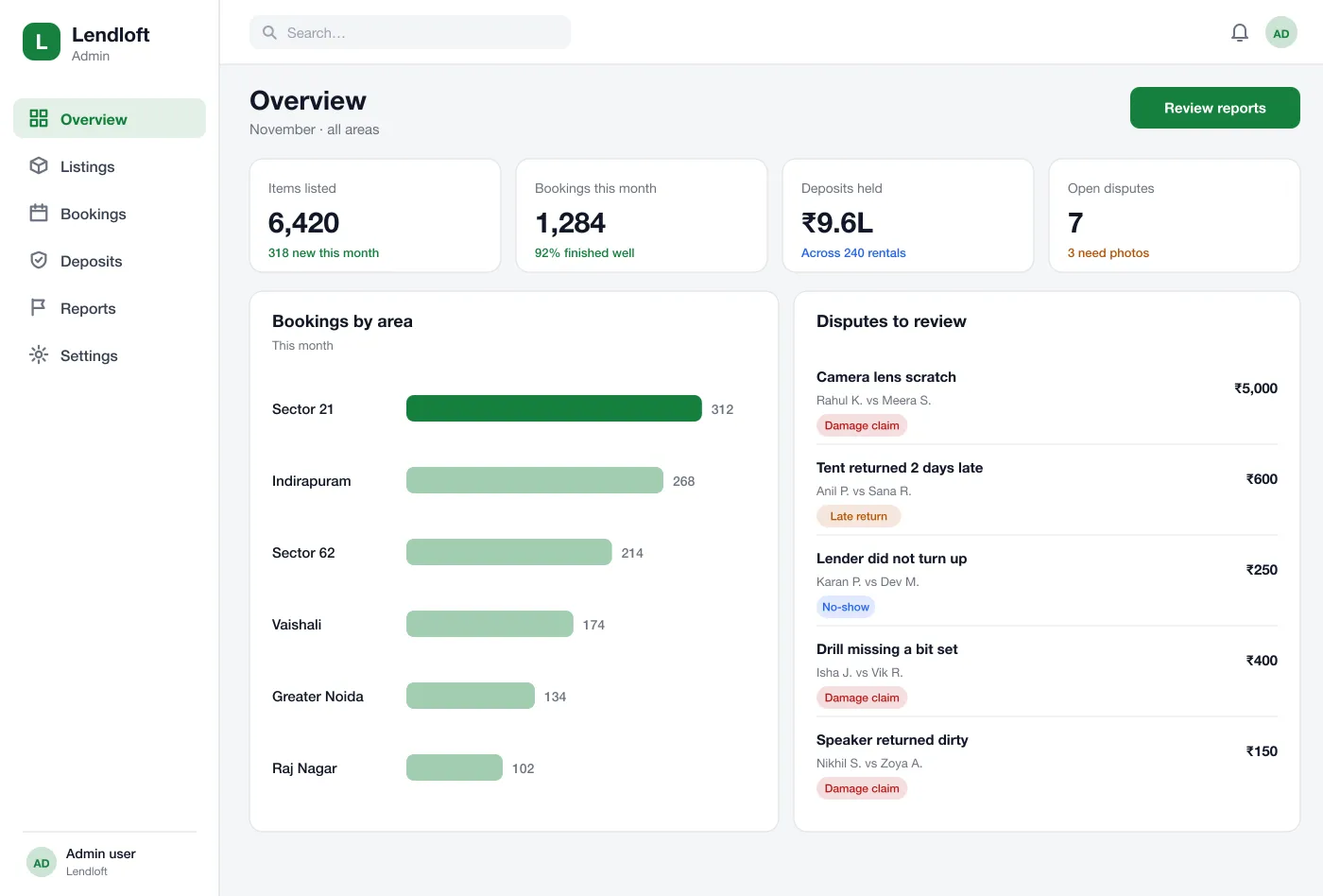
The team sees bookings by area, deposits held and open disputes. For each dispute they can read the chat, view the photos, and decide how much of the deposit goes back.
Screens
The mobile app
How it works
Here is how the main tasks work in the app, from posting an item to a finished rental.
Lend something
A lender adds photos, a daily price and a deposit, and chooses which days the item is free.
Book an item
A renter picks dates, pays the rental and the deposit, and waits for the lender to accept.
Hand over and return
Both people use the checklist and photos at pick-up and at return. The deposit is released after a clean return.
Settle a problem
If something is damaged, the admin reviews the photos and chat and decides the outcome. Both sides see the reason.
Suggested technology
What we would deliver
FAQ
It is an app where people rent things to each other instead of to a shop. Someone who owns a drill or a tent lists it, and a neighbour who needs it for a weekend books it.
Start with listings with photos, a date calendar, payment with a refundable deposit, a handover checklist and ratings. Chat, disputes and lender earnings reports can follow once people are renting regularly.
Yes. We can build the app for Android and iOS with an admin dashboard, and connect it to your payment gateway, your city or area and your own rules for deposits.
The renter pays a deposit with the booking. It is held, not given to the lender. After the item comes back in the same state, the deposit is returned. If there is damage, the admin checks the photos taken at pick-up and return.
Profiles show ID checks, past rentals and ratings from both sides. Photos at pick-up and return, and a simple chat inside the app, keep records clear.
Tell us who will use it and what it must do. We will reply with a plan, a timeline and a price.