Courses and lessons
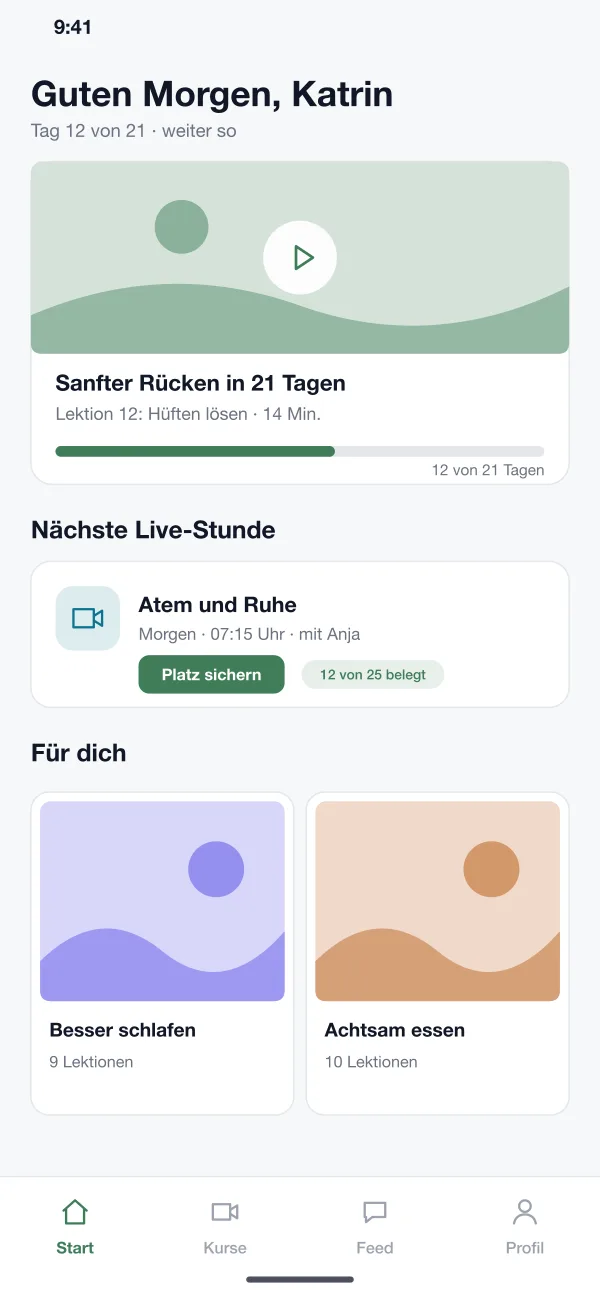
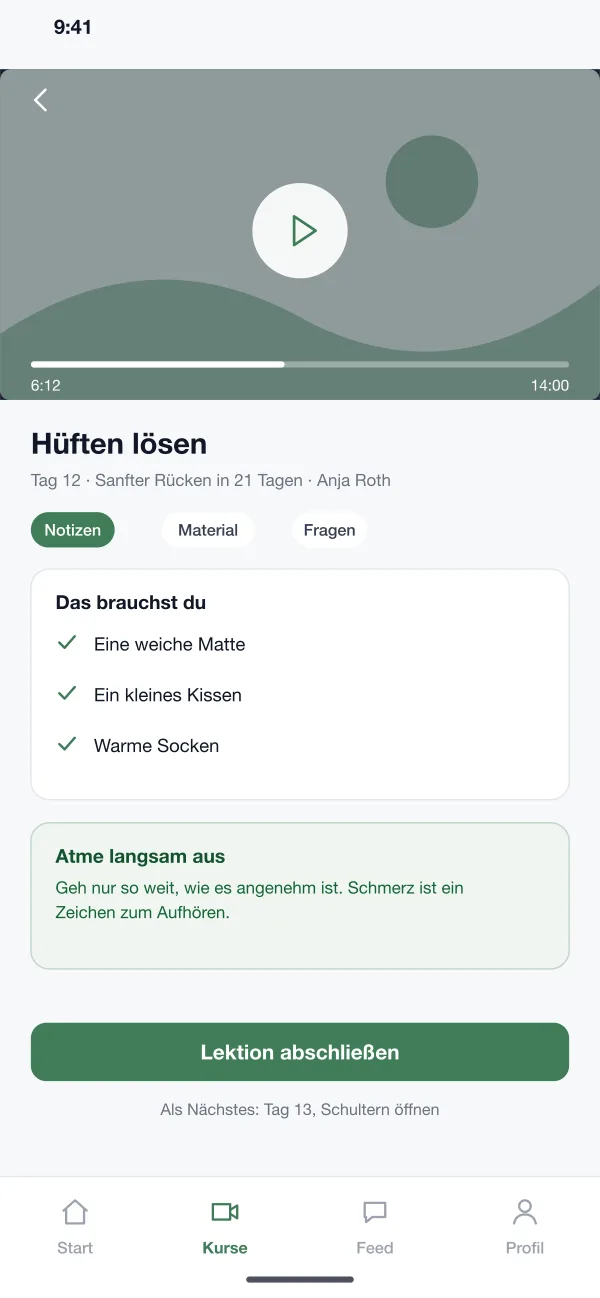
A course is a list of short video lessons. Each lesson has notes, a list of things to have ready and a button to mark it done. The app remembers where the member stopped.
Stillpfad is a wellness course platform in German, designed and built by our team. A studio sells video courses and live sessions, members follow lessons on their phones, and a community feed keeps them coming back.
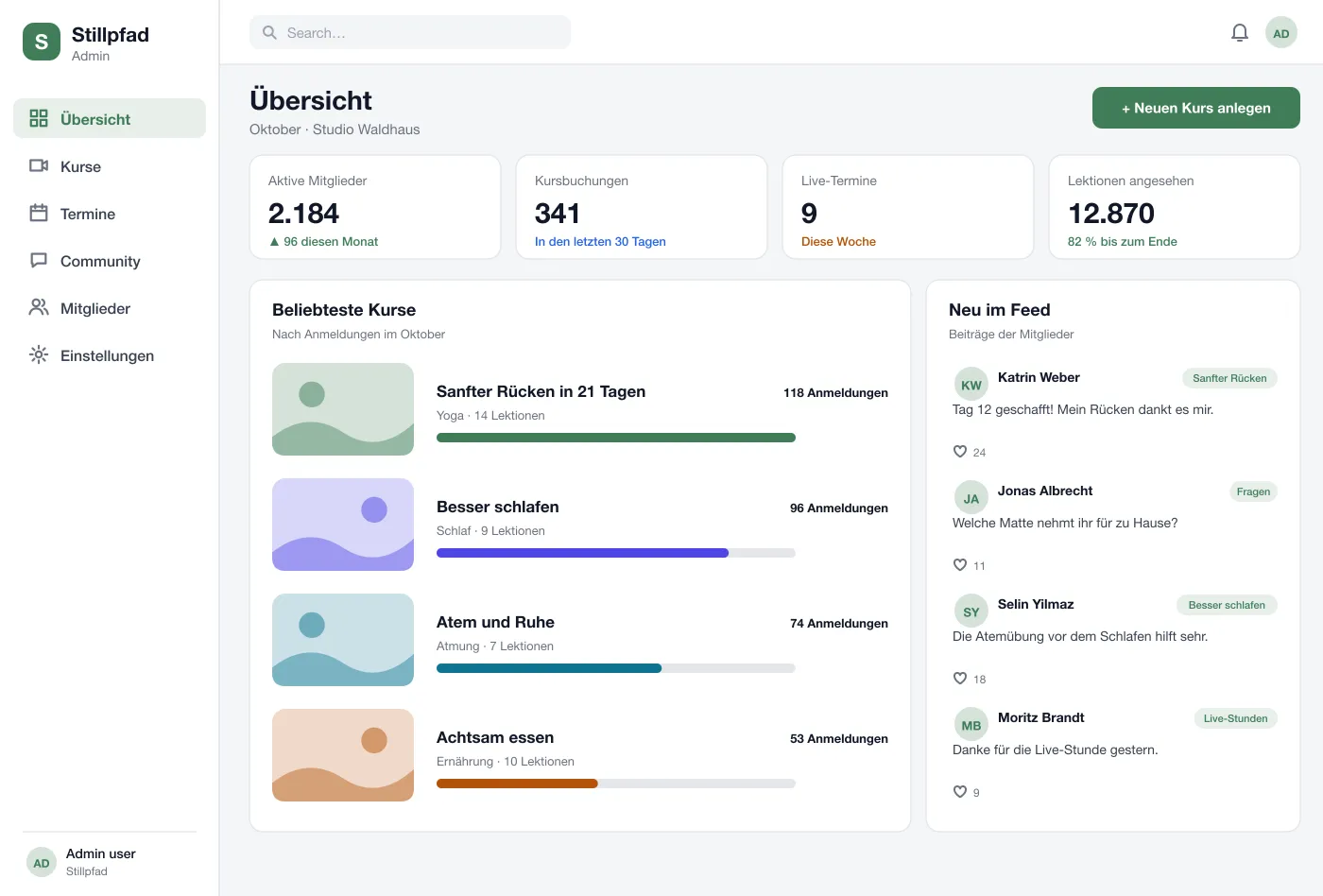
Stillpfad was designed and built by the PRS CloudTech team.
The brief
A yoga teacher or wellness coach who starts selling online courses soon ends up with many tools. Videos sit on one site, bookings come by email, and the members chat in a messaging group.
Members lose their place in a course. Live classes sell out and nobody knows who is waiting. The best part of a studio, the feeling of doing it together, gets lost between the tools.
One home for the courses
Lessons, notes and the things to have ready should sit in one place that members can open on a phone.
Simple bookings
Live classes have limited places. Members need to book, cancel and join a waiting list without writing to anyone.
A group to belong to
People keep going when others cheer them on. A feed inside the app gives them that.
A clear view for the team
The studio wants to see sign-ups, which courses are loved and what members are asking.
What we designed
We designed Stillpfad for German-speaking members, with a web console for the studio and an app for members. All the words in the screens are in German.
A course is a list of short video lessons. Each lesson has notes, a list of things to have ready and a button to mark it done. The app remembers where the member stopped.
The home screen shows the course the member is on, the day they have reached and the next live session, so they can carry on with one tap.
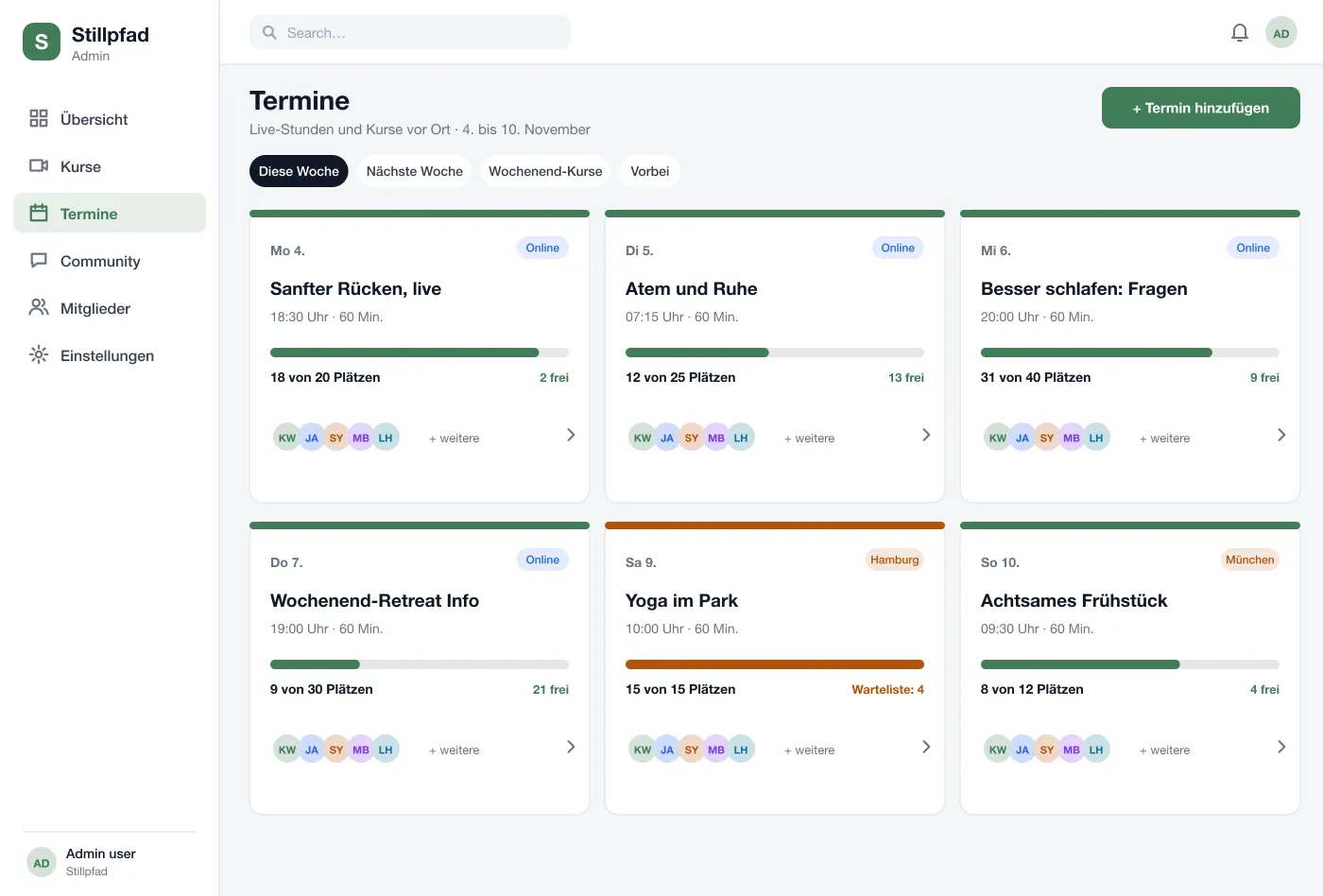
The studio adds sessions online or in a studio with a set number of places. Members book a place. When it is full, they can join the waiting list.
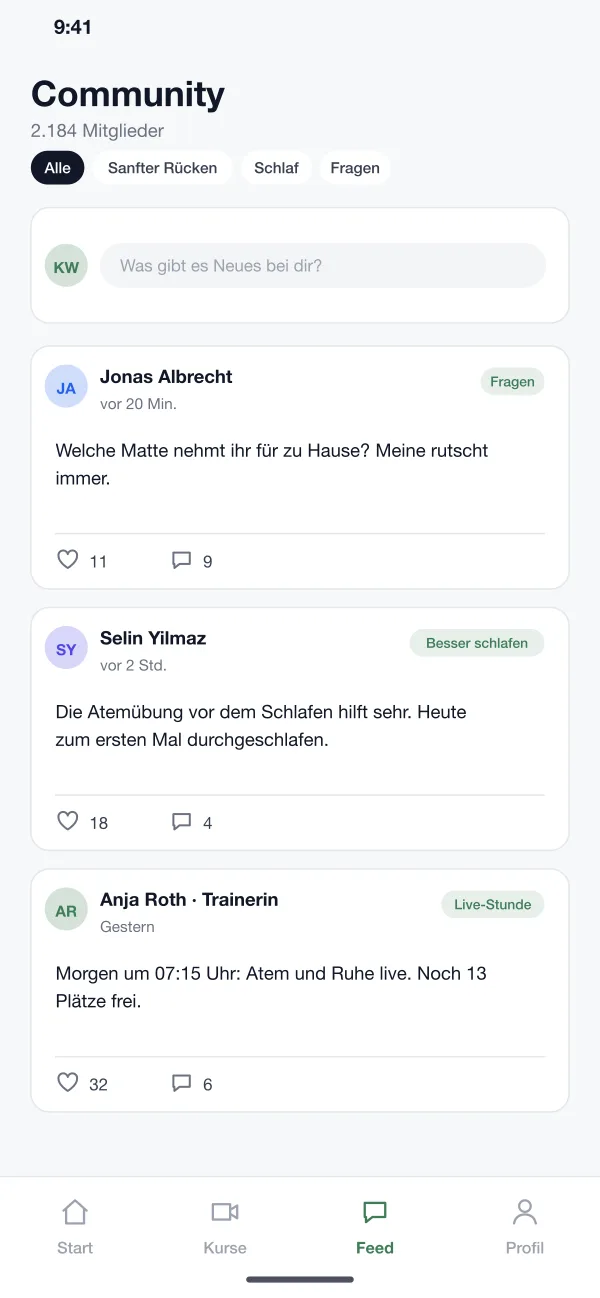
Members post progress and questions, and the teacher answers. Posts have topics, so someone looking for sleep tips can filter for them.
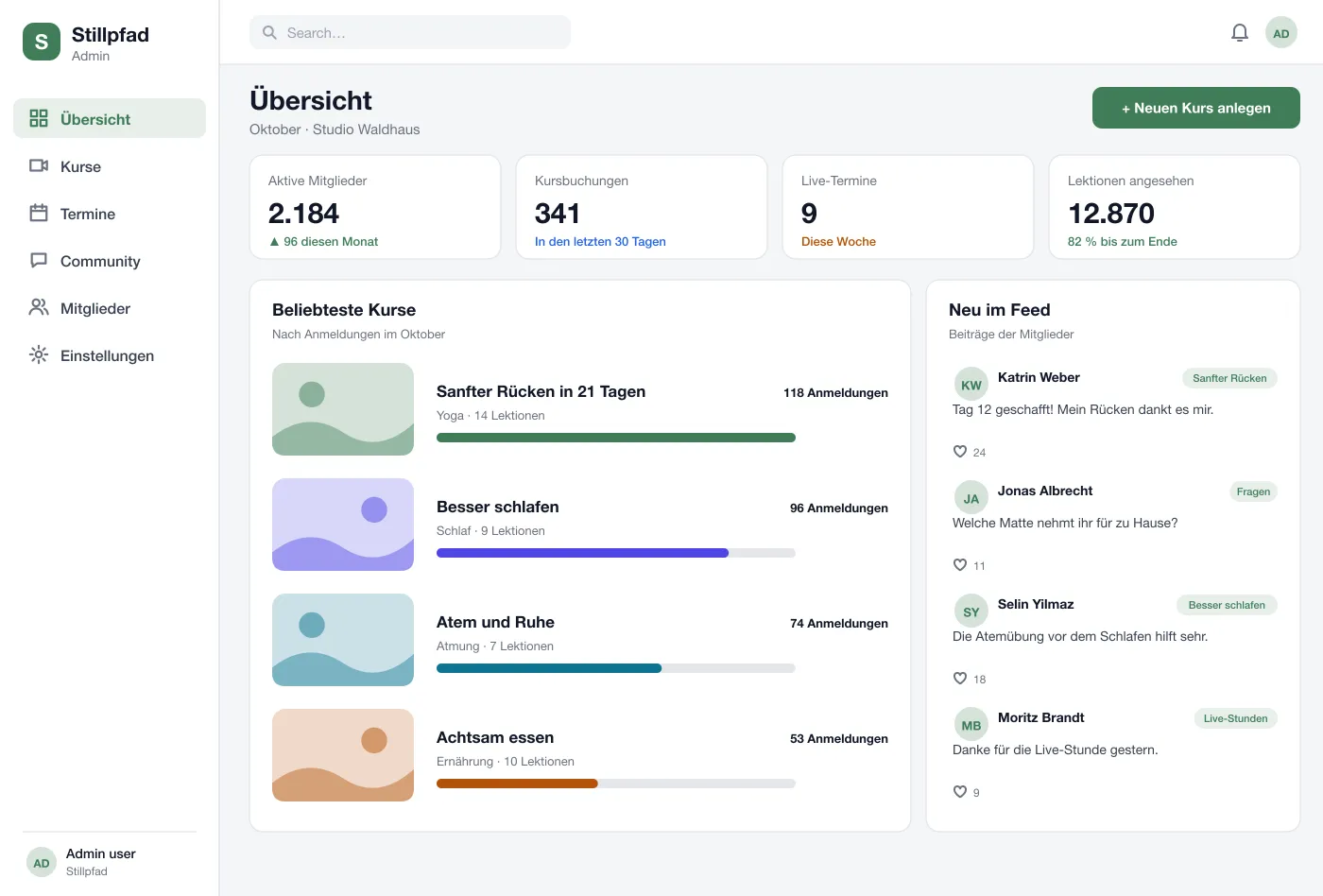
The web console shows members, sign-ups, the most loved courses and the latest posts in the feed, so the team knows what is working.
Courses can be bought one by one or as a membership. Members see what they have and what they can add, and the studio can give a free course to a new member.
Screens
The mobile app
How it works
Here is how the main tasks work in Stillpfad, from a first lesson to a live class with the group.
Start a course
A new member picks a course, watches the first lesson and sees the plan for the next 21 days.
Book a live class
The member sees a session, taps to take a place and gets a reminder the evening before.
Share and ask
The member posts progress in the feed, gets answers from others and from the teacher.
Add a course
The studio creates a course, adds lessons and notes, sets a date for a live session and sees the first sign-ups.
Suggested technology
What we would deliver
FAQ
It is a place where a studio or trainer sells video courses, runs live sessions and talks with members. Members watch lessons when it suits them and book a place in live classes.
Start with video lessons, course progress, payments or memberships and a web studio to publish content. Live session booking, waiting lists and a community feed can be added in the next step.
Yes. We can build the studio console on the web and the member app for Android and iOS, in German, English or both, and connect it to your payment provider and video hosting.
Yes. The screens are in German because we designed it for German-speaking members. Words, dates and prices can be set up for any language.
Each session has a set number of places. Members book a place, and when it is full they can join a waiting list. If someone cancels, the next person on the list gets the place.
Tell us who will use it and what it must do. We will reply with a plan, a timeline and a price.