Today list
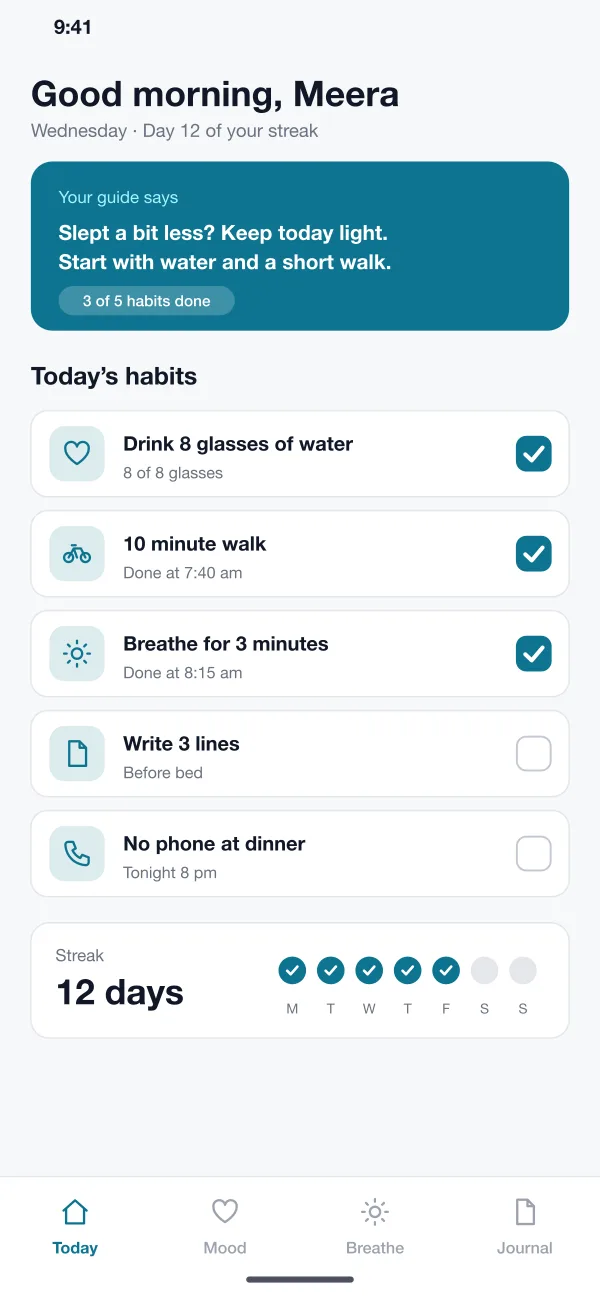
The first screen shows a handful of habits for the day. A member ticks them off, sees the streak grow and reads a one-line note from the guide.
Calmtide is a daily wellness app designed and built by our team. It helps a person keep a few small habits, check in on their mood, follow a breathing exercise and write a journal, with a gentle AI guide that asks kind questions and never gives medical advice.
Calmtide was designed and built by the PRS CloudTech team.
The brief
Most people know which small habits help: drinking water, a short walk, going to bed on time. The hard part is doing them every day. Many wellness apps are either too long to use or too cold to stay with.
Others ask for too much on day one. People open the app twice and then forget it. A good wellness app has to be quick, kind and private.
Small daily steps
A short list of habits that can be ticked off in a few seconds, with a streak that encourages without nagging.
A quick mood check
One tap for how you feel and a few words about why, so a person can see patterns over a week.
Calm tools on hand
A breathing exercise and a journal should be one tap away for a stressful moment.
Privacy and limits
Journal text must stay private, and the app must be clear that it is not a doctor.
What we designed
Calmtide is built around four short daily actions and a guide that speaks softly. These are the six parts of the app.
The first screen shows a handful of habits for the day. A member ticks them off, sees the streak grow and reads a one-line note from the guide.
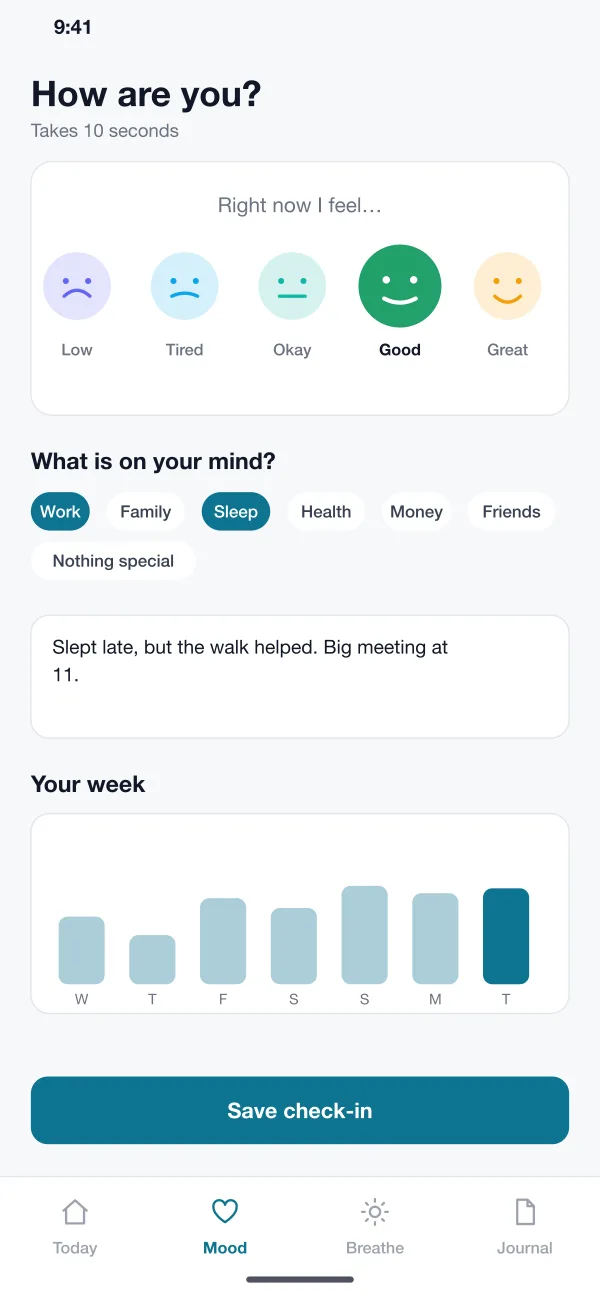
The member picks a face from low to great, adds a few topics such as work or sleep, and can write a line. A small chart shows the week.
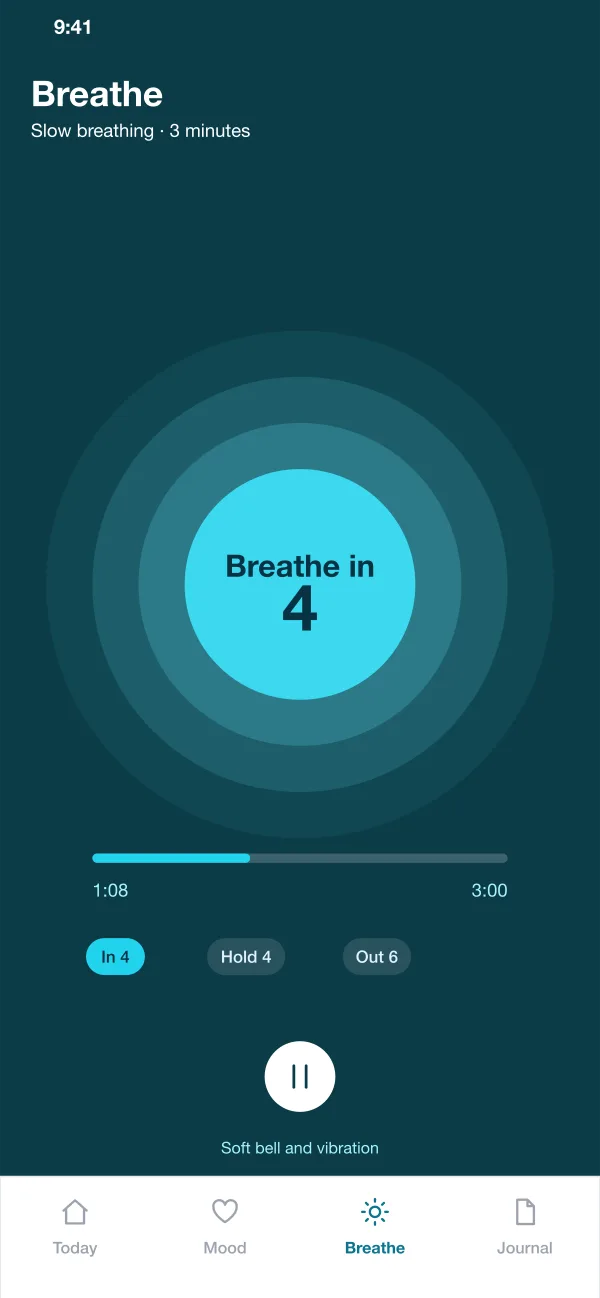
A slow circle grows and shrinks. A count in the middle tells the member when to breathe in, hold and breathe out. A soft bell marks the end.
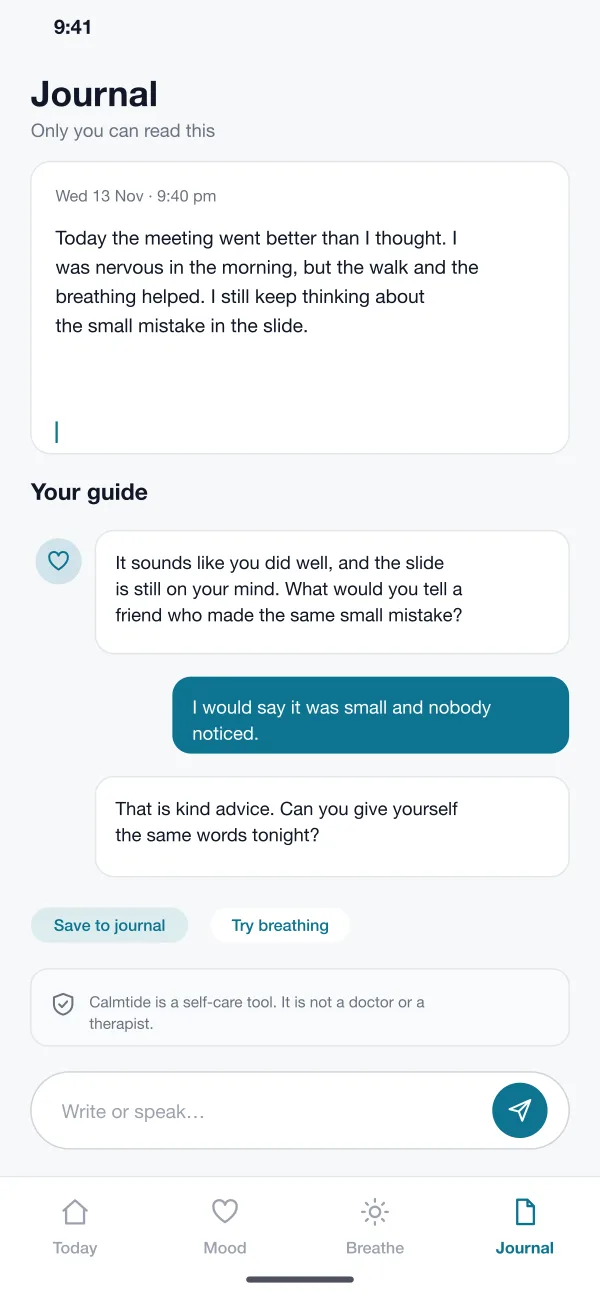
The member writes freely. The guide replies with one kind question at a time, such as what they would tell a friend. It never gives medical advice.
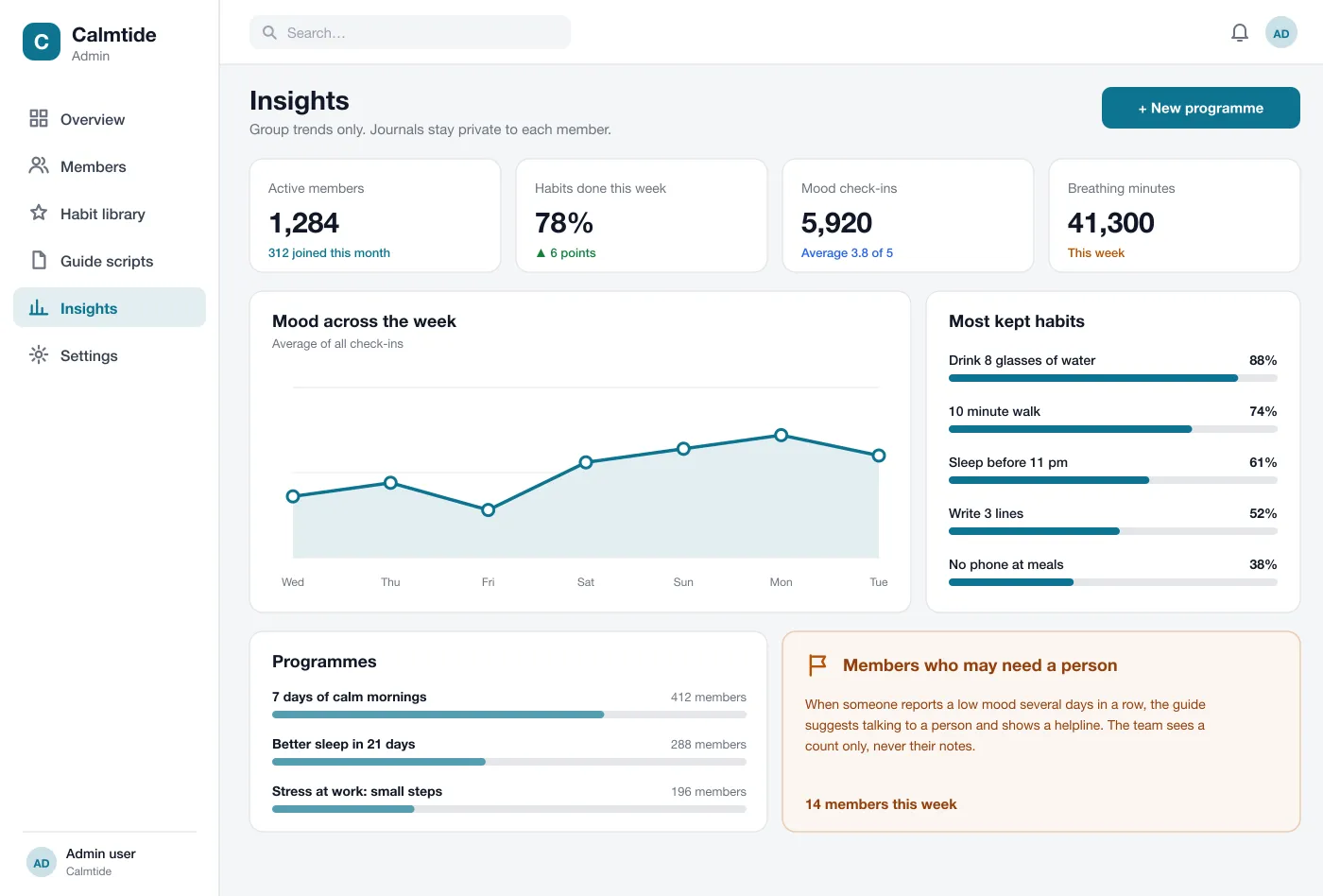
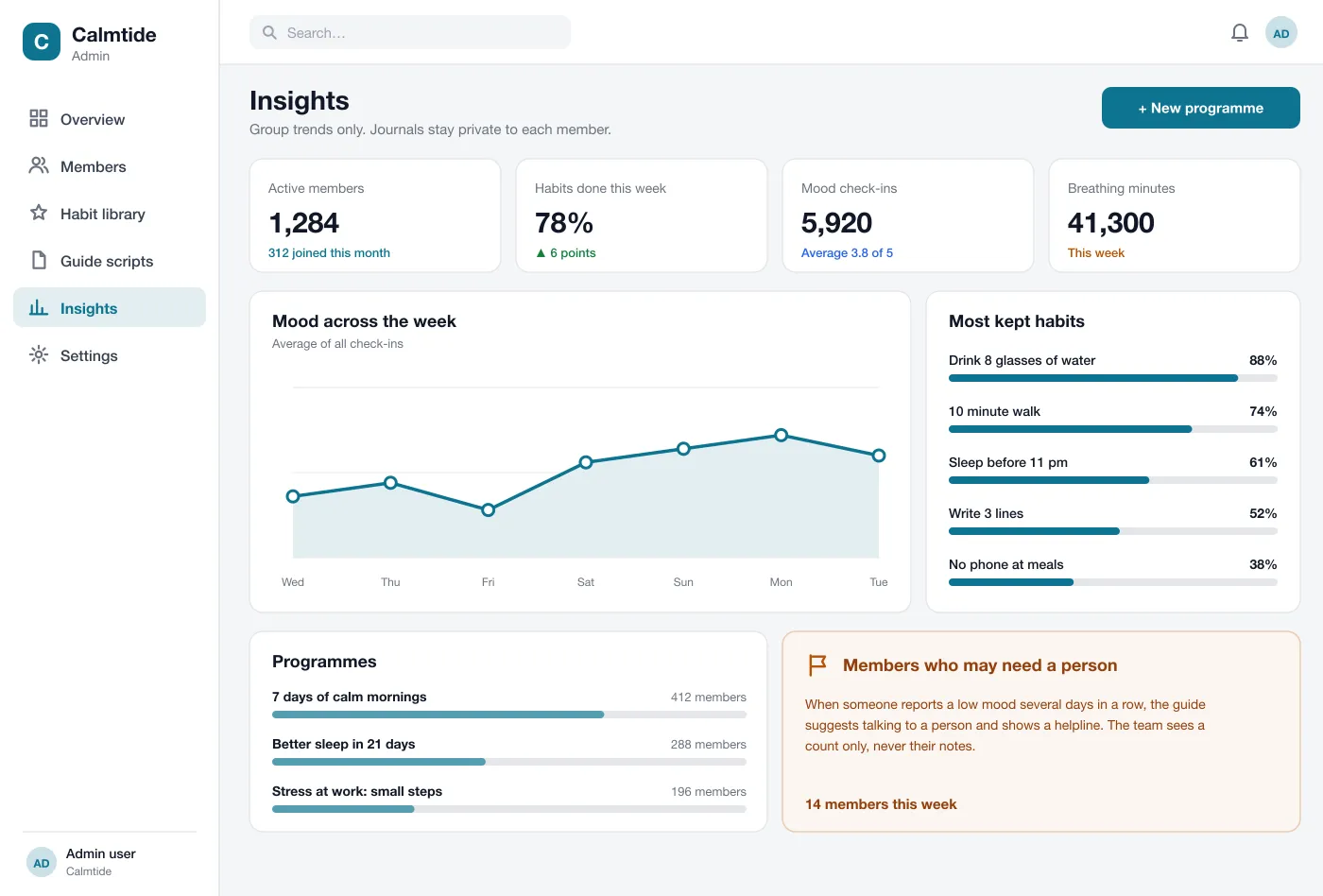
If someone logs a low mood for several days, the guide suggests talking to a person and shows a helpline. A short note on every screen says the app is not a doctor.
A web page shows group trends: habits kept, mood across the week and breathing minutes. The team sees counts only. Journal text is never shown to them.
Screens
The mobile app
How it works
Here is how the main tasks work in the app, from the first habit of the morning to the last journal line at night.
Start the day
The member opens the app, reads the guide's note and ticks off water and a walk.
Check in
In ten seconds they pick a face and a topic. The week chart updates.
Take a break
Before a big meeting they open the breathing screen and follow the circle for three minutes.
Close the day
They write a few lines. The guide asks one question, and the member saves the note, which only they can read.
Suggested technology
What we would deliver
FAQ
It is an app that helps you build small daily habits, track how you feel and take short breaks to breathe or write. An AI guide gives gentle prompts based on what you log.
Journal text is stored only for the member and is never shown to the team. Data is encrypted in transit and at rest, logins can use a PIN or face unlock, and a member can export or delete their data at any time.
Yes. We can build the member app and a web page for your team, and set how the AI guide speaks and what it will not do. We can also add your own programmes and content.
No. In this design the guide is a self-care helper. It does not give medical advice. If a member logs a low mood for several days, it suggests talking to a person and shows a helpline.
Only the member. The team that runs a programme sees group counts and trends, such as how many members kept a habit, but never the journal text.
Tell us who will use it and what it must do. We will reply with a plan, a timeline and a price.