Patient app
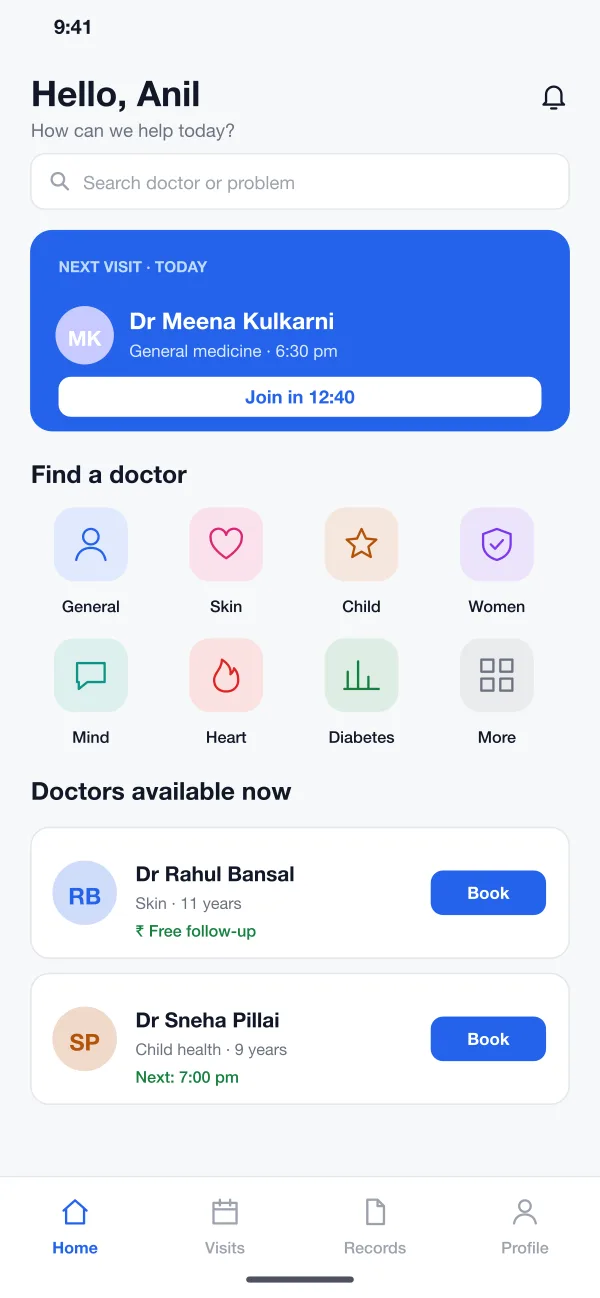
The patient searches by problem or speciality, sees who is free now, books and joins the call from the home screen. Past visits and records sit in one tab.
Clinora is a telemedicine platform designed and built by our team, with five roles: patient, doctor, clinic admin, pharmacy and super admin. Patients see a doctor on video, get a prescription and order the medicine.
Clinora was designed and built by the PRS CloudTech team.
The brief
A patient with a skin rash or a child with a cough may have to travel, wait in a queue and take half a day off for a five-minute talk. Many clinics also have empty slots that nobody knows about.
Online care adds new questions. Is the doctor real? Did the patient agree to the video? Where does the prescription go, and who delivers the medicine?
Easy booking and calling
A patient should find a doctor, book and join the call in a few taps, on an ordinary phone.
Safe records
Each person should see only what their role allows, and consent should be saved.
A prescription that works
The doctor signs it with a registration number and it must reach the pharmacy and the patient.
Checks on who joins
The platform needs a way to check doctors, clinics and pharmacies before they are shown to patients.
What we designed
We designed Clinora as one web platform for the four working roles and a mobile app for patients. Every role sees its own screens, and all of them read from the same visit records.
The patient searches by problem or speciality, sees who is free now, books and joins the call from the home screen. Past visits and records sit in one tab.
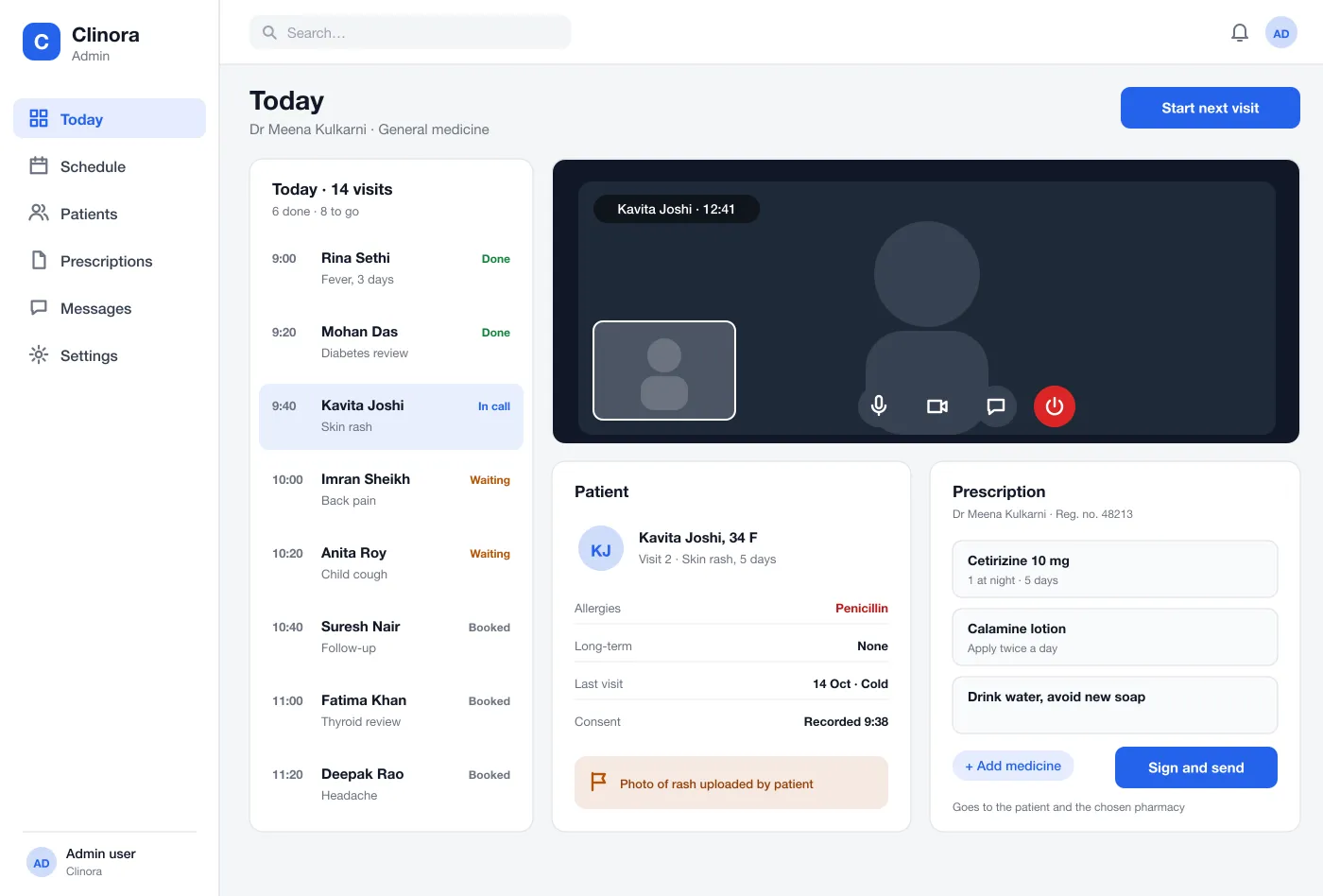
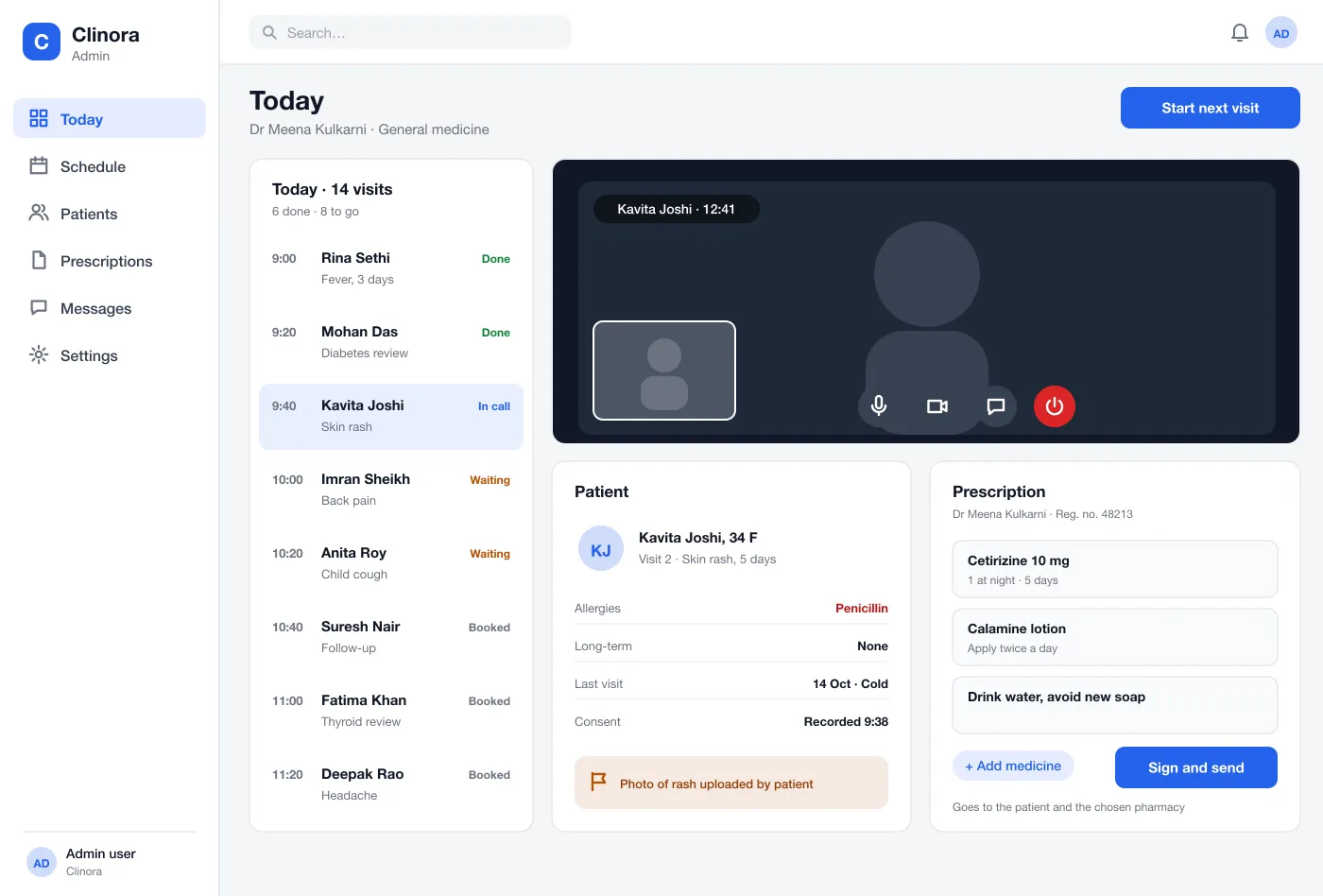
The doctor sees the day's visits, starts the call, reads the patient's allergies and past visits, and writes the prescription on the same screen.
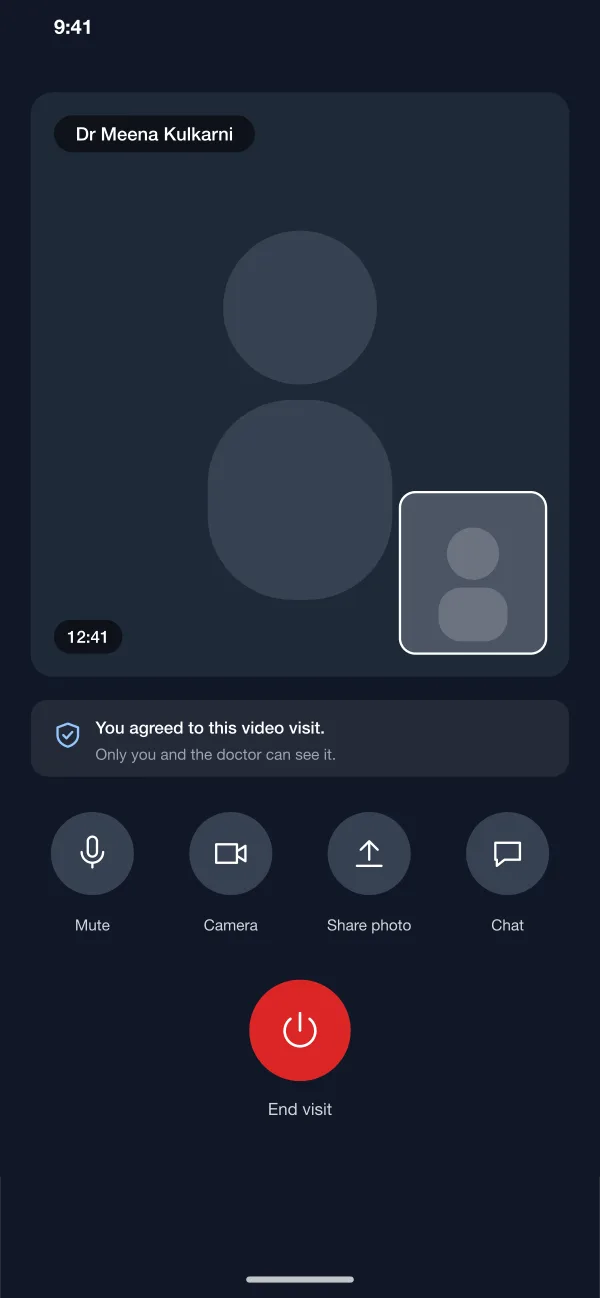
The call screen is simple. It shows that the patient agreed, lets them share a photo and ends with a clear button. Consent time is saved with the visit.
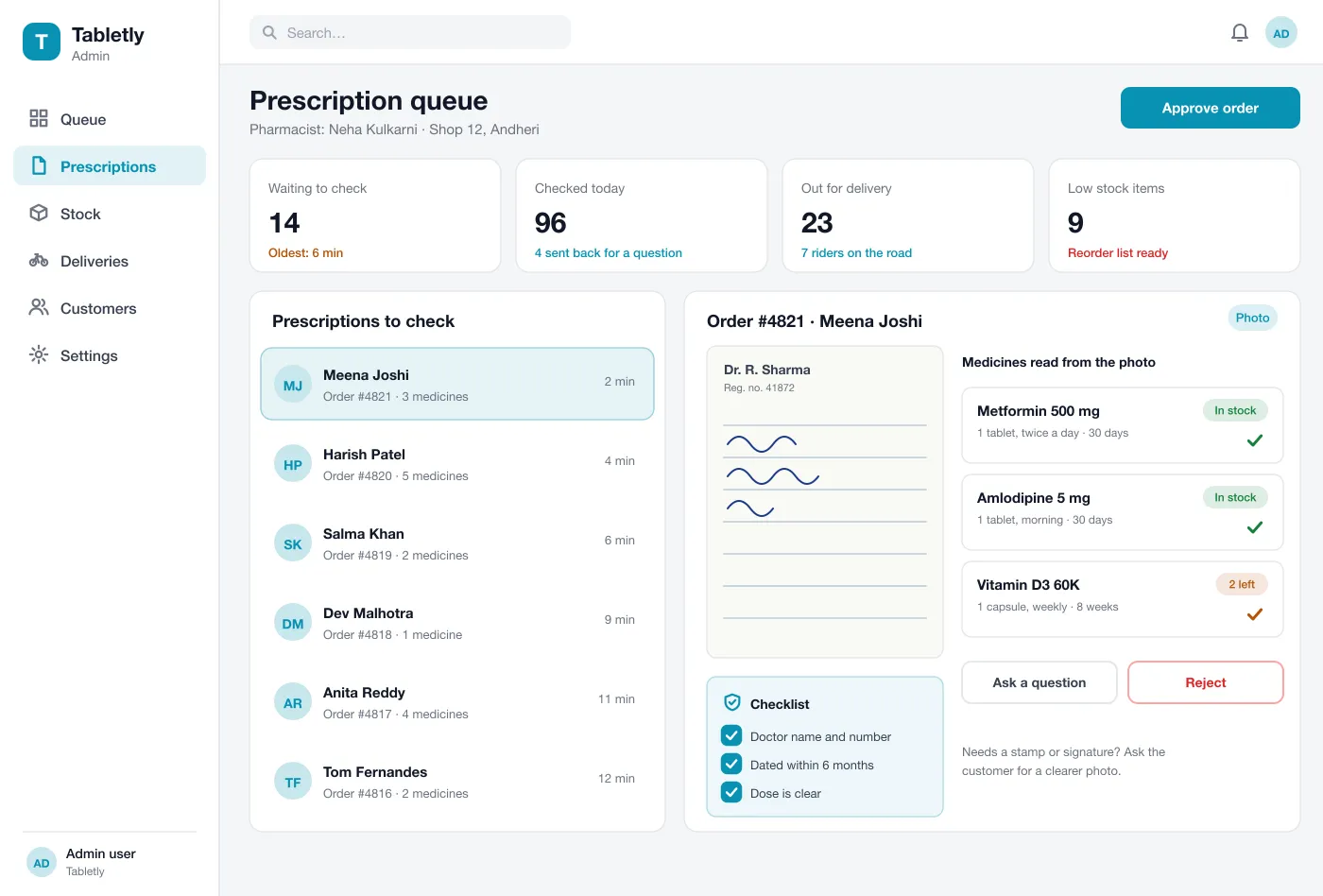
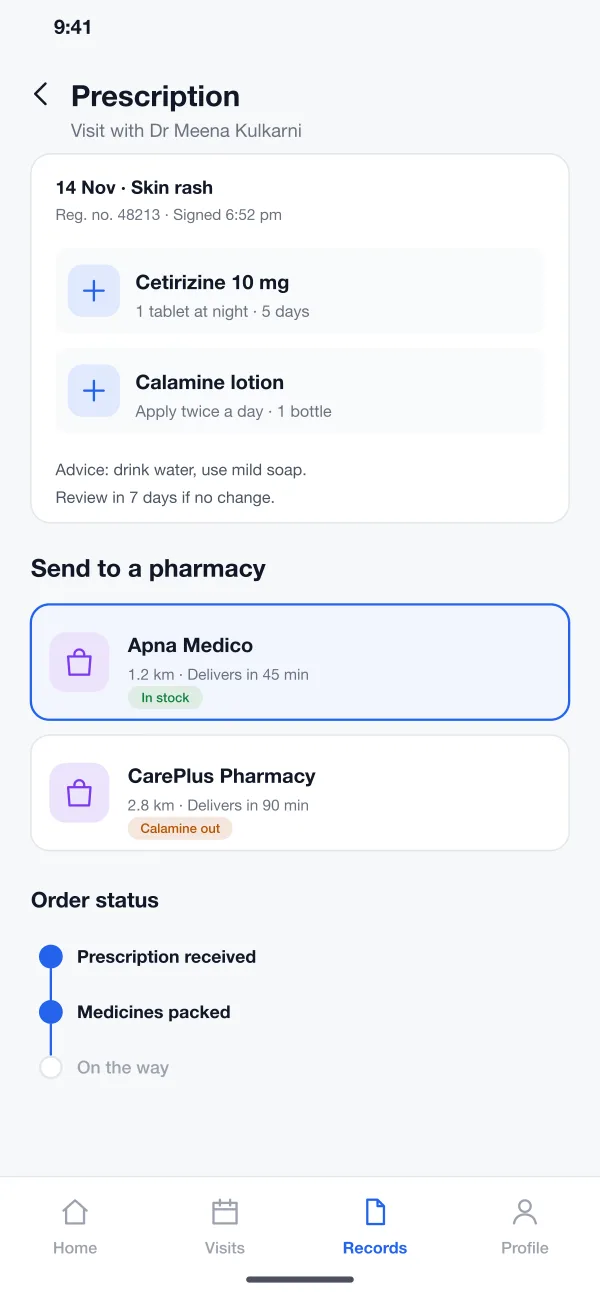
The doctor signs a prescription and the patient picks a nearby pharmacy that has the medicine. The pharmacy packs the order and delivers it, with each step shown.
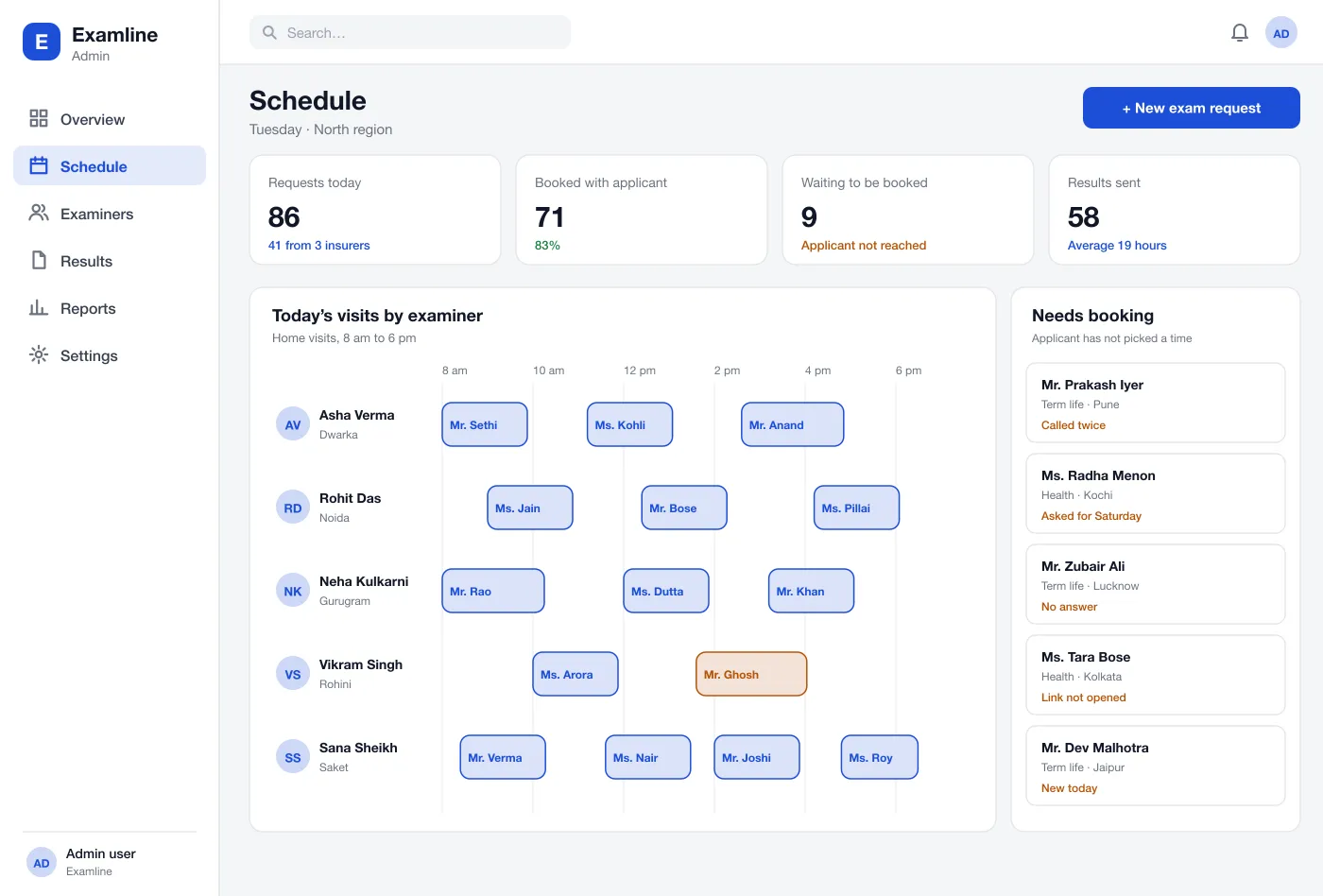
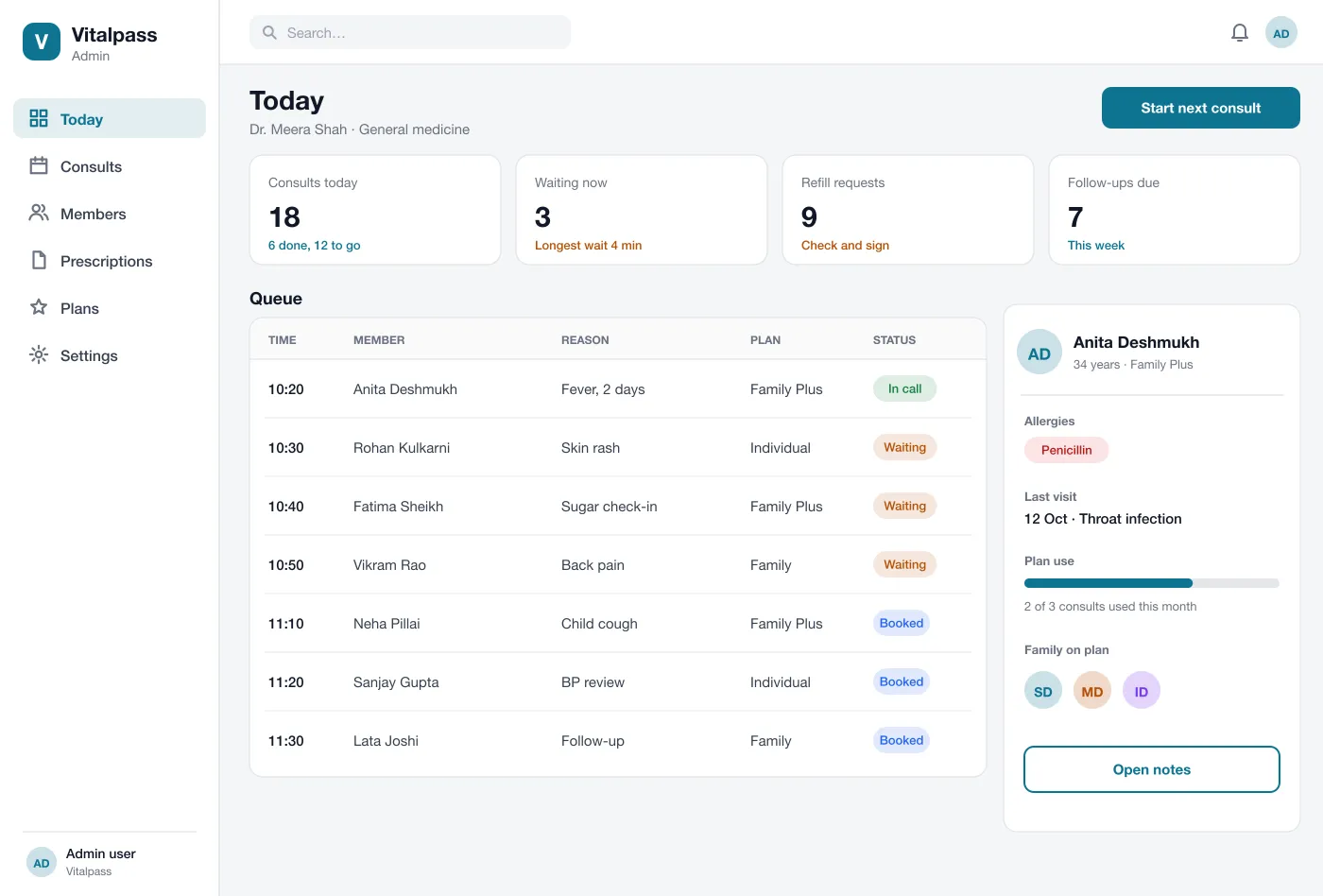
A clinic admin adds doctors, sets their timetables, handles bookings and sees the clinic's visits for the month.
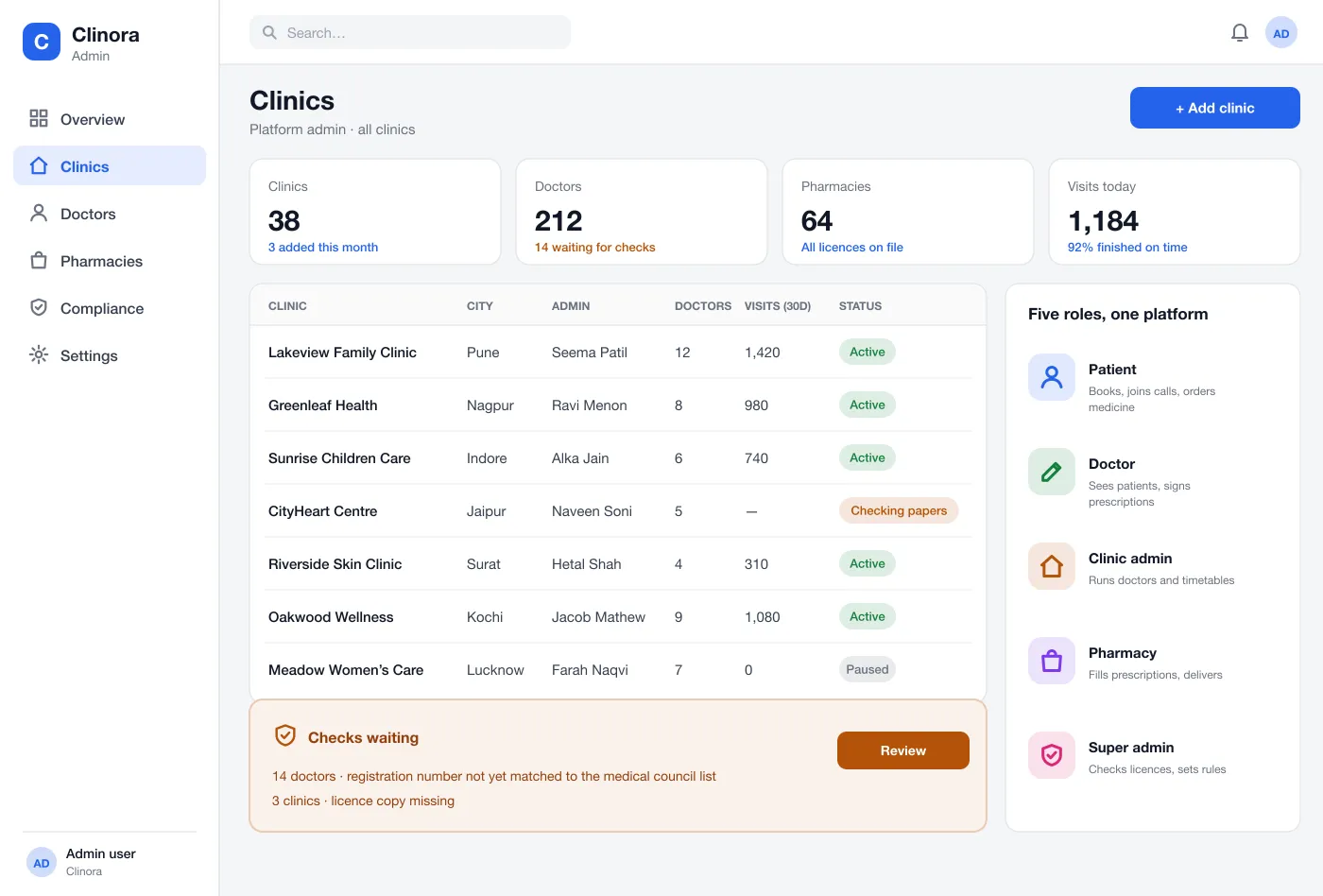
The super admin adds clinics, checks each doctor's registration number and licence papers, pauses accounts and sees all activity on the platform.
Screens
The mobile app
How it works
Here is how the main tasks work, from booking to the medicine at the door.
See a doctor
The patient books a slot, agrees to the video visit and joins the call from the app.
Write the prescription
The doctor adds medicines and advice, signs with a registration number and sends it to the patient and a pharmacy.
Fill the order
The pharmacy checks stock, packs the medicines and marks the order on the way. The patient follows the steps in the app.
Add a new clinic
The super admin receives a clinic's papers, checks them and switches the clinic on. The clinic admin then adds doctors.
Suggested technology
What we would deliver
FAQ
It is software that lets patients see a doctor over a video call instead of travelling to a clinic. It also handles booking, patient records, prescriptions and ordering the medicine.
It depends on how many roles you start with, the video provider, prescription rules and pharmacy links. Many teams start with the patient and doctor apps, then add the pharmacy and admin parts.
Yes. We can build the web platform for doctors, clinics, pharmacies and admins, and the patient app for Android and iOS, with your own rules and branding.
Patient, doctor, clinic admin, pharmacy and super admin. Each one sees only the screens and records that their job needs.
The patient agrees before each video visit and the consent time is saved. A prescription shows the doctor's registration number, and the super admin checks each doctor's number and each licence before they go live. You should confirm the rules for your own country.
Tell us who will use it and what it must do. We will reply with a plan, a timeline and a price.