Family plans
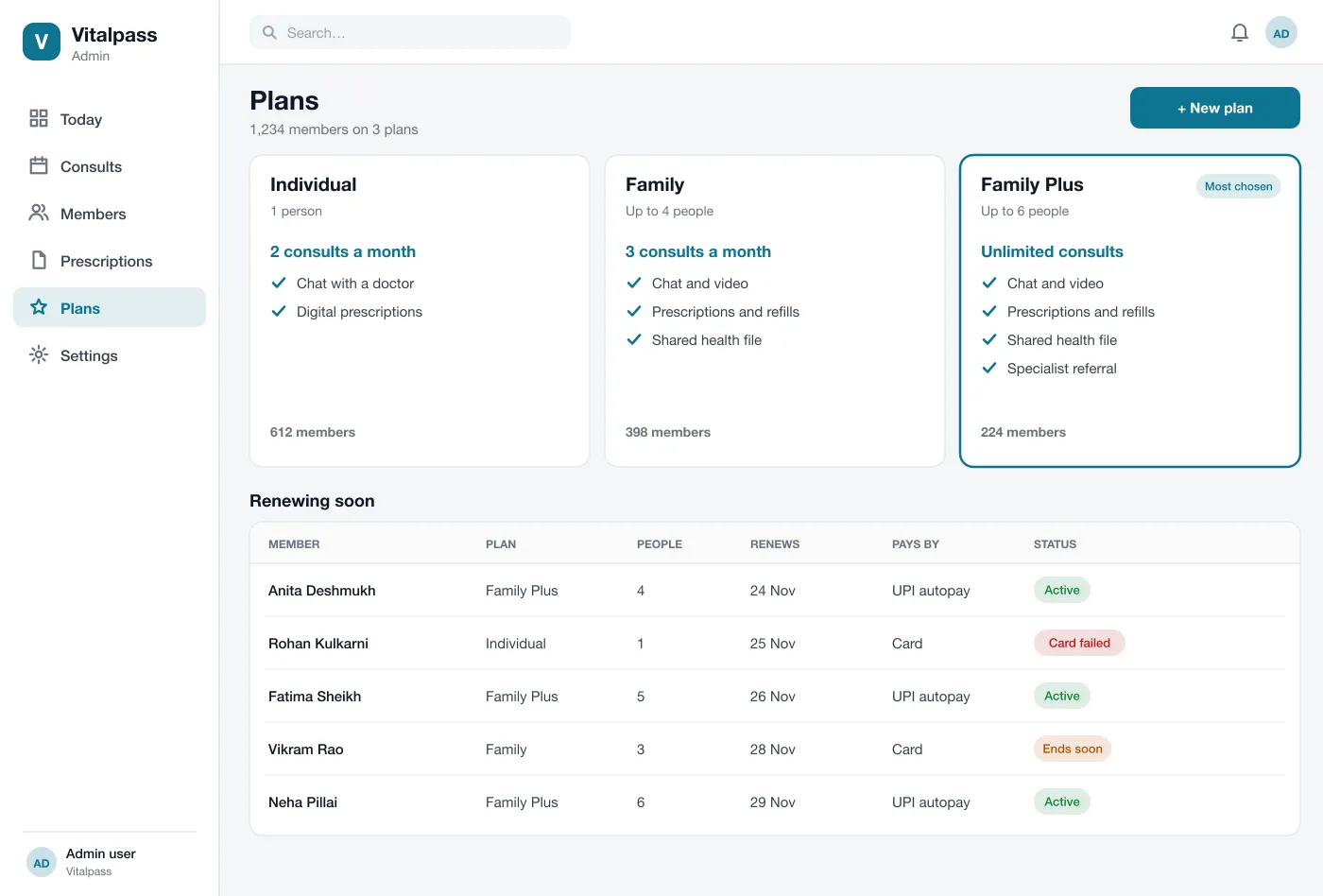
The admin sets up plans with a number of people and a number of consults each month. A member picks one, pays by UPI or card and adds family members.
Vitalpass is a telehealth membership app designed and built by our team. A family pays one monthly plan and can chat or video call a doctor, get prescriptions and ask for refills, all in one app.
Vitalpass was designed and built by the PRS CloudTech team.
The brief
Many families only see a doctor when something is already wrong. Each visit means travel, waiting and paying on the spot, so small problems are often left for days.
Clinics that offer phone or video advice often do it through ordinary chat apps. Notes are lost, prescriptions are photos, and nobody knows how many consults a person has had.
One plan for the family
Parents, children and grandparents should sit under one plan and one payment, but keep separate health records.
Care without a trip
A member should reach a doctor by chat or video in minutes, from home.
Prescriptions that stay
Advice and medicines should be saved in the app, ready to refill, not lost in a chat.
A calm day for doctors
Doctors need a clear queue, the patient file in one place and refills they can sign in a tap.
What we designed
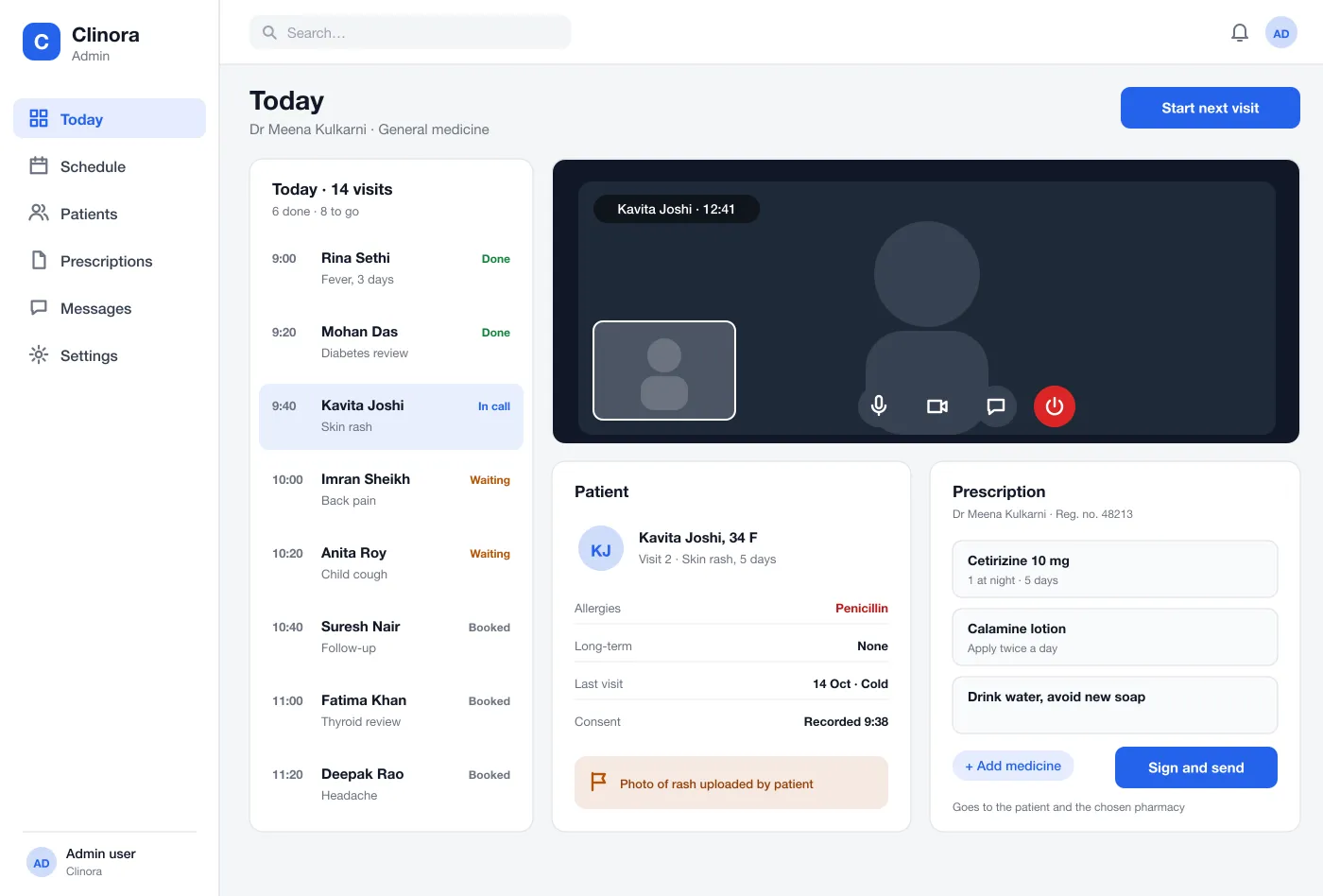
We designed Vitalpass as two parts: a member app for families and a web portal for doctors and the admin team. Both use the same records.
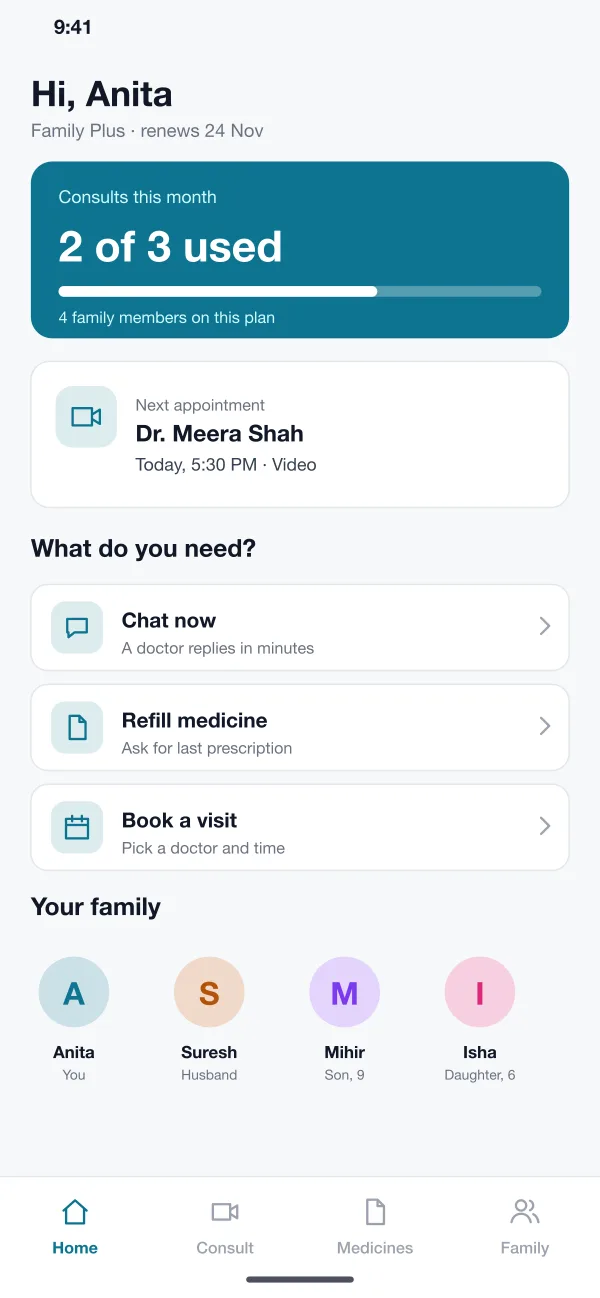
The admin sets up plans with a number of people and a number of consults each month. A member picks one, pays by UPI or card and adds family members.
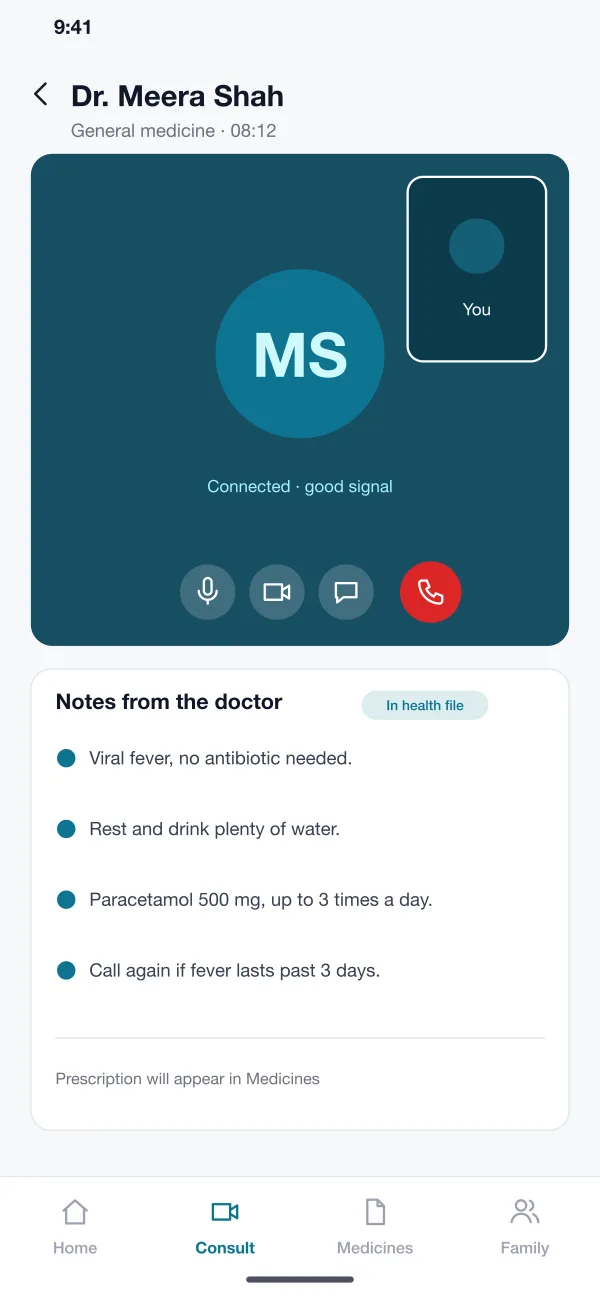
A member can chat first or book a video call. The call opens in the app with no extra downloads, and the doctor can type notes during it.
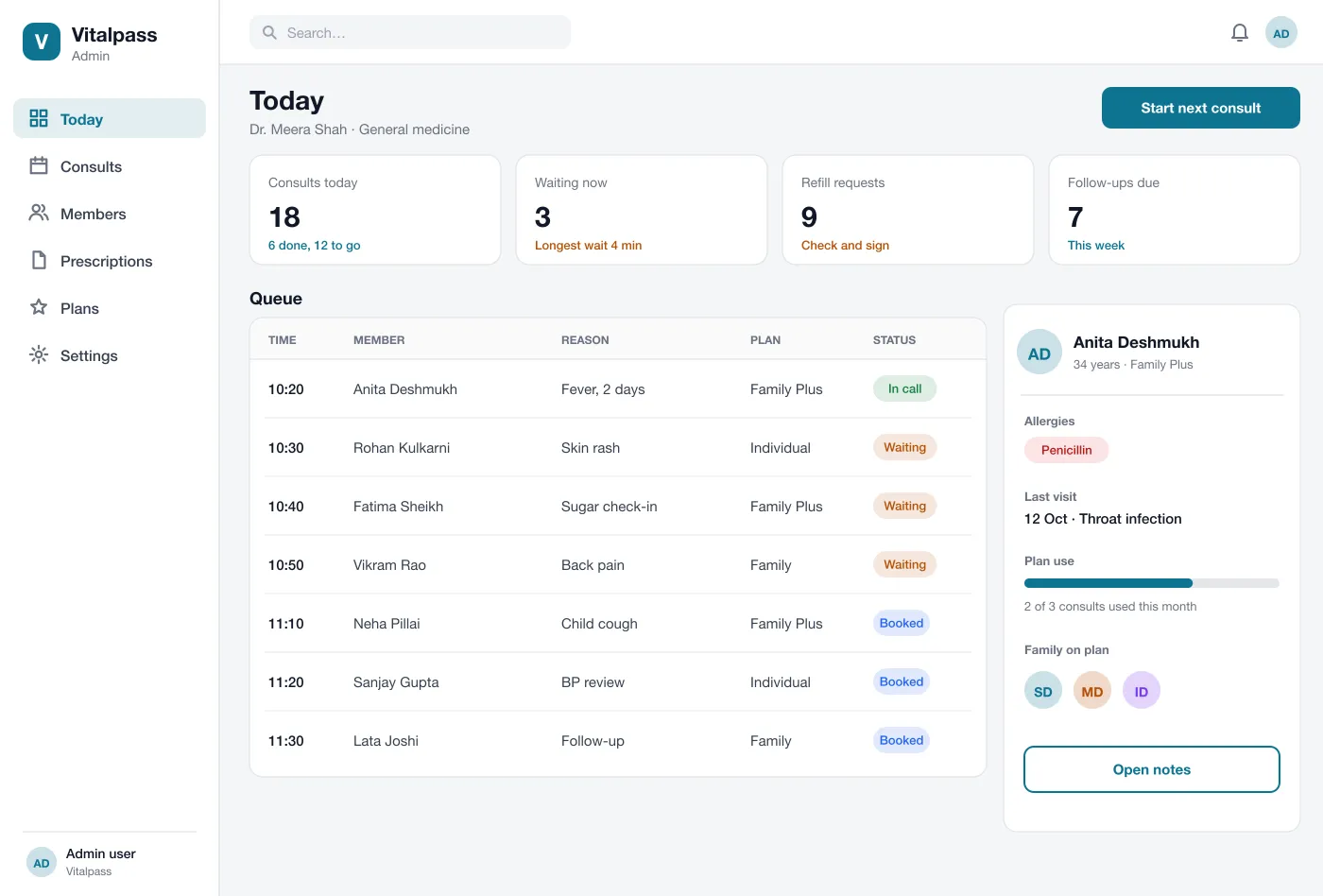
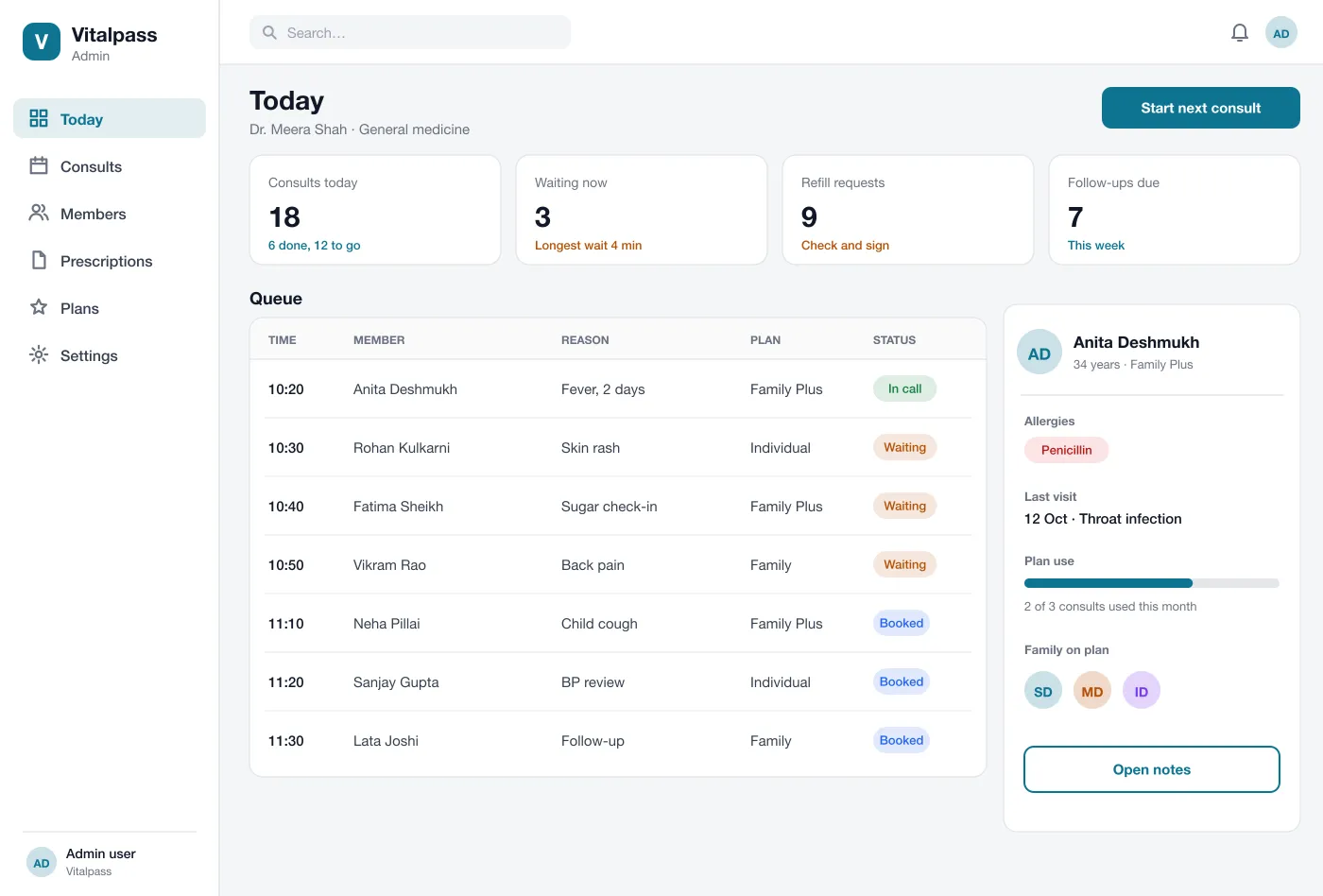
Doctors see who is waiting, why, and for how long. The next patient opens with their allergies, last visit and plan use beside them.
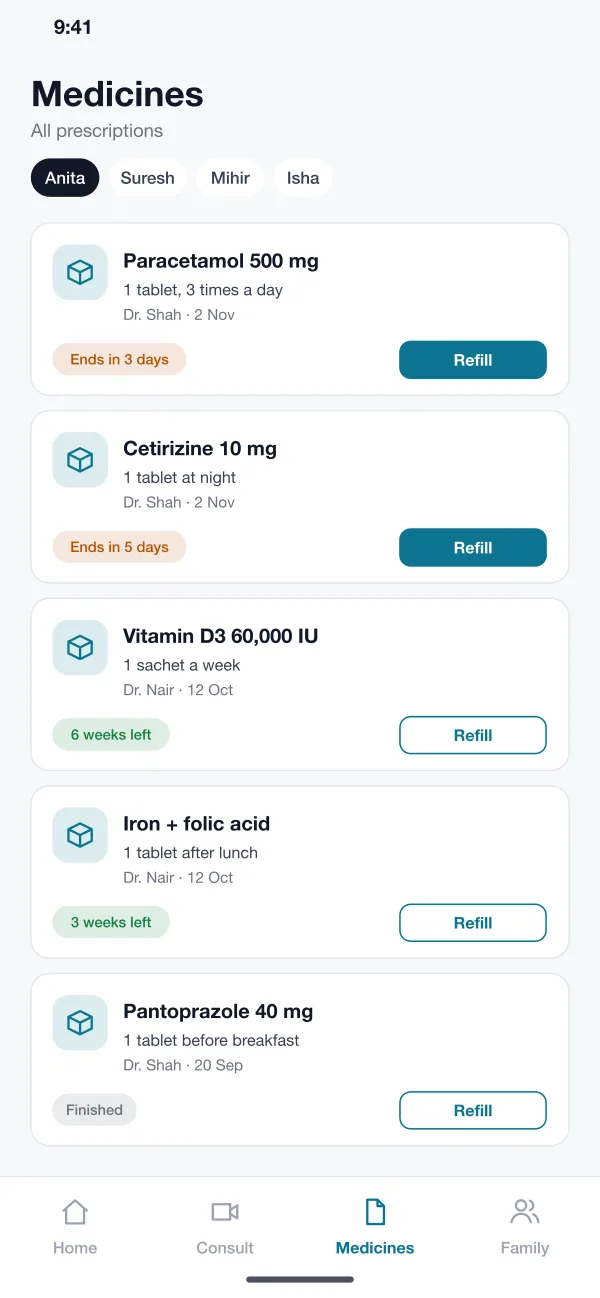
The doctor writes the prescription in the portal. It lands in the member app with the dose, the days left and a Refill button.
Each family member has a file with consult notes, prescriptions and reports. The account holder can see all of them in one place.
The admin sees who renews soon, who pays by autopay and whose card failed, so they can reach out before a plan lapses.
Screens
The mobile app
How it works
Here is how the main tasks run in the app.
Join a plan
A person picks a plan, pays, adds family members and lands on a home screen that shows their consults left.
See a doctor
The member taps Chat now or books a time. The doctor sees them in the queue, talks to them and saves notes.
Get medicine
After the call the prescription appears in the app. When it runs low, the member taps Refill and the doctor signs it.
Renew or change plan
Before the renewal date the member gets a reminder. The admin can follow up on failed payments from the plans screen.
Suggested technology
What we would deliver
FAQ
It is a plan a person or family pays for each month. The plan includes a set number of doctor consults by chat or video, plus prescriptions and refills, without paying for each visit.
Health files are stored encrypted, and each doctor sees only the patients in their queue. Logins use one-time codes, every file view is logged, and data rules are set for the country where the app runs.
Yes. We can build it as a doctor web portal plus a member app for Android and iOS, with plan billing, video calls and prescriptions. Medical rules differ by country, so we plan those with you first.
Yes. In the design, one account holder adds family members to a plan. Each person has their own health file, and the account holder can book and pay for all of them.
They open the Medicines tab and tap Refill on an earlier prescription. The doctor sees the request in a list, checks it and signs it.
The doctor sees the reason for the visit, allergies, past visits and how many consults the member has left on the plan.
Tell us who will use it and what it must do. We will reply with a plan, a timeline and a price.