Exam requests
Requests arrive from insurers by upload or by link. Each has the applicant, the address and the list of tests that are needed.
Examline is a paramedical exam ERP designed and built by our team. An insurer asks for an exam, the system books the applicant with a nearby examiner, the examiner records vitals and samples in an app, and results go back to the insurer.
Examline was designed and built by the PRS CloudTech team.
The brief
Before an insurer accepts a policy, it often asks the applicant to have a basic health check at home. A coordinator has to call the applicant, find a time, pick an examiner and chase the results.
The work is mostly phone calls and spreadsheets. Applicants are not reached, visits are missed, forms come back with a signature missing and the insurer waits days.
Easy booking
The applicant should pick a time by message, without a long call.
The right examiner
The visit should go to someone free and close by, so travel time is short.
A complete file
Vitals, samples, consent and ID must all be there before results go back.
Privacy
Health details must reach only the people who need them, with a record of who looked.
What we designed
Examline follows an exam from the insurer's request to the finished file.
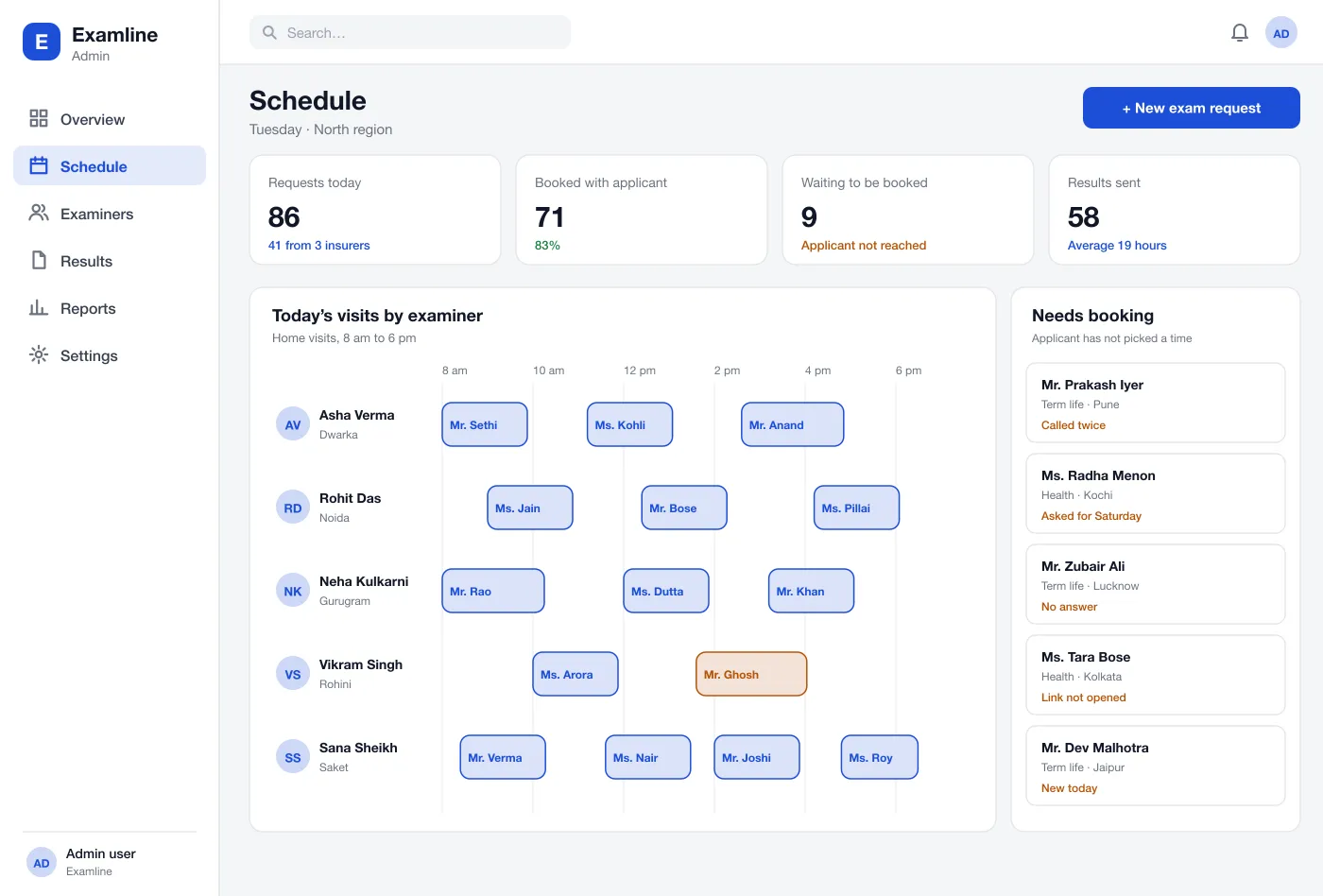
Requests arrive from insurers by upload or by link. Each has the applicant, the address and the list of tests that are needed.
The applicant gets a message with a link to pick a time. If they do not reply, the request moves to a list so a coordinator can call.
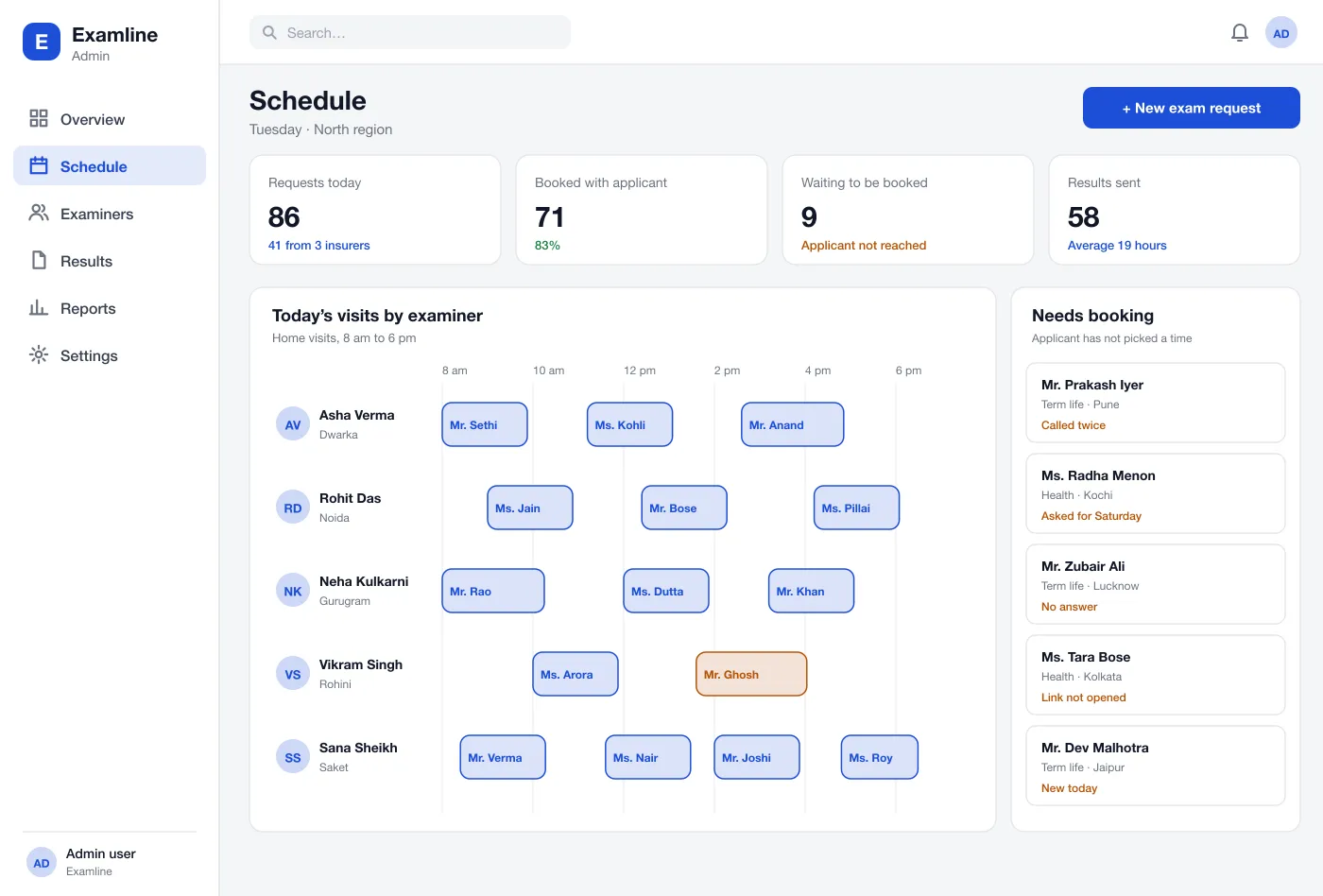
Visits are placed on a day view for each examiner by area. A coordinator can drag a visit to another examiner when plans change.
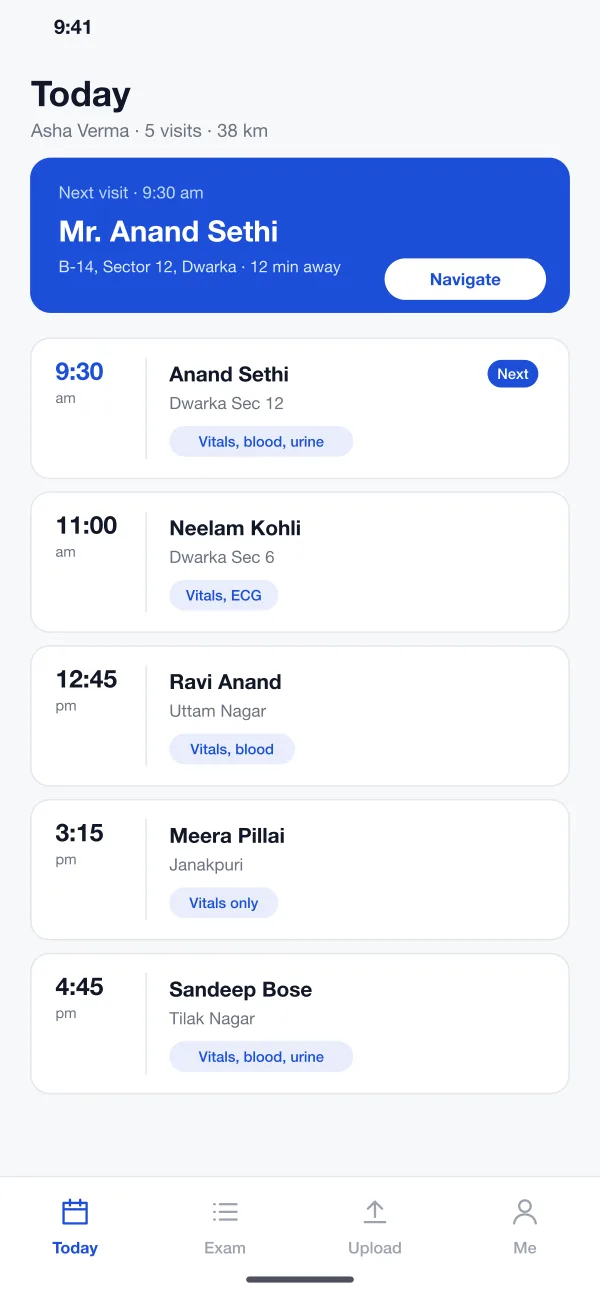
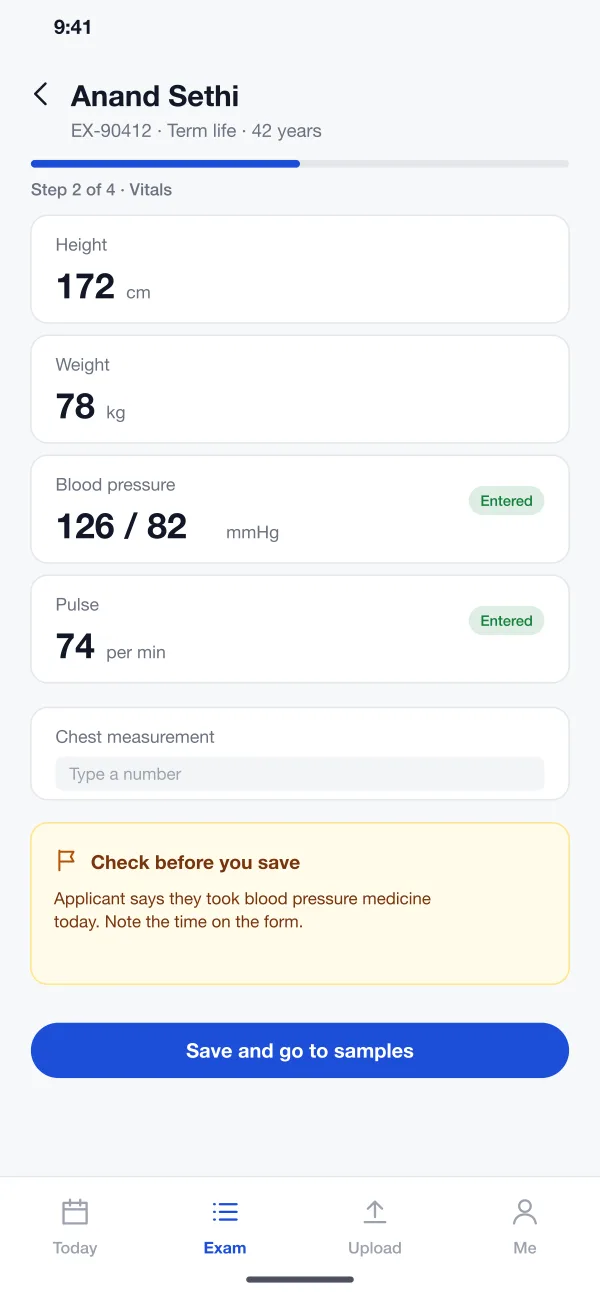
The examiner sees today's visits in route order, opens navigation, fills in the vitals and takes a signature and a photo of the ID. It works without signal and sends later.
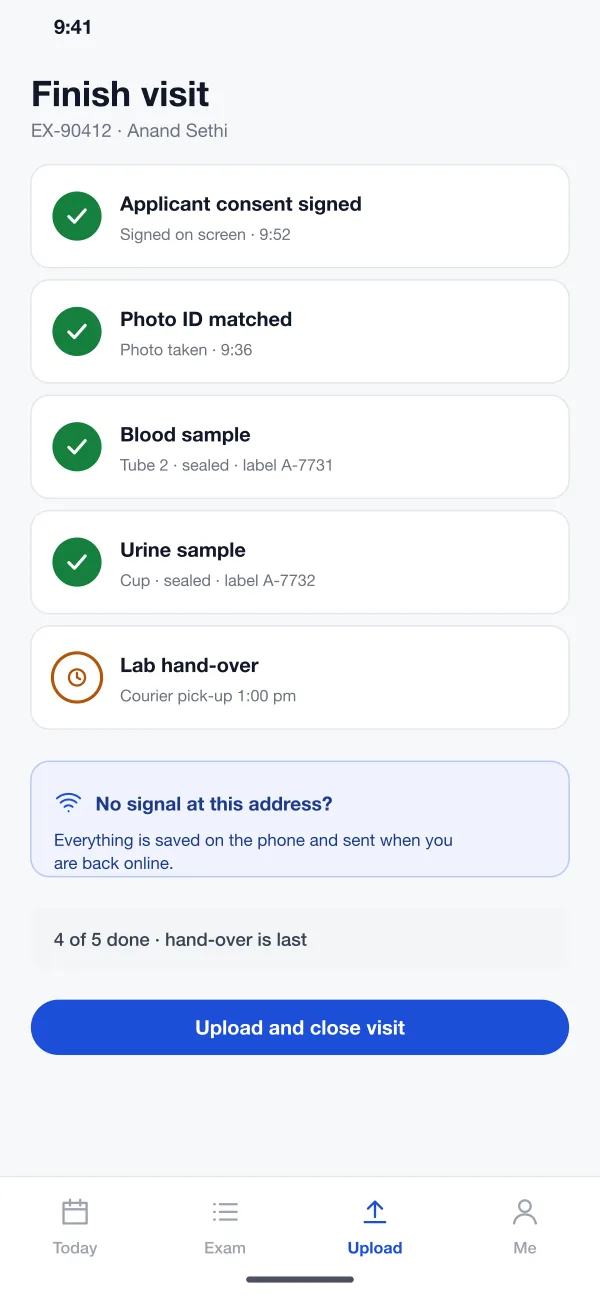
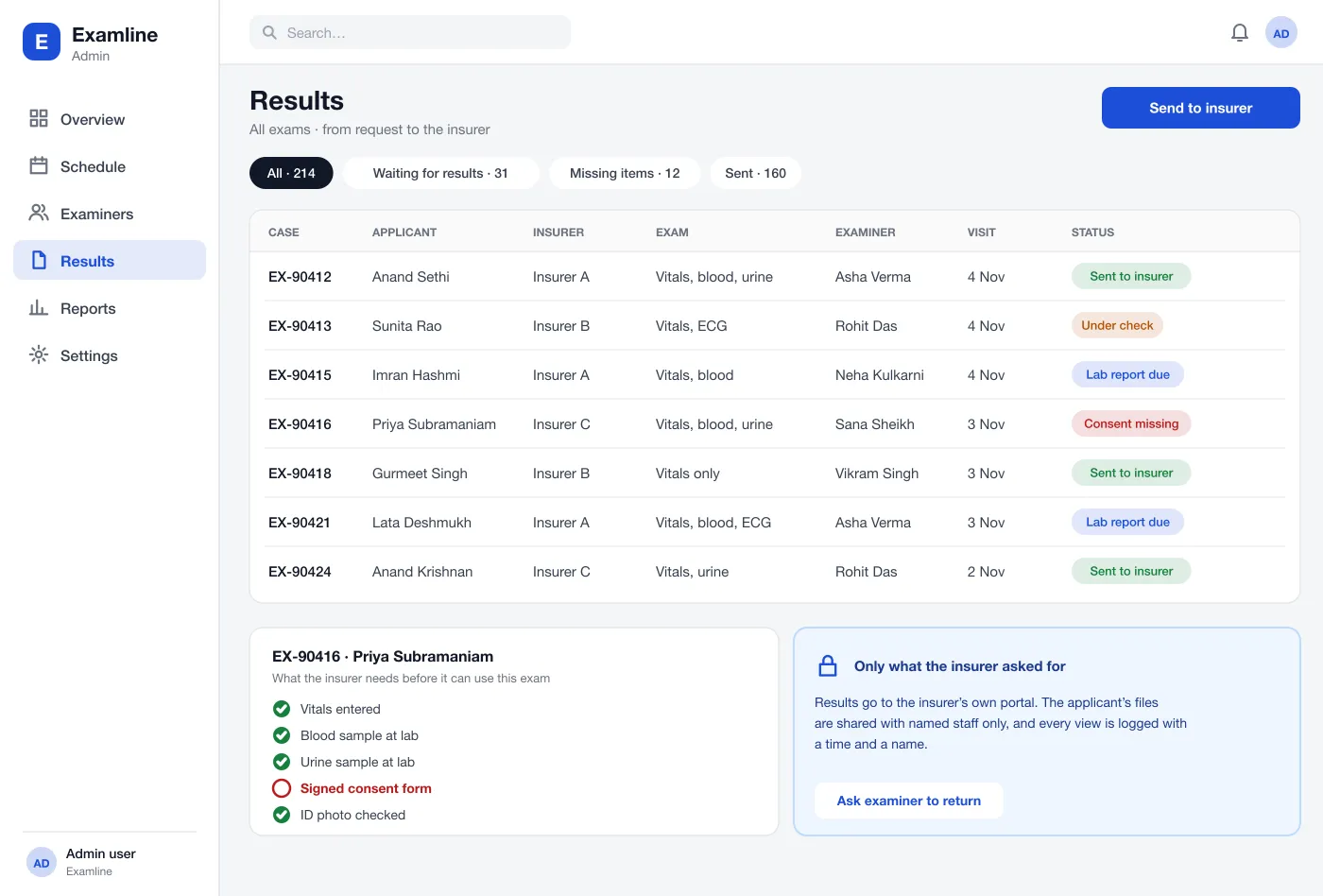
Each sample gets a label and a hand-over time. Lab results and exam forms join the case file. A checklist shows what is still missing.
Results go to the insurer's own portal. Access is limited to named staff and every view is logged.
Screens
The mobile app
How it works
Here is how the main tasks work, from a new request to the finished file.
Take a request
An insurer sends an exam request. The applicant gets a text and picks a time that evening.
Plan the day
The coordinator checks the board, sees an examiner with a gap near the address and confirms the visit.
Do the visit
The examiner follows the route, records vitals, takes the signature and seals the samples. The app shows each step as done.
Close the case
The coordinator sees a case with a missing consent form, asks the examiner to return, and then sends the complete file to the insurer.
Suggested technology
What we would deliver
FAQ
It is a basic health check done for a life or health insurance application. A trained examiner visits the applicant, measures things like height, weight and blood pressure, and collects blood or urine samples.
It depends on how many insurers you connect to, how many exam types you run and whether the examiner app must work offline. We plan the first release around the booking and visit flow, then add the rest in steps.
Yes. We can build the web system for your office, the examiner app for Android and iOS, and connect it to your insurer clients and your labs.
It looks at the applicant's address, the time they prefer and which examiners are free nearby. A coordinator can accept the suggestion or change it.
Files are shared only with named staff and with the insurer who asked for the exam. Every view is logged with a time and a name.
Tell us who will use it and what it must do. We will reply with a plan, a timeline and a price.