Prescription upload
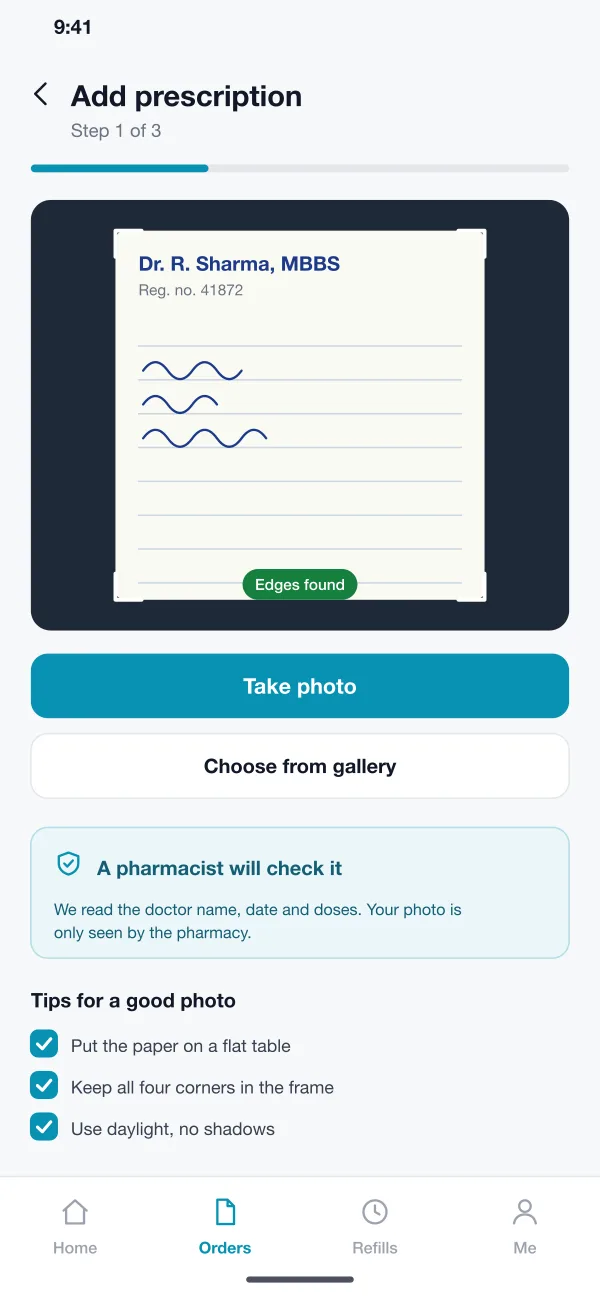
The customer takes a photo of the paper. The app finds the edges, tidies the picture and gives tips for a clear shot. Repeat customers can reuse an old prescription while it is still valid.
Tabletly is a medicine ordering app designed and built by our team. A customer uploads a prescription photo, a pharmacist checks it, and the medicines come to the door. The app also reminds people when it is time to refill.
Tabletly was designed and built by the PRS CloudTech team.
The brief
Many people take the same medicines every month. Ordering them still means a trip to the shop, a wait in a queue and a phone call to ask if the tablets are in stock.
Existing shops often take orders on WhatsApp. Photos of prescriptions get lost in chats, nobody checks them in a set way, and the customer cannot tell when the order will arrive.
Check the prescription
A trained person must read the photo and confirm the medicines before anything is packed.
Show what is in stock
The customer should know early if a medicine is missing, and get a choice instead of a surprise.
Handle special items
Some medicines must stay cool. The rider has to know which ones.
Remind at the right time
People on long-term medicines should get a nudge before they run out, not after.
What we designed
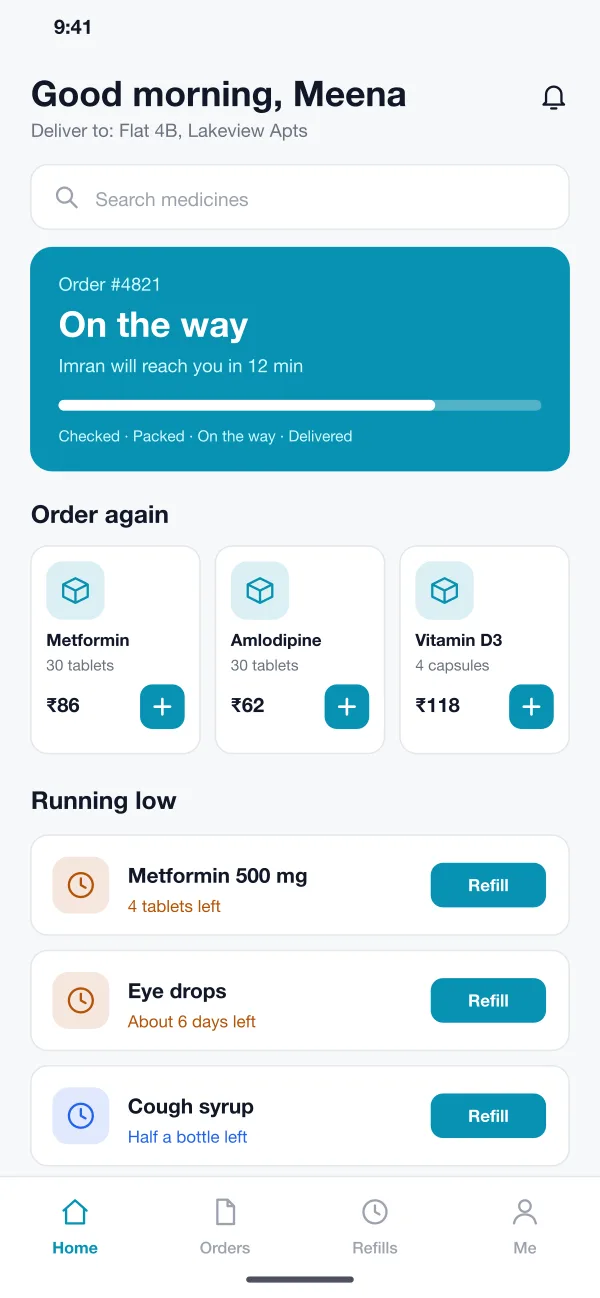
We designed Tabletly as a customer app, a pharmacist console on the web and a simple view for riders. All three read the same order, so everyone sees the same status.
The customer takes a photo of the paper. The app finds the edges, tidies the picture and gives tips for a clear shot. Repeat customers can reuse an old prescription while it is still valid.
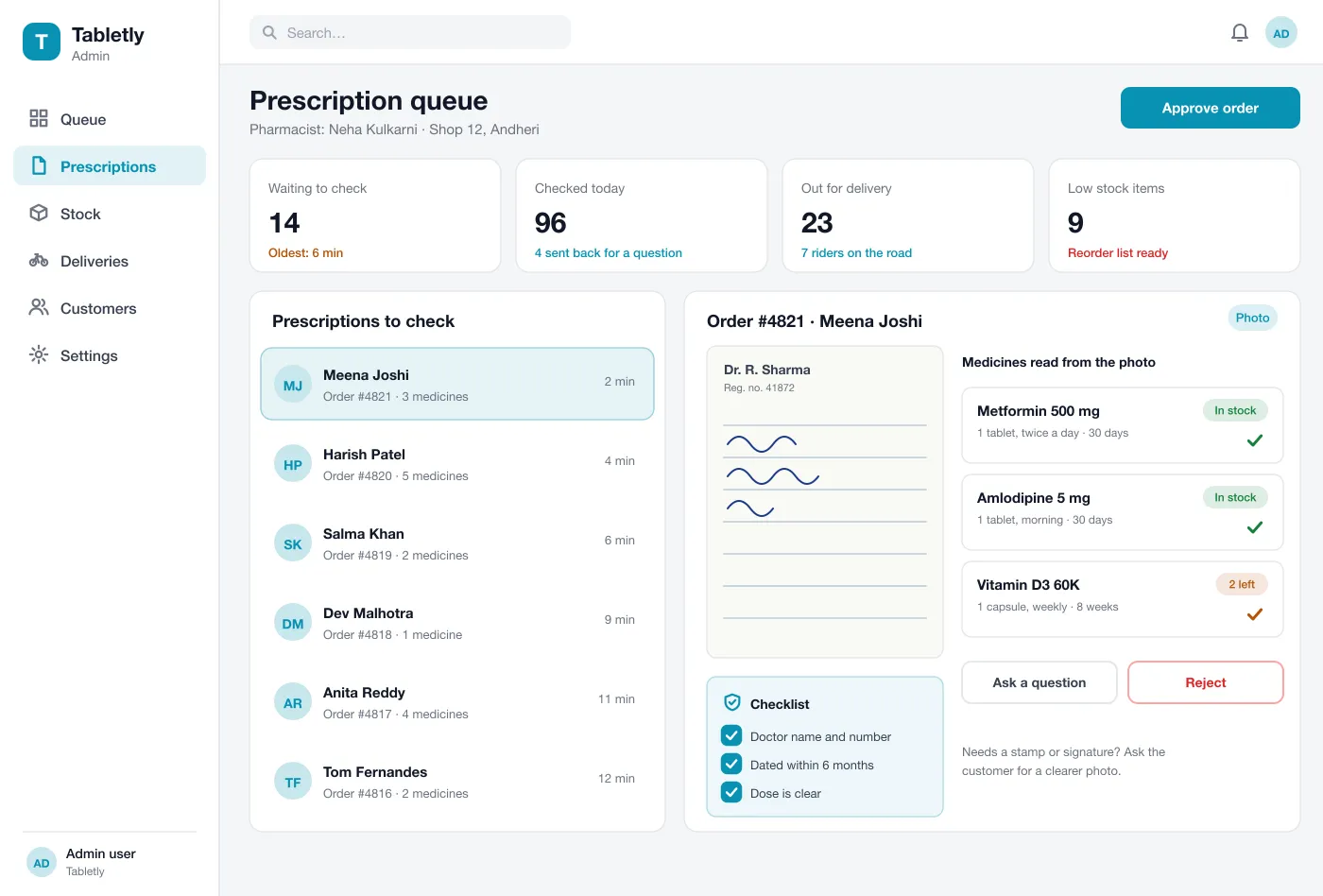
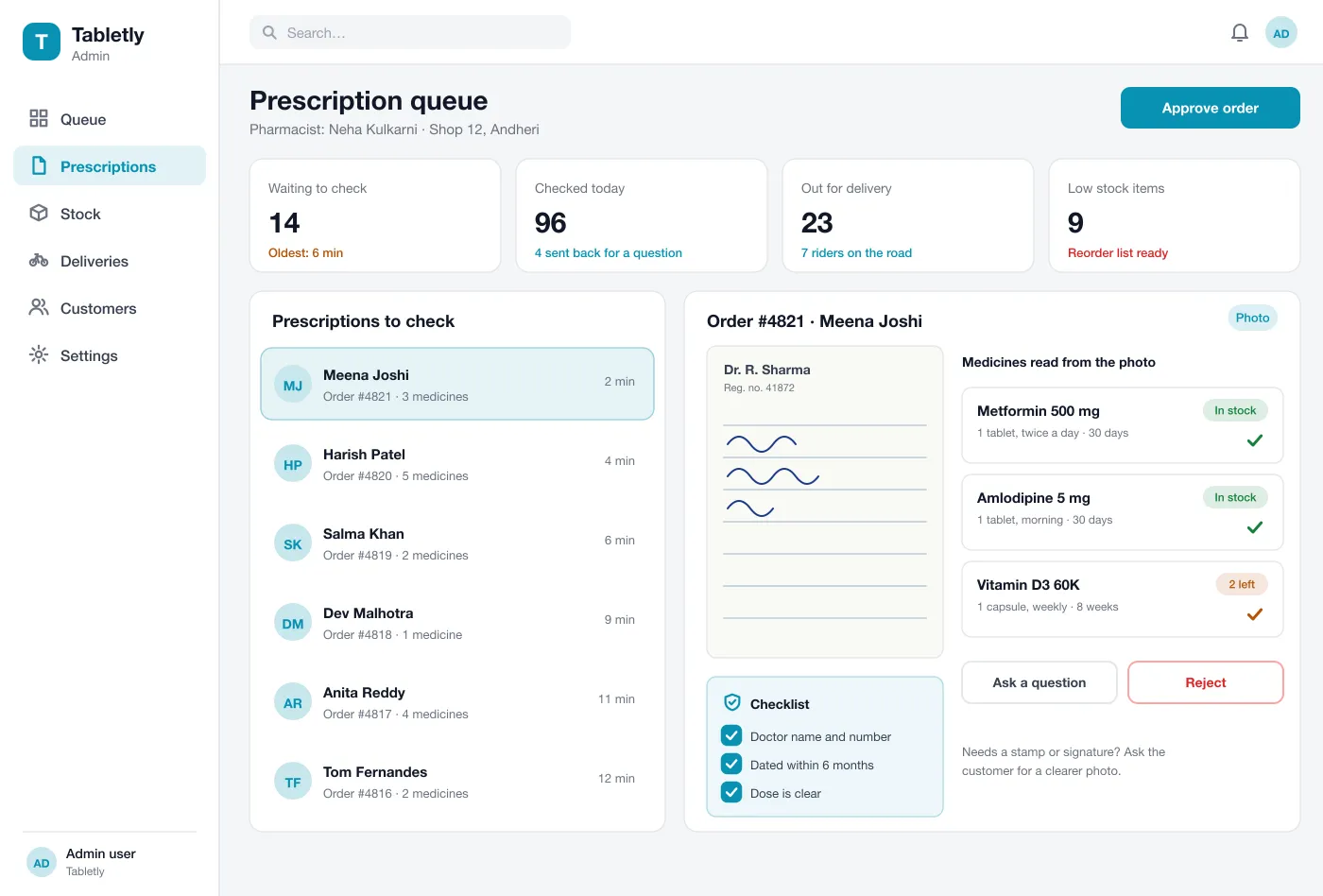
The pharmacist sees the photo beside the medicines in the order. A short checklist covers doctor details, date and dose. They can approve, ask a question or reject, and add a note for the customer.
Each medicine shows if it is in stock. If a brand is missing, the pharmacist can offer another with the same salt, and the customer says yes or no in the app.
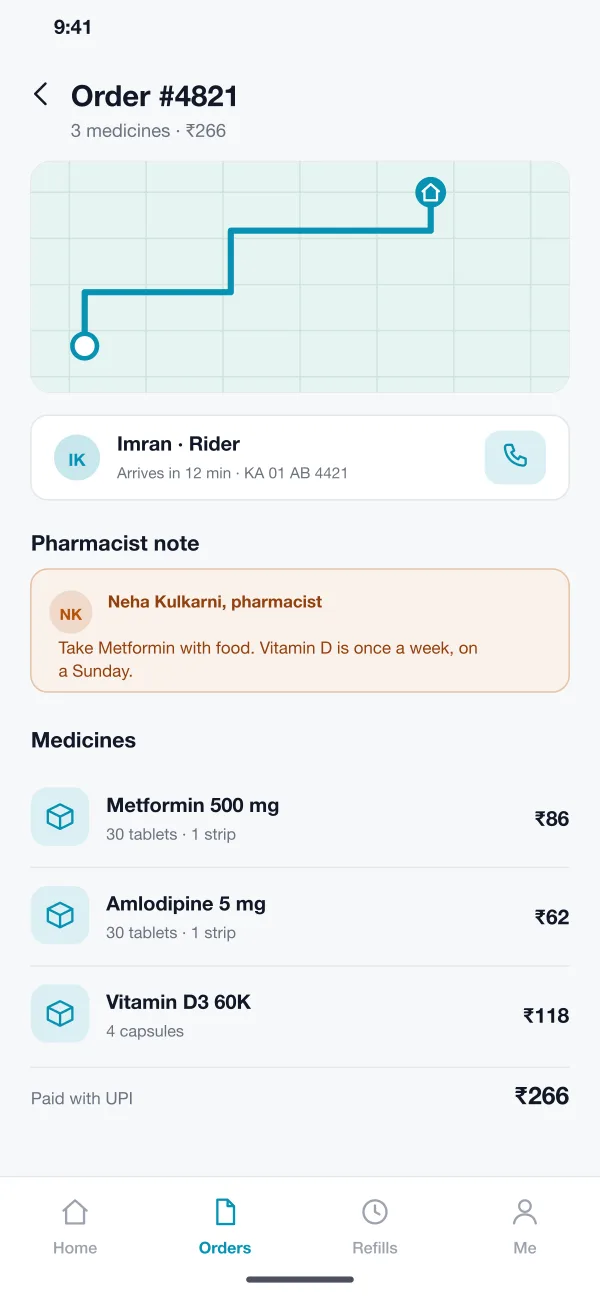
Packed orders go to a rider. The customer sees a map, the rider name and the time left. Cold items such as insulin are marked so they ride in a cool bag.
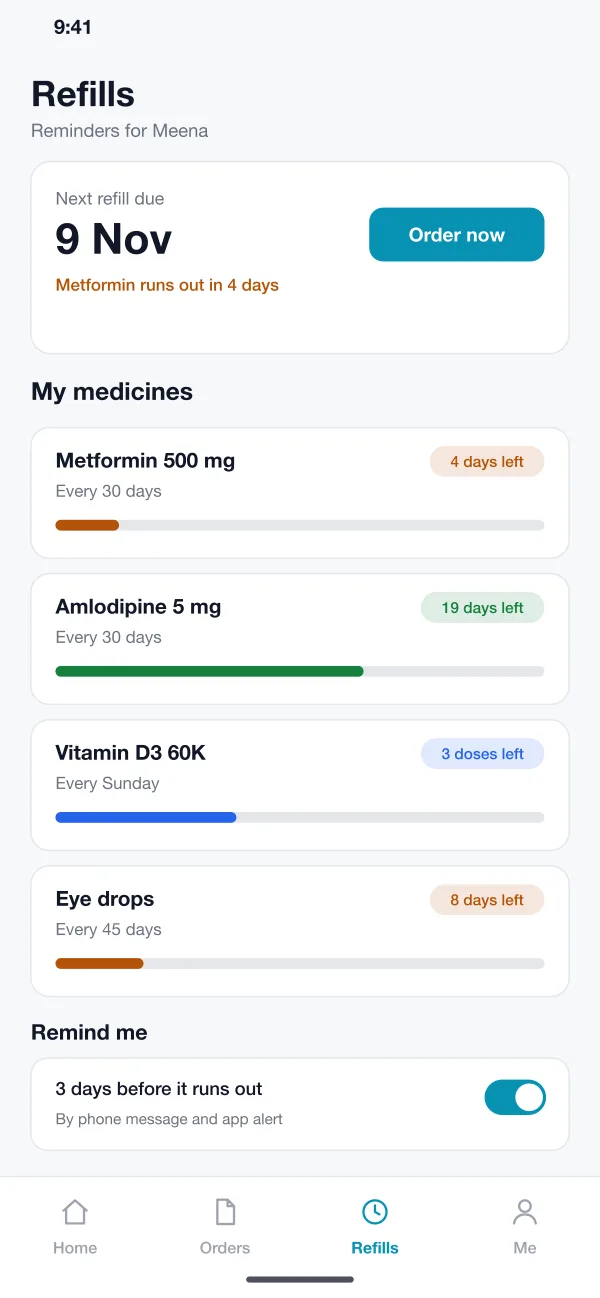
The customer sets how often each medicine is taken. The app counts down the days left and sends a reminder with a Refill button.
The customer pays by UPI, card or cash on delivery. Every order, bill and pharmacist note is saved in the order history for the shop and the customer.
Screens
The mobile app
How it works
Here is how the main tasks work in the app, from a photo of a prescription to medicines at the door.
Order with a prescription
The customer uploads a photo, picks delivery time and pays. The order goes to the pharmacist queue right away.
Check and approve
The pharmacist opens the oldest order, reads the photo against the list, ticks the checklist and approves. If a line is unclear, one tap sends a question to the customer.
Receive at home
The customer follows the rider on the map, gets a call button and pays the rest by cash if they chose that.
Refill next month
A reminder arrives a few days before the tablets finish. The customer taps Refill and the same order is placed again.
Suggested technology
What we would deliver
FAQ
It is an app where a person picks medicines or sends a prescription, pays online and gets the order at home. A local pharmacy packs and sends it.
Prescription photos and order details are stored encrypted and shown only to the customer and the pharmacist handling the order. Staff accounts have roles, each view of a prescription is logged, and old photos can be removed after a set time.
Yes. We can build the customer app for Android and iOS, the pharmacist console on the web and a rider view, and connect them to your stock list and payment gateway.
The customer takes a photo. A pharmacist sees it next to the medicines in the order and ticks a short checklist before approving, asking a question or rejecting. Rules for your area can be added.
The customer sets how often a medicine is taken. The app counts the days left and sends a reminder a few days before it runs out, with a button to reorder.
Tell us who will use it and what it must do. We will reply with a plan, a timeline and a price.