Explore by day and type
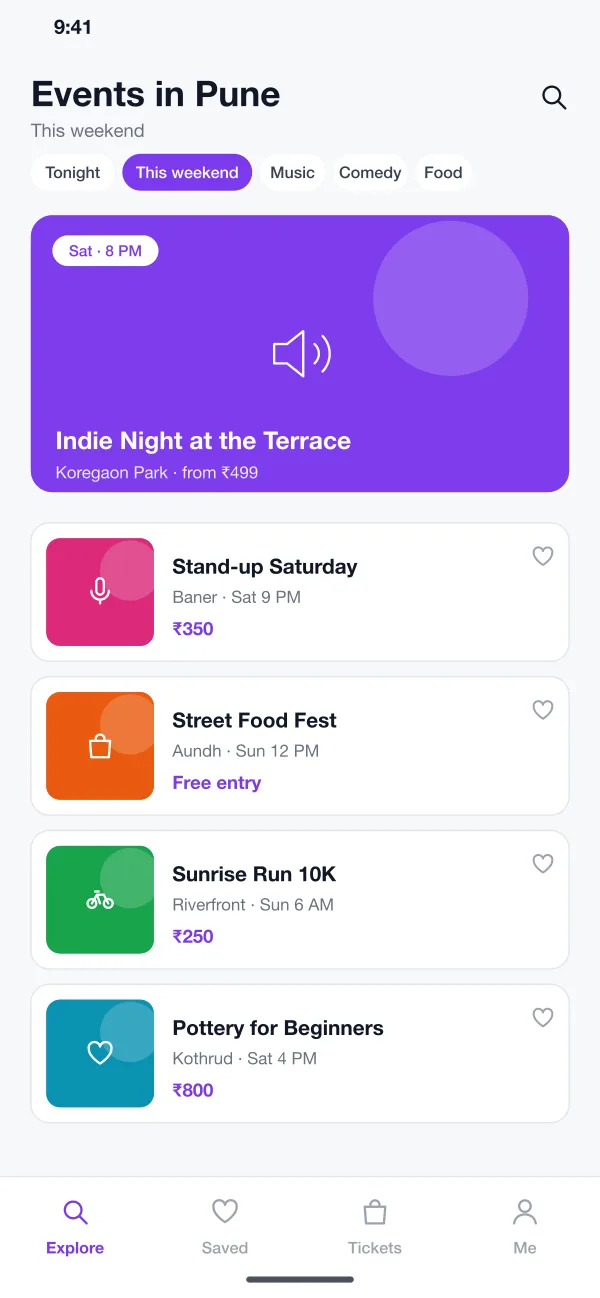
The first screen lists events near the visitor. Quick filters such as Tonight, This weekend, Music and Food narrow the list. One featured event sits on top, and each row shows the place, the time and the lowest price.
Huddlebeat is an event discovery and ticketing app designed and built by our team. People browse events near them, buy tickets in a minute and enter with a QR code. Organisers watch sales and entry from a web dashboard.
Huddlebeat was designed and built by the PRS CloudTech team.
The brief
Good local events are easy to miss. People hear about a gig or a food fair from a friend, a poster or a chat group, and often after it has sold out. Organisers, in turn, sell through forms, bank transfers and screenshots.
At the gate it gets worse. Staff check names on a printed list, edited screenshots get through and queues grow. After the event, nobody is sure how many people came.
Easy discovery
People should see what is on this weekend near them, by type and by price, without searching several places.
Fast, safe buying
Choosing tickets and paying should take about a minute and end with a ticket that cannot be copied.
Quick entry
The gate should check a ticket in a second, even with poor mobile signal.
Clear numbers for the organiser
Sales, refunds and people inside should show on one screen, live.
What we designed
Huddlebeat follows a ticket from the first look at an event to the moment someone walks through the gate.
The first screen lists events near the visitor. Quick filters such as Tonight, This weekend, Music and Food narrow the list. One featured event sits on top, and each row shows the place, the time and the lowest price.
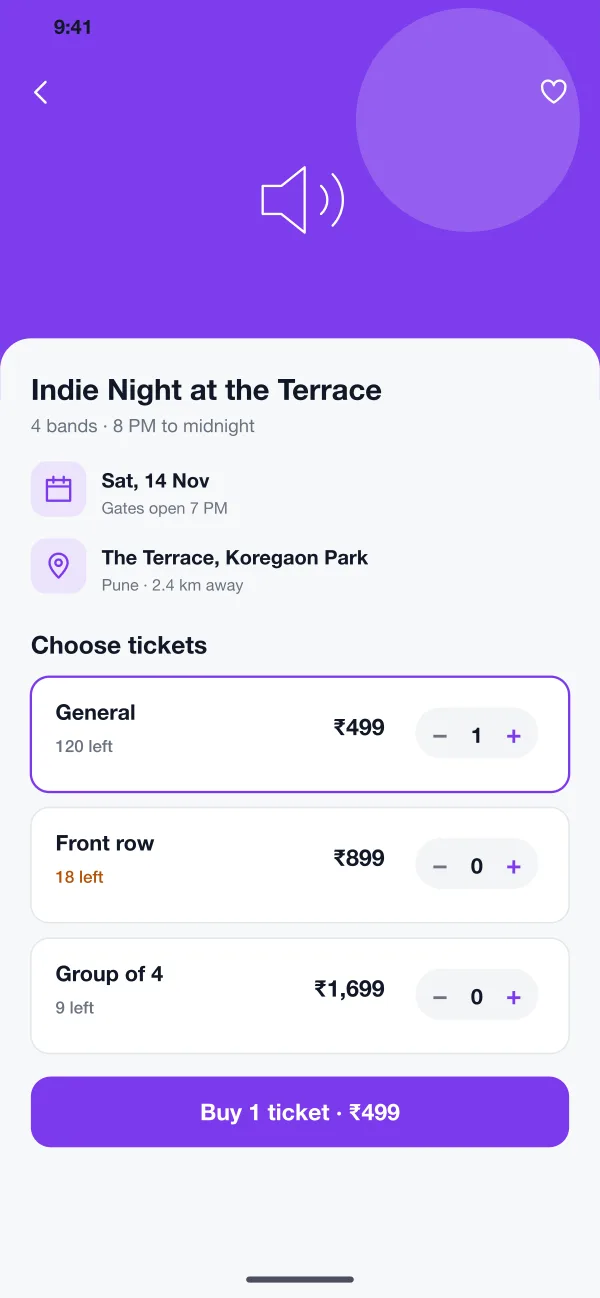
The event page shows the date, the venue and the distance. Ticket types appear as cards with the price and how many are left. A warning shows when a type is nearly gone.
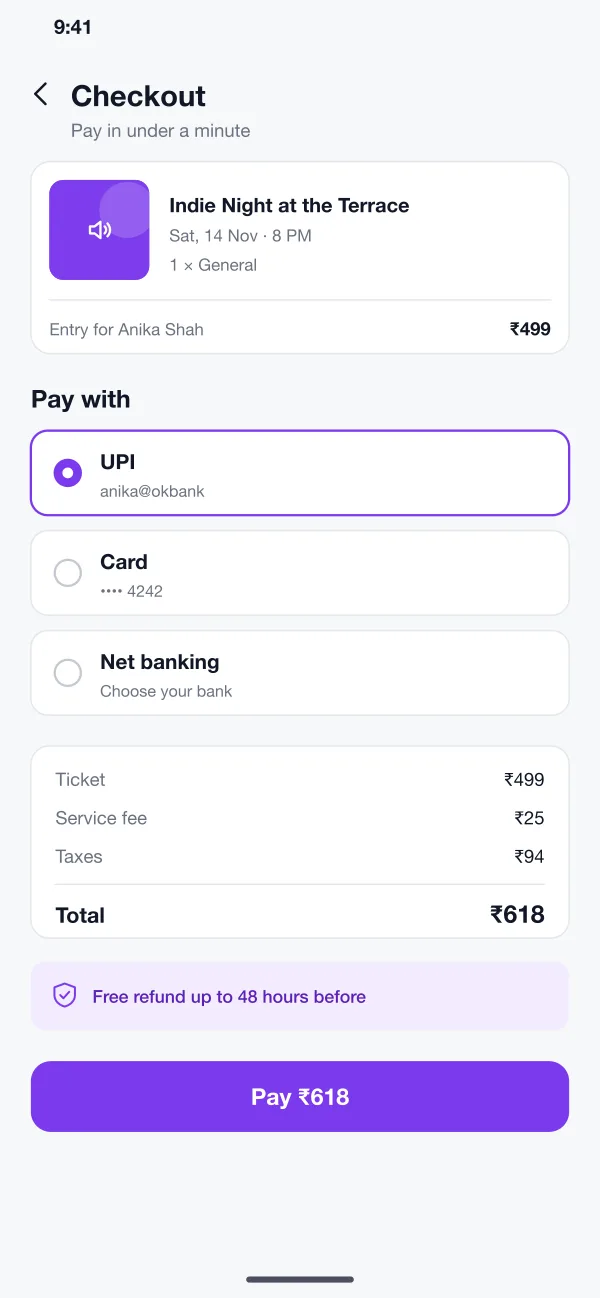
Checkout shows the full price, including fees and taxes, before the person pays. They can pay by UPI, card or net banking. The refund rule is written next to the pay button.
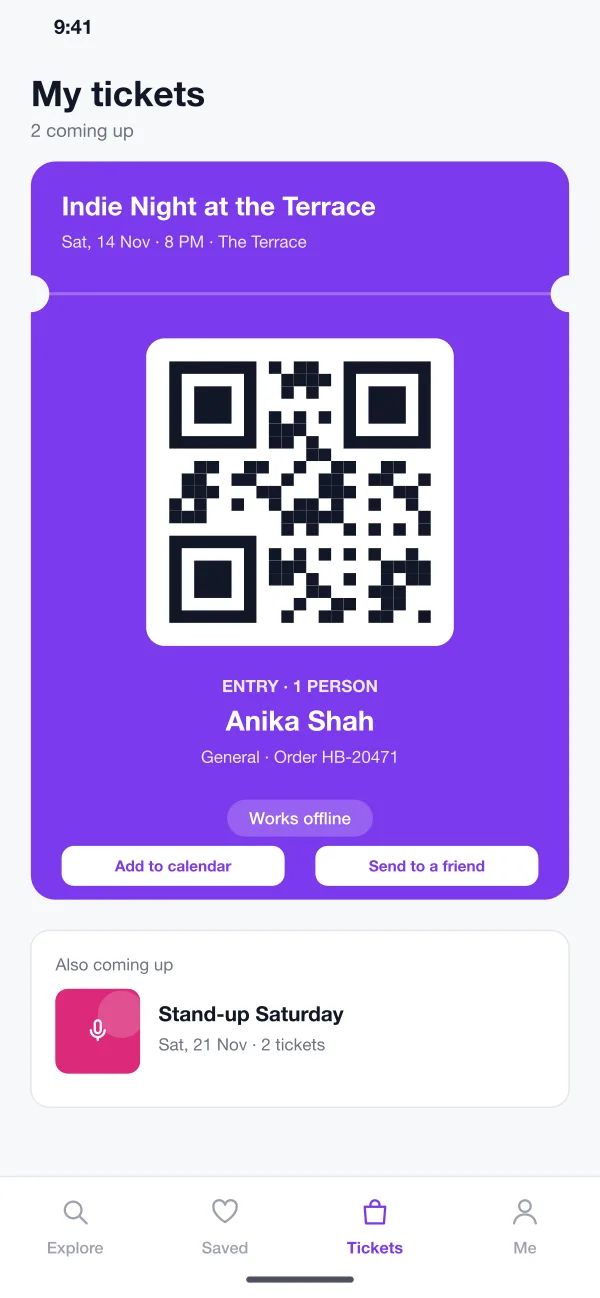
Every ticket is stored in the app with a QR code, the holder's name and the order number. The QR works without internet. A ticket can be added to the calendar or sent to a friend.
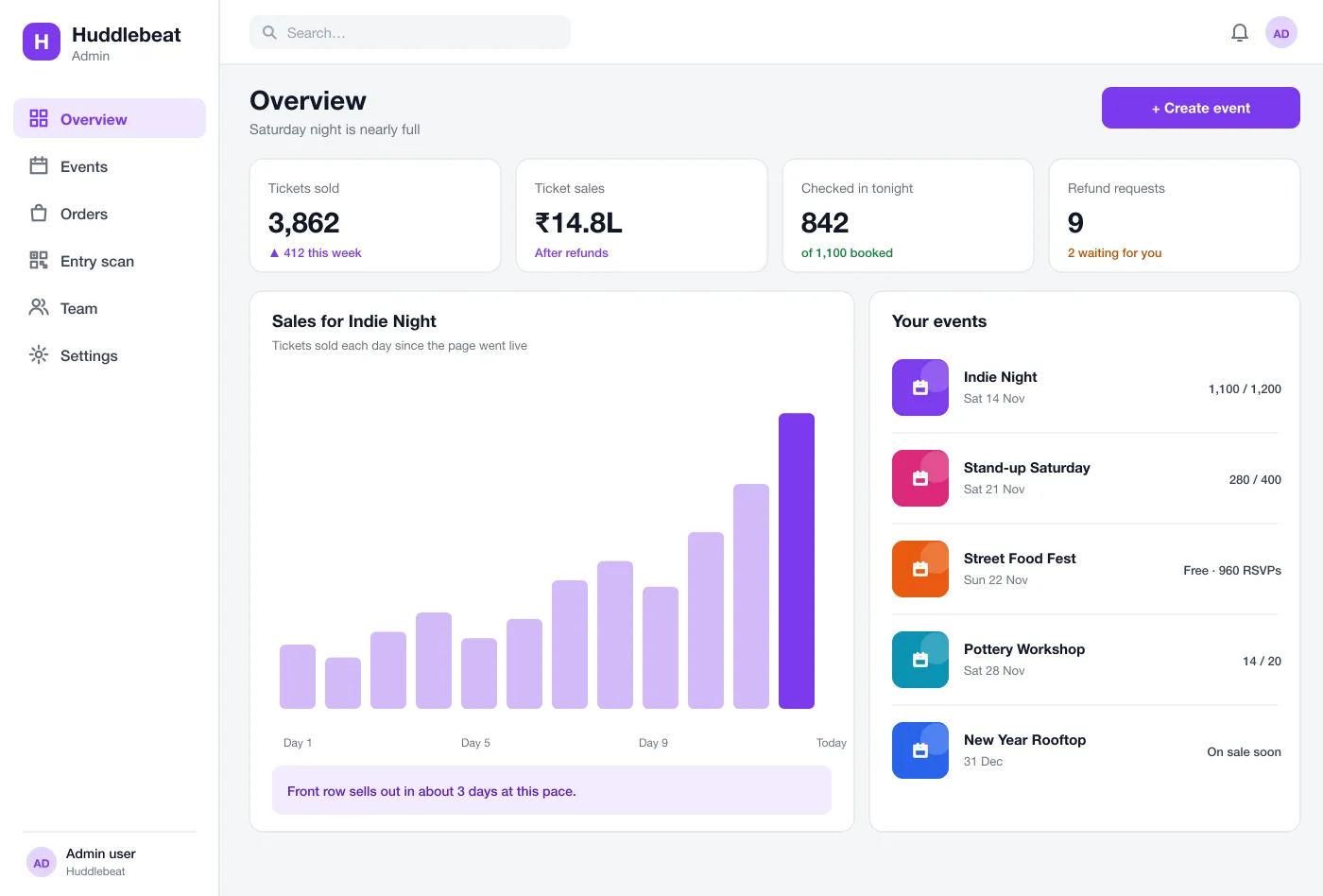
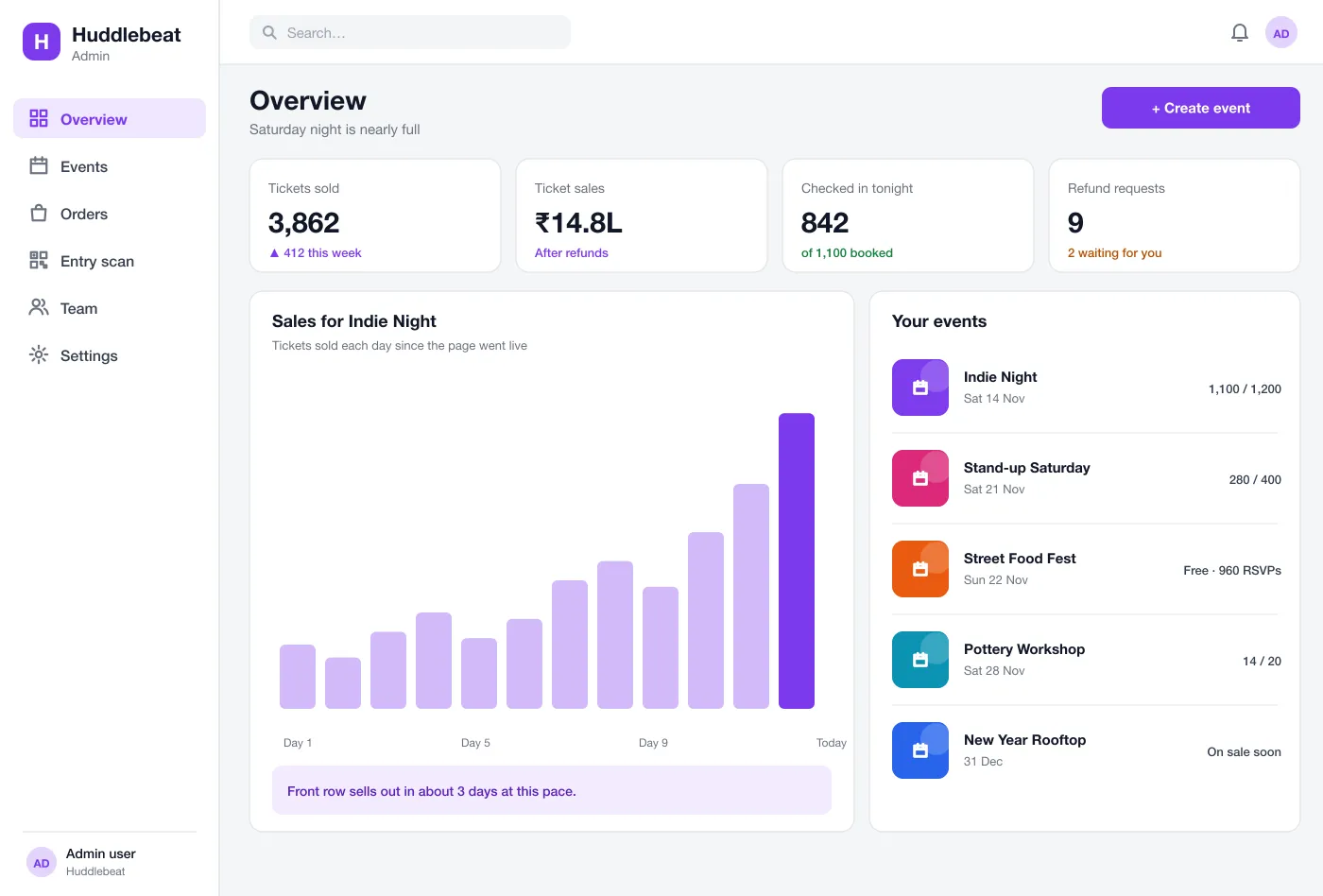
Organisers create events, set ticket types and prices, and watch sales by day. A line of plain text says things like when a ticket type may sell out. Refund requests wait in a short list.
Gate staff open a scanner screen on a phone. A valid ticket turns green and is marked as used. A used or unknown ticket turns red. The organiser sees the count of people inside, live.
Screens
The mobile app
How it works
Here is how the main tasks work, from finding an event to counting people at the gate.
Find something to do
A visitor opens the app, picks This weekend, saves two events and opens one to see ticket types.
Buy a ticket
The visitor picks a ticket, pays by UPI and gets the QR ticket in the wallet within seconds.
Enter the event
At the gate, staff scan the QR. The ticket turns green and the count inside goes up by one.
Run the event
The organiser creates the event, watches sales, answers refund requests and sees the final count after the night.
Suggested technology
What we would deliver
FAQ
It is an app where people find events, pick a ticket type, pay and get a ticket on their phone. The organiser uses a dashboard to see sales and to check people in at the gate.
Start with event listings with filters, ticket types with limits, checkout with UPI and cards, a QR ticket wallet and a gate scanner. Refunds, promo codes, seat maps and group bookings can follow once the first events run smoothly.
Yes. We can build the visitor app, the organiser dashboard and the gate scanner, and connect them to your payment gateway, your brand and your venues.
Each ticket has its own QR code. Staff scan it with the scanner screen and the app marks it as used. A second scan of the same code is refused, so a ticket cannot be shared twice.
Yes. An organiser can set general, front row and group tickets, each with its own price and number available, and see how fast each one sells.
Tell us who will use it and what it must do. We will reply with a plan, a timeline and a price.